

Global
A Global field is a reusable group of fields. Define it once and use it across multiple content types in your stack. This helps you avoid recreating the same set of fields repeatedly.
You can update the following properties of a Global field at any time:
- Select Global Field
- Display Name
- Unique ID
- Instruction Value
- Help Text
- Multiple
- Non-localizable
- Mark as Global Field Title
Note: You can now show a Global field as a separate tab in the entry editor for better organization and navigation. Learn how to enable the Show as Tab option.
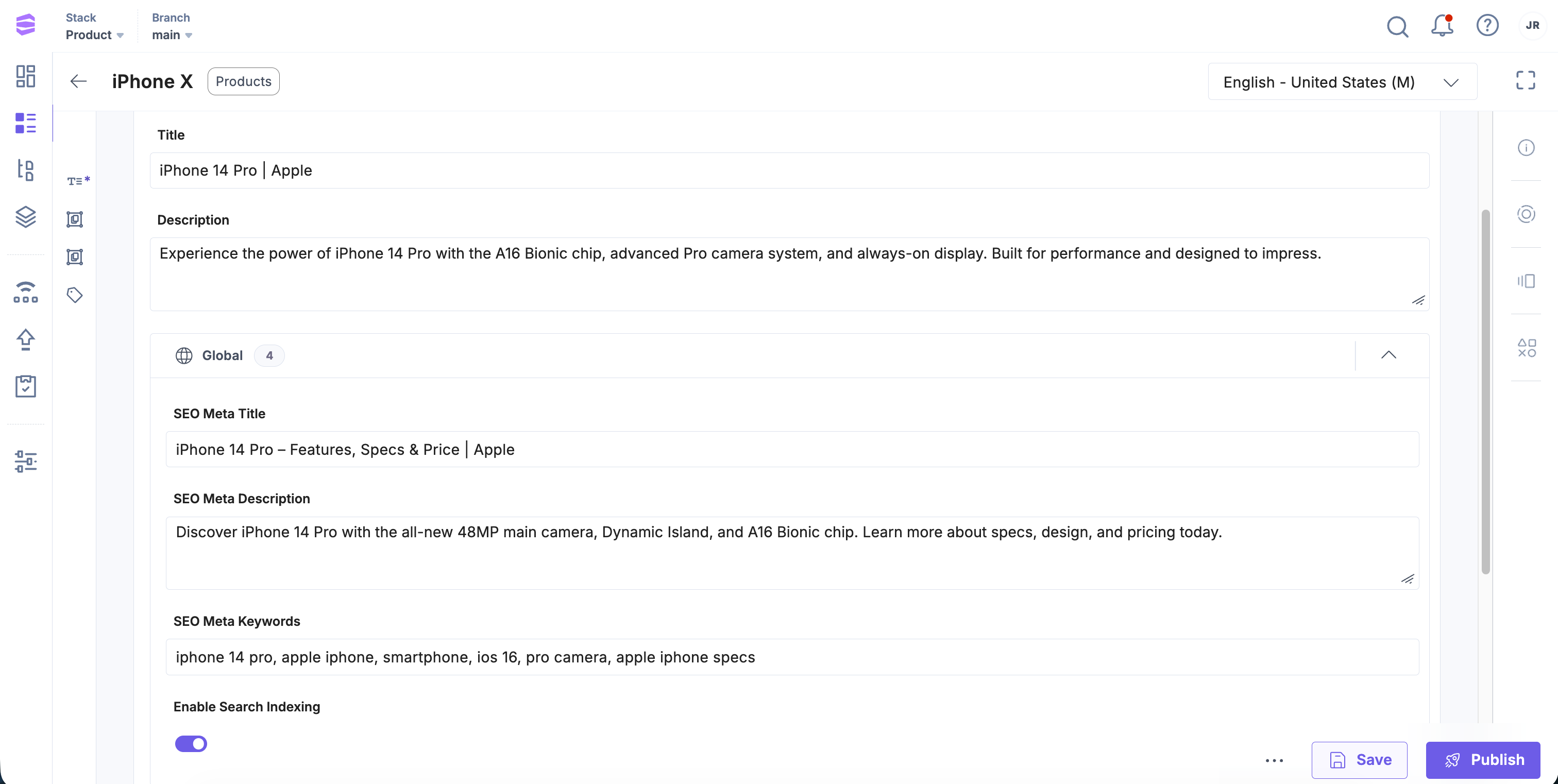
For example, to standardize SEO metadata across all pages, you can create a Global field named SEO and add subfields such as:
- Meta Title
- Meta Description
- Meta Keywords
- Enable Search Indexing
Once created, add the SEO Global field to all relevant content types. When content creators add entries, the SEO field appears automatically with the predefined subfields (Meta Title, Meta Description, Meta Keywords, and an Enable Search Indexing toggle), ready to use, as shown below:
Note: Updating fields in an existing content type may result in data loss. Before making changes, refer to the Content Type Change Management documentation.
Copy Field Values Across Global Fields
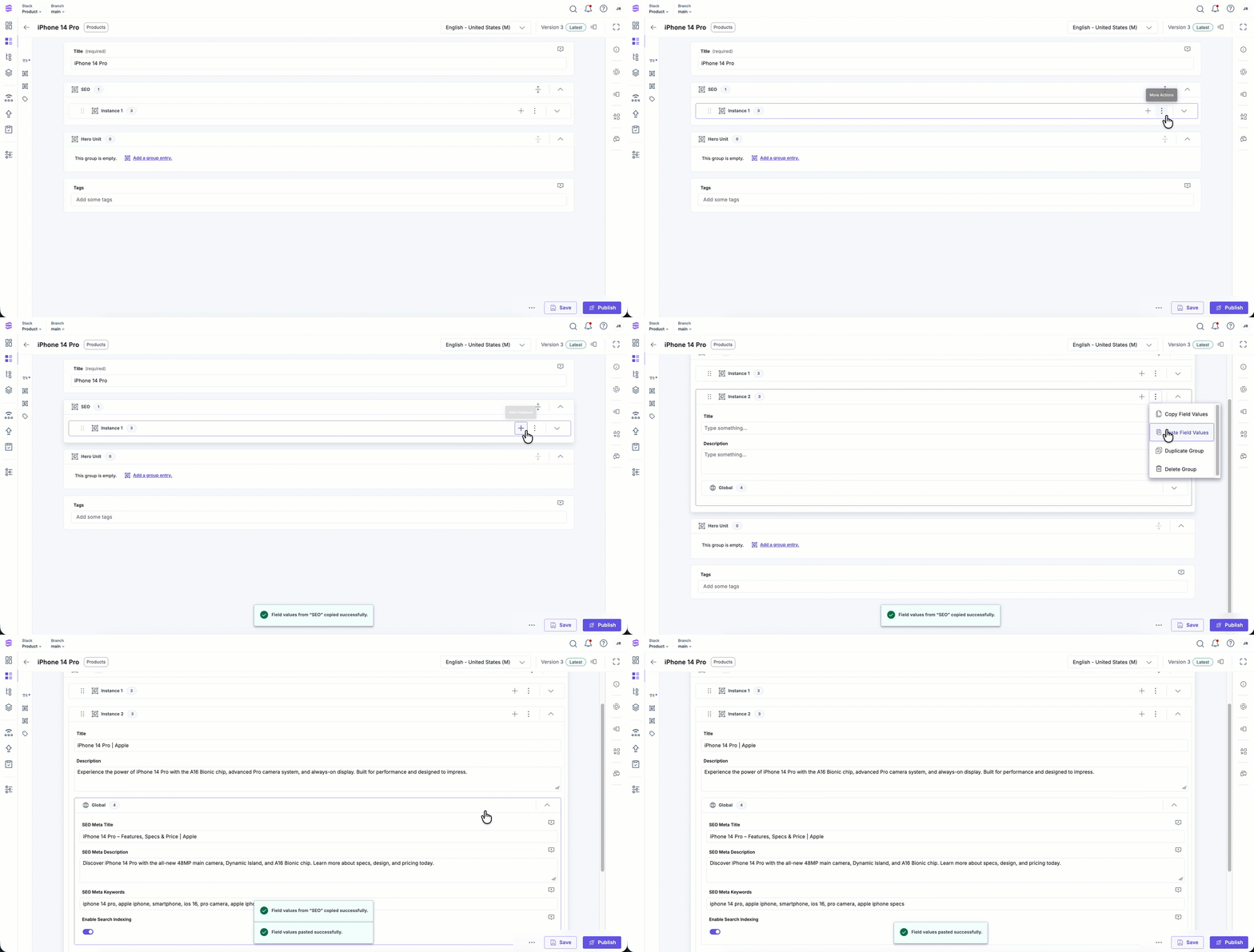
Content managers can copy the values of an instance within a Global field and paste them into:
- Another instance within the same entry.
- A matching instance of the same Global field in a different entry.
This simplifies content duplication and speeds up entry creation.
To copy and paste field values across group fields, log in to your Contentstack account and perform the following steps:
- In the Global field, select the instance, click the vertical ellipsis, and select Copy Field Values.
- In the target entry or instance, click the vertical ellipsis again and select Paste Field Values.
Note: The destination instance must match the original instance’s name and structure.
Additional Resources:
- Learn how to add Global fields to any content types in your stack.
- Enhance a Global field by adding a Modular Block within it, nesting a Global field inside a Group field, or even within another Global field.
- Use Field Visibility Rules to dynamically show or hide fields based on conditions.
More articles in "Fields"
