

Global Fields within Group Fields
You can add a Global field within a Group field when creating a content type. This setup allows you to reuse predefined field sets while organizing them in a modular, structured layout. It improves consistency, simplifies maintenance, and accelerates content modeling across multiple content types.
For example, to make SEO data reusable across web pages, you can create a Global field called SEO Metadata, which includes:
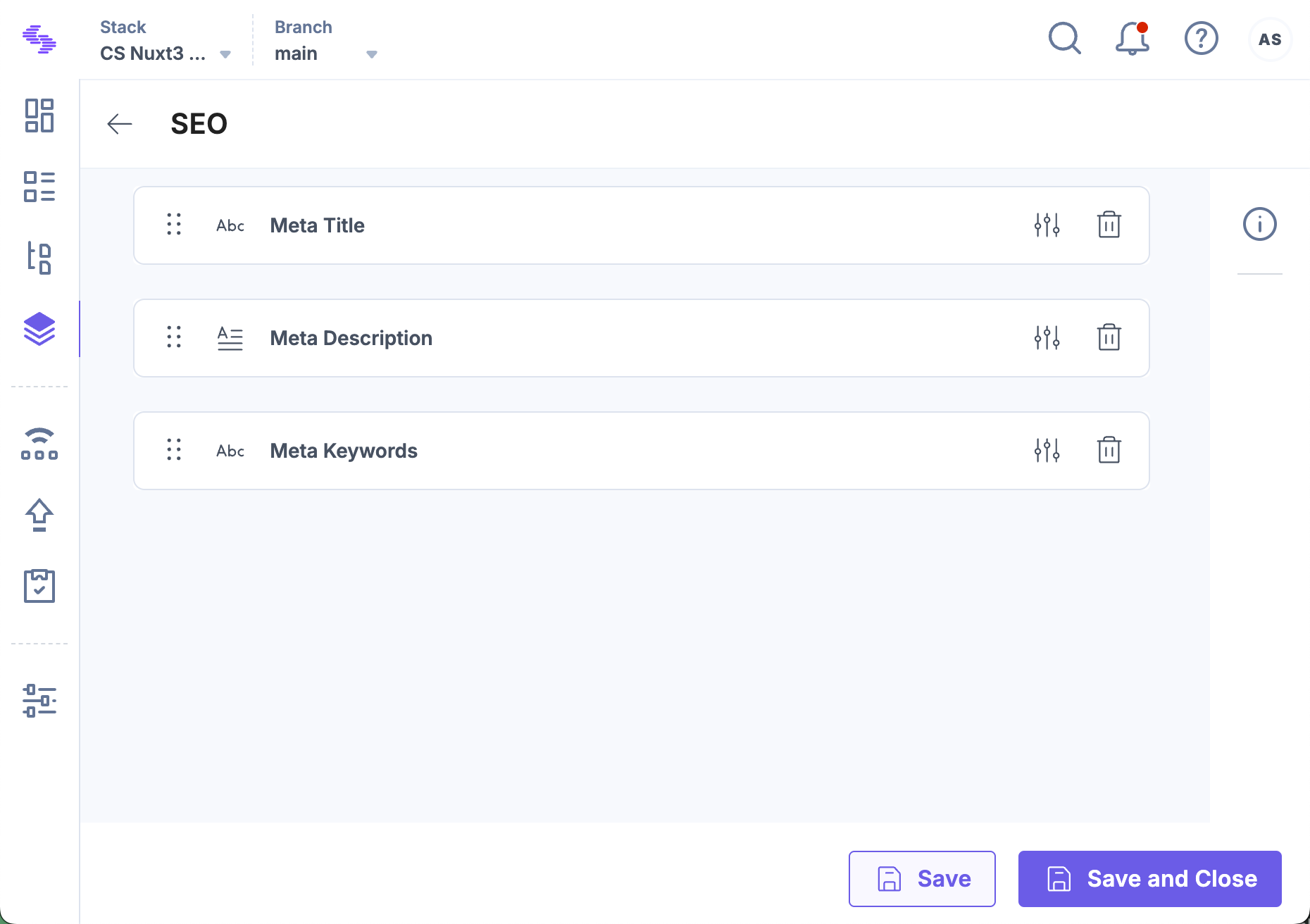
- Single Line Textbox for SEO Title
- Multi Line Textbox for Meta Description
- Single Line Textbox for Meta Keywords
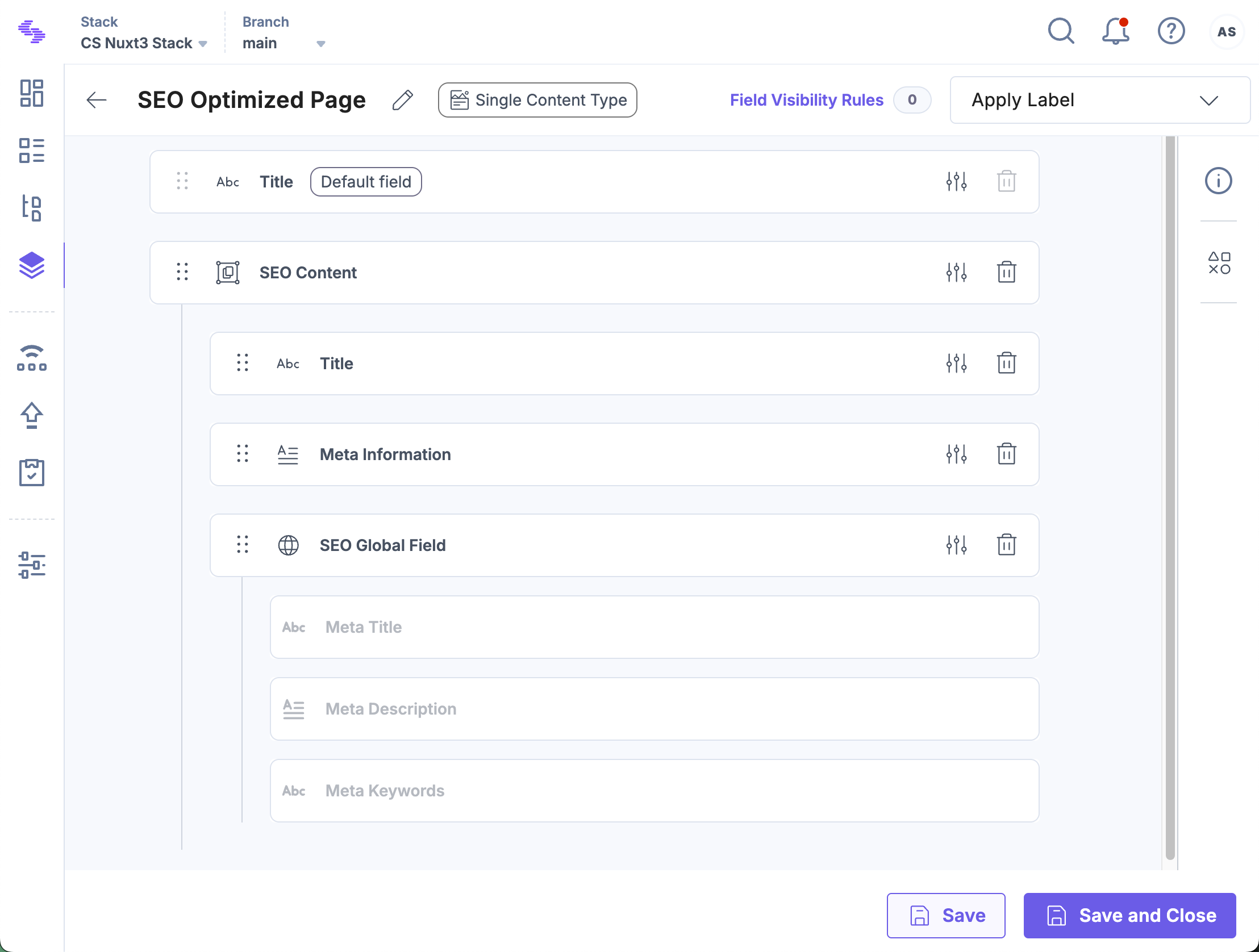
Then, inside a content type like a web page, you can create a Group Field named SEO Content and insert the SEO Metadata Global Field into it. This approach encapsulates all SEO-related fields in one place, ensuring consistency across entries and making global updates fast and effortless.
Integrating the Global field within the Group field ensures all associated fields are included in the content type, promoting consistency and simplifying updates.
Note: Only the stack owner, admin, and developer can create Global fields and Content Types.
To add a Global field within a Group field, log in to your Contentstack account and follow these steps:
- Go to your stack and click the “Content Models” icon in the left navigation panel or press “C”.
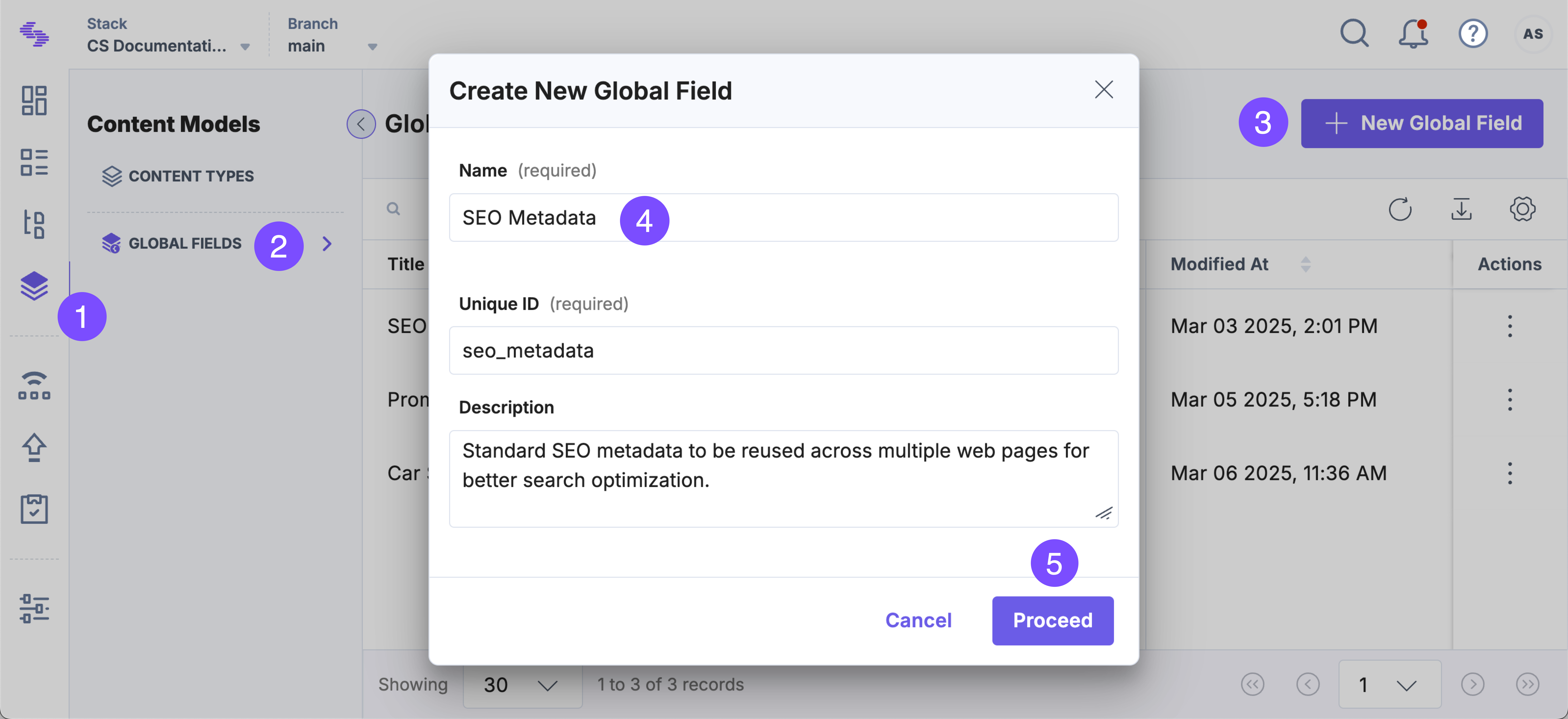
- On the Content Models page, select Global Fields and click + New Global Field.
- Enter a Name (e.g., SEO Metadata) and optional Description, then click Proceed.
- Click the Insert Field (+) icon and add the following fields:
- Single Line Textbox for meta title
- Multi Line Textbox for meta description
- Single Line Textbox for meta keywords
- Click Save or Save and Close.
- Click the “Content Models” icon again, then click + New Content Type and select Create New.
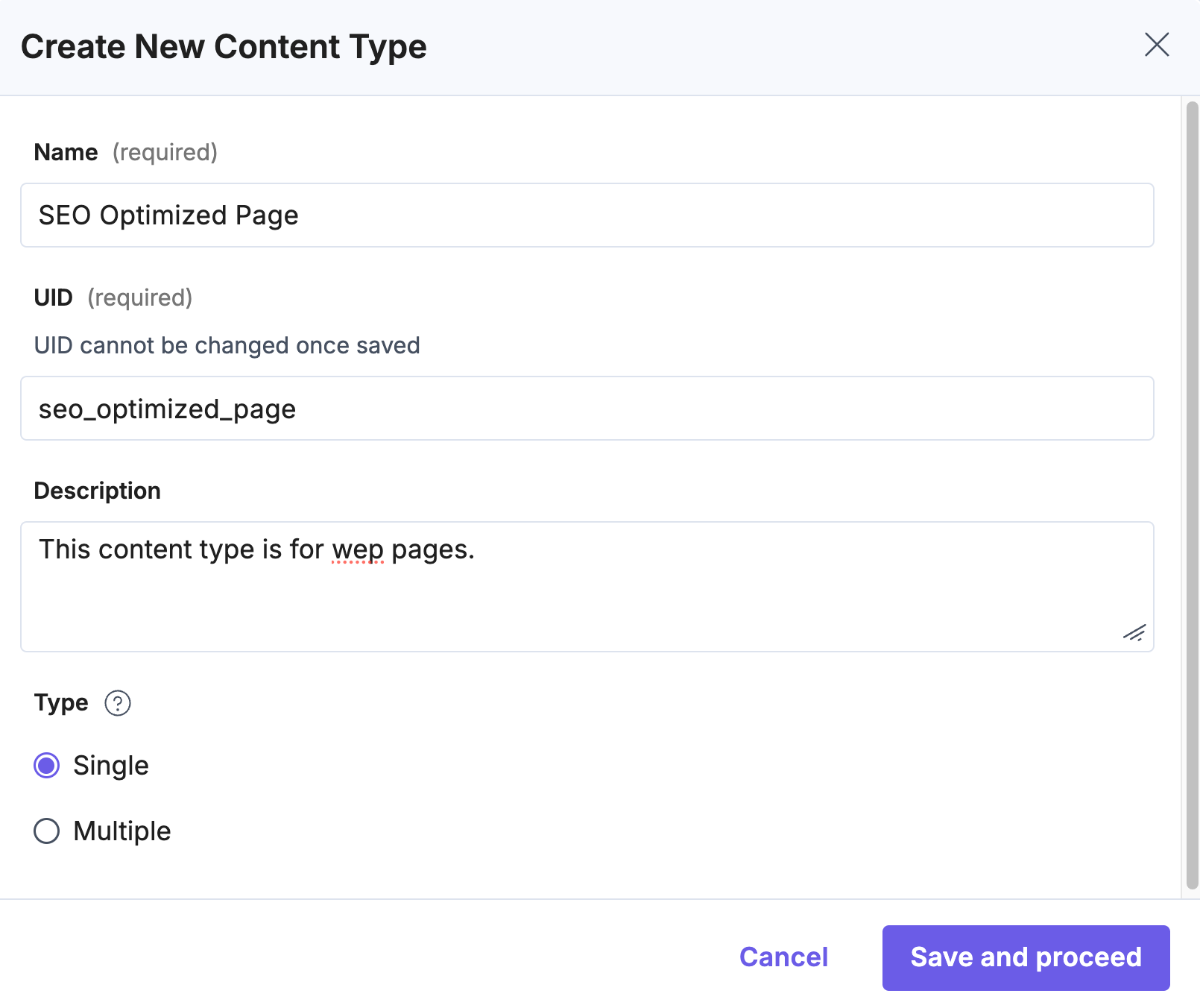
- In the Create New Content Type modal:
- Provide a Name (e.g., SEO Optimized Page)
- Provide a Description (optional)
- Select Type
- Click Save and proceed
- On the “Content Type Builder” page, click Insert Field (+) and select Group.
- In the Group Properties modal, enter a Display Name (e.g., SEO Content).
- Within the Group field, click Insert Field (+) and select Global.
- In the Global Properties modal, choose the SEO Metadata Global Field and click Proceed.
- Click Save or Save and Close.
Note: When adding a Group field inside your Global field, each Group counts as one nesting level. You can nest up to 5 levels only.
By adding Global Fields within Group Fields, you build modular, reusable, and easily maintainable content structures. This nesting strategy supports consistency across content types, improves scalability, and aligns with best practices for building future-proof content models in Contentstack.
More Articles in "Complex Global Fields"
