

Modular Blocks within Global Fields
You can include Modular Blocks within a Global Field to create a reusable structure across multiple content types. This approach enables teams to manage dynamic, repeatable components from a single source, ensuring consistency and saving time.
For example, a car manufacturing company might need to manage the following across various web pages:
- Car Brands: To display brand names and logos
- SEO Content: For metadata optimization
- Customer Enquiry Form: For collecting user inputs
Instead of adding these components separately to each content type, you can use a Global Field with Modular Blocks. Content managers can select, update, and maintain these shared components in one place. This reduces redundancy, improves consistency, and simplifies content maintenance.
Note: Only the stack owner, admin, and developer can create Global fields and content types.
To add Modular Blocks within Global fields, log in to your Contentstack account and perform the following steps:
- Go to your stack and click the “Content Models” icon in the left navigation panel or use the shortcut key “C”.
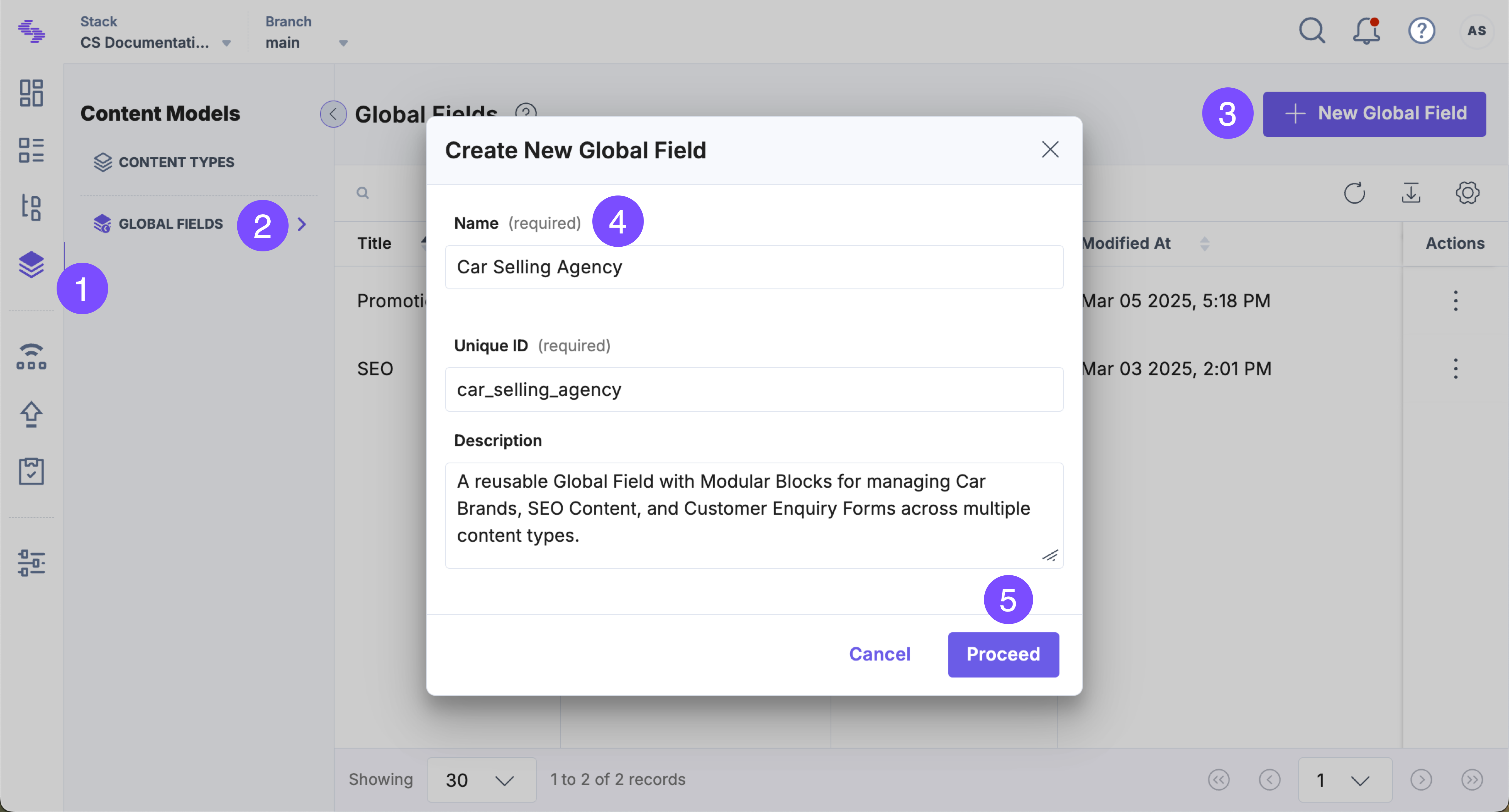
- On the Content Models page, select Global Fields and click + New Global Field.
- Enter a Name and Description (optional), then click Proceed.
- Click Insert a field (+), select Modular Blocks, and enter a name.
Note: You can add up to 5 Modular Blocks fields in a content type.
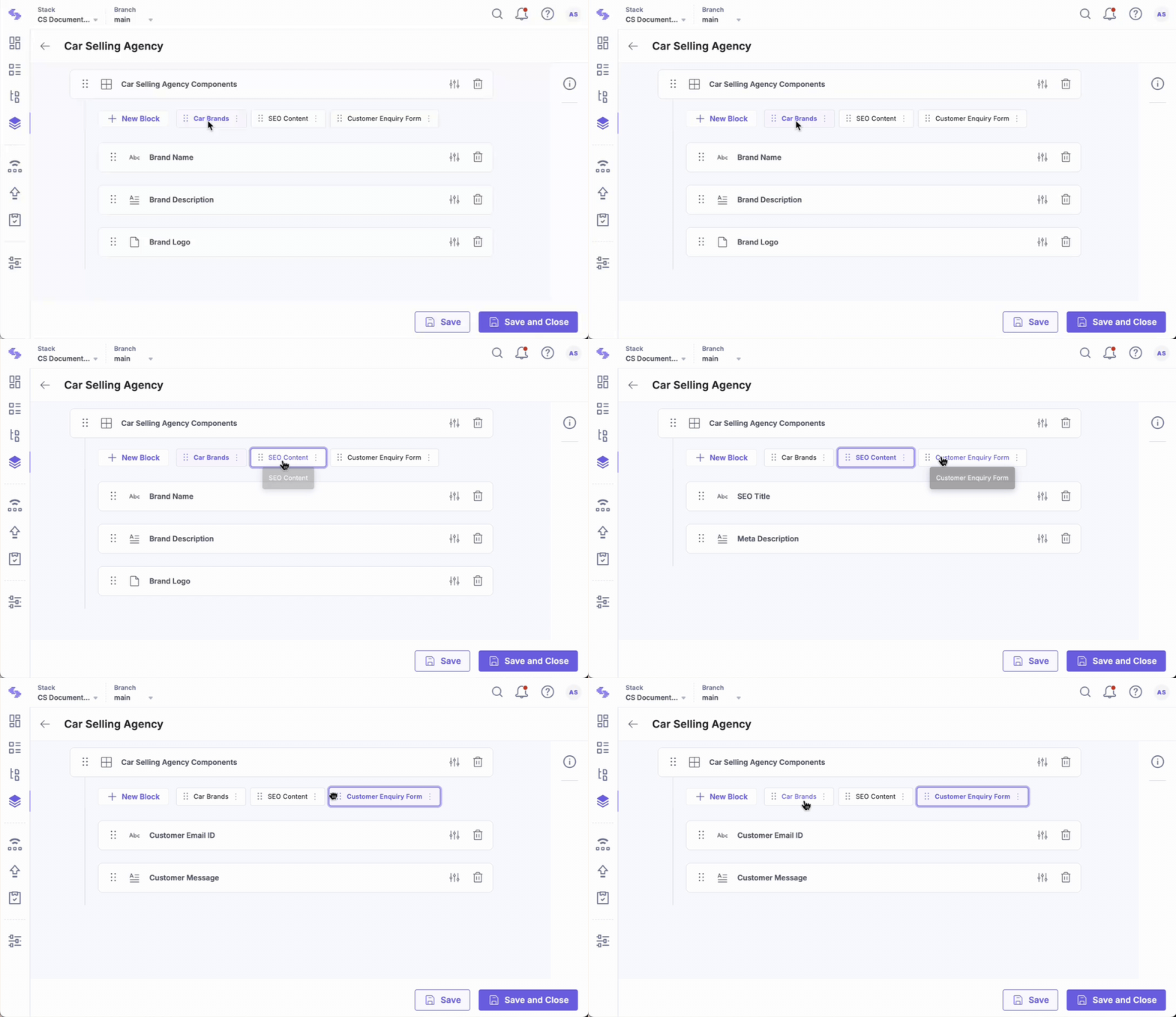
- Click + New Block, enter a Title (e.g., Car Brands), and click Create.
- Inside this block, click Insert a field (+) and add:
- Single Line Textbox: For Brand Name
- Multi Line Textbox: For Brand Description
- File: For Brand Logo
- Click + New Block, enter a name (e.g., SEO Content), and add:
- Multi-line Textbox: For Meta Description
- Single Line Textbox: For SEO Title
- Click + New Block, enter a name (e.g., Customer Enquiry Form), and add:
- Single Line Textbox: For customer email
- Multi-line Textbox: For message input
- Click Save and Close.
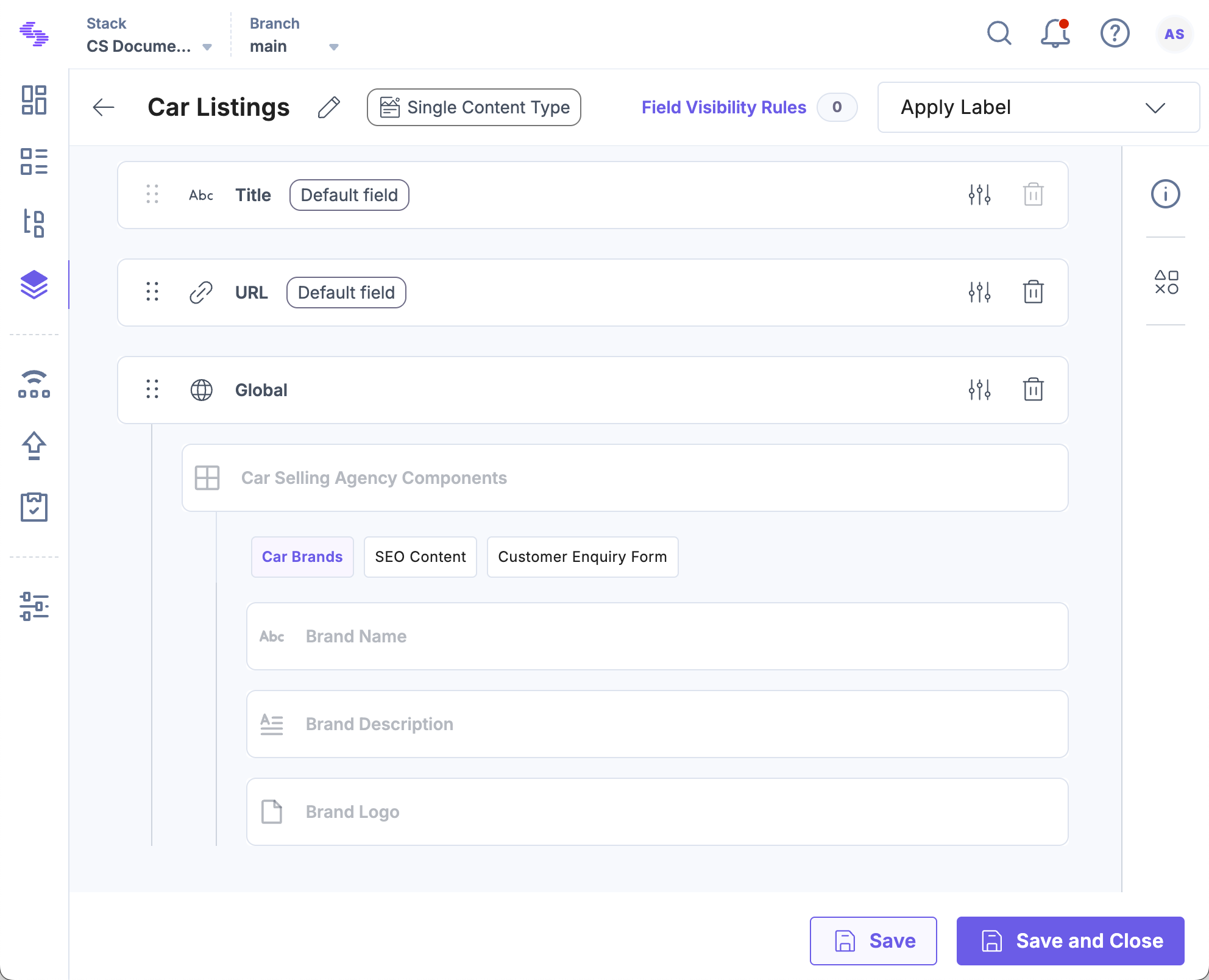
- Navigate to Content Models and open a Content Type.
- Click Insert a field (+) and select Global field.
- Select the Global Field you just created and click Save or Save and Close.
Tip: You can reference the same Global Field more than once in a content type or within a single Modular Blocks field. This flexibility supports complex, nested structures and helps future-proof your content model.
By using Modular Blocks within Global fields, you can build dynamic, reusable content structures that scale effortlessly across content types. This approach reduces redundancy, ensures consistency, and simplifies content maintenance for content managers and developers alike.
More Articles in "Complex Global Fields"
