

About Trash
The Trash feature in Contentstack retains deleted content for 14 days before permanently removing it from the stack.
It prevents data loss by enabling users to recover, edit, and restore items in bulk, supporting a flexible and efficient content management workflow.
Items Stored in Trash
When content is deleted from the stack, it is not immediately removed. Instead, the following items are moved to the Trash section:
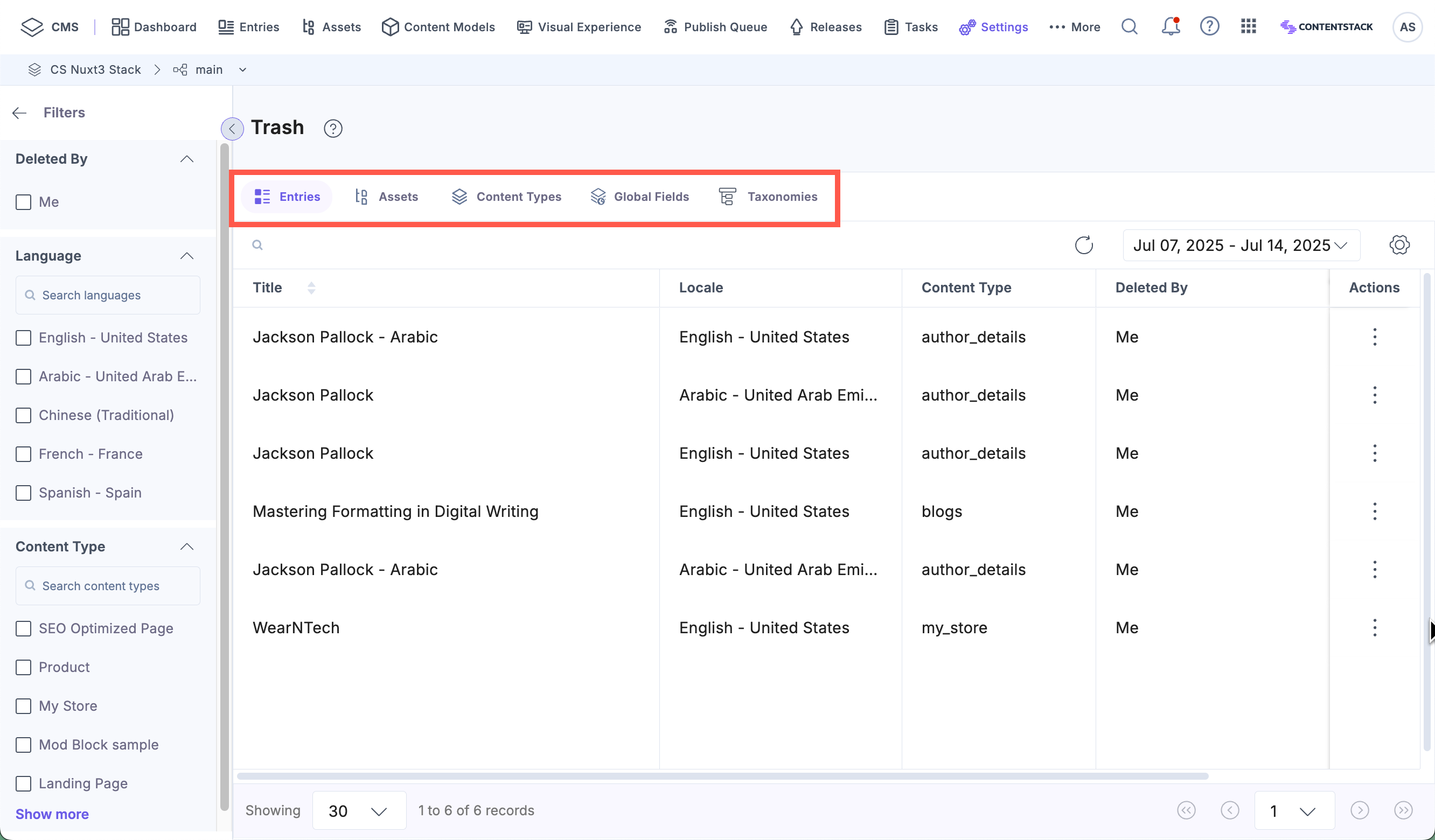
Each item is listed into separate tabs within the Trash view, allowing you to locate specific content for review or restoration.
Accessing the Trash
To access the Trash, login to your Contentstack account and perform the following steps:
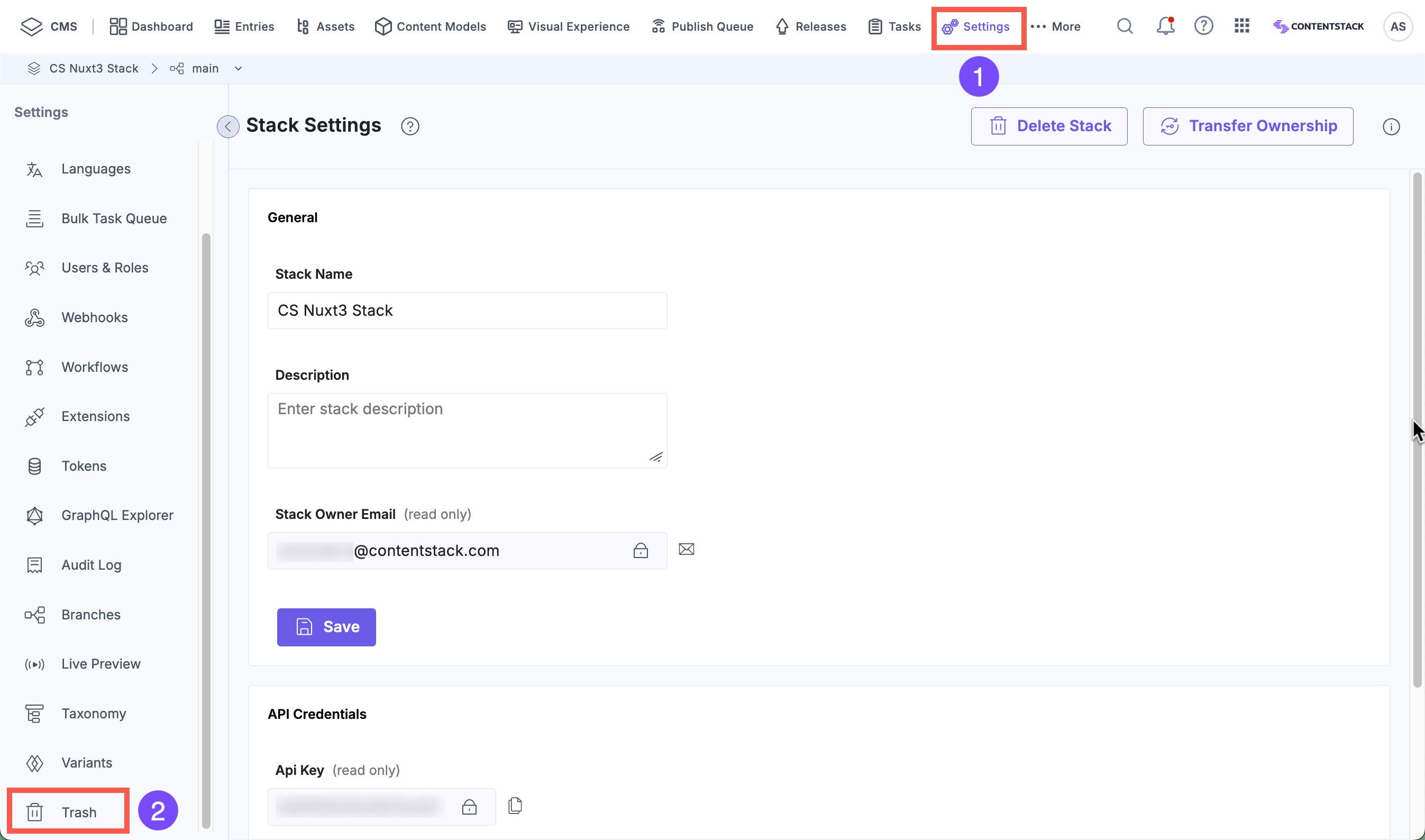
- Navigate to your stack and click the “Settings” icon, or press the shortcut key “S” (on both Windows and macOS).
- Select Trash in the Settings panel or press the shortcut key “Alt + T” on Windows and “Option + T” on macOS.
- Use the tabs to browse deleted content by type.
Note: You can view or restore items in Trash only if you had access before they were deleted. Items remain restorable until the system or a user with appropriate permissions removes them permanently.
Managing Deleted Items
The Trash gives you flexibility in how you manage deleted content during the 14-day retention period. You can restore content to its original location or edit it before restoring.
Editable Items
You can edit deleted items such as Entries, Assets and Global Fields before restoring them. The restored version reflects the latest changes made in Trash.
Note: Editing and restoring these items increases their version number.
Read-Only Items
Read-only access to Content Types and Taxonomies preserves configuration integrity while allowing you to view deleted structures.
Bulk Restoration Support
Contentstack supports bulk restoration for scenarios involving related or grouped deletions. This reduces manual recovery efforts and increases operational efficiency.
Examples of bulk restoration include:
- Restore a content type with its associated entries.
- Restore a taxonomy with its linked content type.
- Restore an asset folder with all its assets.
This capability is useful when managing structured content or large sets of assets.
More articles in "Manage Items in the Trash"
