

Analytics for Launch
The Launch Analytics page provides detailed insights into the progress of your deployment projects. By analyzing key metrics like execution times, project environments, and API performance, you can optimize deployments and make informed, data-driven decisions.
Note: Only organization Owner and Admin roles can access the Analytics feature.
To access the Analytics dashboard, log in to your Contentstack account and perform the following steps:
- From the dropdown in the header, select the organization whose analytics you want to view.
- Click the “Analytics” icon in the left panel to navigate to the Analytics dashboard.
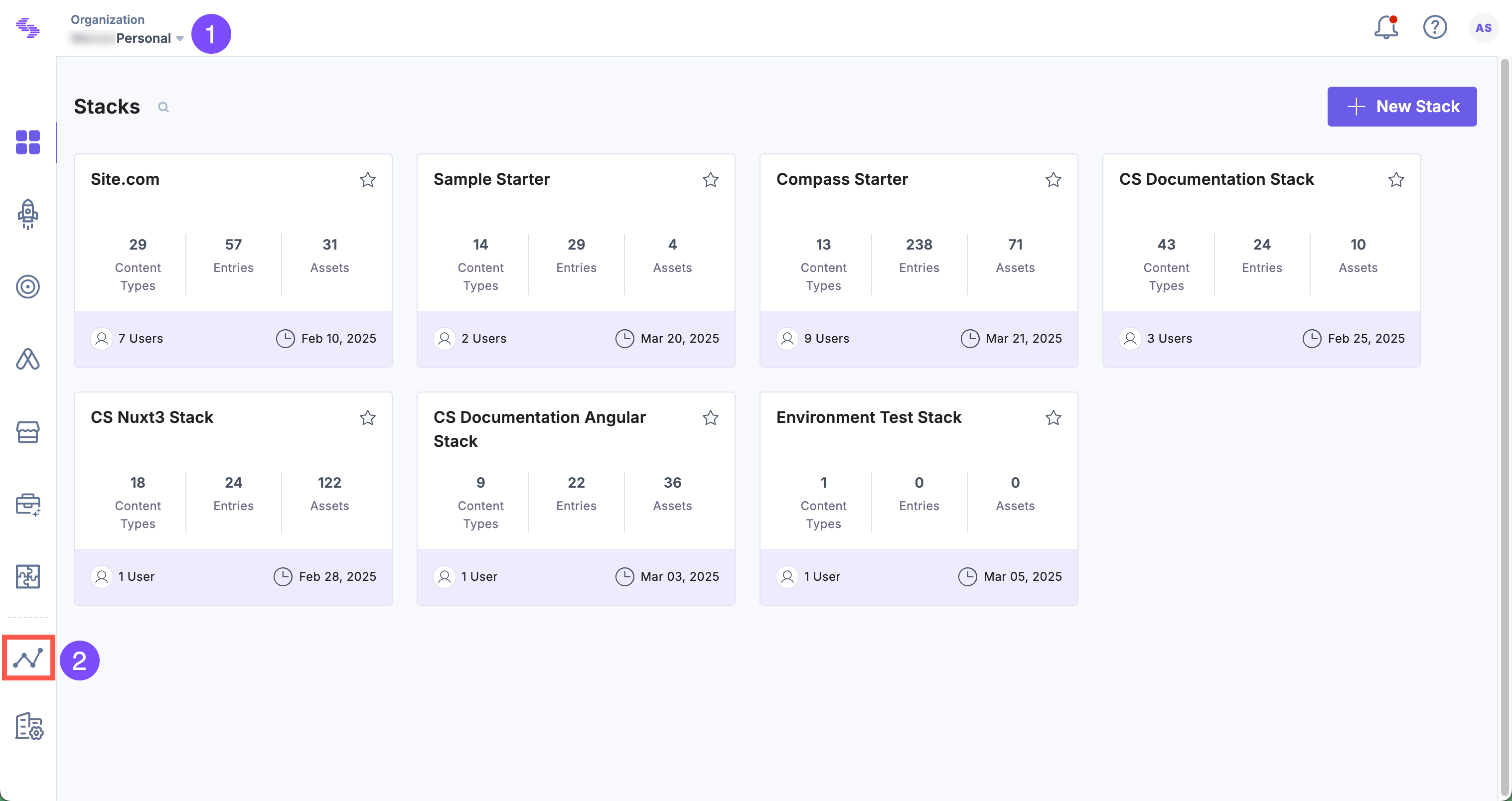
- You will see the CMS analytics dashboard by default. Click Launch to switch dashboards.
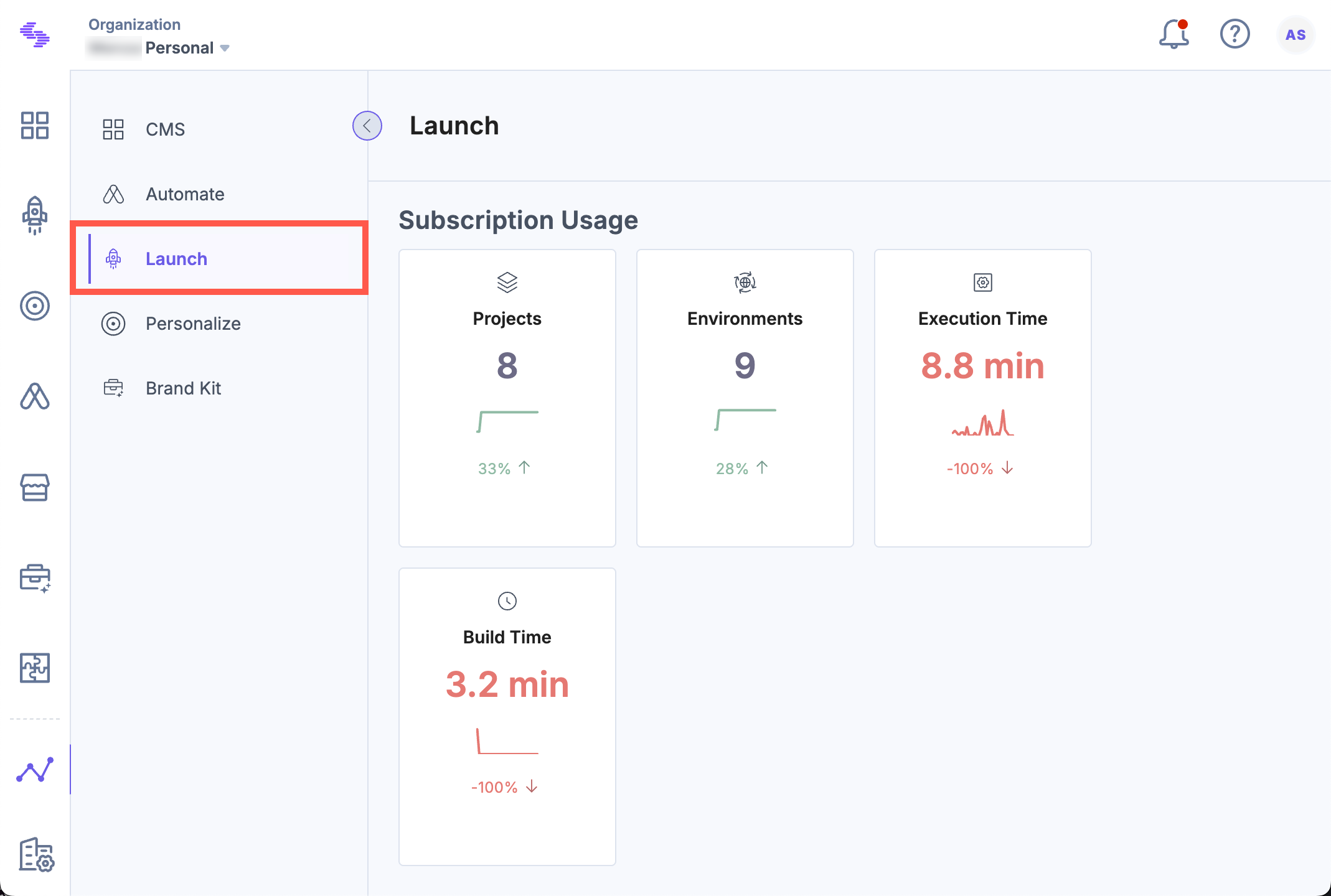
Note: The data in the Launch dashboard is updated every 24 hours.
Key Sections of the Launch Analytics Dashboard
The dashboard is divided into key sections, offering insights into different areas of Launch usage and helping optimize performance and efficiency.
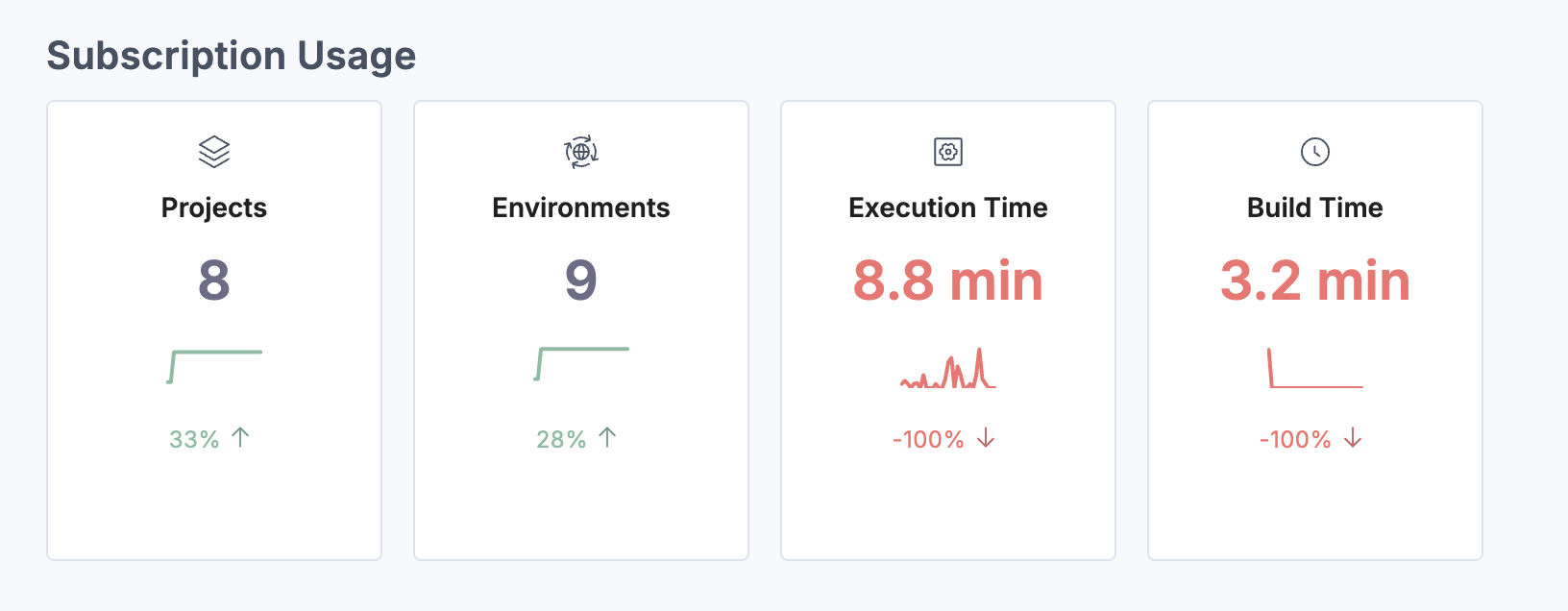
Subscription Usage
Shows your Launch resource consumption including number of projects, environments, execution time, and build time. It helps you track your usage against subscription limits.
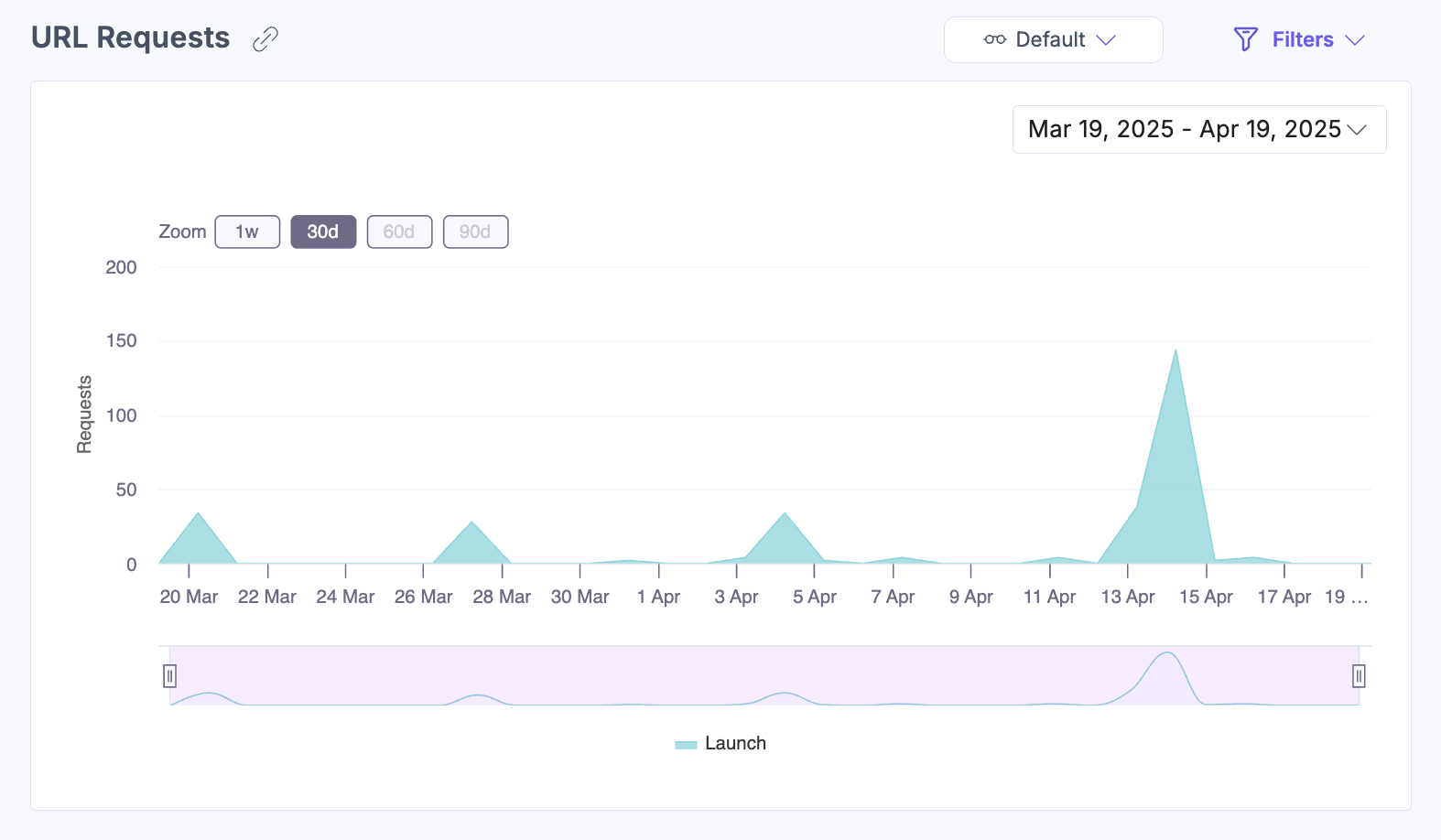
URL Requests
Displays a time-based graph of URL usage, allowing you to analyze request volume and frequency. Hover over the chart for specific timestamps.
Bandwidth Usage
Tracks bandwidth usage over time. Hover to view bandwidth details for specific timestamps.

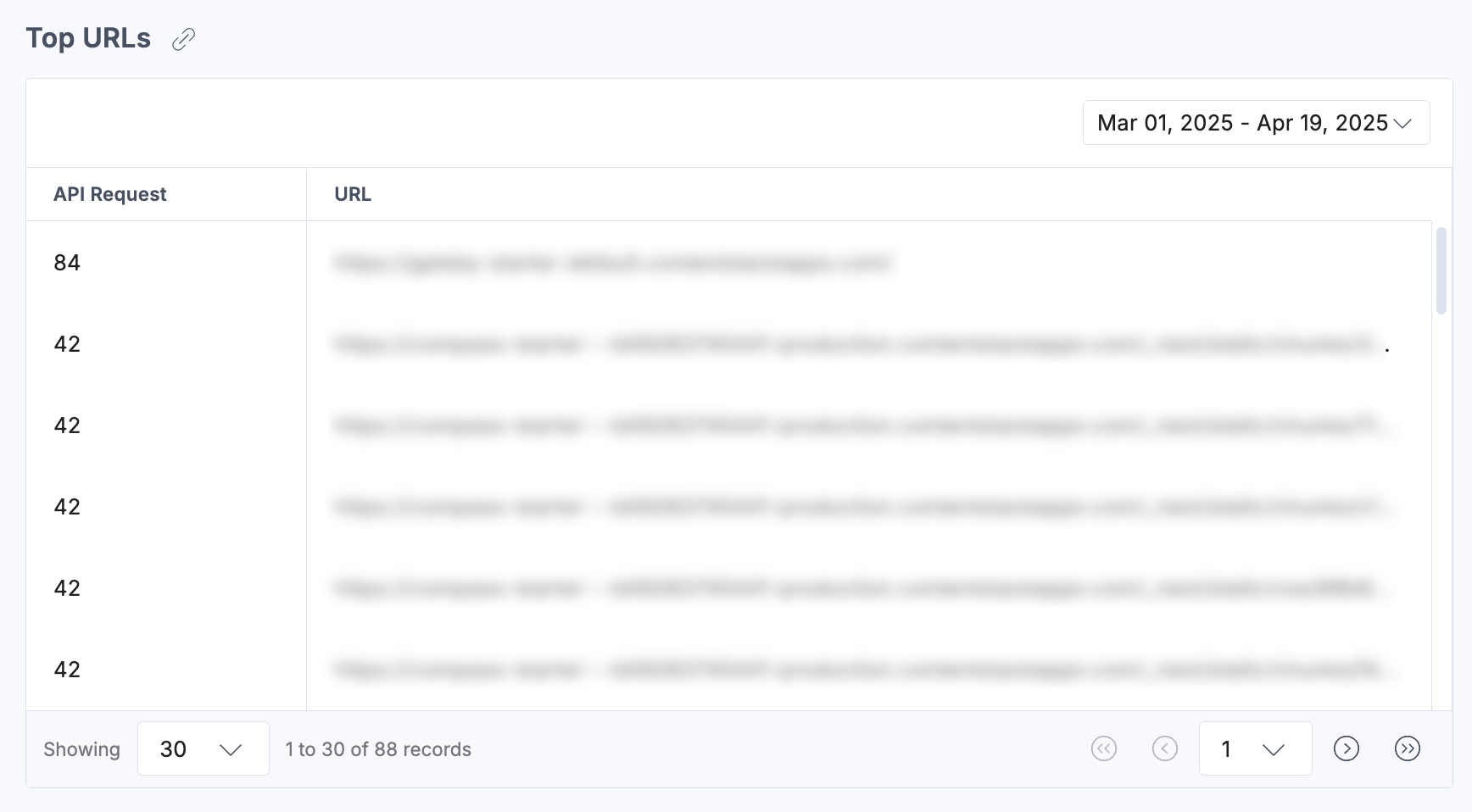
Top URLs
Displays the most frequently accessed API endpoints within Launch to help identify usage trends and optimize performance.
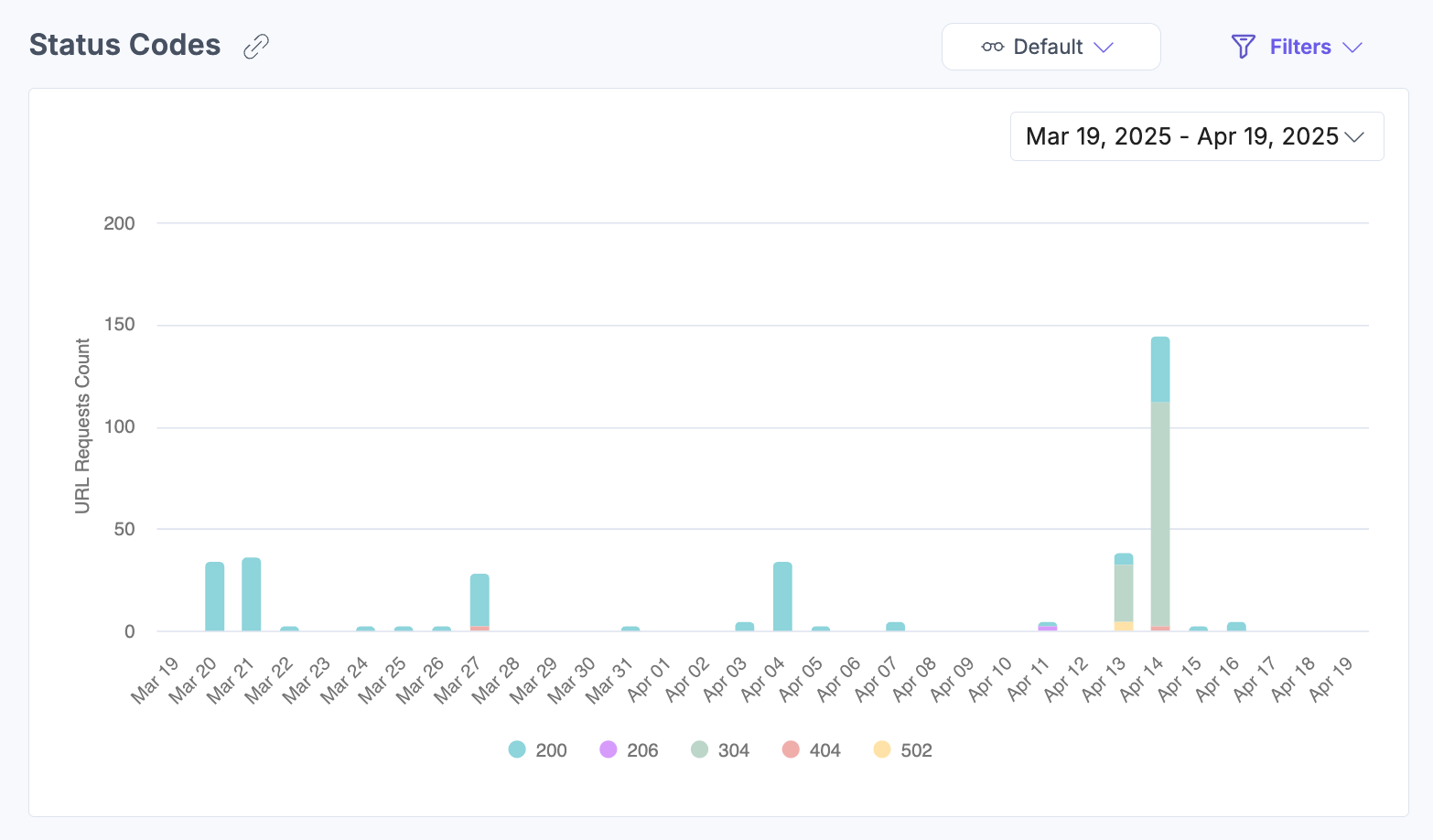
Status Codes
Breaks down URL request statuses such as successes, errors, and unsupported requests to aid in diagnostics.
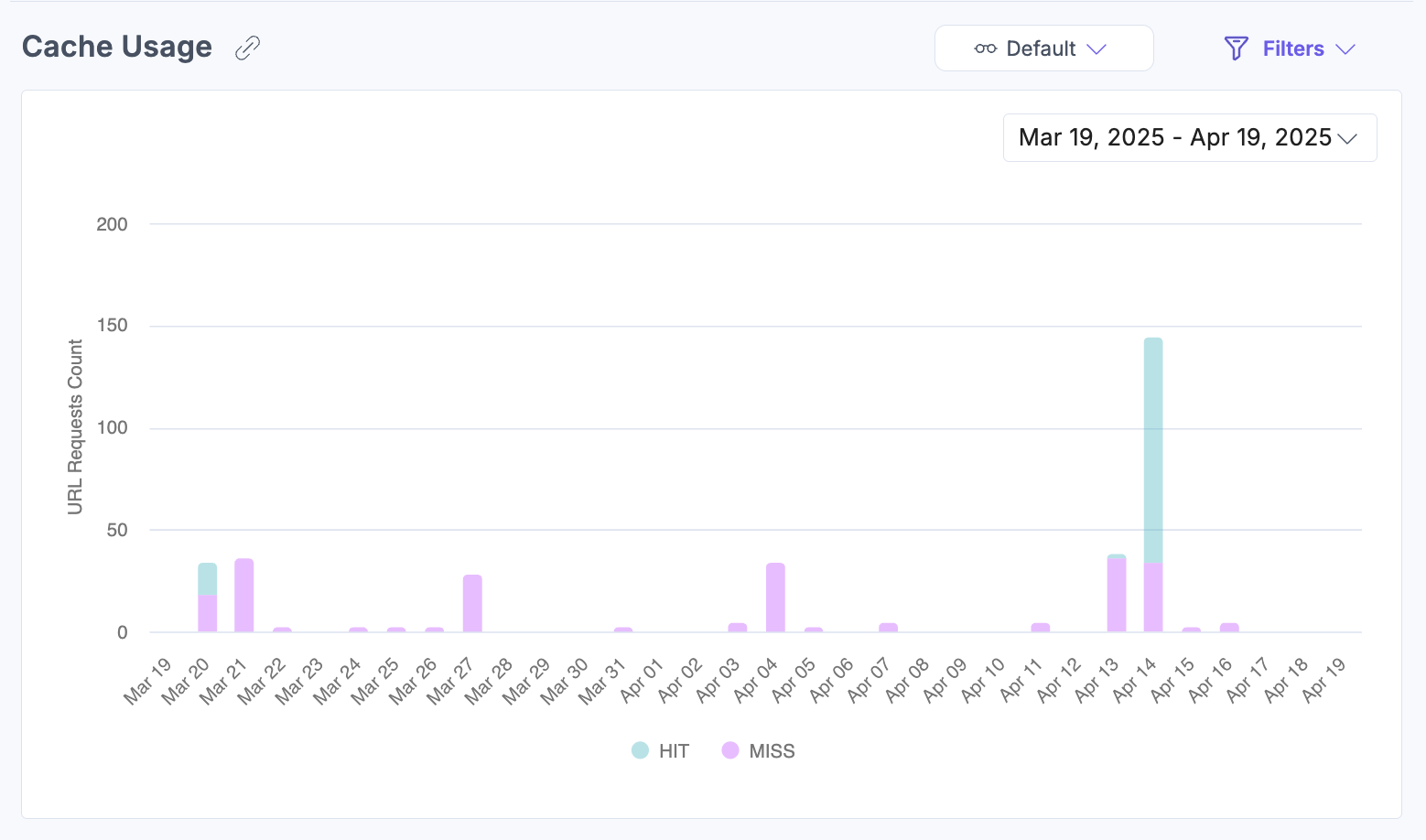
Cache Usage
Displays hit/miss ratios for cached responses. Helps optimize cache settings and improve load times.
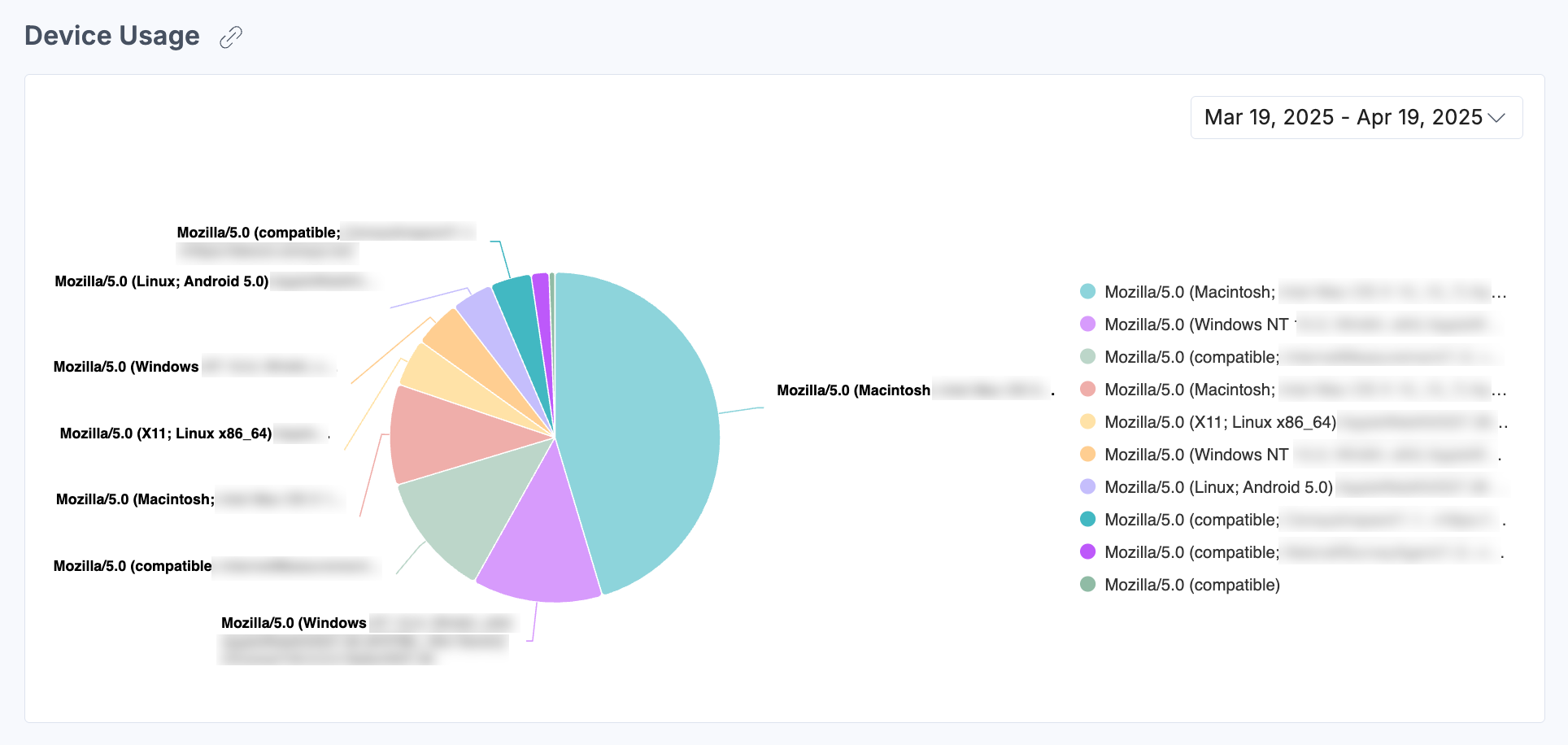
Device Usage
Pie chart representation of devices accessing Launch to understand traffic sources and guide UI optimization.
By leveraging the Analytics dashboard, you gain actionable insights to optimize deployments, improve system efficiency, and maximize the value of Contentstack Launch.
Apply Filters and Manage Views
To apply filters, click Filters and then click Apply Filter(s) after selecting your desired options.
Filters available include:
- Projects: View metrics for a specific project or all projects together.
- Environments: Filter data for specific or all environments.
- Status Code: Filter by specific response codes.
- Cache: Filter by HITs or MISSes.
- Group By: View data grouped by day, week, or month.
- Date Range: Choose from 1 week, 30 days (default), 60 days, or 90 days. Some charts include a timeline selector for further refinement.
- Custom Date: Set a custom date range using the dropdown.
Note: The custom date range should not exceed 90 days.
To save filter settings, click the horizontal ellipsis (...) beside Reset and choose Save As New View.
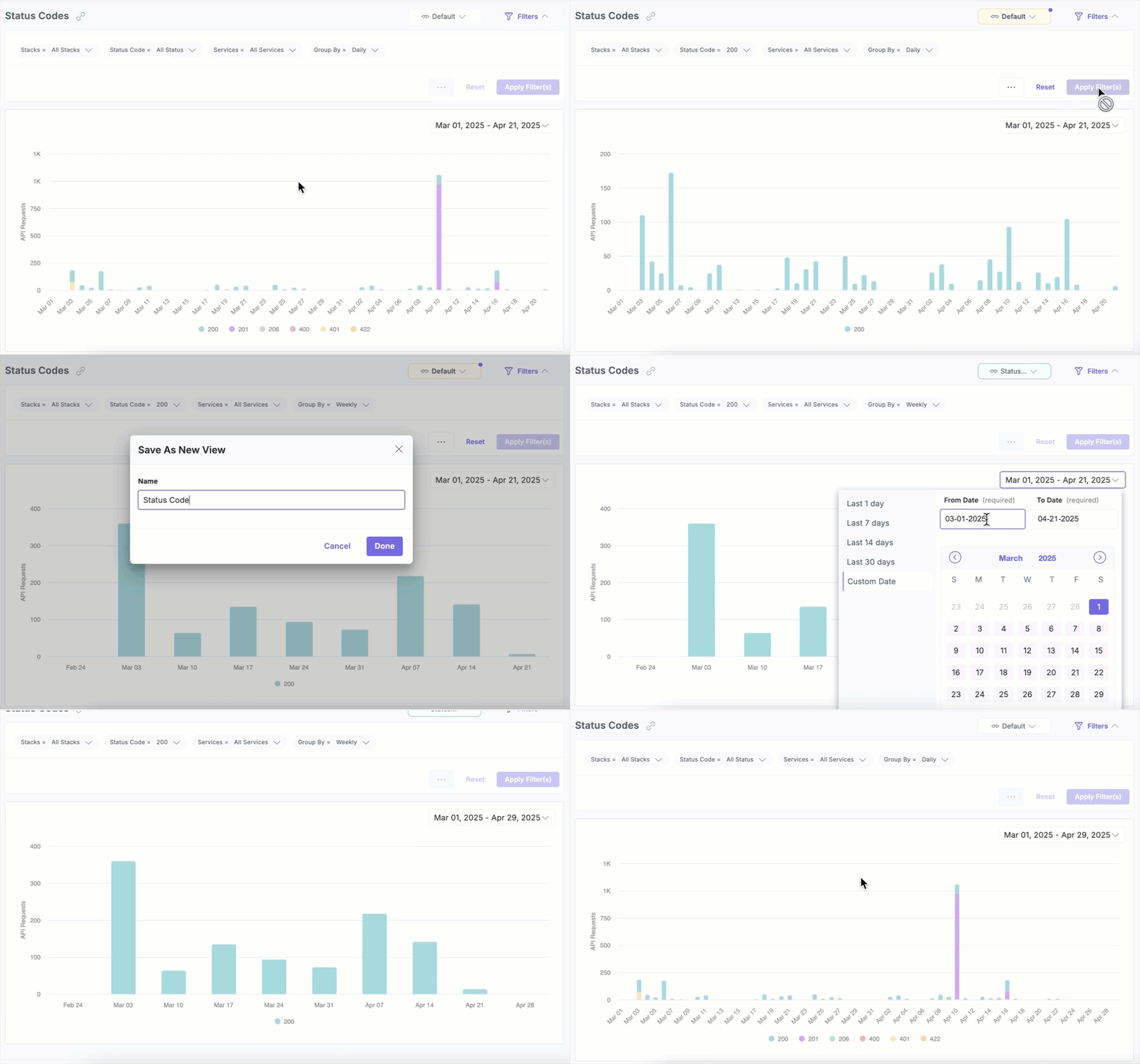
Once saved, your view appears in the dropdown menu for quick access, so you don’t need to reapply filters manually each time.
More articles in "Work with Analytics"
