

Build an App with Advanced Settings
Overview
Building Marketplace apps for Contentstack often requires connecting to external APIs such as AI models, analytics tools, webhooks, or SaaS integrations. Managing these integrations securely and efficiently can be challenging when handling API keys, endpoints, and customer-specific values. Advanced Settings in Developer Hub simplifies this process by allowing developers to manage configurations, credentials, and API interactions directly within Contentstack without maintaining a custom backend.
When to use Advanced Settings:
- The app integrates with third-party APIs.
- You want per-customer configuration.
- You want to avoid managing backend infrastructure.
Additional Resources: Refer to the Introduction to Advanced Settings document to learn more.
This guide will take you through building an application using Advanced Settings.
Prerequisites
- Contentstack account with access to Developer Hub
- Peekalink account for API key
- Understanding Contentstack App Development
- Understanding of Contentstack App SDK
- Understanding of Server Configuration
- Marketplace App Boilerplate GitHub Repository
Quick Web Lookup
The Quick Web Lookup is an app that uses an entry sidebar widget to quickly preview links in an entry.
The app uses Peekalink API to fetch metadata like the page title, description, and preview image. This enriches content creation by automating data entry and ensuring consistency.
Steps
Create an App
The best place to start a new project is by cloning Marketplace App Boilerplate. It includes necessary components for rapid app development.
Clone the Marketplace Boilerplate repository and run the following commands:
npm install
npm run dev
Register the App in Developer Hub
To register an app in Developer Hub, perform the steps given below:
- Log in to your Contentstack account.
- On the Dashboard page, click the Developer Hub icon.
- Click the + New App button.
- Contentstack supports two types of Apps based on two categories: Standard and Machine to Machine. Here, we will use the Standard application.
Additional Resource: Refer to the Creating an App in Developer Hub documentation to know more about Standard and Machine to Machine app categories.
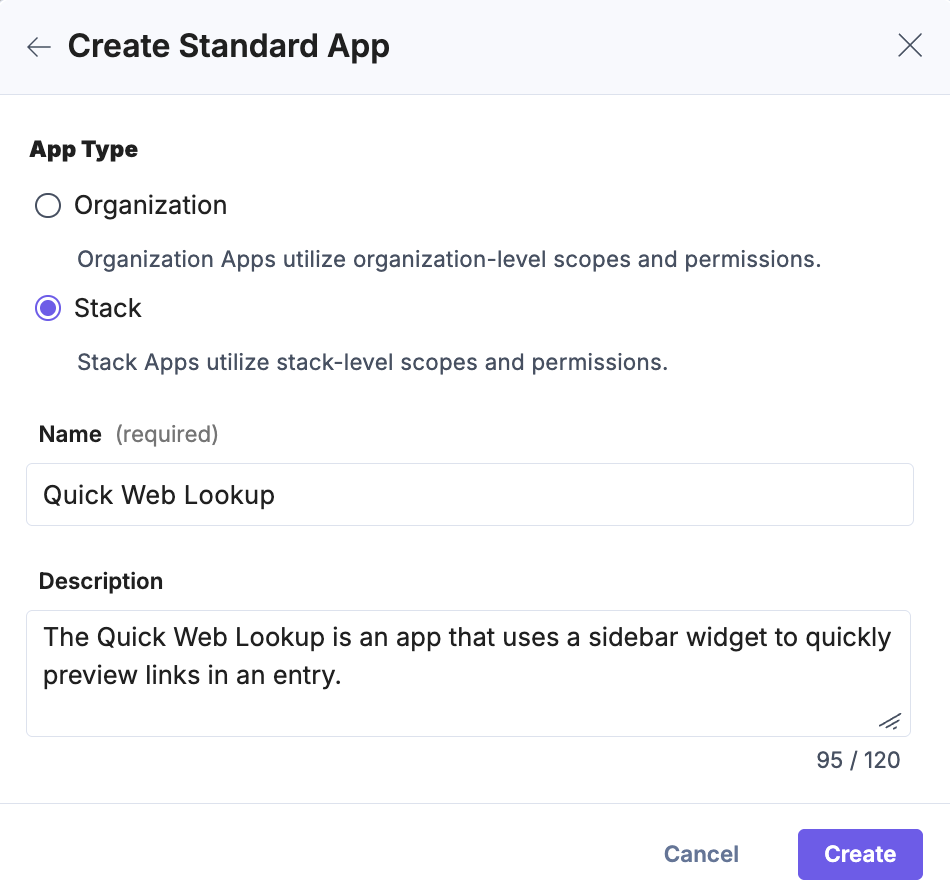
- In the Create Standard App modal, select the App Type, and give a suitable app Name (Quick Web Lookup) and an optional Description as shown below:
- Click Create. You are redirected to the UI Locations landing page.
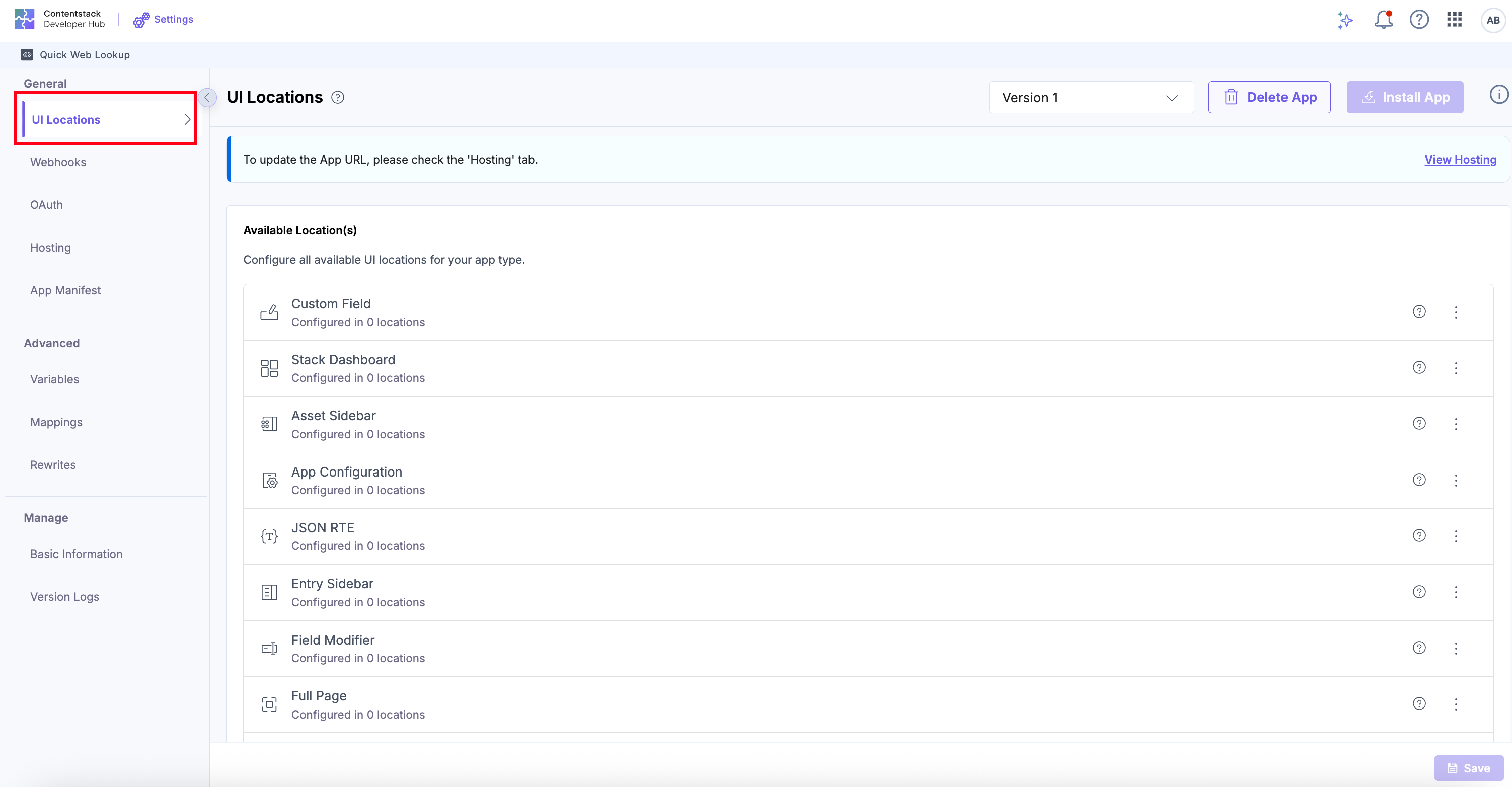
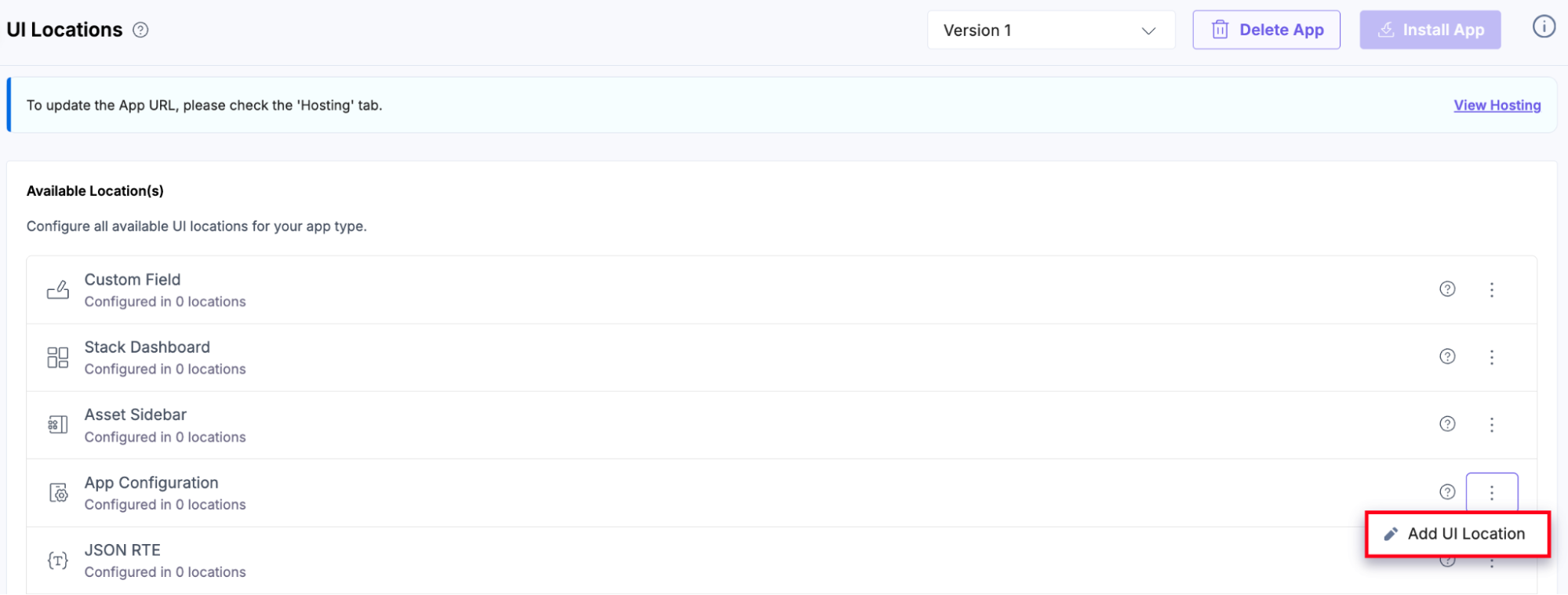
- Navigate back to the UI Locations tab, click the vertical ellipses in the App Configuration UI location, then click the + Add UI Location button to add as needed.
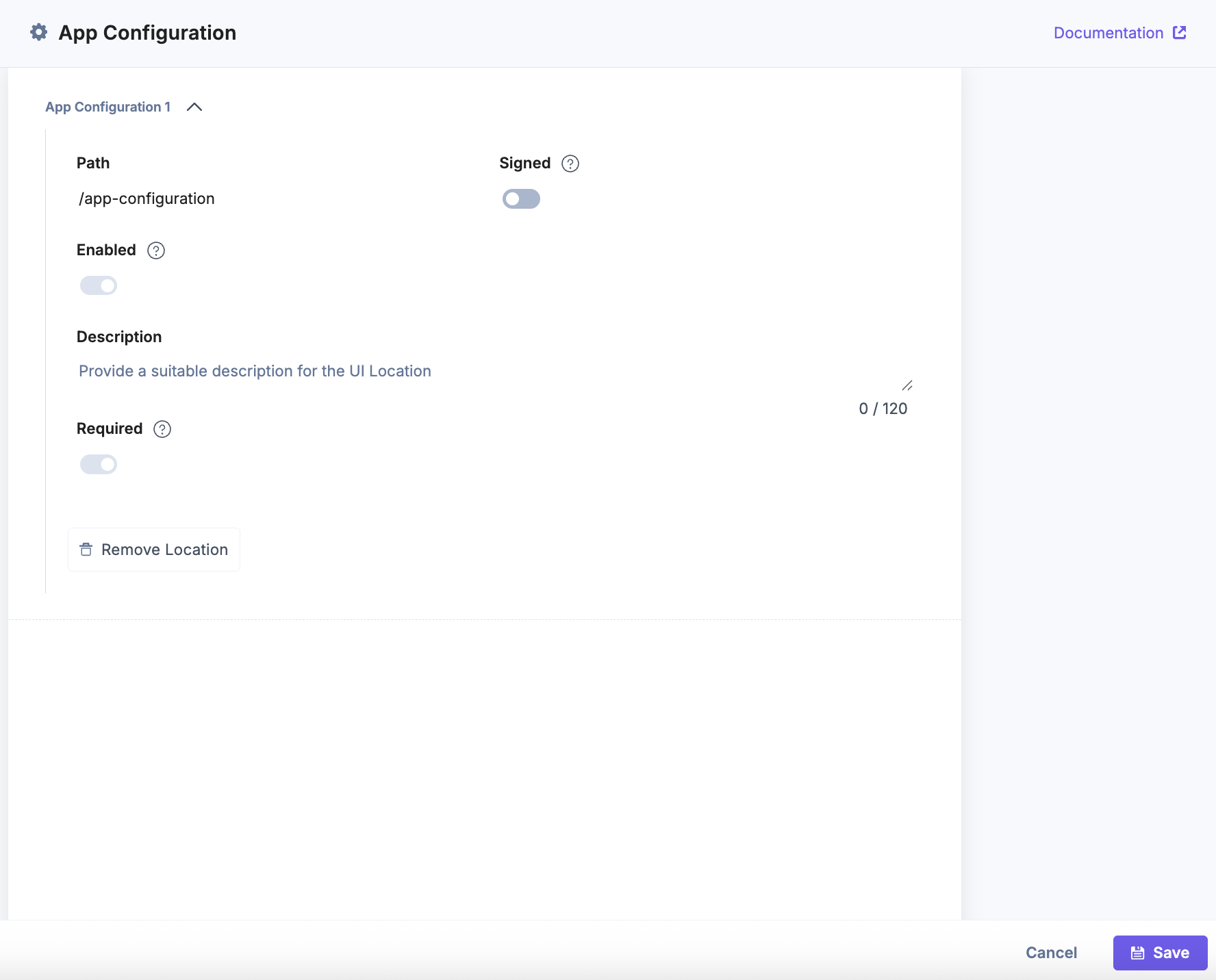
- App Configuration: Enter /app-configurationas the Path, then click Save to apply and store your configuration. This setup displays a dedicated app configuration page (after app installation) where you can manage app configuration.
Note: The App Configuration UI location lets you add a Peekalink API key for the Quick Web Lookup app.
- Entry Sidebar: Enter a Name and use /entry-sidebar as the Path, then click Save to apply and store your configuration. This setup ensures your app appears in the sidebar of the entry editor, allowing you to perform actions or view information related to an entry.
Note: The Entry Sidebar UI location allows you to view the app in the Entry Sidebar of an entry.

- App Configuration: Enter /app-configurationas the Path, then click Save to apply and store your configuration. This setup displays a dedicated app configuration page (after app installation) where you can manage app configuration.
- Navigate to the Hosting tab. You will see Hosting with Launch or Custom Hosting options. Select the Custom Hosting option to enter the hosted URL of your application.
Enter the App URL and click Save to apply and confirm your hosting configuration. While running the application locally, select Custom Hosting and use your local app URL (for example, http://localhost:3000).
After development, you can host your application using Contentstack Launch.

Configure Advanced Settings
Advanced Settings comprises three features: Variables, Mappings, and Rewrites.
Additional Resource: Refer to the Introduction to Advanced Settings document to learn more.
Configure Mappings: For the Quick Web Lookup app, configure a new mapping, API_KEY which will be linked to peekalink_api_key stored in the server configuration. Later, we will use the same key to store the configuration in the next step.
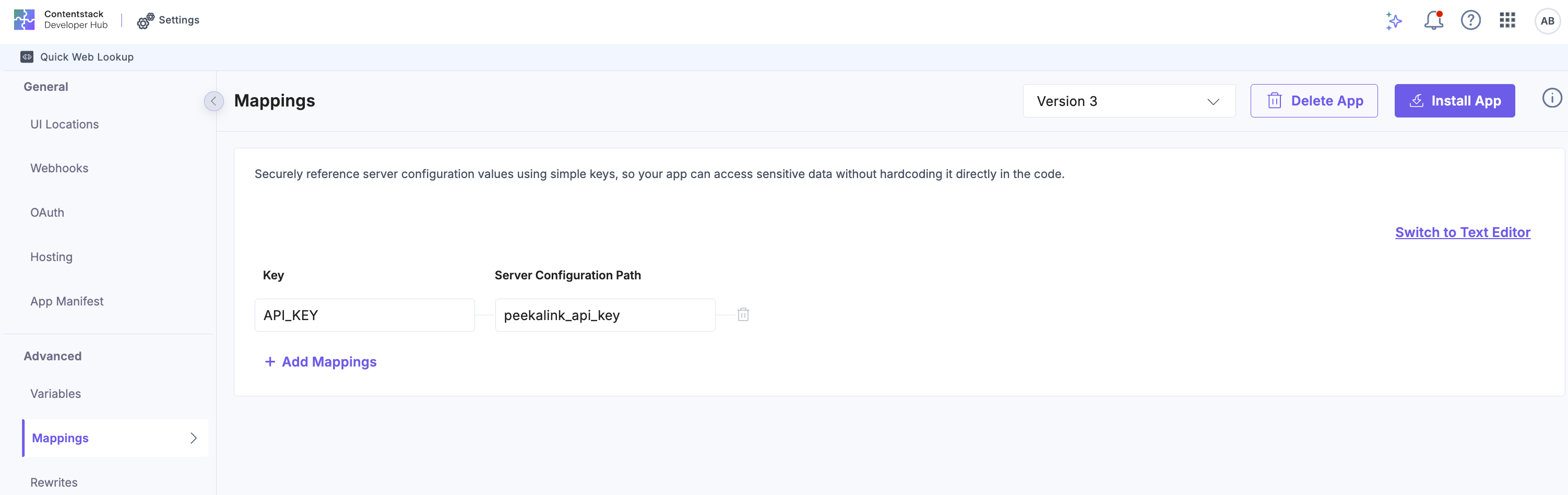
Configure Rewrites: Configure a Rewrite rule which calls the peekalink_api_key, prefixed with /preview as shown below:
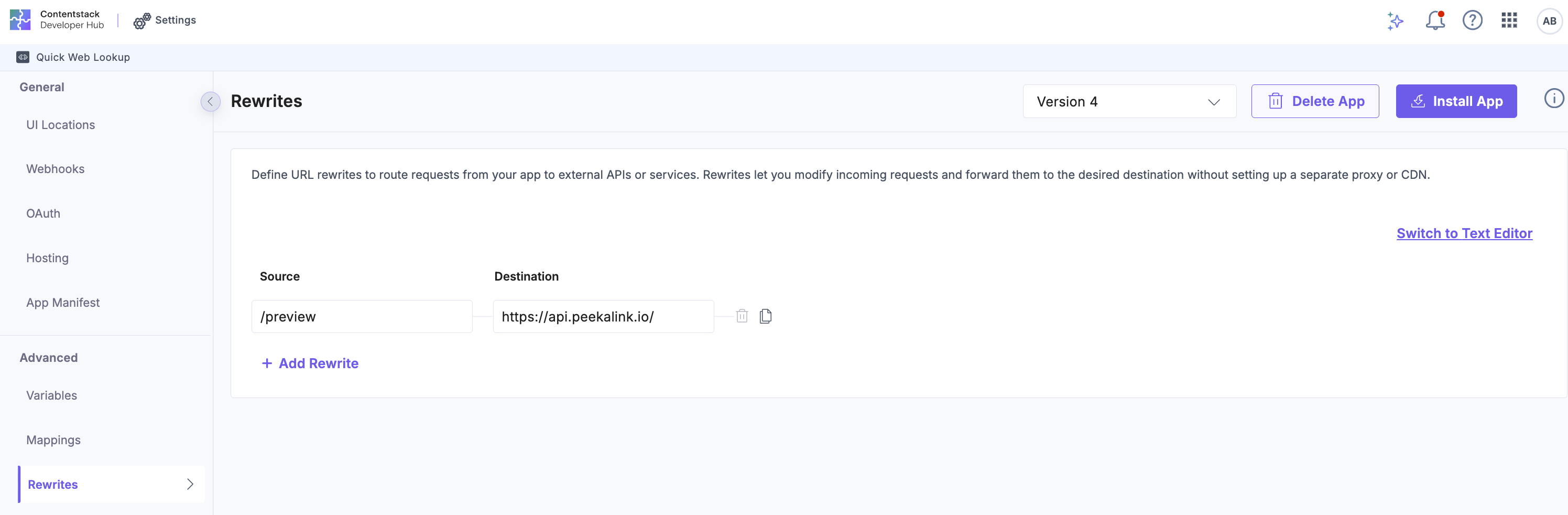
Calling External APIs
- Setup configuration
Quick Web Lookup application needs peekalink_api_key to be configured earlier to be stored in server configuration. Let’s design an app configuration screen where the user can enter his peekalink api key.
Additional Resource: Refer to this document for the reference code of peekalink_api_key.
The following code sets up the App Configuration UI with the Peekalink API key:
import React, { useRef } from 'react'; // useInstallationData hook will help to get and set server configurations. // Server configurations are required when you need installation specific sensitive data import { useInstallationData } from '../../common/hooks/useInstallationData'; const AppConfiguration: React.FC = () => { const { installationData, setInstallationData } = useInstallationData(); const peekalinkApiKeyInputRef = useRef<HTMLInputElement>(null); const updateConfig = async () => { if (typeof setInstallationData !== 'undefined') { setInstallationData({ configuration: {}, serverConfiguration: { peekalink_api_key: peekalinkApiKeyInputRef.current?.value, }, }); } }; return ( // Render UI ); }; export default AppConfiguration; - Fetch and show link preview
- Iterate through all URLs in the entry and fetch meta data from Peekalink API for preview details.
Additional Resource: Refer to this document to check the Reference code for fetching API using Contentstack App SDK.
import React from 'react';
import { useAppSdk } from '../../common/hooks/useAppSdk';
import { useEntry } from '../../common/hooks/useEntry';
// Implement this function, to extract URLs from a JSON Object
import { extractUrls } from '../../utils/urlExtractor';

const EntrySidebarExtension: React.FC = () => {
  // gets data from current entry
  const { entryData } = useEntry();
  // gets app sdk
  const appSdk = useAppSdk();
  // gets urls from entry data
  const urls = entryData ? extractUrls(entryData) : [];

  // fetch link preview from peekalink api
  const fetchLinkPreview = async (url: string): Promise<any> => {
    const response = await appSdk?.api(`/preview`, {
      method: 'POST',
      headers: {
        Authorization: `Bearer {{map.API_KEY}}`,
        'Content-Type': 'application/json',
      },
      body: JSON.stringify({ link: url }),
    });
    return response?.json();
  };
  return (
    // Render UI here
    <>
  );
};
Note: The App SDK API method is designed to simplify how Contentstack apps integrate with APIs. It allows apps to interact with Contentstack's platform APIs using the configured permissions, and with external APIs using the Rewrite rules set up as part of Advanced Settings.
- Iterate through all URLs in the entry and fetch meta data from Peekalink API for preview details.
Install and Test Your App
To install and test the app, follow the steps below:
- Navigate to Developer Hub in Contentstack.
- Go to the app, and click the Install App button.

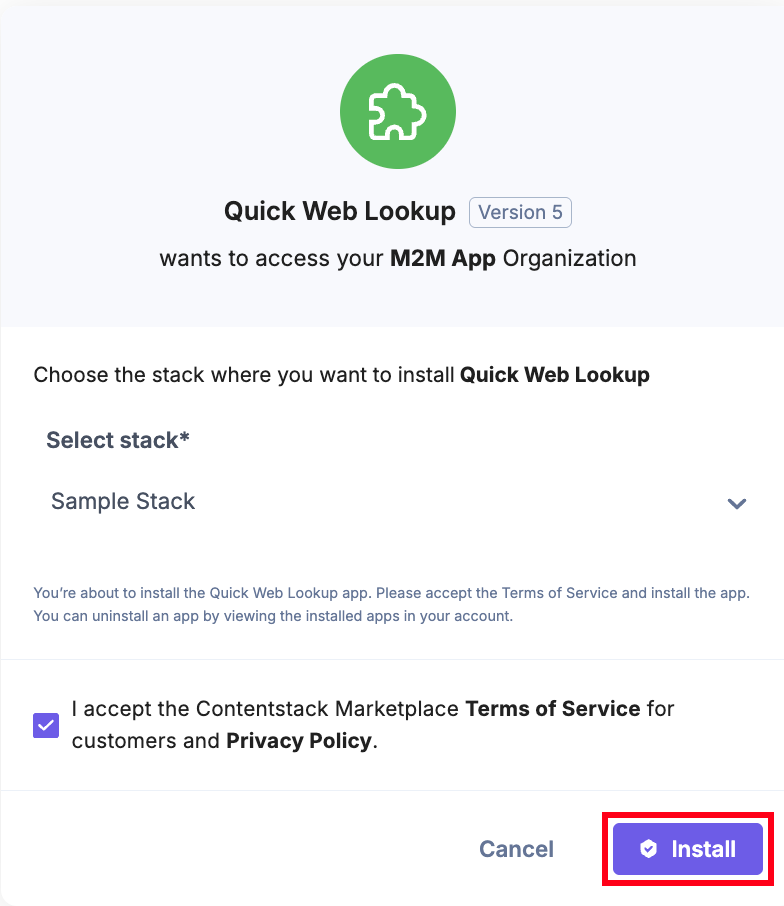
- On the permissions screen, select a Stack and mark the checkbox to accept the Terms of Service and Privacy Policy. Once done, click the Install button.
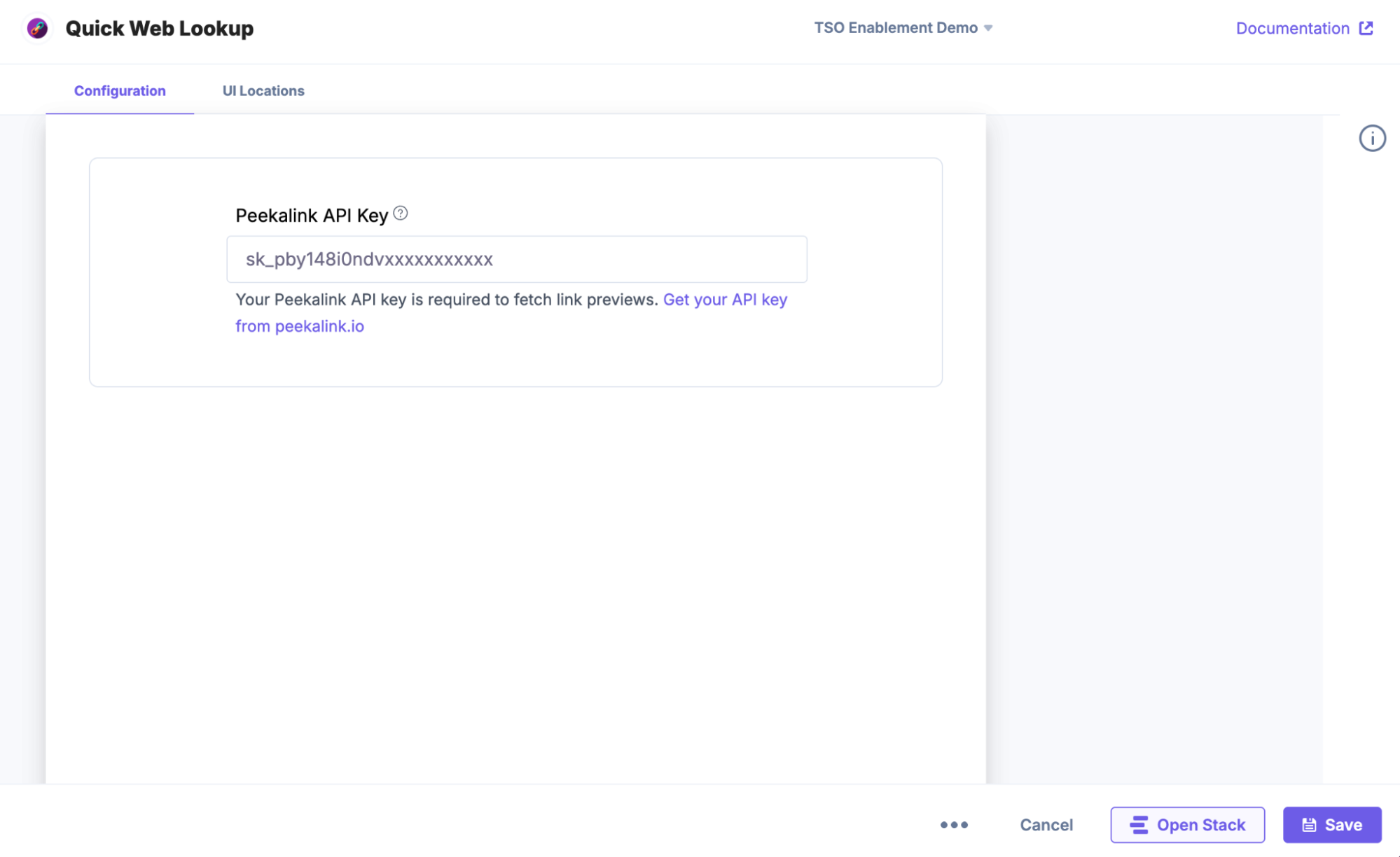
- You will be redirected to the App Configuration Screen. Enter the Peekalink API Key and click Save. Click Open Stack.
Additional Resource: Refer to the Peekalink site to fetch the API Key. You must create an account to get the API Key.
- Navigate to the Entries page. Open any entry with a URL. From the right-hand side panel, click the Apps icon.
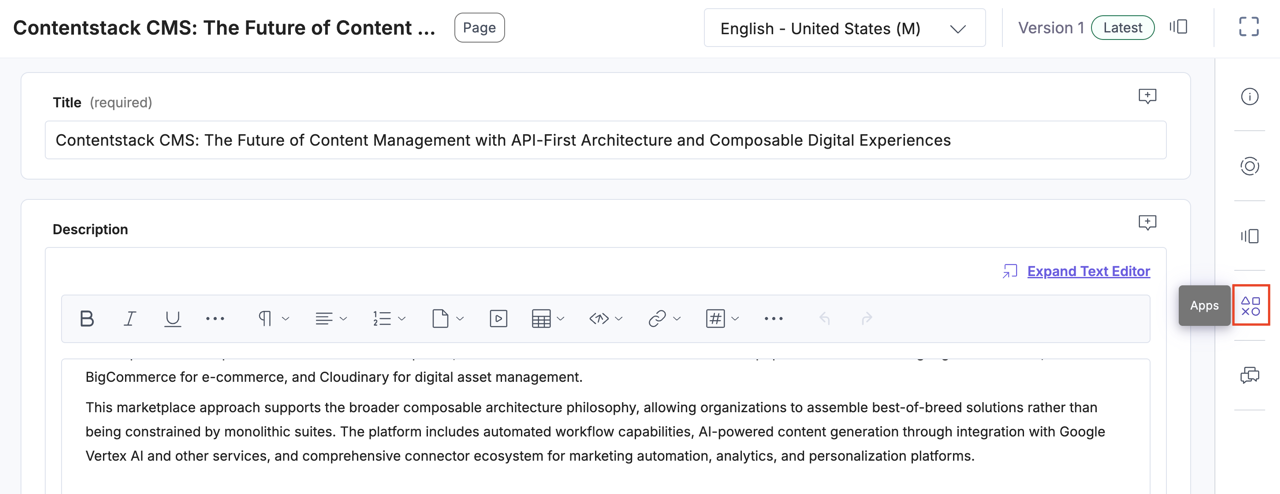
- Click the Quick Web Lookup app under the All Apps section.
- You will see previews of all the links present in your entry, fetched securely without exposing sensitive front-end data by the app.
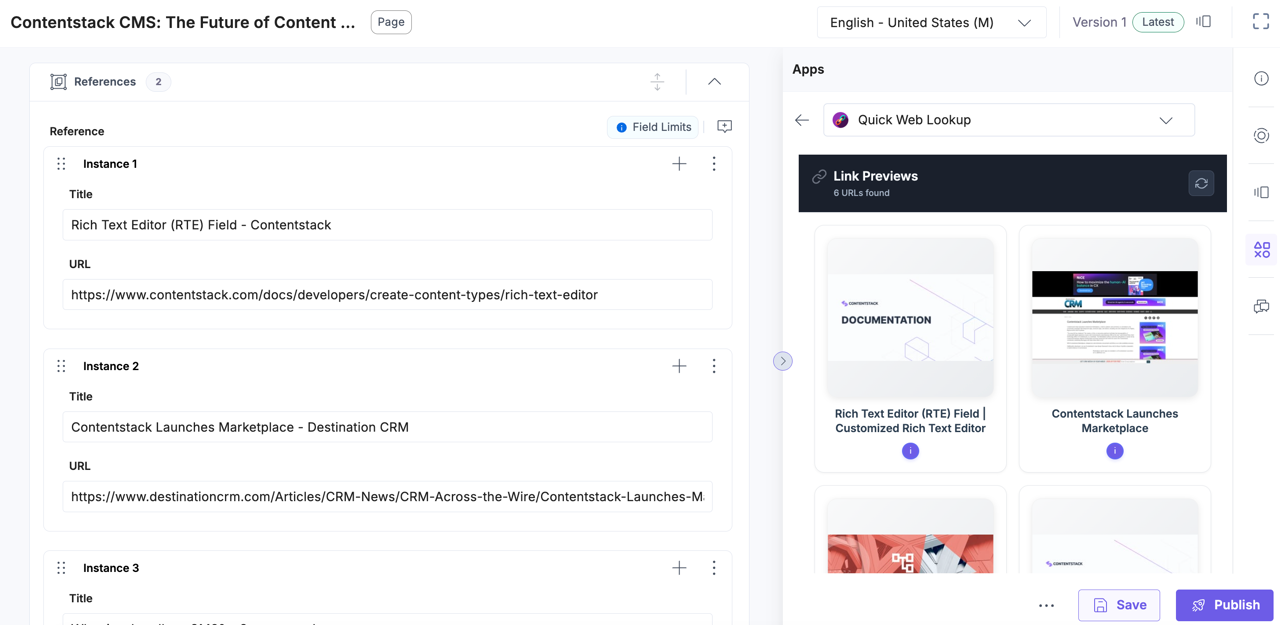
This app connects to third-party APIs securely using Contentstack’s app and server configuration, without building or deploying a custom backend or worrying about future maintenance.
Security and Best Practices
- Rotate API keys regularly.
- Never hardcode keys in repo or .env; store them in Server Configurations or Variables only.
- Always use Rewrites instead of direct API calls to third-party services.
- Validate inputs (length, regex) before sending to external APIs.
- Respect Retry-After headers (429) to avoid bans.
- Keep API error messages generic in UI (avoid leaking information).
Common Issues and Fixes
- 401 unauthorized: Check that the Peekalink API key is correctly saved in configuration.
- 429 too many requests: Implement exponential backoff and honor Retry-After headers.
- App not visible in the sidebar: Confirm the Entry Sidebar location is registered correctly in manifest.
- Configuration not saved: Ensure setInstallationData is called on the config screen whenever user input is changed.
- CORS errors
- Verify the /preview rewrite.
- The client should never call Peekalink directly.
Further Resources and Links
More articles in "Working with Developer Hub"
