

Creating an App in Developer Hub
To create a new app, log in to your Contentstack account and follow the steps below:
- On the left navigation panel, click the Developer Hub icon.
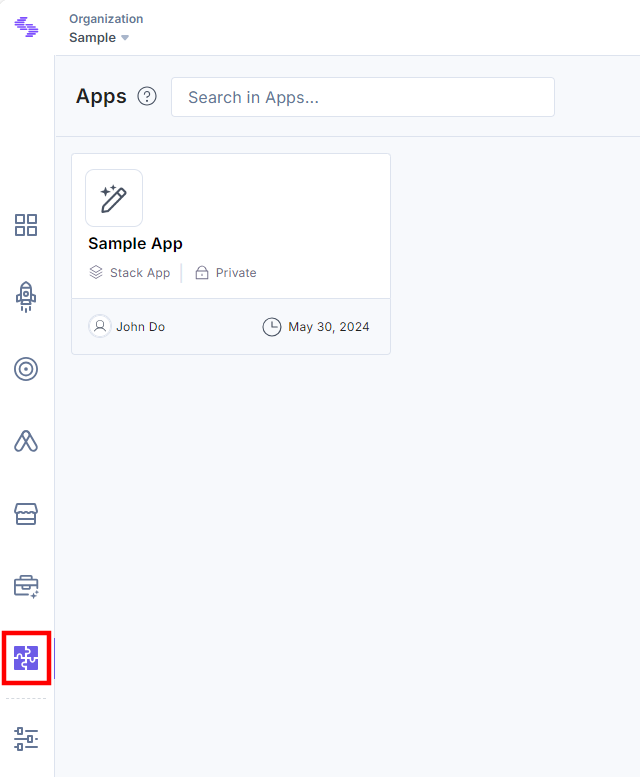
- Click the + New App button.
- In the Create New App modal, select the category of app you want to create, i.e., Standard or Machine to Machine.
- Standard: You can create a versatile app with UI Locations, Webhooks, OAuth 2.0 Integrations, and App Hosting capabilities.
- Machine to Machine: You can create an OAuth-only app for seamless machine-to-machine interactions with Contentstack’s API.
Only organization Admin(s) or the owner have the option to create both Standard and Machine-to-Machine applications. Other users can only create Standard applications. For more information about the different application categories, please refer to the "Introduction to Contentstack Applications."
Standard Category
You can create both Organization and Stack apps within the Standard category. Please note that only organization admin(s)/owner can create organization apps.
In the Create New App modal, add the following details to create an app under the Standard Category:
- App Type (required): Select the type of app you want to create: Organization or Stack. Read more about Types of App.
- Name (required): Enter a suitable name for your app (for example, Sample App).
- Description (optional): Enter a description for your app.
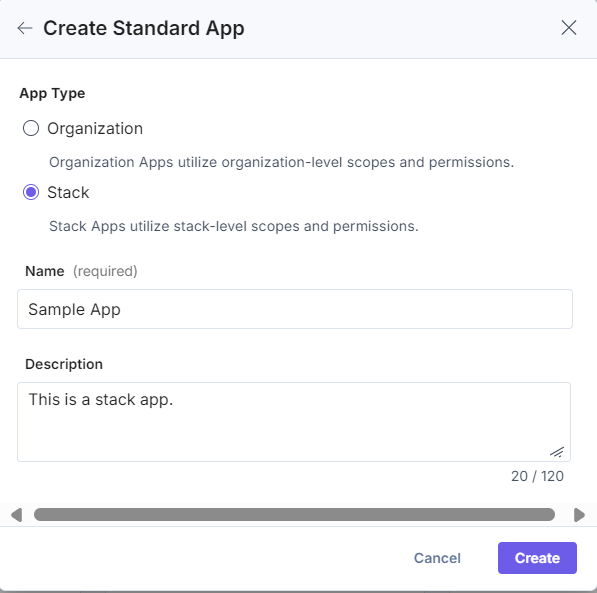
- Click the Create button.
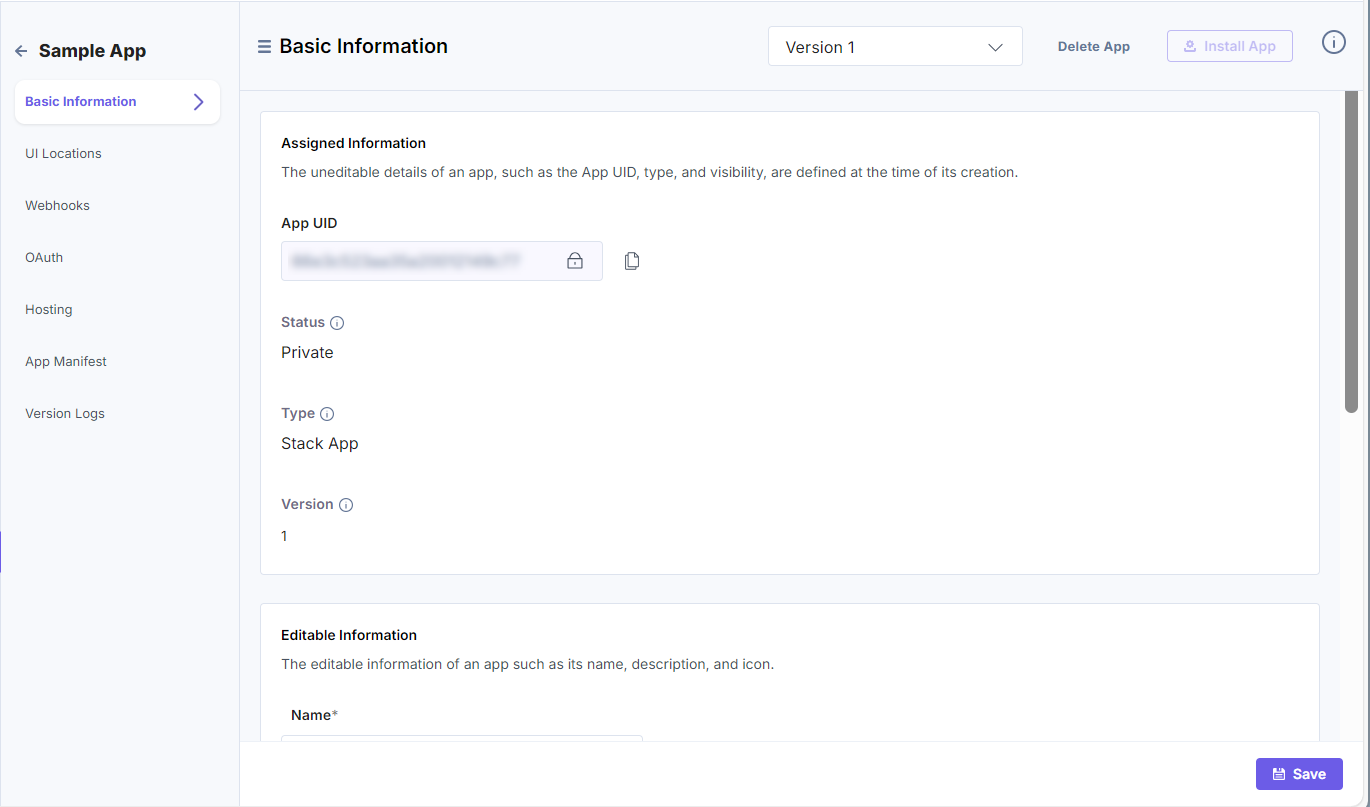
- Once you create the app, you will be navigated to the Basic Information page, where you will find the details of the apps.
- On the left navigation panel, you will find OAuth, UI Locations, Webhooks, Hosting, App Manifest, and Version Log options.
By using the App Manifest and Version options, you can view the current and previous versions of the app, whereas the remaining options let you configure or define the app.
Note: Once the app is created, you can manage and update it. Refer to the “More Articles” section to know more about it.
Machine to Machine Category
You can create Organization apps within the Machine to Machine category.
Let’s see how to create a Machine to Machine Organization app.
- Name (required): Enter a suitable name for your app (for example, Sample App).
- Description (optional): Enter a description for your app.
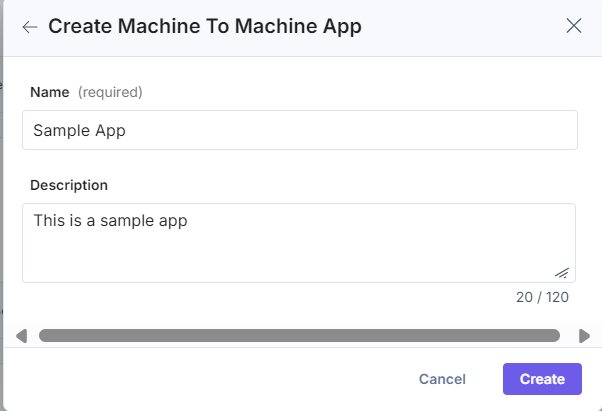
- Click the Create button.
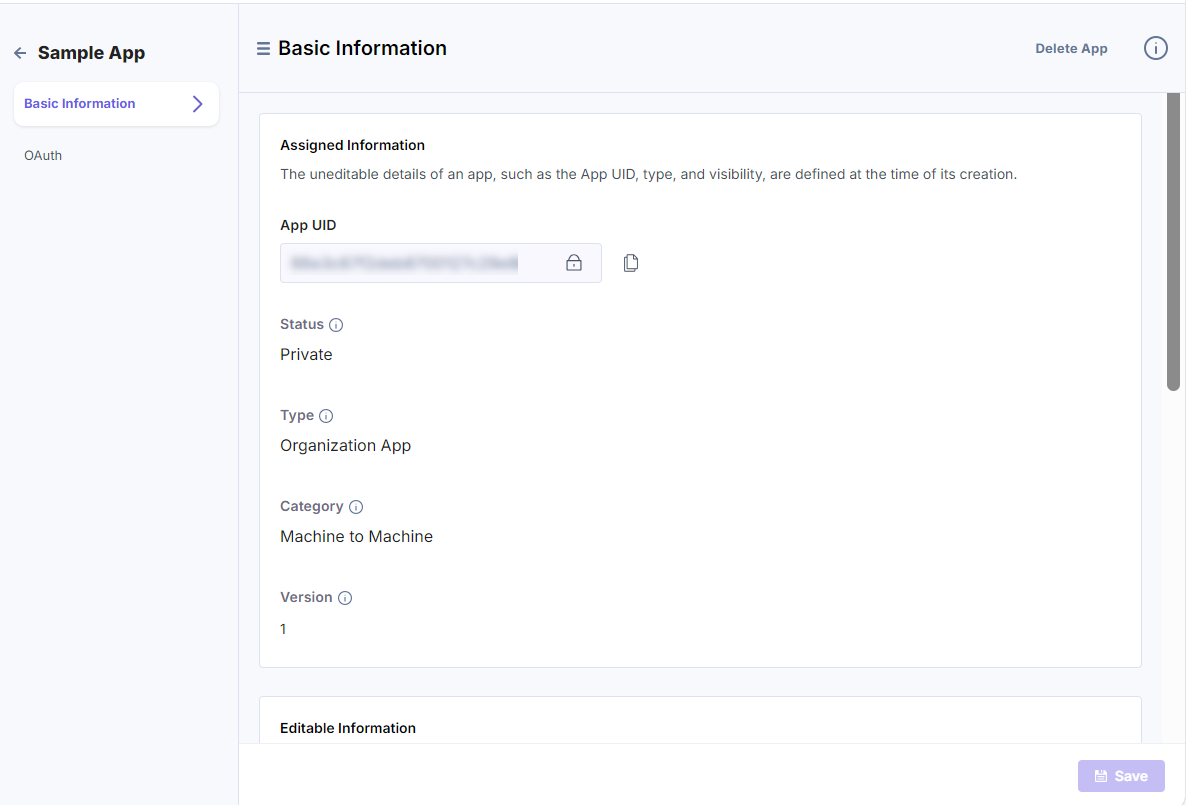
- Once you create the app, you will be navigated to the Basic Information page, where you will find the details of the app.
- In the left navigation panel, you will find the OAuth tab, which allows you to further configure the OAuth settings for your app.
More articles
