

Blog Landing Page
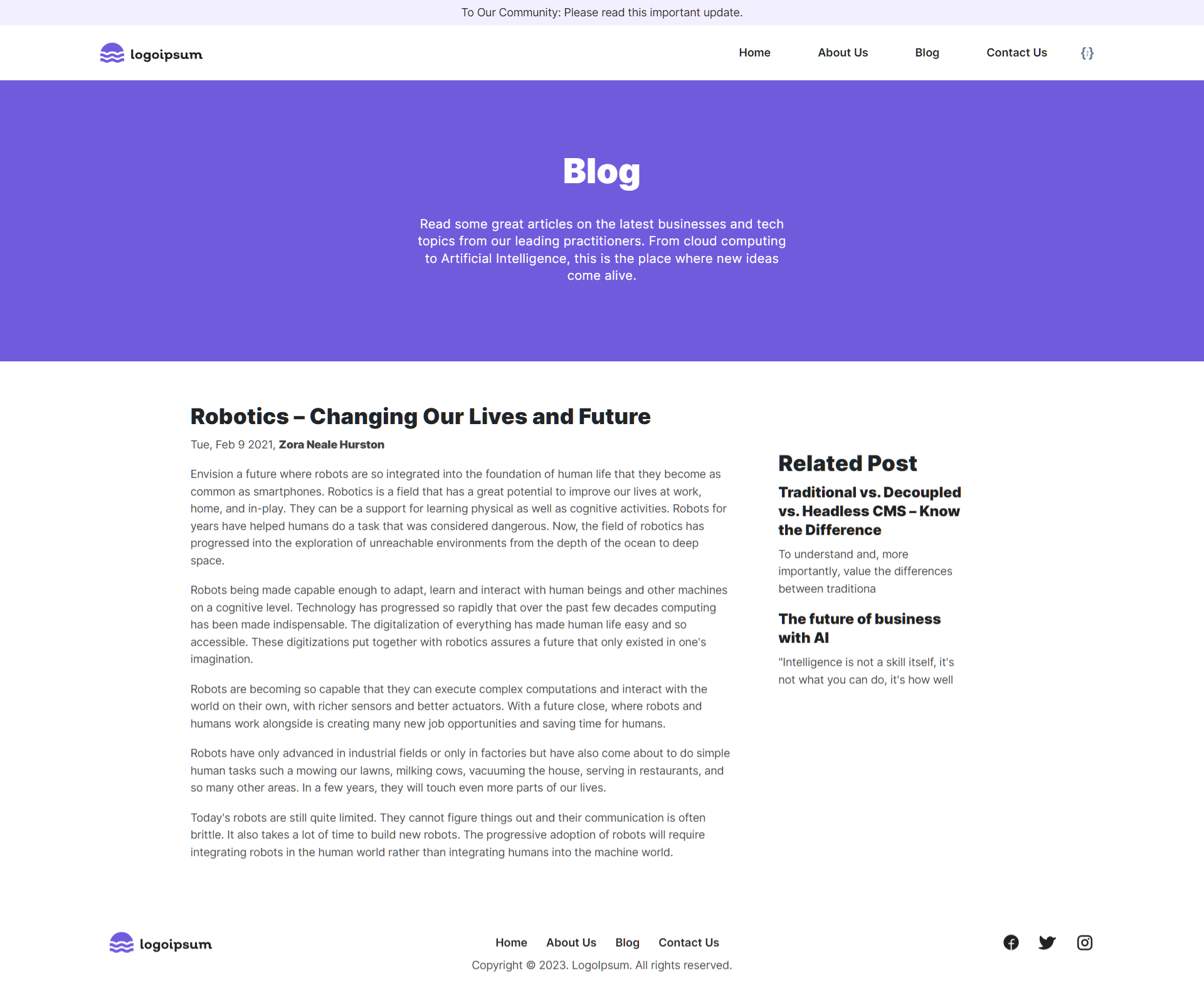
The “Blog Landing Page” is a web page that showcases blog posts, including the entire content, author details, release date, related posts, and links to other blog-related content. It serves as the entry point for visitors to access blogs on a website, typically displaying a blog and its author information, along with related posts organized chronologically.
Let’s dive deep into how the “Blog Landing Page” content model will help you create the "Blog Landing Page" for your website.
-
Analyzing Requirements for the Blog Landing Page
The “Blog Landing Page” content model includes four main sections:
- The “Blog” hero banner
- The “Blog Content” section including the release date and the Author name
- The “Related Post” section displaying the Other Blog References
- The “Social Sharing” section with links to most-used social media apps
Here’s how your “Blog Landing Page" will look like on your website
-
Identifying Content Model
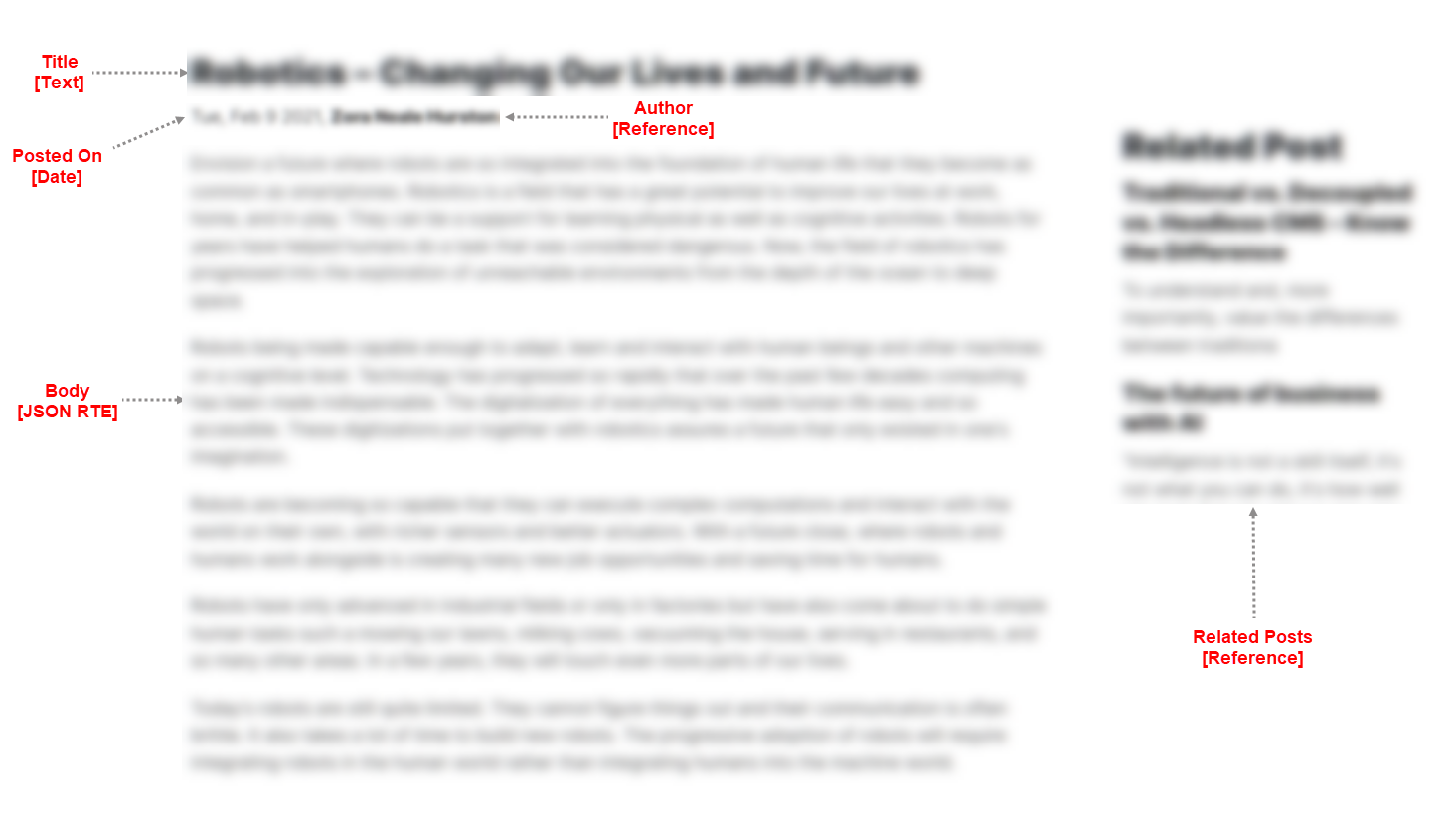
Let's identify the fields that build up your “Blog Landing Page” content type that you see in the above step
-
Developing Content Type
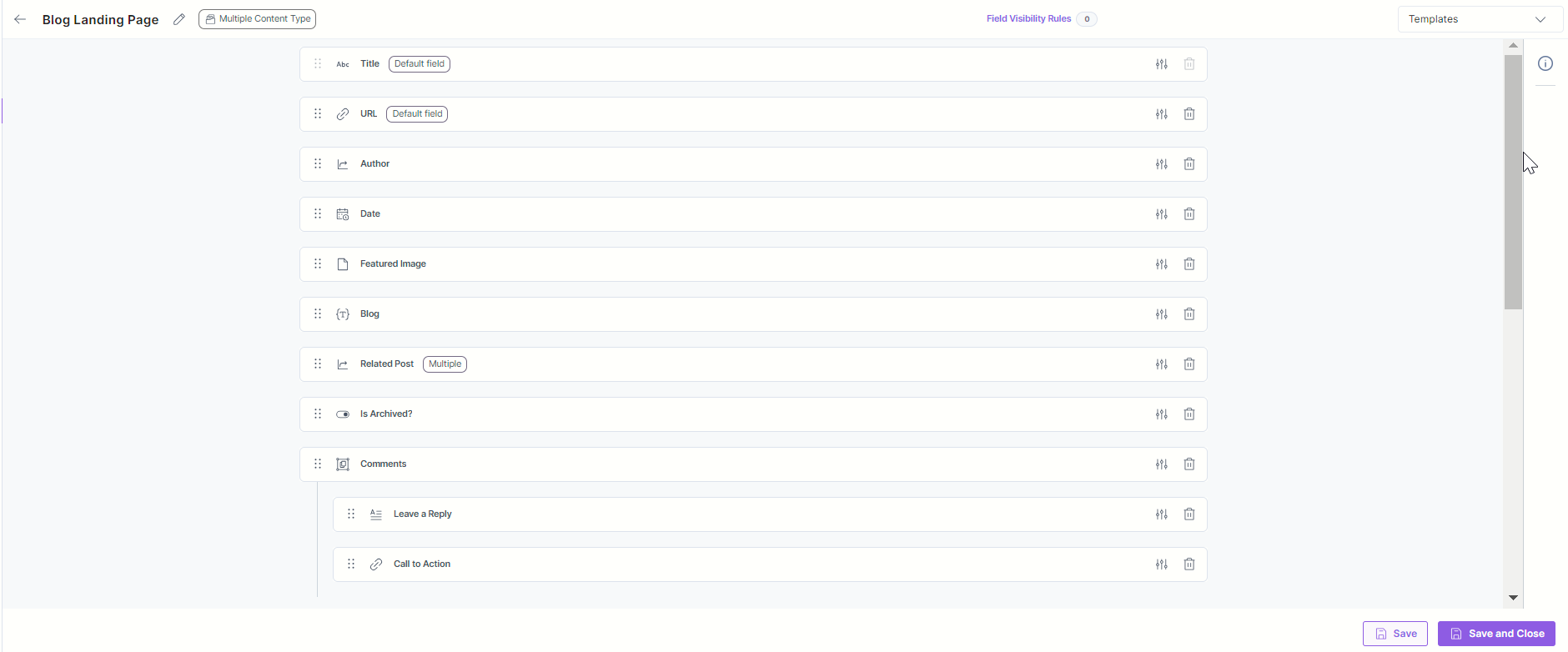
The “Blog Landing Page” content model contains the following set of fields. Let’s look in detail at what content types and fields were used to create the model.
Blog Landing Page Content Type:
Title: This is where you'll provide your blog page a name. The Title field defines the title of the blog landing page entry.
URL: Here goes the web URL of your blog page. When clicked on, this link provided in the URL field takes users straight to your blog page.
Author: For this field, you will find the Reference field that refers to the Author content type (explained in the section below) from which it will fetch all the author details.
Date: The Date field will allow you to select and display the publishing date of the blog.
Featured Image: For displaying the featured image, you will see the File field which will let you select the cover image related to the blog and add it to the entry.
Body: For the body, you will find a JSON Rich Text Editor field that should be able to hold the content of your blog which can even include media files in between.
Related Post: For this field, you will find the Reference field that refers to the Blog Landing Page content type from where you can fetch and display other blogs.
Is Archived?: This field will help you set whether a blog post is archived (or not). For this case, a Boolean field should be helpful.
Comments: Comments is a Group field that records the reader comments for your blog. It holds the following fields:
- Leave A Reply: Here you will find a Multi Line Textbox field that will record the feedback or request from the user.
- Call To Action: The Link field will store the button name as a title and you need to provide the link that will submit the user feedback.
Social Share: Social Share is Global field that has a Group field named Social Media Share consisting of the following set of fields:
- Title: You will find the Title field that defines the group title for the social media share.
- Icon: Here you will see the File field where you get to upload or choose (from Assets) the social media icon.
- Url: The Link field here will add a social media app name as a title, say “Twitter,” “Facebook,” “Instagram,” and so on and their respective links for redirection.
SEO: SEO is the Global field which covers the following set of fields:
- Meta Title: For the Meta Title field, you will see a Single Line Textbox field where you can add the meta title of your entry.
- Meta Description: A Multi Line Textbox field will be suitable for adding the meta description of your entry as it lets you add large chunks of content easily.
- Meta Keywords: Here you will see a Single Line Textbox field that lets you add the meta keywords of your entry.
- Enable Search Indexing: With a Boolean field here, you can enable or disable the search indexing for your page.
Author Content Type:
- Full Name: The Title field will store the full name of the author.
- Picture: For the Author picture, you will find the File field that allows you to choose the author photograph.
- Bio: For the Author bio, you will see the Multi Line Textbox field that stores the short description about the author.
This completes the creation of your “Blog Landing Page” content model.
- To import the content model within your stack, refer to the Import Prebuilt Content Models documentation.
- To import the prebuilt Content Model via the Marketplace, refer to the How to Import a Content Model via Marketplace document.
More articles in "Using Prebuilt Content Models"
