

Publish Entries and Assets in Bulk
To publish entries and assets found in your search results in bulk, log in to your Contentstack account and perform the following steps:
- Navigate to your stack and select the “Entries” or “Assets” module.
- Search for the entries and assets you want to publish. You can use Basic Search, Advanced Search, Filters, and Views to refine your search results.
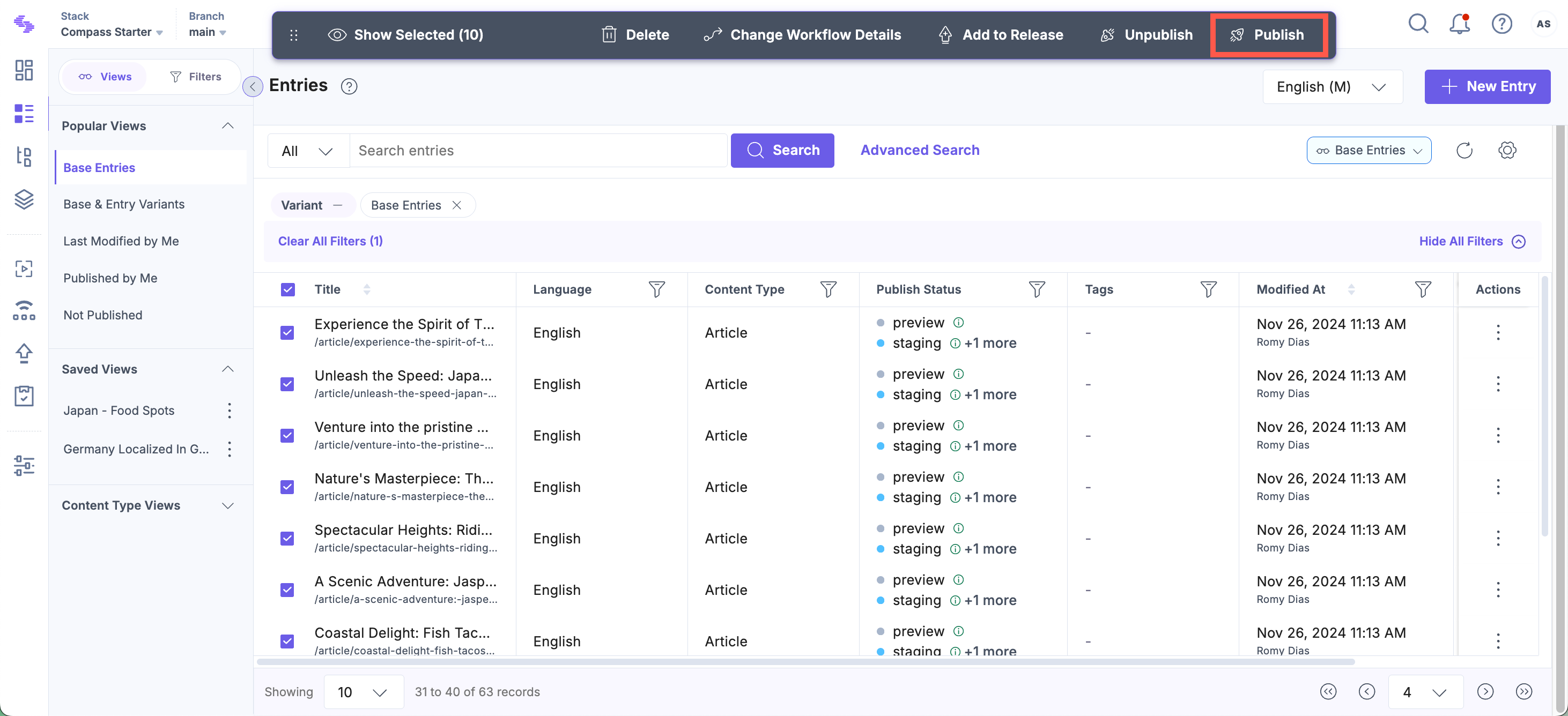
- From the search results, select the entries or assets you want to publish. Click the Publish button on the floating bar at the top.
Note: On smaller screens, click the vertical ellipsis to access the Publish option.
- On the Publish Entries/Publish Assets screen:
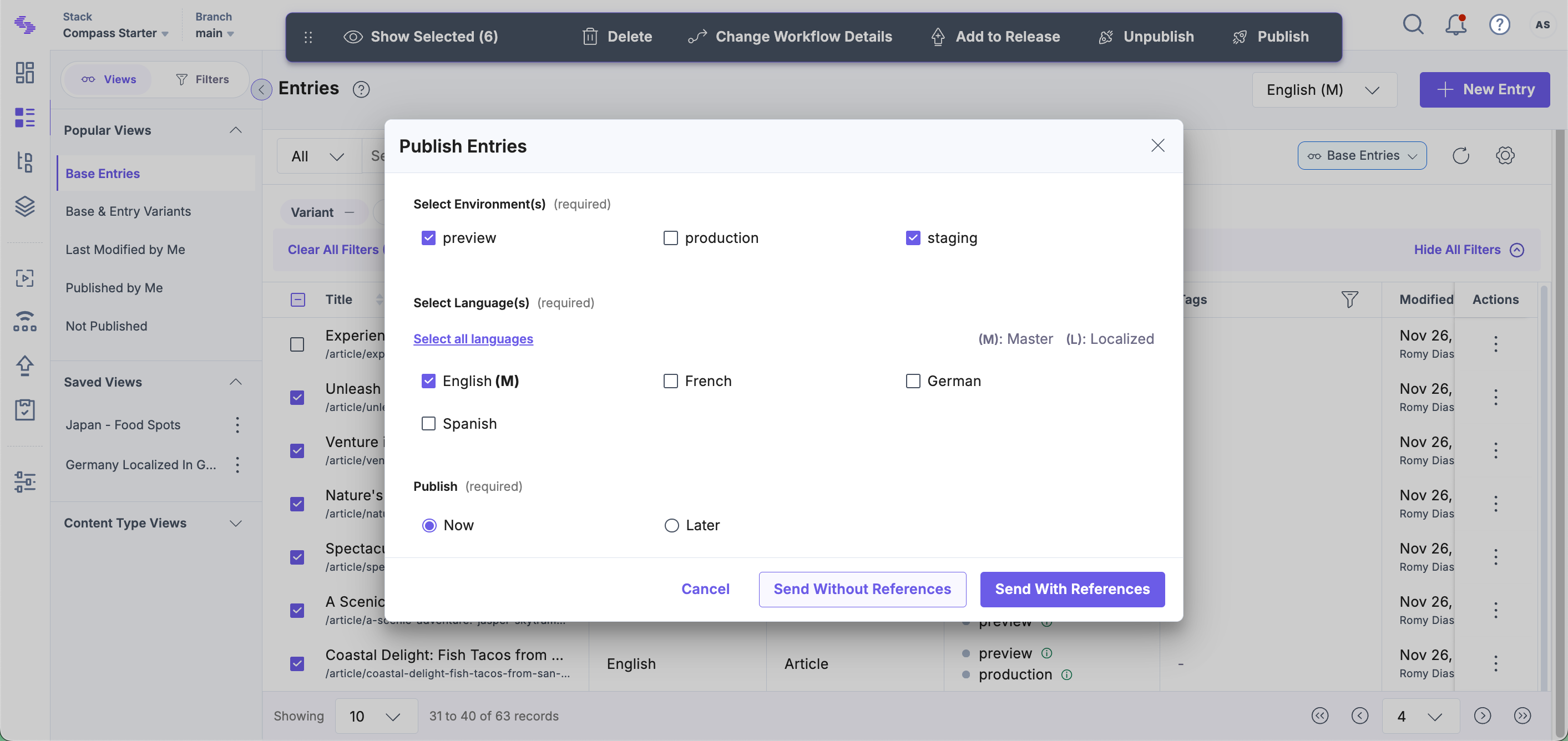
- Select Environment(s) to which you want to publish the selected entries.
- Select Language(s) for which you want to publish the selected entries.
Note: While unpublishing multiple localized and unlocalized versions of a single entry, you can select a maximum of 50 languages and 50 environments.
- Under Publish, you can select – Now (to publish immediately) or Later (to publish at a later date/time that you provide).
- Click Send With References to publish the selected entries along with their referenced items, or Send Without References to publish only the selected entries.
Note: When you publish multiple entries/assets, only the latest version of the entries/assets will be published. Read more about working with different entry versions.
Limitations for Publishing Entries and Assets in Bulk
The limitations for publishing entries and assets in bulk are as follows:
- You can publish 10 entries/assets in 10 languages and 10 environments at a time.
- The bulk-action date cannot extend beyond 12 months when scheduling the bulk operation.
Was this article helpful?
More articles in "Bulk Operations on Search Results"
