

About Views
The Views feature in Contentstack simplifies how you manage and navigate your content by offering predefined and customizable views. It provides quick access to entries and assets based on Popular Views, Saved Views, and Content Type Views. In the Saved Views section, you can save and manage your customized views. After applying specific filters and advanced queries, you can save the search results of these configurations for future use.
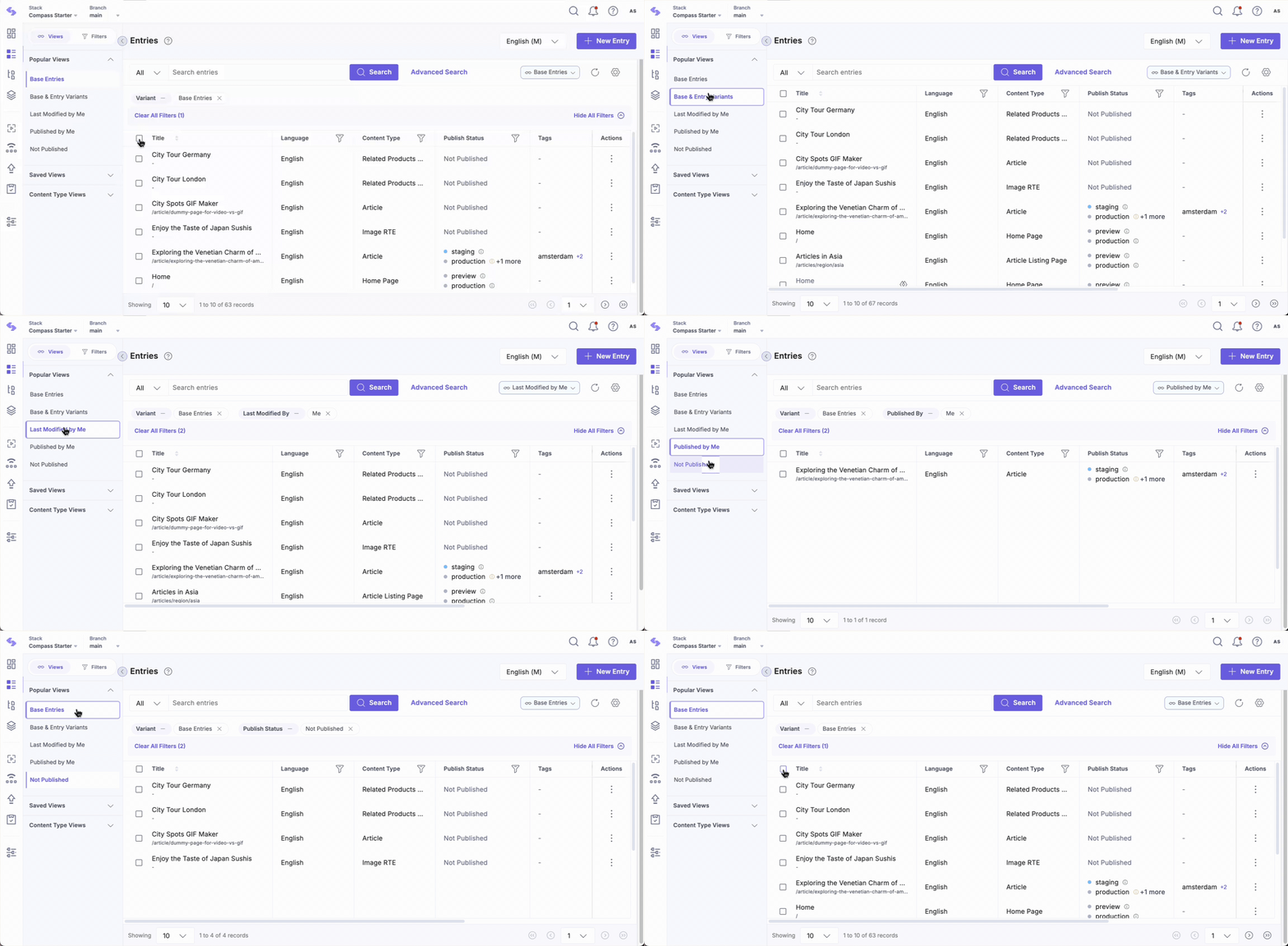
Contentstack offers predefined views tailored to common search scenarios. These Popular Views provide quick access to relevant information, reducing the need for extensive manual setup and enhancing navigation:
- Base Entries: Displays a list of all base entries available in the stack.
- Base and Entry Variants: Displays a list of all base entries and their variants available in the stack.
- All Assets: Displays all the assets that are uploaded in the stack.
- Modified by Me: Lists entries or assets modified by you.
- Published by Me: Lists entries or assets published by you.
- Not Published: Lists entries or assets not published in any environment.
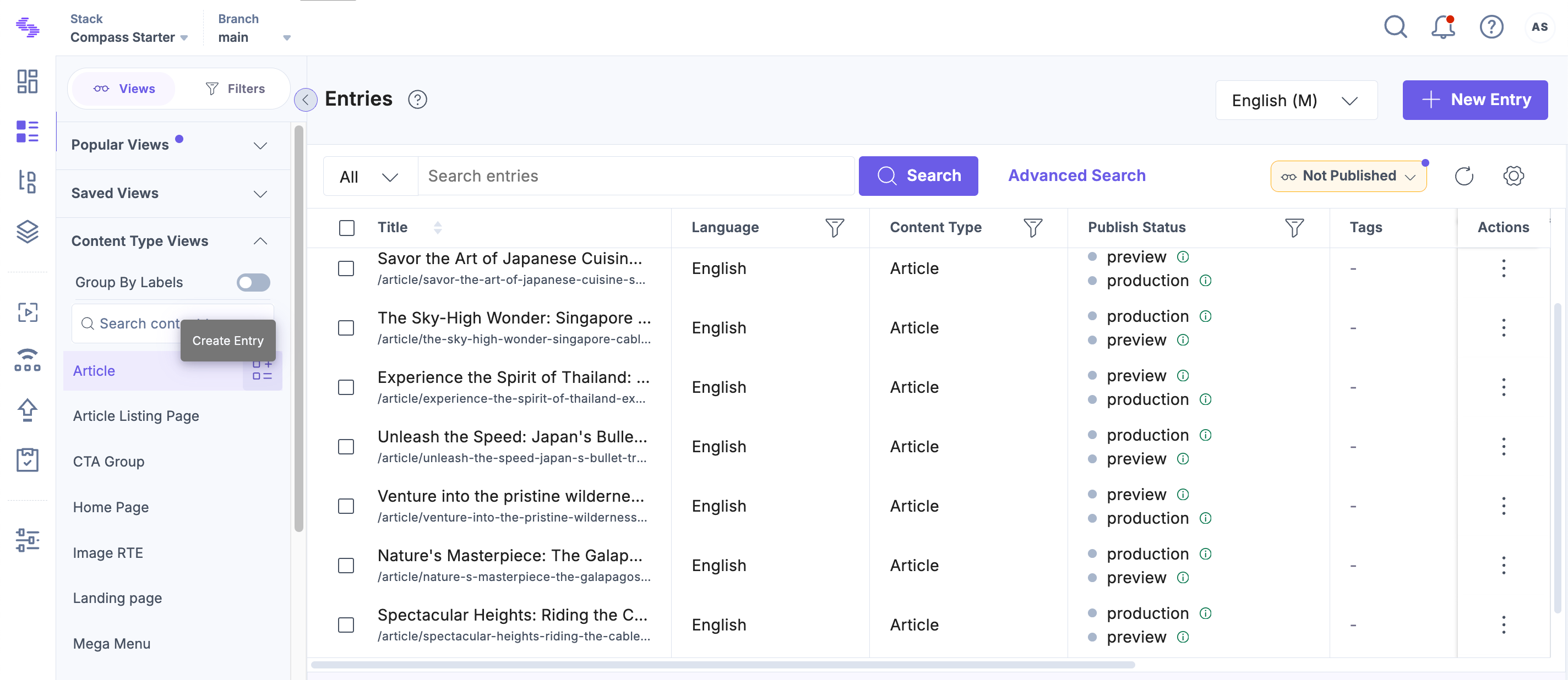
The Content Type Views section provides a list of all the content types available in the stack, allowing you to search and filter entries based on content types. You can also group views by labels.
Additionally, you can create a new entry directly from this section by clicking the Create Entry icon, making it even easier to manage your content on the go.
Whether you're managing entries or assets, Views streamline the process, helping you focus on your content.
Note: All your previous saved searches have been moved under Saved Views.
More articles in "Working with Views"
