

Prioritize Experiences
To ensure optimal personalization for your users, it's important to prioritize experiences, particularly when multiple experiences are targeting the same elements or fields. Here’s how to effectively manage experience priority:
- Review your experiences: Identify any experiences that are targeting the same elements or fields.
- Reorder priorities: Drag and drop the experiences to set their priority. The experience placed at the top will be prioritized for personalization on your site, ensuring its content is displayed when a conflict arises.
- Activation impact: Keep in mind that the experience at the top of the list will always take priority when it is activated.
By prioritizing your experiences, you can enhance user engagement and deliver more impactful content more effectively. By default, the experiences are prioritized based on the order they are created, with newer ones appearing at the bottom of the list. You can manually adjust this order using the Prioritize Experiences option to better control which content is shown when an experience is activated.
Prerequisites
- Contentstack account
- Personalize-enabled Organization with permissions
- Access to Personalize project
Note: We assumed that you have already created a Personalize project. If not, follow this guide to create a project in Personalize.
- Experiences created in your Personalize project
Steps for Execution
This guide uses a travel website with two experiences:
- Segmented Experience A (Rewards Program): "70% off for Reward Members! Earn Points on Every Booking!". This is the experience which displays a personalized variant to the users who are part of the Reward Members Program.

- A/B Test Experience B (Headline Tests): "Unleash Your Adventurous Spirit Explore Exotic Destinations!". This is the A/B test experience which displays variations to all users who are not part of the Reward Members Program with two different headlines.

To maximize engagement during a promotional campaign, you prioritize Experience A. When activated, Experience A is displayed first, promoting the rewards program while still attracting adventure seekers, effectively boosting user interest and engagement.
To prioritize experiences, log in to your Contentstack account and perform the following steps:
- In the top navigation bar, click the App Switcher icon and then click Personalize.
- You will be redirected to the Personalize Projects landing page. Select the project where you want to reorder and prioritize experiences.
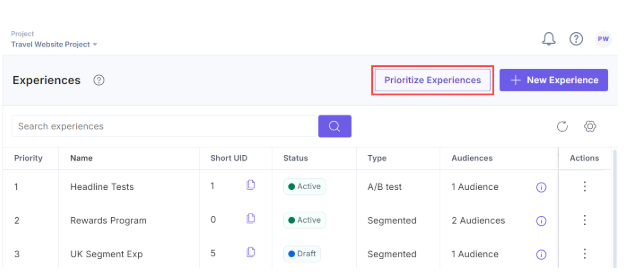
- On the Experiences page, click the Prioritize Experiences button.
- In the Prioritize Experiences sidebar, drag and drop the experiences to reorder their priorities.
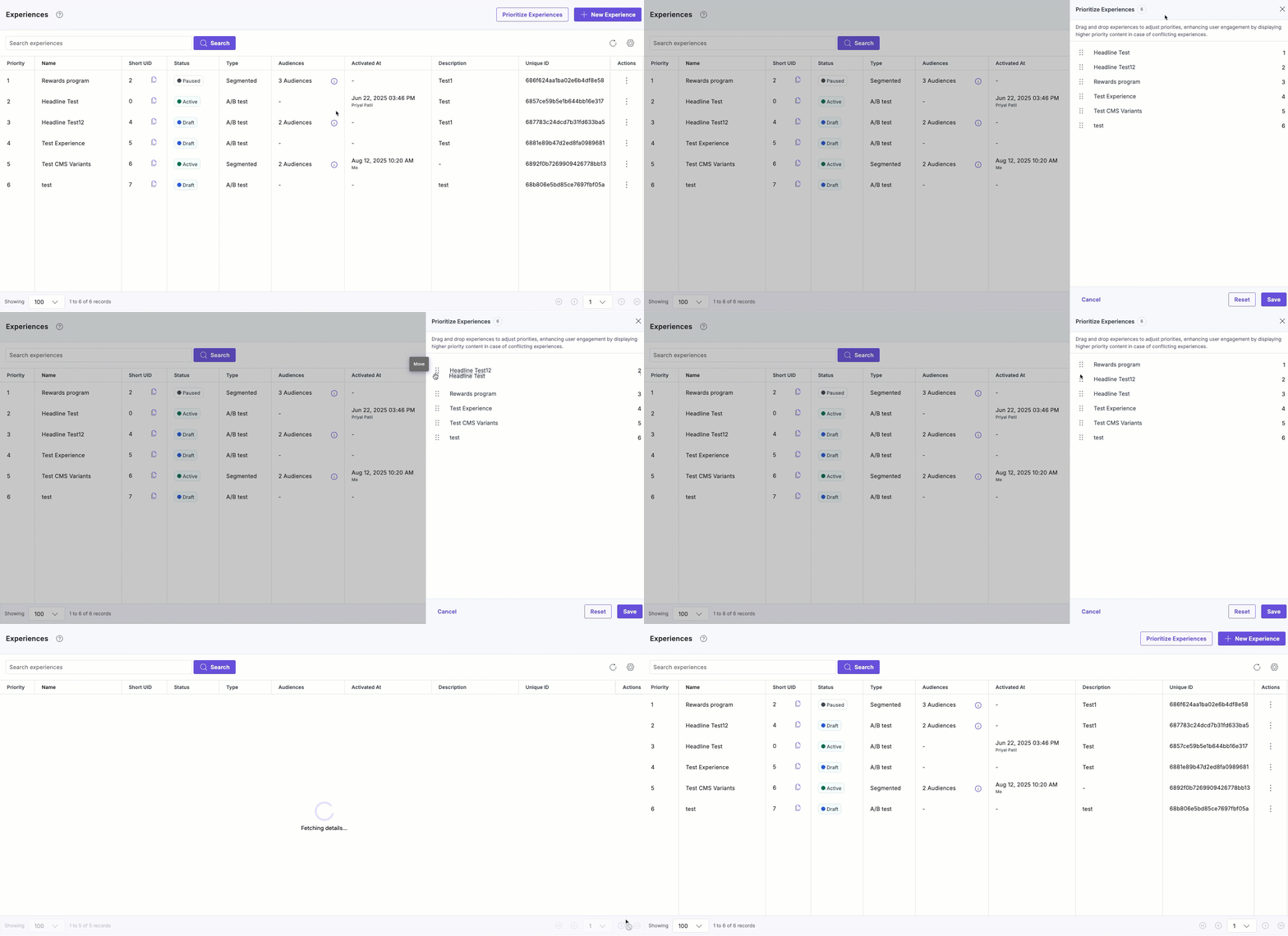
- Click the Save button to save the order of the experiences' priorities.
After saving the changes, the experiences are automatically reordered on the Experiences listing page and prioritized when they are activated on your site.
More articles in "Working with Experiences"
