

Create Personalized Content
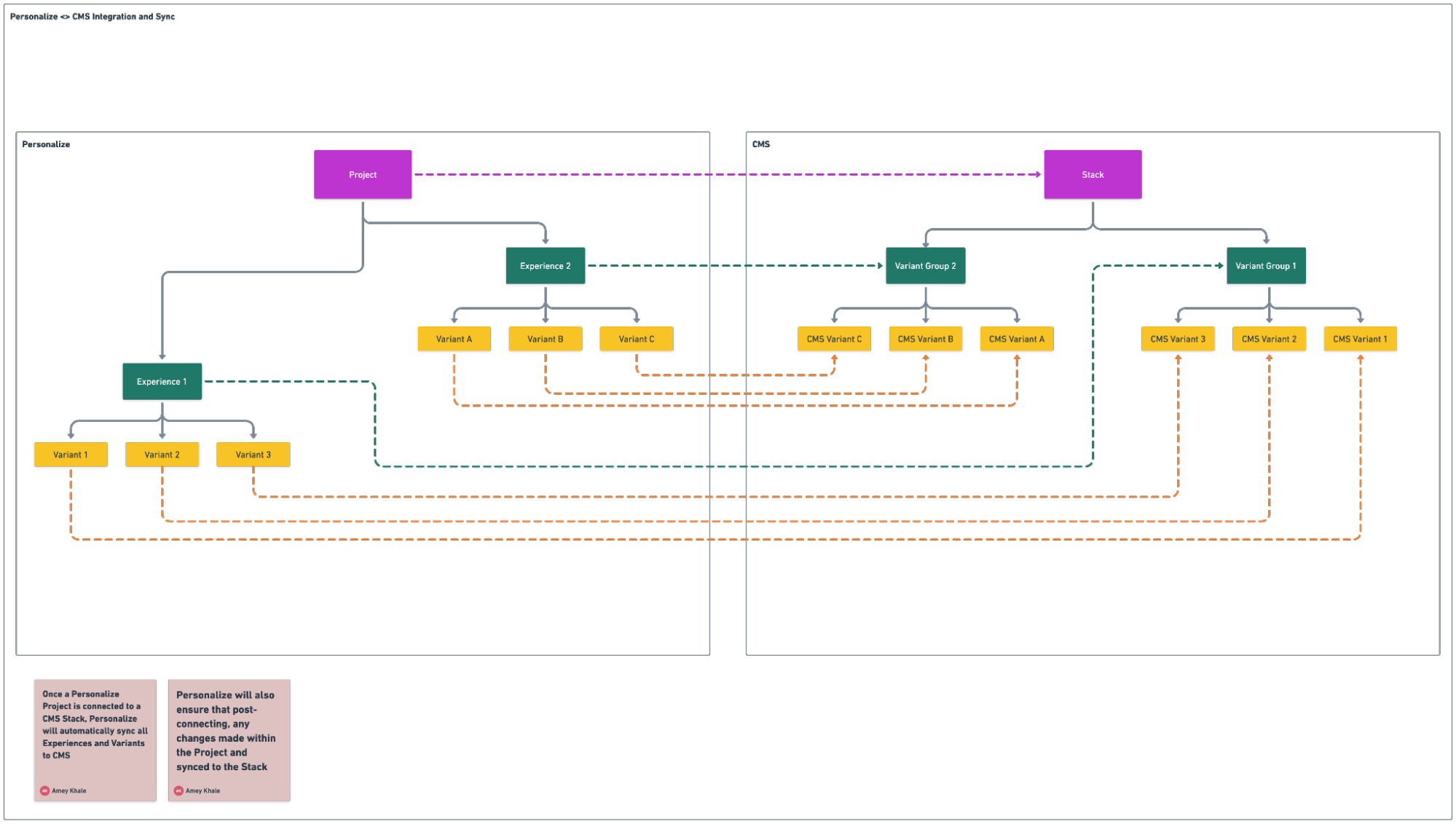
To create personalized content, the Variants feature available in the connected CMS stack helps you compose content variants corresponding to each of the Variants in Personalize Experiences. If a Personalize Project is connected to a CMS stack, all relevant changes made within the project automatically sync to the CMS for you to create content.
Personalize creates a Variant group in the stack for each experience, using the same name as the experience. For every variant within an experience, Personalize creates a corresponding variant within the same variant group.
Prerequisites
- Contentstack account
- Access to the Contentstack Organization that has Personalize enabled
- Access to a project in Personalize with Experiences and Variants defined
- Access to the stack connected to the project
Access the Variant Group and Start Personalizing Content
From the Personalize Experience
Follow these steps to navigate to the variant group in the CMS and begin creating personalized content:
- In the top navigation bar, click the App Switcher icon and then click Personalize.
- You will be redirected to the Personalize Projects landing page, select the project that contains the experience you want to work with.
- From the list of experiences, click the experience you want to open.
- Click the Information icon on the right to open the side drawer.
- Scroll down to the Contentstack CMS Sync Status section. This section displays details about the connected stack and variant group.
- Click the Variant Group link.
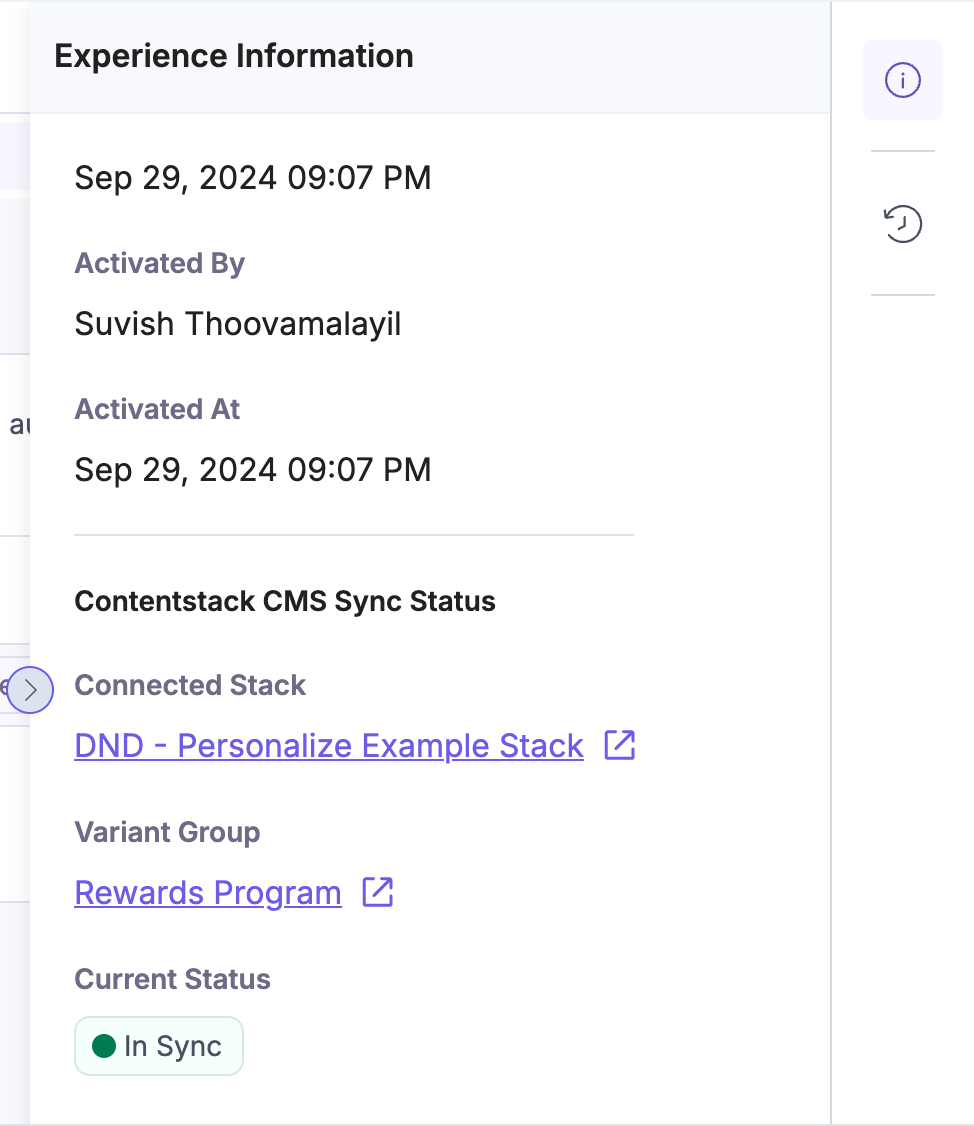
- This opens up the linked Variant Group’s page in the stack settings.
From the CMS Stack
Accessing Variants
To access Variants, log in to your Contentstack account and perform the steps given below:
- Navigate to the desired stack and click the Settings icon (or press “S”).
- Select Variants in the navigation panel on the left.
- Click a particular variant group.
- In the Linked Content Types field, select one or more content types to associate with the variant group.
Associating a variant group with specific content type allows you to personalize the content of the entries based on the content types.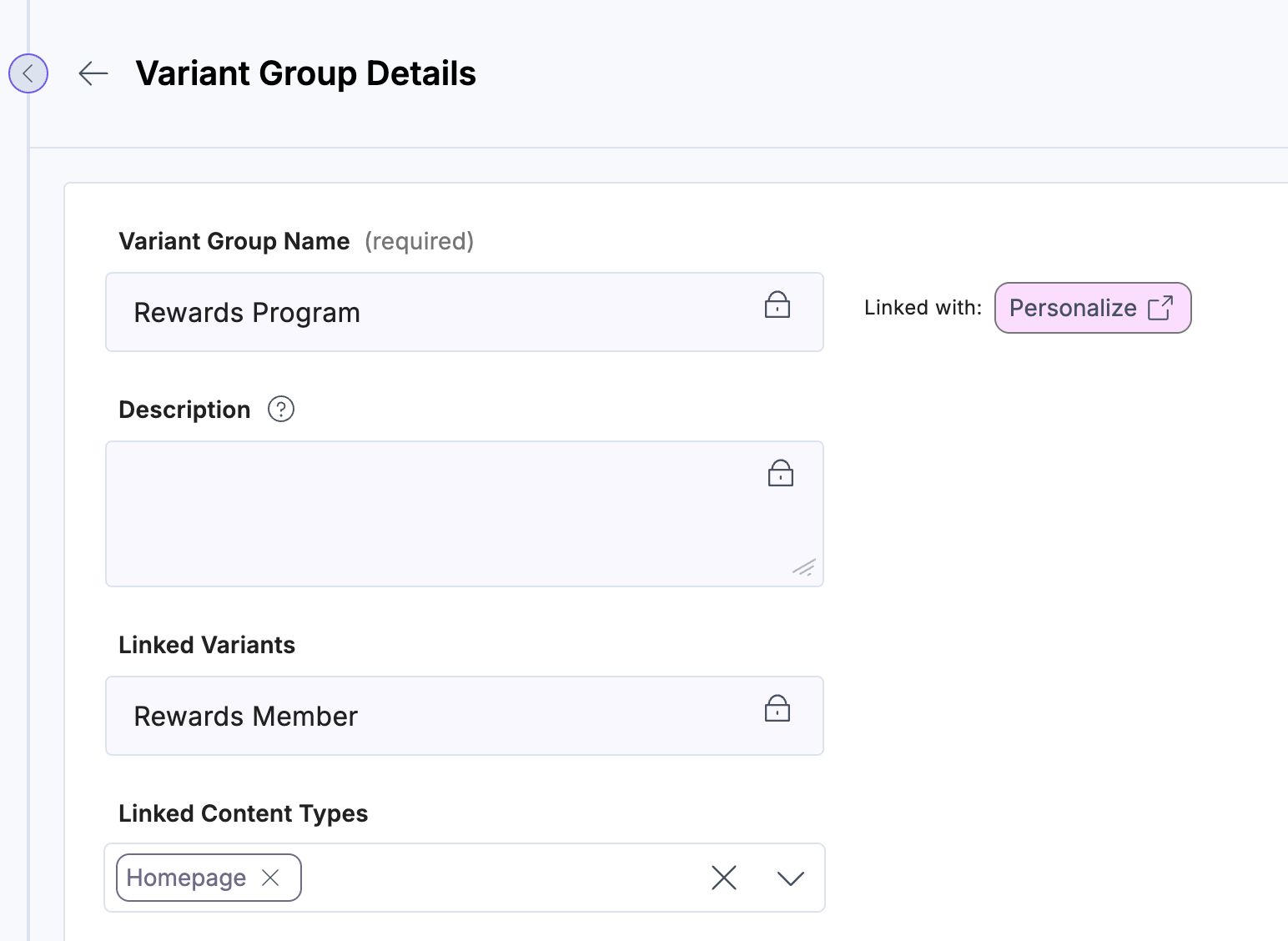
- Click Apply, then click Save.
Additional Resources: For more information, refer to Linking Content Types. - You can now create entry variants by modifying the fields or sections as needed to personalize content.
Additional Resources: For more information, refer to Variants and Create Entry Variants.
- You can now publish the entries for the rendered pages to be personalized.
Note: Personalize uses the variant-to-entry mapping to decide in real time which content each user sees based on their audience group.
Note: When configuring what content is delivered to a specific visitor, we need to ensure that a visitor views the most relevant and impactful content even when it qualifies for multiple personalized content variations. This is when we need to resolve the conflict on which variant should be shown.
Layered Experiences
Layered Experiences allow a visitor to qualify for multiple Experiences at the same time.
Each Experience may personalize a different part of a page or a different field inside an entry.
When Experiences do not overlap, they simply work together.
When they do overlap, the Experiences are evaluated in a specific order, and their variants combine to create the final content.
This sets the foundation for how multiple variants are used during delivery.
Multiple Variants Created for the Same Entry
Every entry in the CMS starts with a Base Entry.
For each Experience, you can create an Entry Variant, which contains only the fields you changed for that Experience.
So one entry may have:
- A Base Entry
- Variant for Experience A
- Variant for Experience B
- Variant for Experience C… and so on.
Each variant:
- Overrides only the fields you edit
- Does not duplicate the whole entry
- Is stored as a small object with only the changed fields.
Composite Entry
When a visitor qualifies for multiple Experiences, Personalize returns a list of variant aliases, in the order they should be applied.
Example:
x-cs-variant-uid: cs_personalize_a_0, cs_personalize_b_1
The Contentstack Delivery API uses this list to build a composite entry -
Step 1 - Start with the Base Entry
This includes all fields.
Step 2 - Apply the First Variant
Any fields inside Variant A replace the Base Entry fields.
Step 3 - Apply the Next Variant
Any fields inside Variant B replace the values from the previous step.
Step 4 - The result is the final composite entry
It is a combination of:
- Base Entry
- Variant A overrides
- Variant B overrides
- …in the exact order of the aliases.
Later variants override earlier ones.
Resolving conflicts when multiple Experiences personalize the same section of content
When multiple experiences are active on a single page, multiple variants may need to be displayed.
This can lead to two possible scenarios:
- Scenario 1: Multiple Experiences Target Different Sections
If multiple experiences target different sections on a page, the experiences are automatically layered.
Each section is optimized according to the content of its active variant.
- Scenario 2: Multiple Experiences Target the Same Section
If multiple experiences target the same section of a page, experience prioritization is required. The experience prioritization can be set up in Personalize.
When this happens, the variant associated with the higher-priority experience is displayed to the user.
Layering and prioritization together ensure that the applied personalization reflects the complete visitor context and delivers an optimal user experience.
More articles in "Create Personalized Content"
