

Delete a Taxonomy
Contentstack allows you to delete a taxonomy that you create in your stack.
Note: Unless you are the Owner or Admin of the stack, you cannot delete taxonomies created by other stakeholders.
To delete a taxonomy, log in to your Contentstack account, and perform the following steps:
- Go to your stack where you want to delete a taxonomy, navigate to the “Settings” icon (press “S”), and select Taxonomy.
- Navigate to the taxonomy you want to delete and click the vertical ellipsis in the Actions column.
- Click the Delete button.
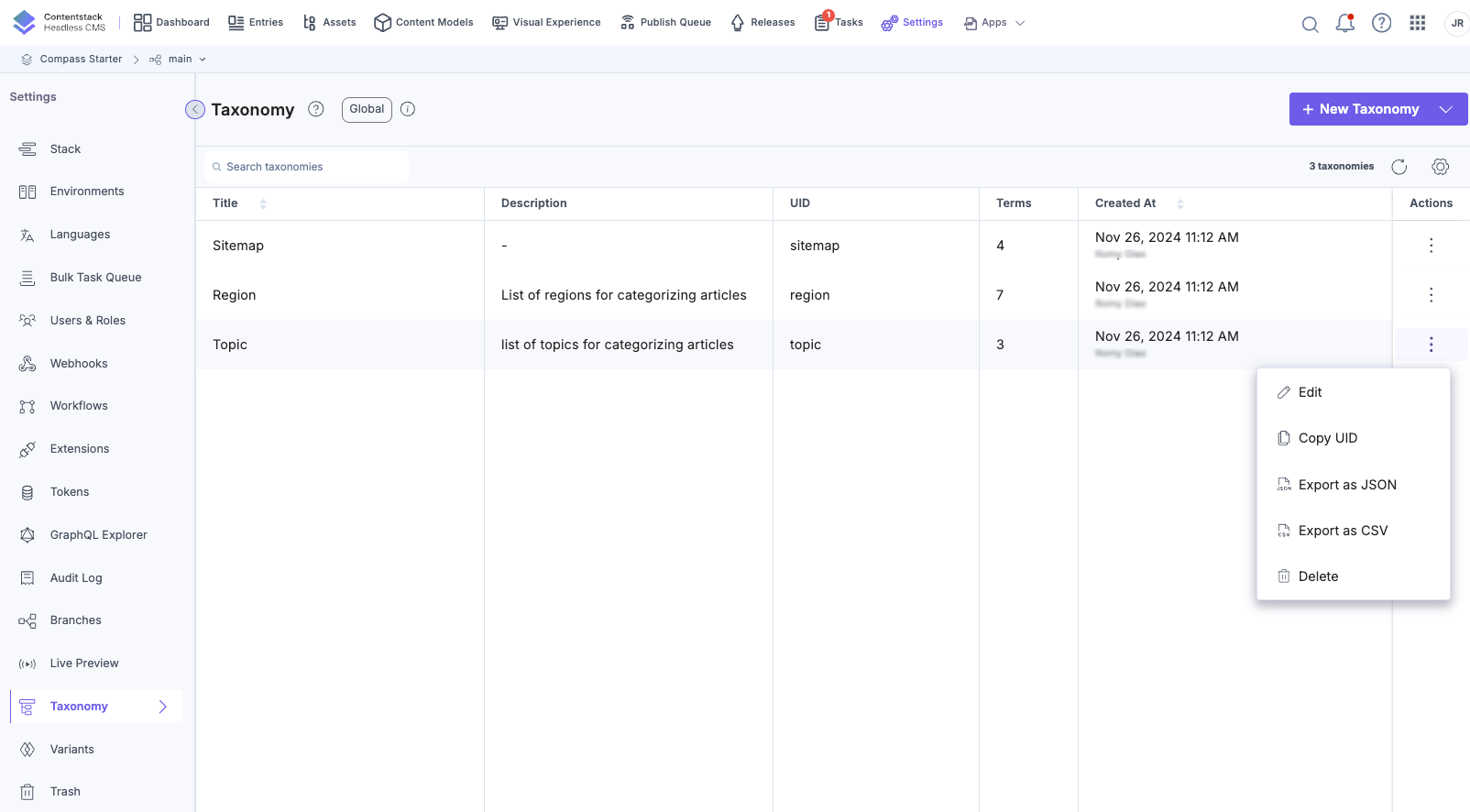
Warning: Deleting a taxonomy removes its connections to any linked content types. This also increments the entry version because the terms associated with the deleted taxonomy were removed from the entry.
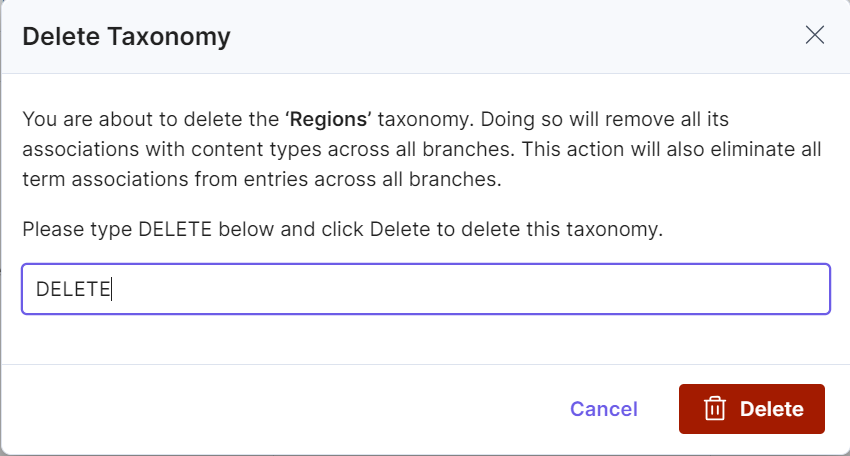
- In the Delete Taxonomy modal, you need to type “DELETE”, and confirm the Delete action.
 Note:
Note:- If your content type includes a taxonomy field with multiple taxonomies configured, deleting one of them will not remove the entire field. Instead, only the term associations of the deleted taxonomy will be removed from the respective entries.
- However, if the taxonomy field only has one taxonomy configured and it is deleted, then the entire field will be removed from the content type.
Alternatively, select a taxonomy and click the trash icon at the top-right corner to delete it.

Additional Resource: To recover a deleted term, consult our documentation on restoring deleted taxonomies.
API Reference
To delete taxonomies via the API, refer to the Delete a Taxonomy API request.
Note: While restoring a taxonomy or term, or when creating or deleting a branch, avoid performing additional delete or restore operations until the ongoing process is complete. This restriction is implemented to prevent conflicts, as multiple entries are modified simultaneously during these processes.
More articles in "Work with Taxonomy"
