

Environment Variables
Environment Variables are key-value pairs configured outside your source code so that each value can change depending on the Environment.
Your source code can read these values to change behavior during the Build Step or Launch Cloud Function execution.
All values are visible to any user that has access to the Project. It is safe to use both non-sensitive and sensitive data, such as tokens.
Note: Changes to Environment Variables are not applied to previous deployments. They only apply to new deployments.
You can add environment variables while creating a new project or environment, or configure the environment variables later at Environments > Actions > Settings > Env. Variables.
Add Environment Variables
- Click the project card to open your project from the Launch landing page.
- In the Environments screen, click an existing environment or create a new environment. For this tutorial, we will add an environment variable to the Default environment for the Contentstack API key.
In the Default environment, click the ellipses under Actions and then click Settings to go to the Settings page.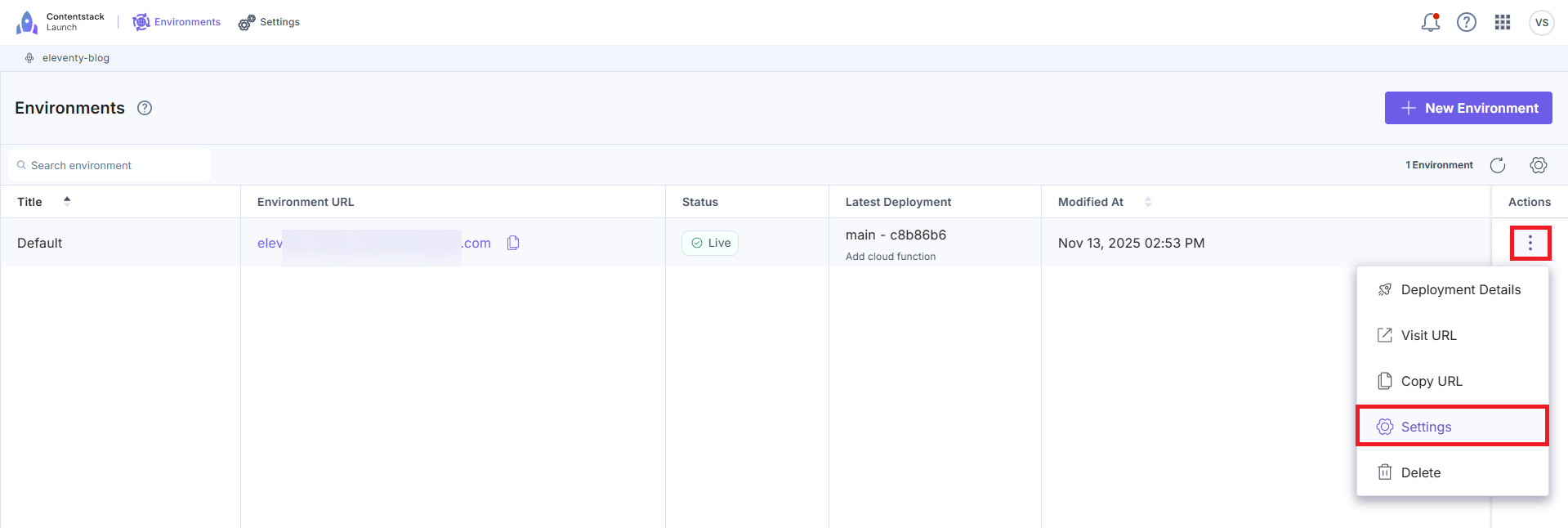
- In Environments under Settings, click Environment Variables.
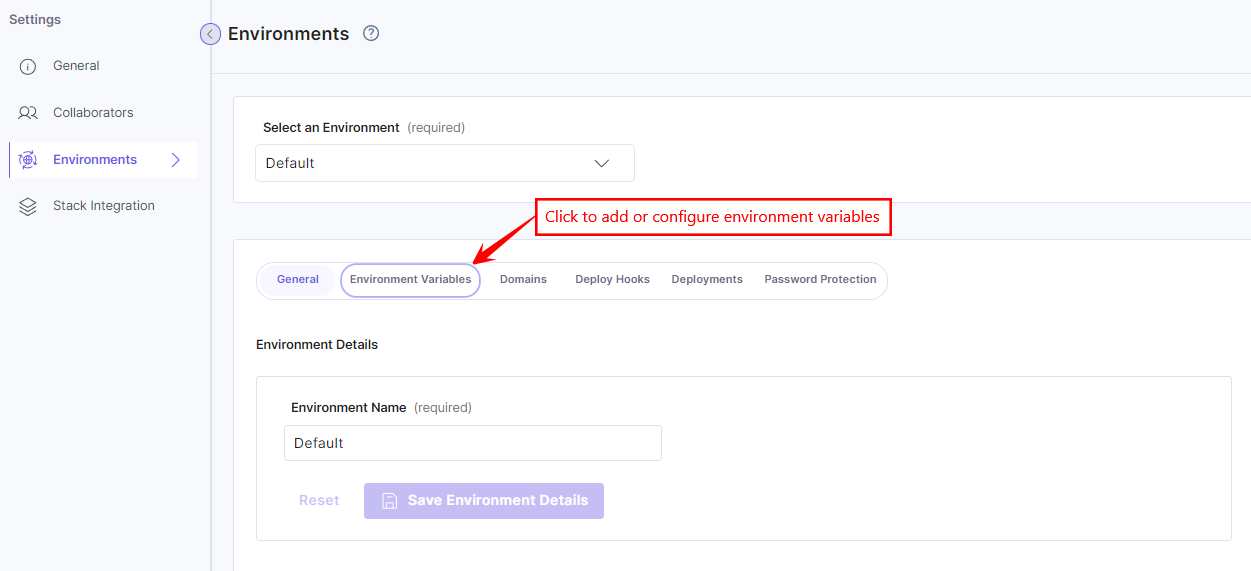
If your project is connected to any stack, its status will be available inside Integration Status.
- In the Add Keys and Values section, click the + Add Environment Variable button to enter the environment variable key and value.Note:
- If you are adding an environment variable for the first time, you can directly add the environment key and value in the respective textboxes.
- You can add up to 128 environment variables per environment, with the total size of environment variables not exceeding 14 KB.
- When using Launch Cloud Functions, ensure the combined size of all environment variables does not exceed 4 KB.
- Misconfigured environment variables can cause deployment failures, especially if they contain single quote characters ('), commonly seen in private keys. Ensure all environment variable values are properly formatted and do not include single quotes.
Example:
Avoid: key=exa'mple
Recommended: key=example
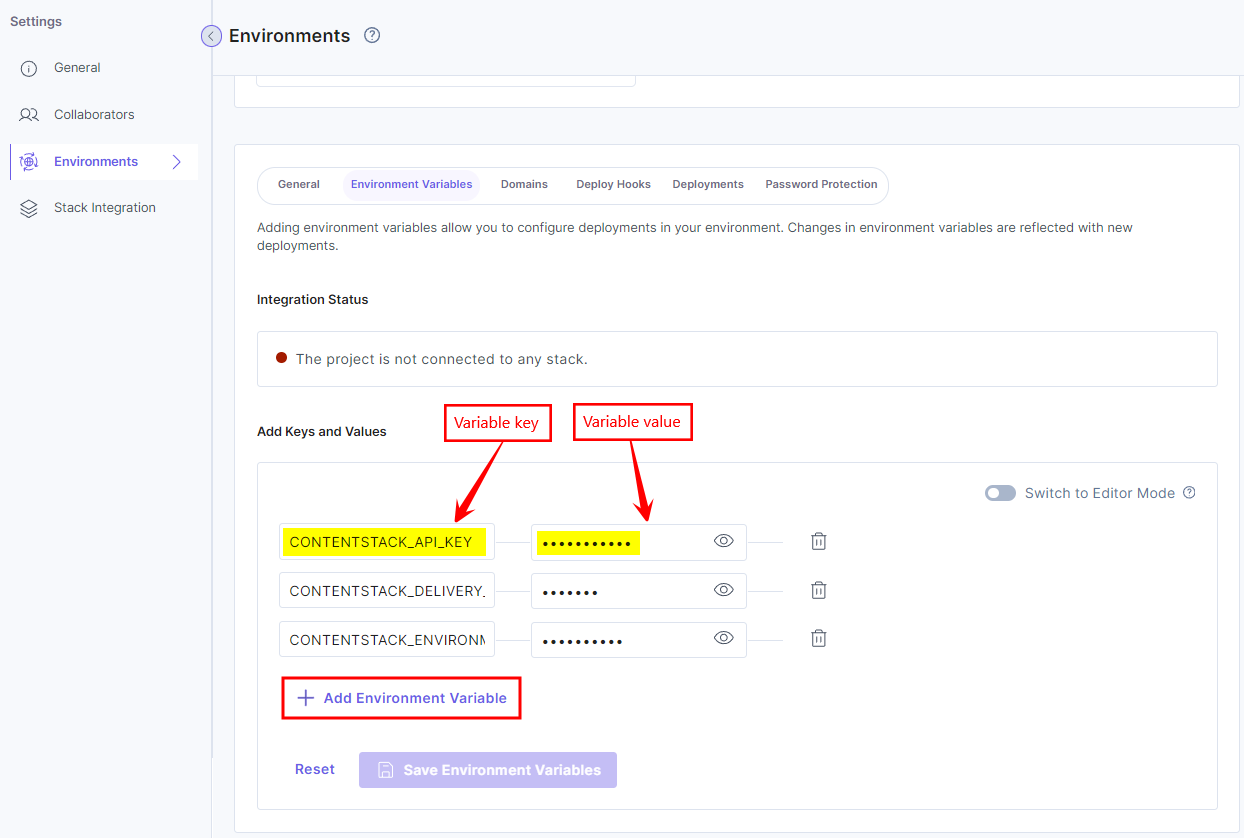
You can also add or edit environment variables in bulk, in the key-value format, by using the Switch to Editor Mode toggle button. You can add each environment variable in a new line.
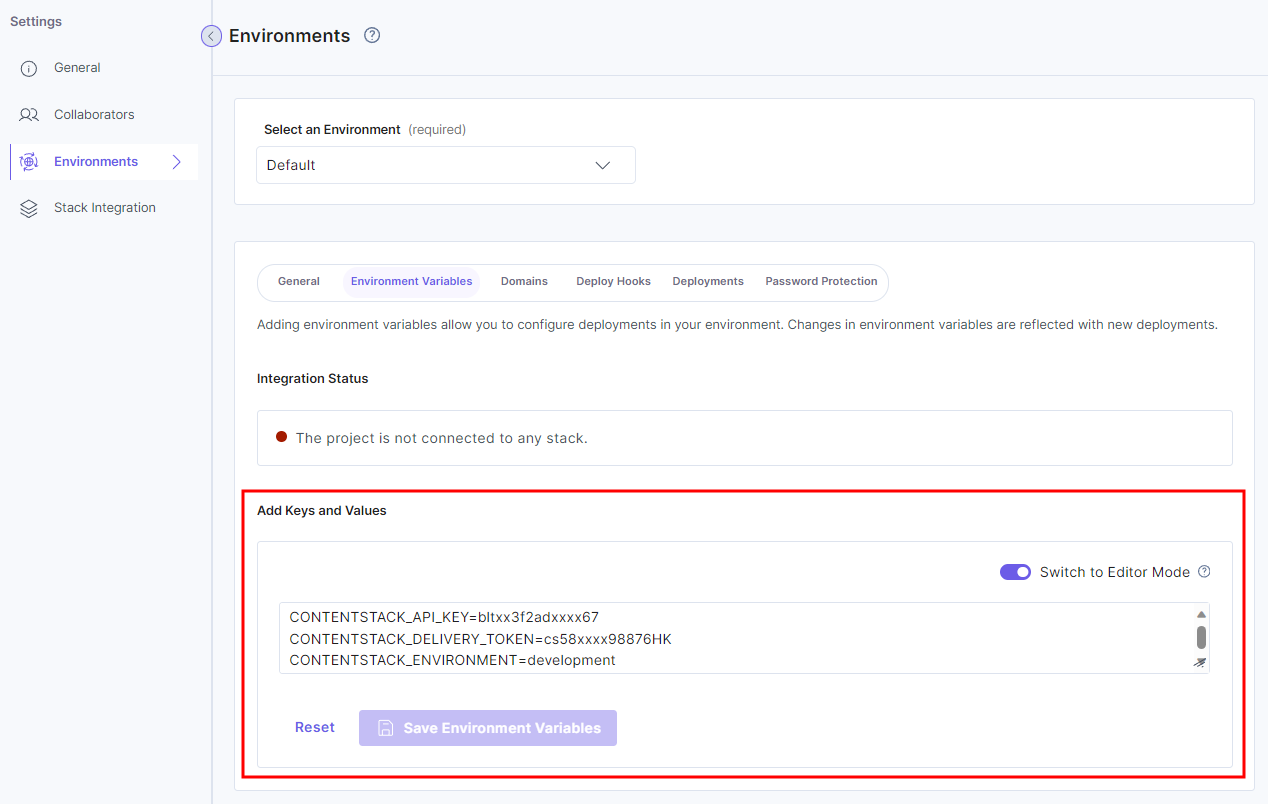
An environment variable can be added in the key=value format, or an existing variable's key or value can be edited in the Switch to Editor Mode. The updated environment variables will also be reflected in the Add Keys and Values section.
The bulk edit mode allows you to paste code blocks with key=value pairs, thereby reducing the effort of individually entering environment variables in the key-value edit mode.
- Click the Save button.
Note: You must trigger a new deployment after adding/modifying environment variables.
More articles in "Launch Features"
