

Use Slash Command for Shortcuts in JSON RTE
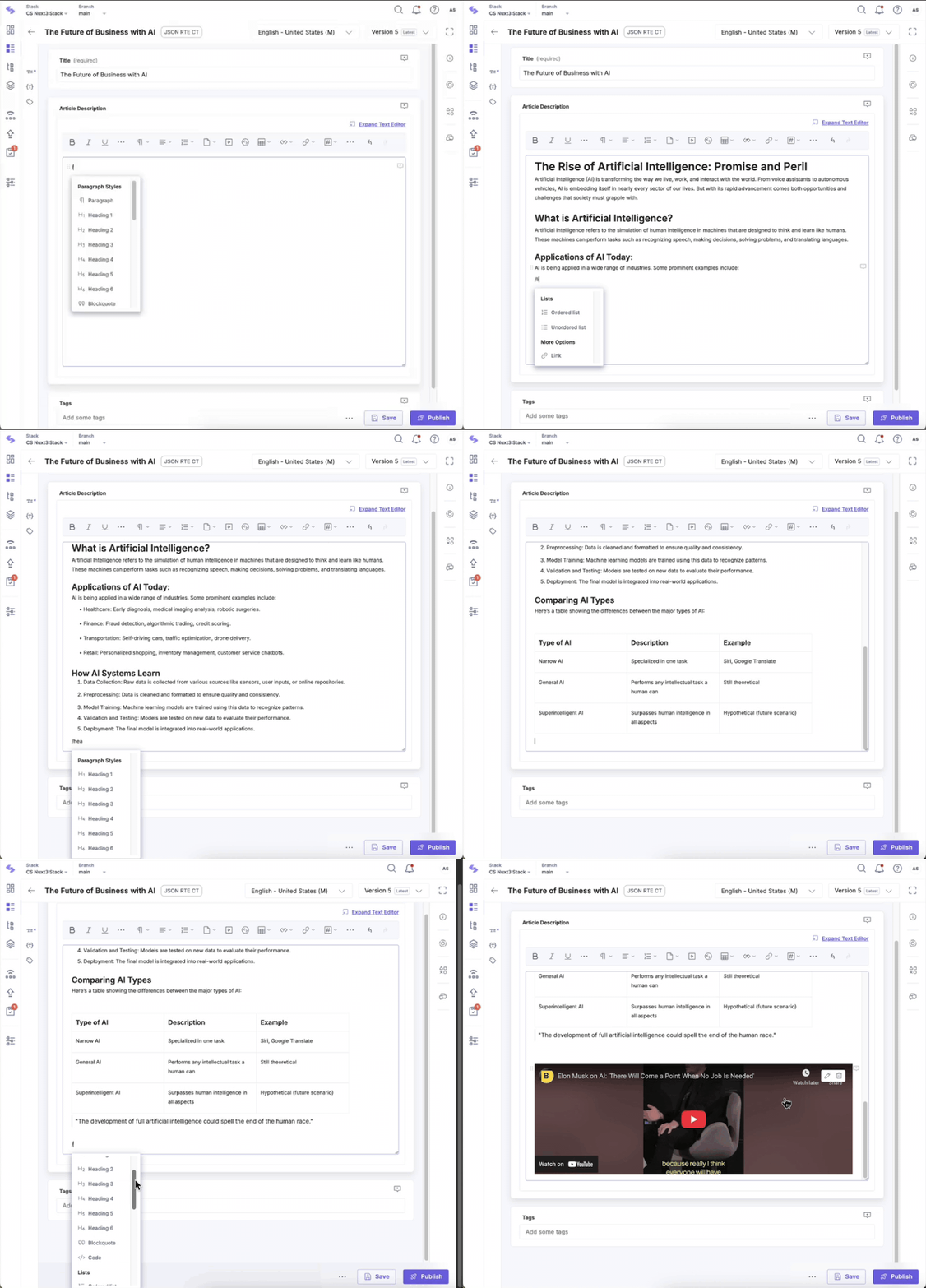
Enhance your content editing workflow in the JSON Rich Text Editor (JSON RTE) using intuitive slash commands. Typing a forward slash ("/") within the editor brings up a list of formatting shortcuts, allowing you to style content faster and more efficiently.
To trigger the shortcut menu, click inside the JSON RTE and type a forward-slash ("/"). A drop-down list of formatting options will appear. You can scroll through the list or continue typing to filter and select the desired option.
Note: The menu disappears if you type an invalid command or make a spelling error.
Note: The formatting shortcuts menu does not show up when you type the forward-slash inside a blockquote or code snippet. This is because the forward-slash can have a different purpose inside a code snippet or blockquote.
Formatting Shortcuts
Use the following commands to apply formatting styles:
- /paragraph: Adds plain paragraph text.
- /h1 to /h6: Inserts heading tags to emphasize titles or subtitles.
- /blockquote: Creates a styled quote block, separated from surrounding text.
Note: To add a line break within the blockquote, use Shift+Enter. To exit, press Enter.
- /code: Inserts a code block with language-specific syntax highlighting.
List Shortcuts
Easily structure your content with lists:
- /ordered list: Adds a numbered list—ideal for instructions or steps.
- /unordered list: Adds a bulleted list—great for itemized points.
Additional Options
Insert visual elements and dividers to enhance readability:
- /divider: Adds a horizontal line to separate sections or topics.
Content Alignment Options
Adjust the alignment of your content for better layout control:
- /left: Aligns content to the left.
- /center: Centers the content.
- /right: Aligns content to the right.
- /justify: Justifies text to align with both margins, adding spacing between words.
Note: If you need to include a forward-slash (/) as part of your text (not as a command), simply type it and continue writing as needed.
More articles in "Work with JSON RTE"
