

Content Type Sidebar Location
The Content Type Sidebar Location provides the ability to access and analyze the content type data from the sidebar. For example, the Developer Tools app, provides content type definitions directly from the Content Type Sidebar.
By utilizing this location, you can enhance content types with additional capabilities, allowing you to build applications that aid in your content modeling.
Let’s see how to add Content Type Sidebar location to your app:
-
Via the Developer Hub Console:
To add the Content Type Sidebar location to your app via the Developer Hub console, login to your Contentstack Account and follow the steps given below:- Click the Developer Hub icon on the left navigation panel.
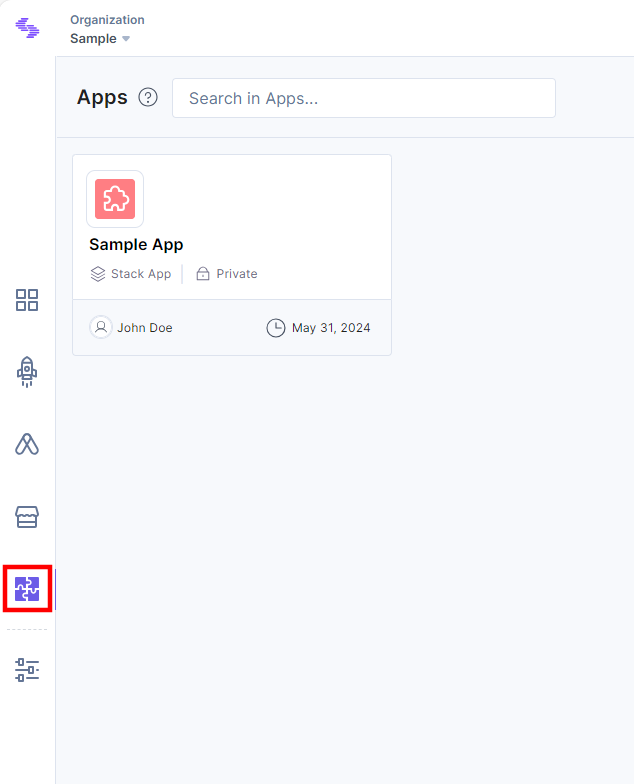
- Select an application for which you want to add the Content Type Sidebar location.
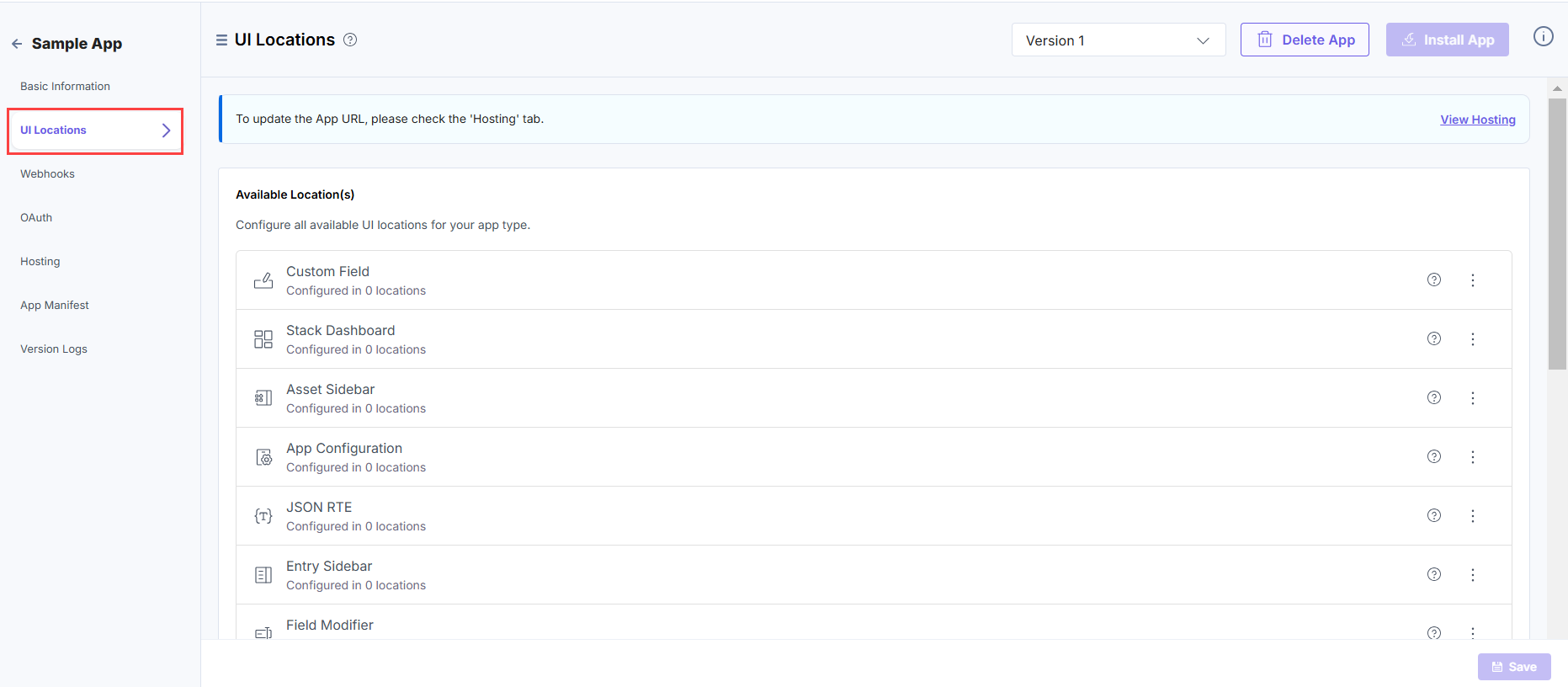
- Click the UI Locations tab. To set the App URL, click the View Hosting link. You will be redirected to the Hosting tab.
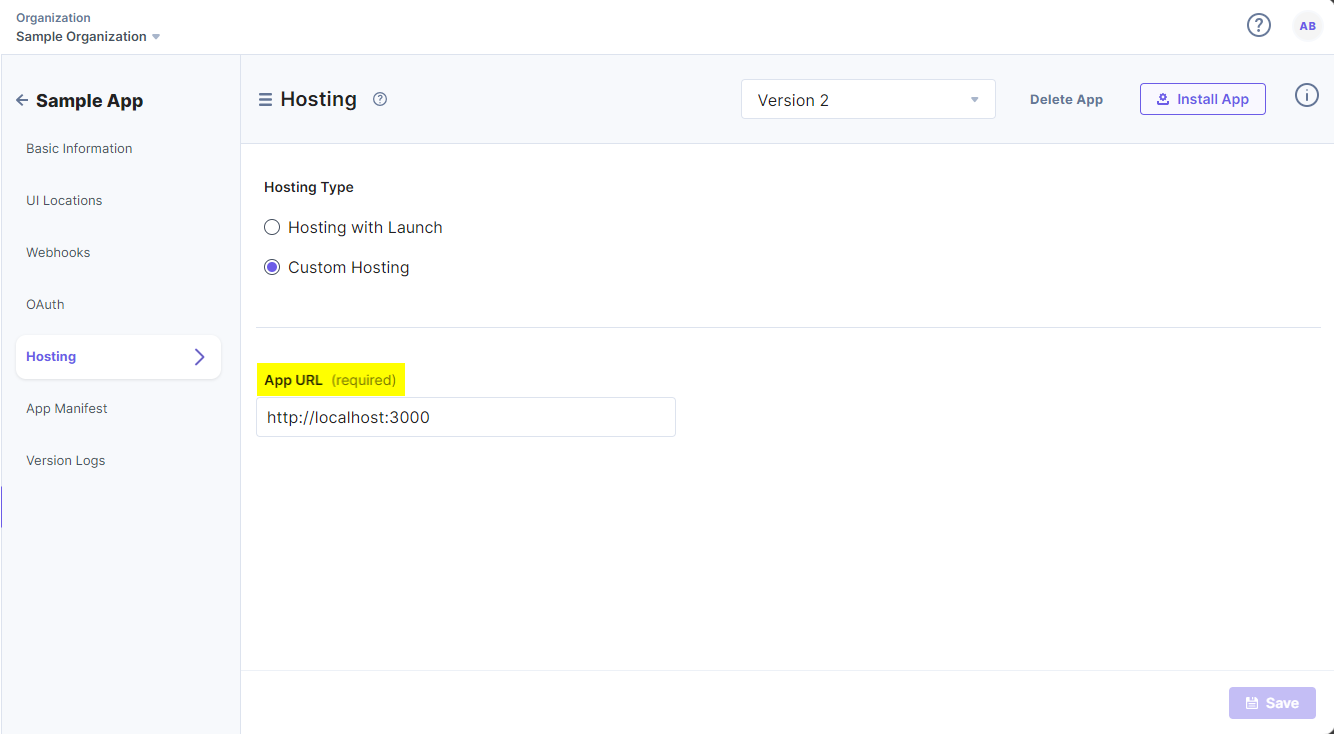
- In the Hosting tab, you can select Hosting with Launch or Custom Hosting options. Select the Custom Hosting option to enter the hosted URL of your application. Click the Save button to save your hosting configuration.
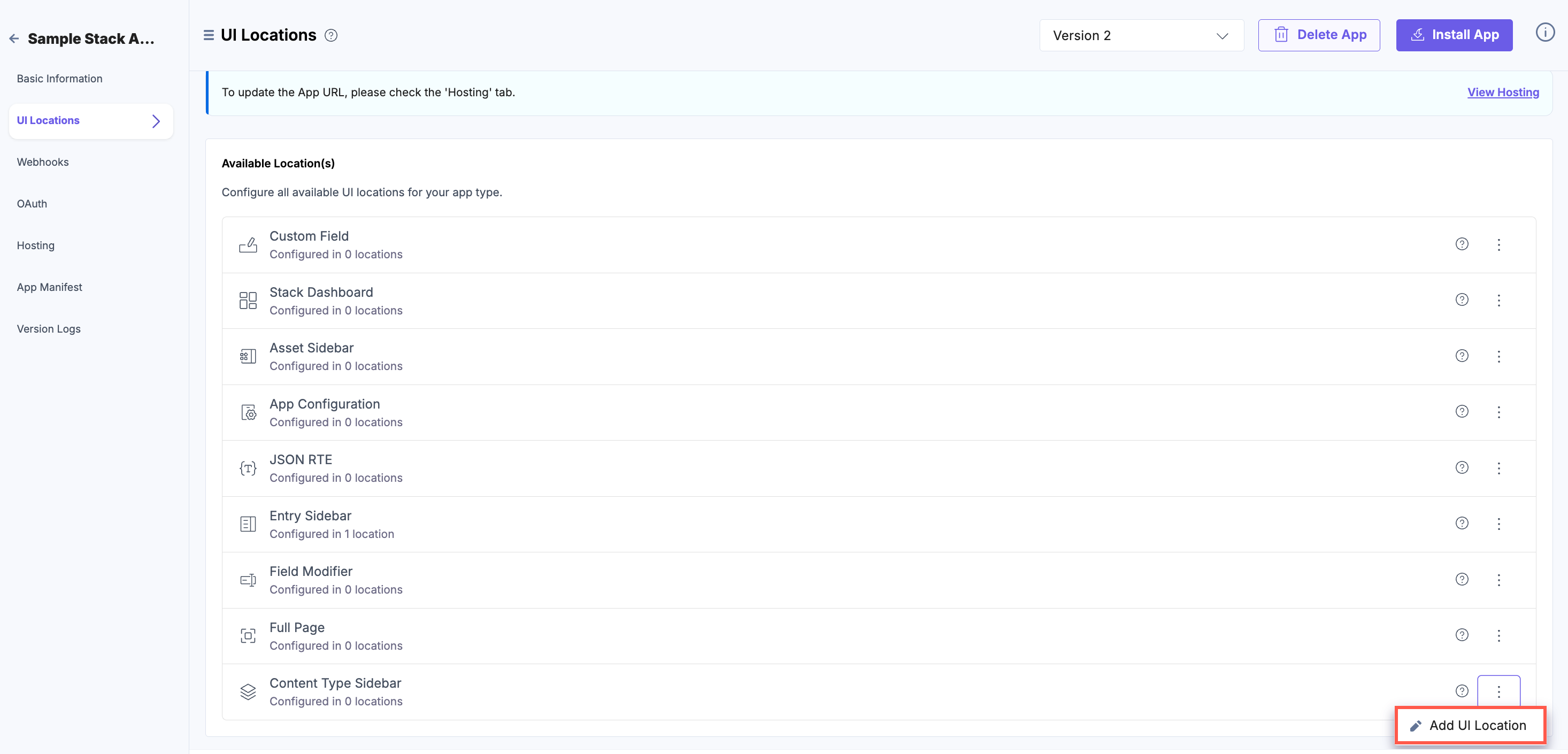
- Navigate to the UI Locations tab to configure the Content Type Sidebar location.
- Click the three dots and click the + Add UI Location button as shown below:
- On the resulting Configuration page, set up the configurations for the Content Type Sidebar location by providing details such as Name, Path, and Description. You can also enable the configuration using the Enabled toggle button.
Properties that can be specified for this UI location:
- Name (optional): It specifies the name of the UI location. This name will be displayed at the location after the app is installed. If not provided, the app name will be used. Ensure you use unique names for multiple configurations of the same location.
- Signed (optional): When enabled, Contentstack adds a JWT token to the initial HTTP request made for your app's first page. This token can be used to verify that the request originated from Contentstack. For more information, please refer to Signed Locations.
- Path (optional): This property enables you to define the location relative to the base URL where the app is hosted. This is particularly useful when the developer intends the app to appear in multiple locations.
- Enabled (optional): It determines whether the location is visible after the app is installed. If not specified, the location is enabled by default. Users can manage this option post-installation via the UI Locations tab on the app’s configuration screen.
You can configure any UI location as mandatory using the Required toggle button. If the toggle is enabled, the location becomes mandatory and cannot be disabled. Whereas, if the toggle is disabled, the UI location is available to use but not mandatory.
Additional Resource: Refer to the Marketplace App Manifest documentation for comprehensive details.

- Finally, click Save to save the Content Type Sidebar location’s configuration details.
You will see the details of the configured UI location on the UI Locations tab in the App Configuration screen after installing the app.
You can enable or disable the non-required UI locations.
Apps which have the Content Type Sidebar location configured will be visible in the Content Models section.
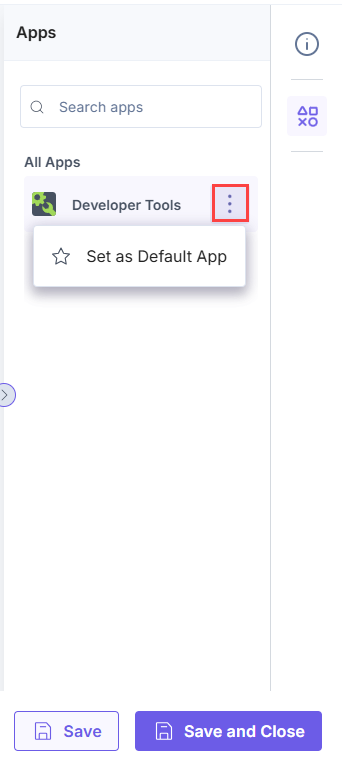
Navigate to a particular content type and in the right navigation panel, click Apps.
For example, the app can be viewed in the Content Type Sidebar location as shown below:
- Click the Developer Hub icon on the left navigation panel.
More articles in "Managing UI Locations"
