

Field Modifier Location
The Field Modifier location is a type of UI location which extends the capabilities of the entry fields. With the Field Modifier UI location, you can create apps that add custom functionalities to entry fields, allowing content managers to do a lot more with their content. You can use Field Modifier across a variety of fields such as Text, JSON, Number, File, Reference etc. Try out this UI location through one of Contentstacks own implementations, like AI Assistant.
Prerequisites
- Contentstack account
- An app created in Developer Hub
- A hosted app URL (Launch or custom hosting)
What You Will Learn
How to add a Field Modifier location to your app through the Developer Hub console.
Which properties you can configure for the location.
Where the location appears in entry fields after installation.
Add a Field Modifier Location to your App
To add the Field Modifier UI location to your app via the Developer Hub console, login to your Contentstack account and follow the steps given below:
Via the Developer Hub Console: To add the Field Modifier UI location to your app via the Developer Hub console, login to your Contentstack account and follow the steps given below:
- Navigate to App Switcher on the top-right corner and select Developer Hub.
- Select an application for which you want to add the Field Modifier UI location.
- Click the UI Locations tab. To set the App URL, click the View Hosting link. You will be redirected to the Hosting tab.
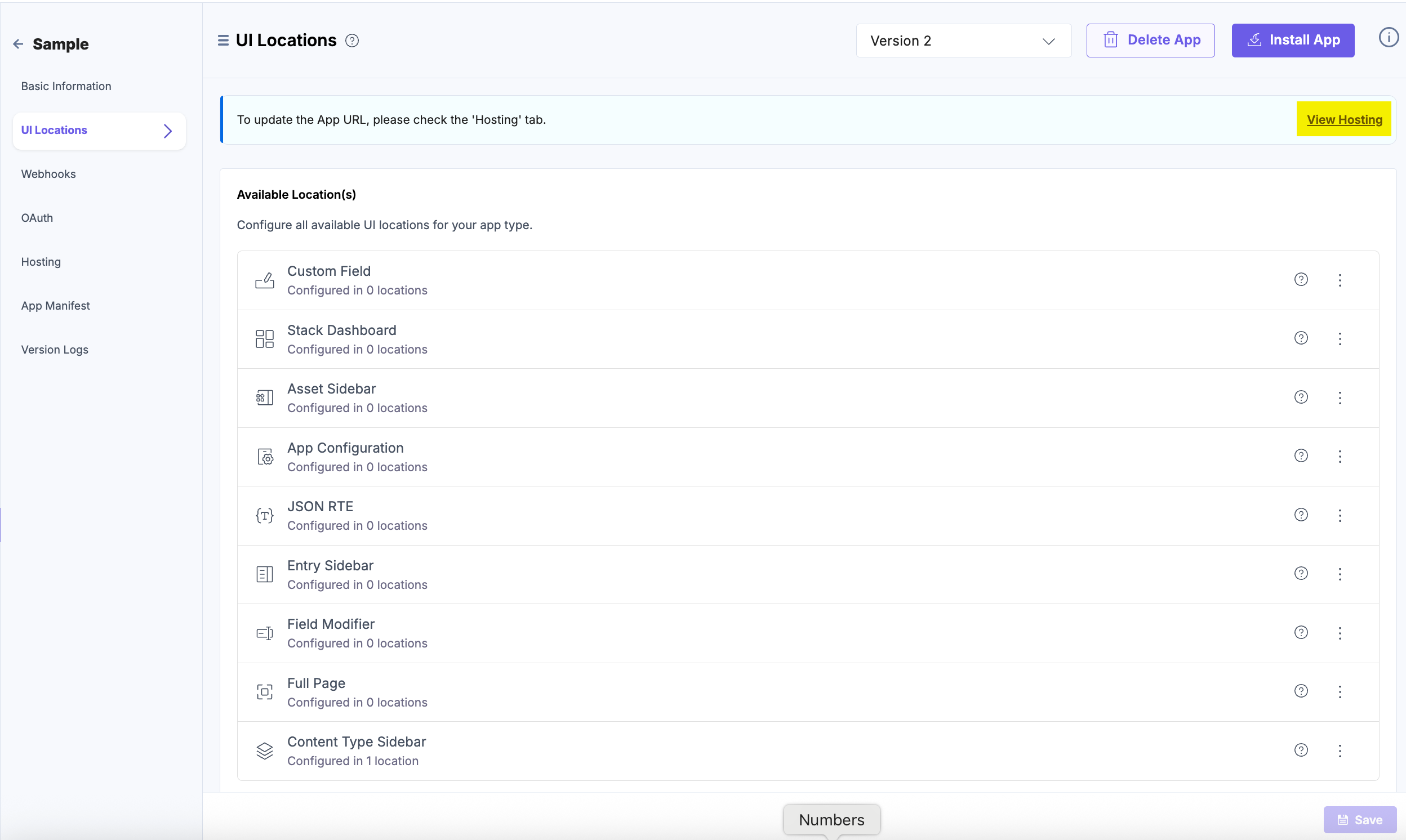
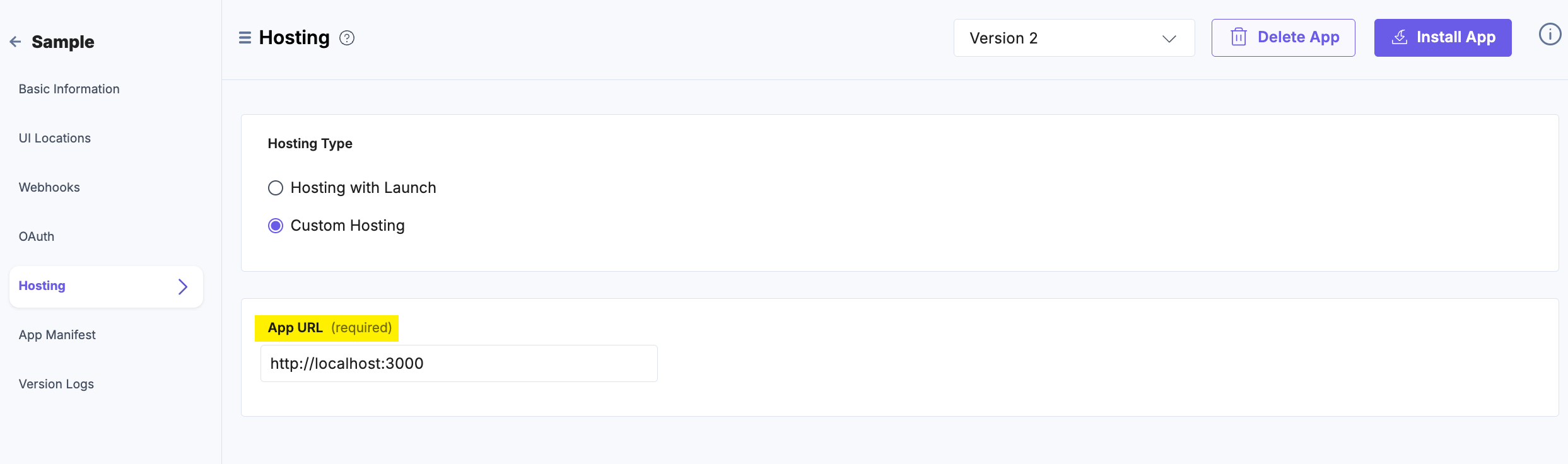
- In the Hosting tab, you can select Hosting with Launch or Custom Hosting option. Select the Custom Hosting option to enter the hosted URL of your application. Click the Save button to save your hosting configuration.
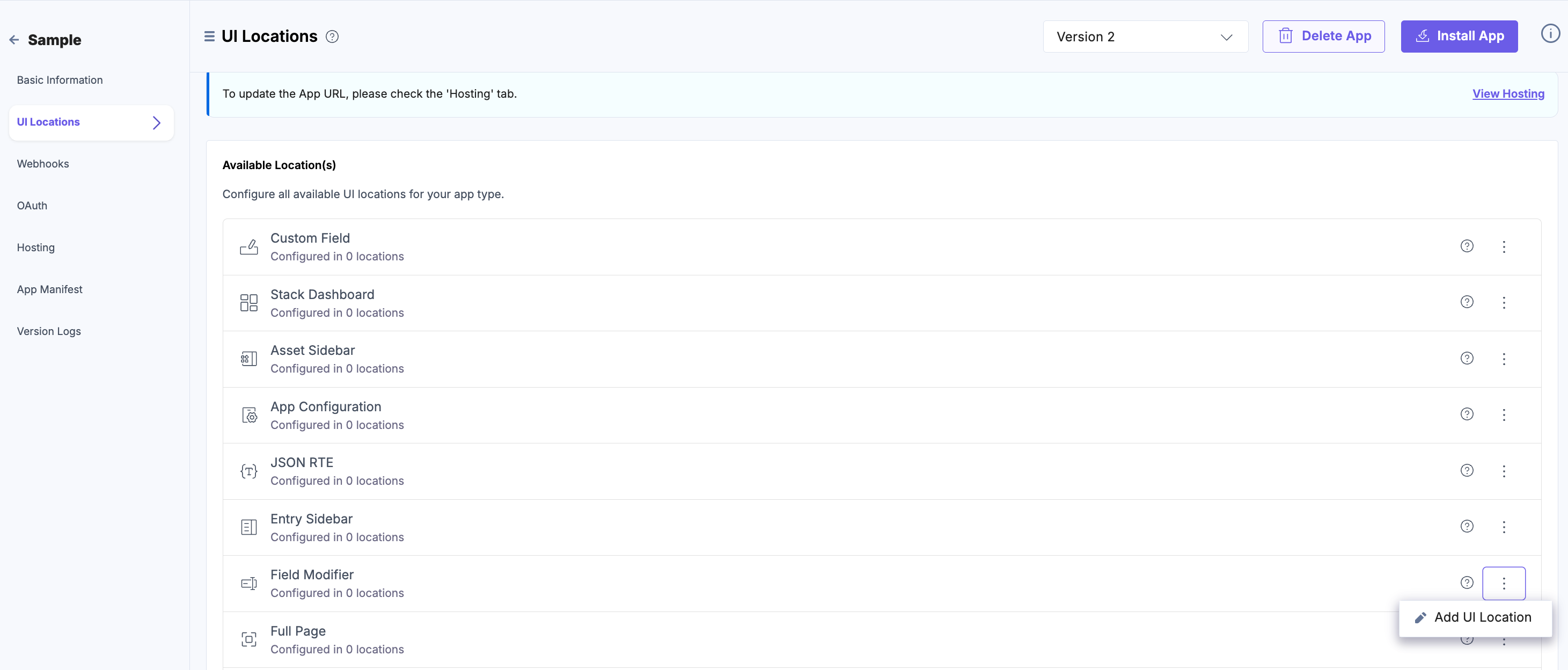
- Navigate to the UI Locations tab to configure the Field Modifier UI location.
- Hover over the Field Modifier location, and click the + Add UI Location button.
- On the resulting Configuration page, set up the configurations for Field Modifier location by providing details such as Name, Path, Allowed Field Types, and Description. You can also enable the location by default using the Enabled toggle button.
Properties that can be specified for this UI location:
- Name (optional): Specifies the name of the UI location. This name will be displayed at the location after the app is installed. If not provided, the app name will be used. Ensure unique names for multiple configurations of the same location.
- Signed (optional): When enabled, Contentstack adds a JWT token to the initial HTTP request made for your app's first page. This token can be used to verify that the request originated from Contentstack. For more information, please refer to Signed Locations.
- Path (optional): Enables you to define the location relative to the base URL where the app is hosted. This is particularly useful when the developer intends the app to appear in multiple locations.
- Enabled (optional): Determines whether the location is visible after the app installation. If not specified, the location is enabled by default. Users can manage this option post-installation via the UI Locations tab on the app’s configuration screen.
You can mark any UI location as mandatory using the Required toggle. If the toggle is enabled, the location becomes mandatory to your app users and cannot be disabled. Whereas, if the toggle is disabled, the UI location is available to use but not mandatory.
Additional Resource: Refer to the Marketplace App Manifest documentation for comprehensive details.

- Finally, click the Save button to save the Field Modifier location’s configuration details.
You will see the details of the configured UI location on the UI Locations tab in the App Configuration screen after installing the app and will have the option to enable or disable the non-required UI locations.
Apps which have the Field Modifier location configured on different field types will be visible in the entry fields of the content type.
Navigate to the entries page to view the app on the Field Modifier UI location. For example, the AI Assistant app can be viewed in the Field Modifier UI location as shown below:
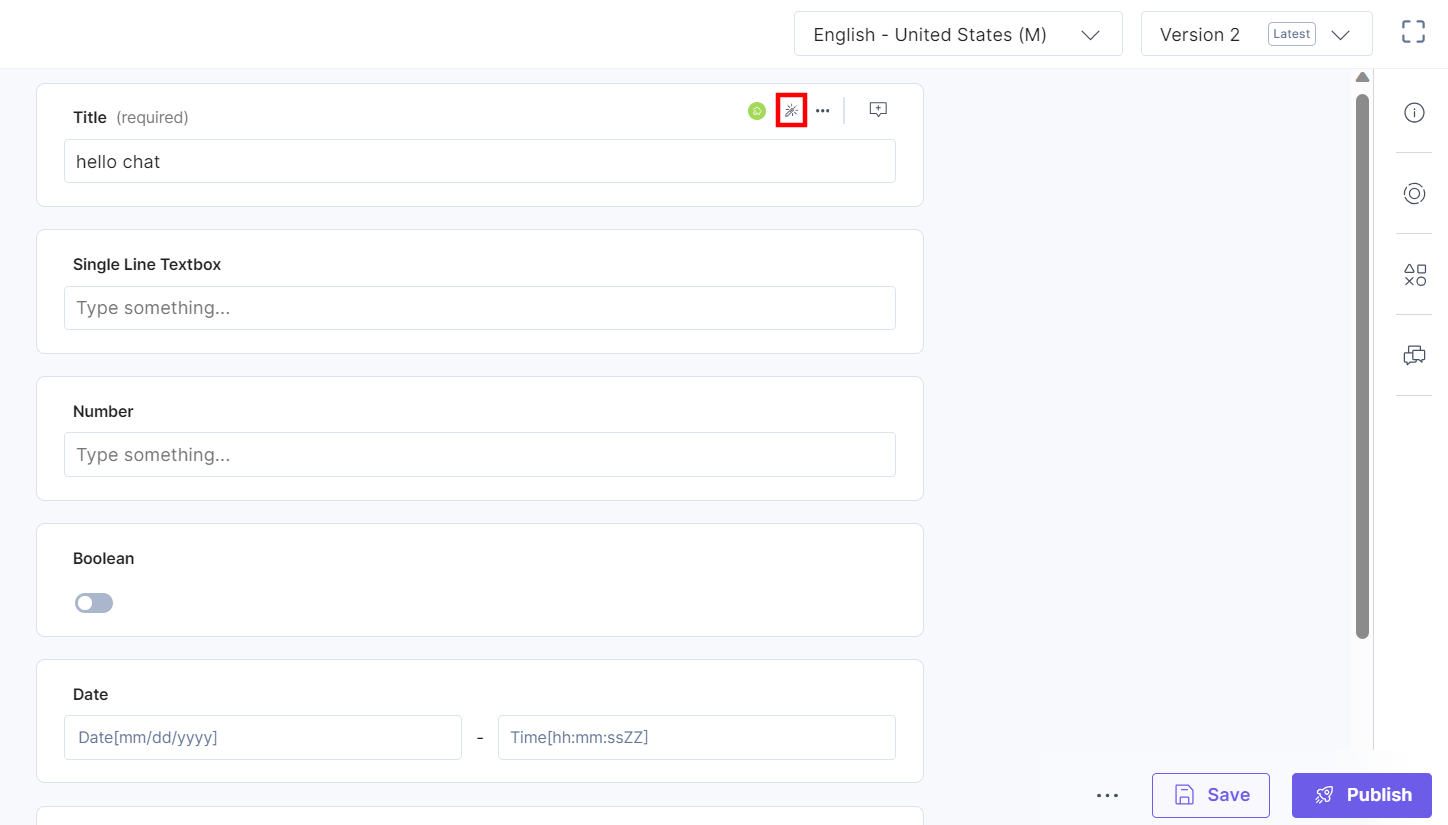
Additional Resources: For more information, refer to the AI Assistant documentation.
More articles in "Managing UI Locations"
