

Get started with Contentstack DataSync
With this step-by-step guide, you will learn how to start Contentstack DataSync on your localhost.
Prerequisites
You need the following tools to run Contentstack DataSync:
- Node.js 20 or above
- ngrok for local system
Installation and Setup
Clone the boilerplate
Clone the boilerplate by using the following git clone command.git clone https://github.com/contentstack/datasync-boilerplateNote: By default, the boilerplate uses @contentstack/datasync-content-store-filesystem for storing JSON data, and @contentstack/datasync-asset-store-filesystem for storing media files.
Add stack API key and delivery token
Go to the config folder and open the all.js file. Add your stack's API key and the delivery token of the environment:For AWS EU, AWS AU Azure NA, Azure EU, GCP-NA, or GCP-EU Region:const config = { contentStoreModule: '@contentstack/datasync-content-store-filesystem', assetStoreModule: '@contentstack/datasync-asset-store-filesystem', listenerModule: '@contentstack/webhook-listener', contentstack: { apiKey: '<<Your API Key>>', deliveryToken:'<<Delivery Token>>', }, }
By default, the app runs in the AWS NA region. If you are hosting your app in the AWS EU, AWS AU, Azure NA, Azure EU, GCP-NA, GCP-EU region, you will have to specify the host in the all.js file as shown below:const config = { contentStoreModule: '@contentstack/datasync-content-store-filesystem', assetStoreModule: '@contentstack/datasync-asset-store-filesystem', listenerModule: '@contentstack/webhook-listener', contentstack: { apiKey: '<<your_api_key>>', deliveryToken:'<<your_delivery_token>>', host: '<<your_region_host_url>>' // Refer following table for host URLs }, }Here’s the list of region-specific host URLs:
Region Host URLs AWS NA cdn.contentstack.io AWS EU eu-cdn.contentstack.com AWS AU au-cdn.contentstack.com Azure NA azure-na-cdn.contentstack.com Azure EU azure-eu-cdn.contentstack.com GCP NA gcp-na-cdn.contentstack.com GCP EU
gcp-eu-cdn.contentstack.com Install dependencies
Open the command prompt and navigate to the project directory. Now, install npm dependencies by using the following command:npm install
Run Contentstack DataSync
Now start Contentstack DataSync by executing the following command.On Linux:
NODE_ENV=development SYNC_ENV=development npm startOn Windows:
set NODE_ENV=development set SYNC_ENV=development npm startNote:- Set NODE_ENV to the name of the environment for which the Delivery Token was added in Step 2.
- Set SYNC_ENV to the environment name selected during the Delivery Token creation process.
After running the above command, the server starts on port 5000 and all the published items of your stack syncs on your infrastructure.
If your environment has any published content, the sync utility creates a _contents folder in your project, and stores assets inside the _content/en-us/assets folder and entries inside the _content/en-us/data folder.Install and run ngrok (for localhost only)
Note: If you use a deployment environment, such as production, you don't need ngrok. Skip this step and move to creating a webhook. Else, follow this step.
Contentstack DataSync is a webhook-based utility, and webhooks get triggered only on public domains. So, if you are setting up Contentstack DataSync on your local machine, you will require a public domain to receive webhook notifications.
ngrok creates a public URL for your localhost and creates a secure tunnel between the two. So, you need to:
- Download and install ngrok for your local host.
- Run ngrok
On Linux:On Windows:./ngrok http 5000ngrok http 5000
Warning: Make a note of the "Forwarding URL," you will need this URL while creating webhooks. Also, DO NOT close the ngrok console during the process, else Contentstack DataSync will not receive webhook notifications.
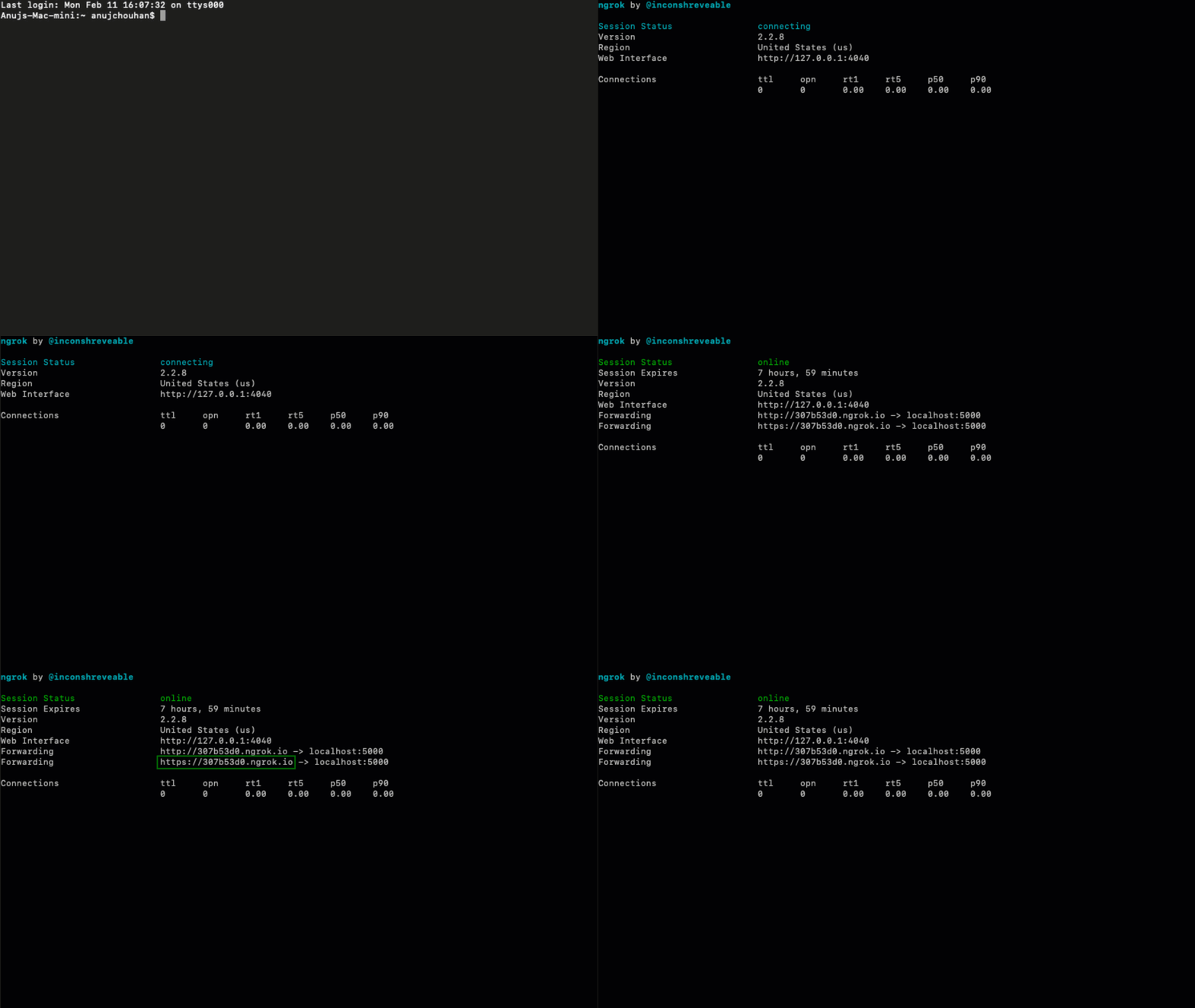
Create a webhook
- Log in to your Contentstack account, go to your stack, and click on the "Settings" icon on the left navigation panel.
- Select Webhooks and click on + New Webhook.
- On the Create Webhook page, enter a specific name for your webhook and inside the URL to notify field, provide the ngrok URL (generated in the above step) and append "/notify" to the URL (for example, "https://ca1a27e9.ngrok.io/notify").
Tip: If you using a deployment environment, such as "production," you will have to provide the public URL of your environment inside the URL to notify field (for example, "https://(your_environment_name).com/notify")
- In the When section, click on the Code View option and paste the following code snippet in it:
content_types.entries.environments.development.publish.success,
assets.environments.development.publish.success,
assets.environments.development.unpublish.success,
content_types.entries.environments.development.unpublish.success,
content_types.entries.delete,
content_types.delete,
assets.delete
Note: We have used the "development" environment in the above code snippet. Please replace it with your environment name in your code snippet.
- Click on Save.
Test the execution
Now try publishing new entries or assets and test if it syncs as expected. Check whether the _contents folder inside your project has all the synced data that you just published.
More articles
