

Create a Delivery Token
Delivery Tokens enable secure access and display of published content to external applications, such as websites and mobile apps. This is done by fetching content from specific branches and publishing environments within your stack.
Note: Only the stack Owner, Admin, and Developer roles have permission to create Delivery Tokens.
To create a Delivery Token, log in to your Contentstack account, go to your stack, and perform the following steps:
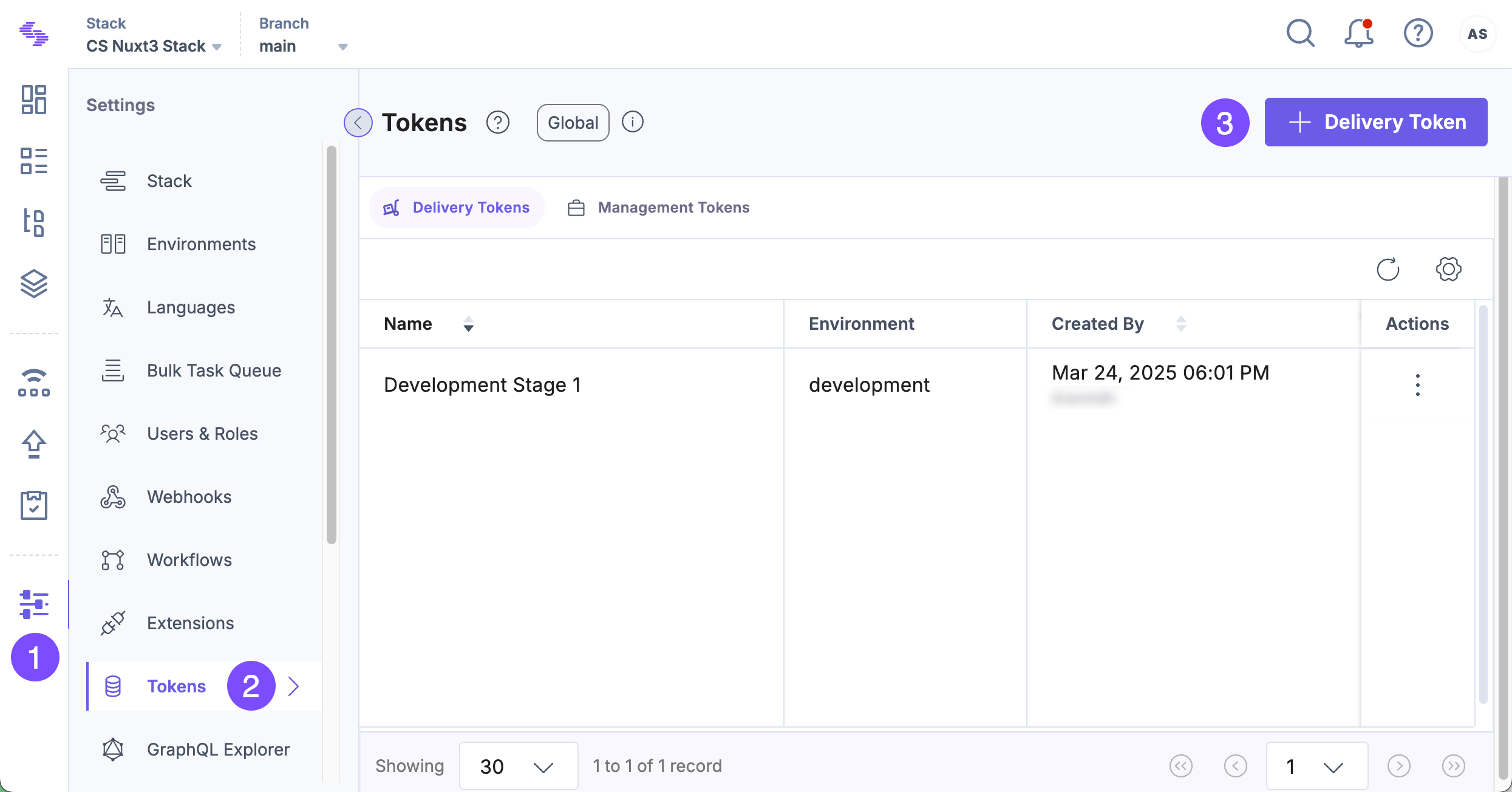
- Click the “Settings” icon or use the shortcut key “S” (for Windows and Mac OS users).
- Click Tokens in the settings panel.
- Click + Delivery Token to create a new token.
Tip: If you are on the Management Tokens tab, you can press “Alt + O” (for Windows users) or “Option + O” (for Mac users) to navigate to the Delivery Tokens tab.
- Enter a Name (required) and a Description (optional) for the Delivery Token.
- In the Scope section, choose the Branches or Aliases you want to associate with this token.
- Select the Publishing Environments for which you want to generate the Delivery Token.
- (Optional) Enable the Create Preview Token toggle to generate a Preview Token associated with this Delivery Token.
- Click Generate Token.
A new token appears in both the Delivery Token and Preview Token fields. You can copy the tokens using the “Click to copy” icon.
Create a Preview Token for an Existing Delivery Token
To create a Preview Token for an existing Delivery Token:
- Select a Delivery Token from the Tokens page.
- Click + Create Preview Token at the bottom of the page.
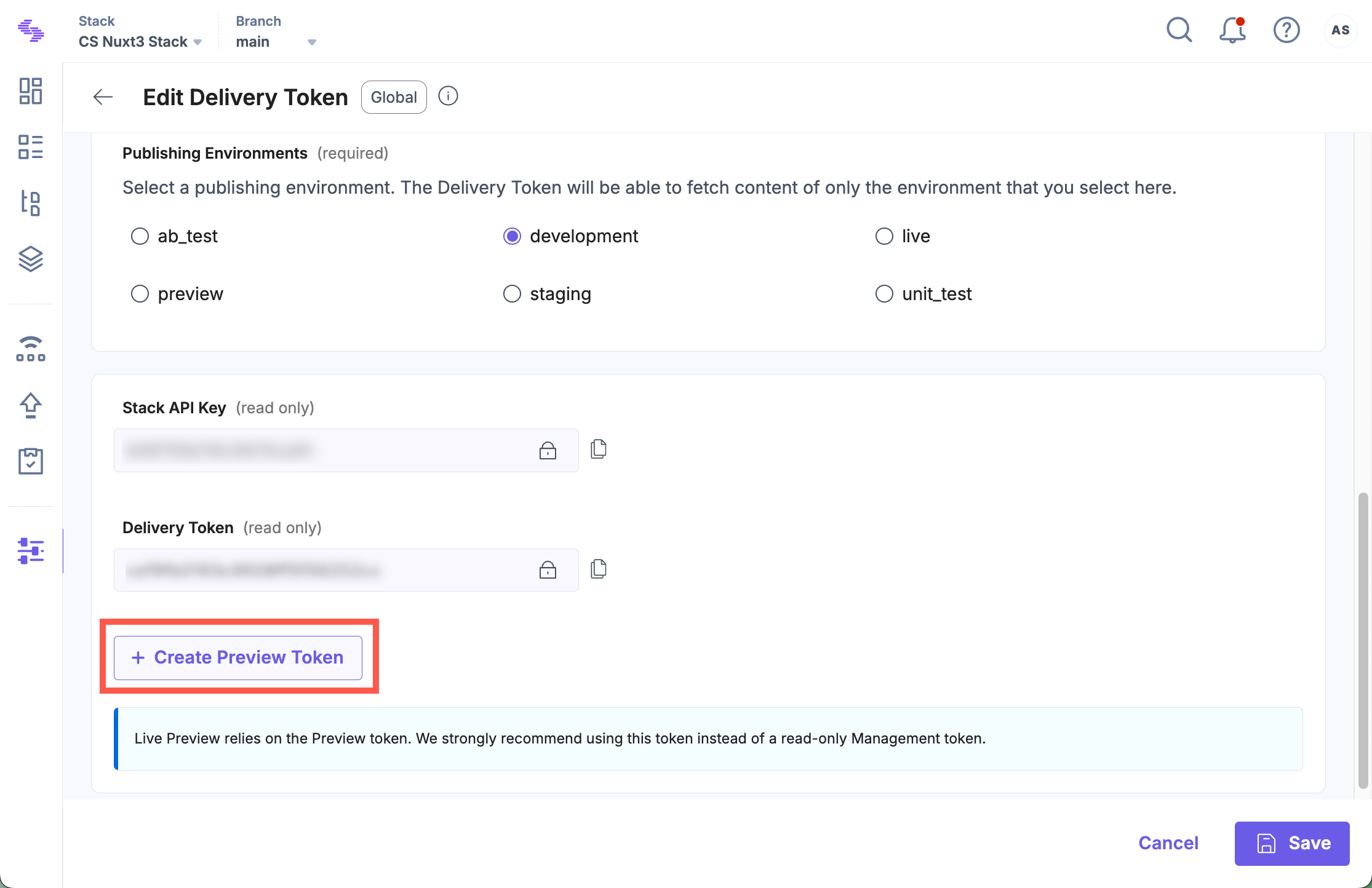
Note: A Delivery Token is configured for a specific environment and can only retrieve content from that environment.
API Reference
- To create a Delivery Token via API, refer to the Create Delivery Token API request.
- To create a Preview Token via API, refer to the Create Preview Token API request.
