

Edit a Delivery Token
In Contentstack, after creating a Delivery Token, you can modify its details such as name, alias, description, branch, and publishing environment to align with your project's changing requirements.
Note: Only the stack Owner, Admin, and Developer can edit Delivery Tokens.
To edit a Delivery Token, log in to your Contentstack account, go to your stack, and perform the following steps:
- Click the “Settings” icon in the left navigation panel or use the shortcut key “S” (for Windows and Mac OS users).
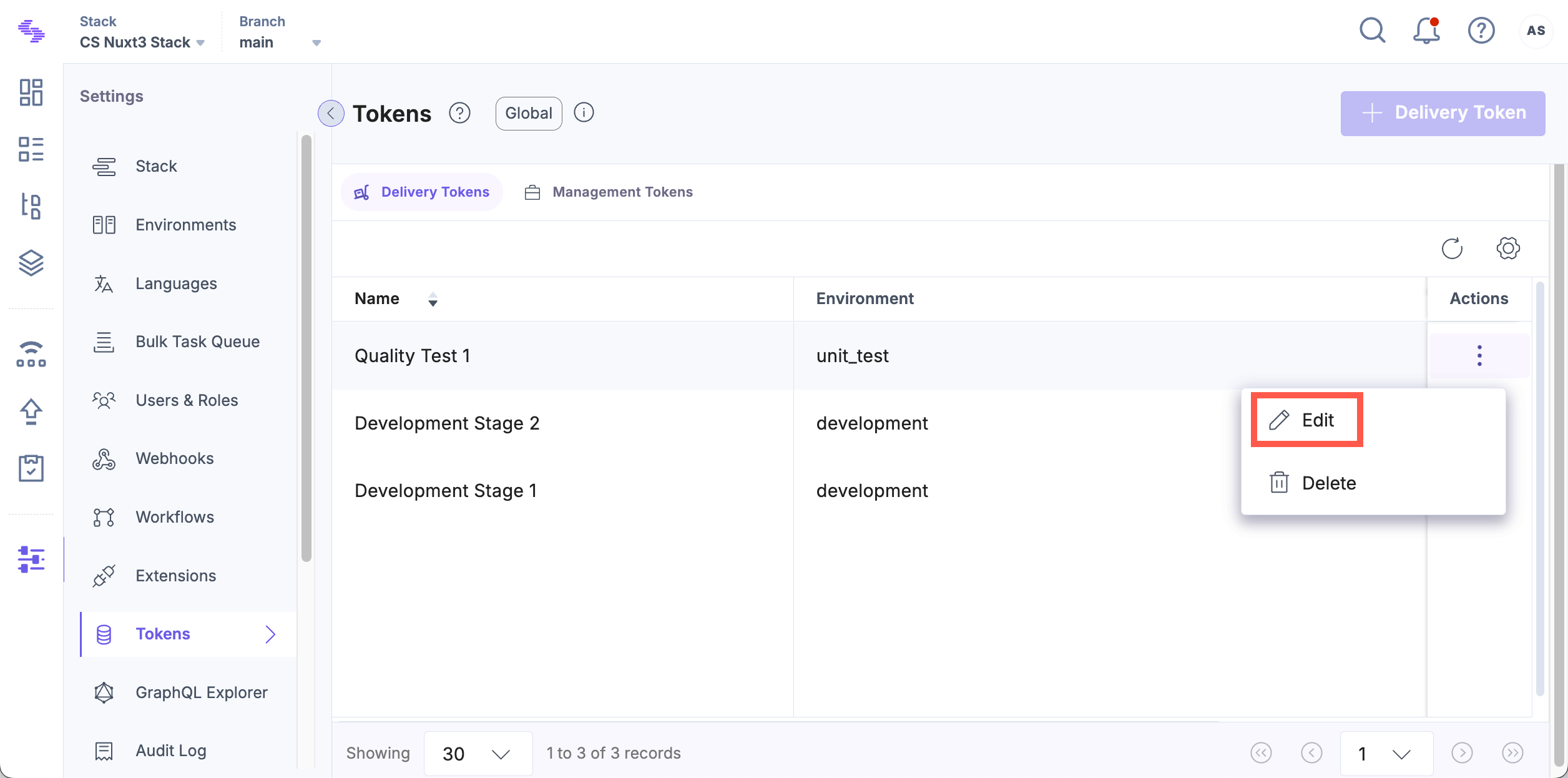
- Click Tokens in the settings panel.
- On the Delivery Tokens tab, click the Delivery Token you want to edit. Alternatively, click the vertical ellipsis in the Actions column and select Edit.
Tip: If you are on the Management Tokens tab, press “Alt + O” (for Windows users) or “Option + O” (for Mac users) to navigate to the Delivery Tokens tab.
- Update the necessary fields. If a Preview Token has not been created, click + Create Preview Token to generate one.
- Click Save to apply your changes.
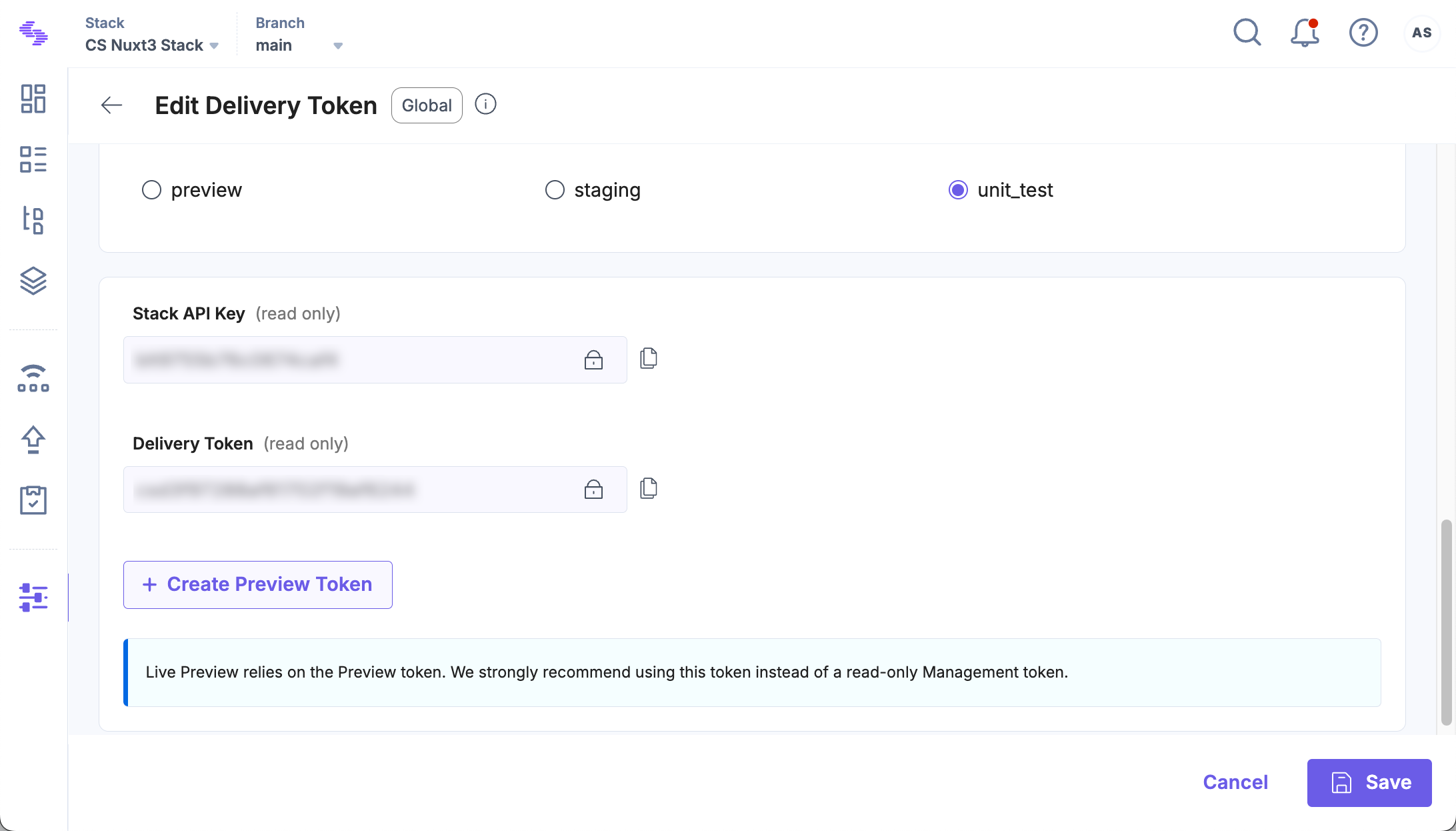
Note: The value of a Delivery Token cannot be edited. If you need a different token string, you'll need to create a new Delivery Token.
API Reference
To edit the details of a Delivery Token via API, refer to the Update Delivery Token request.
More articles in "Work with Delivery Tokens"
