

Edit a Content Type
After creating a content type, you can edit it to add, remove, or modify fields and their properties.
Warning: Removing a field, changing its data type, or toggling the Multiple attribute can result in data loss. Refer to the Content Type Change Management document for safe guidelines on making schema changes.
To edit a content type, log in to your Contentstack account, and perform the following steps:
- Go to your stack and click the "Content Models" icon.
- Click the vertical ellipsis in the Actions column next to the content type, then select Settings to update its name, description, or type (Single or Multiple).
- To open the content type and edit its schema, click the content type title. You can also click the vertical ellipsis in the Actions column and select Edit.
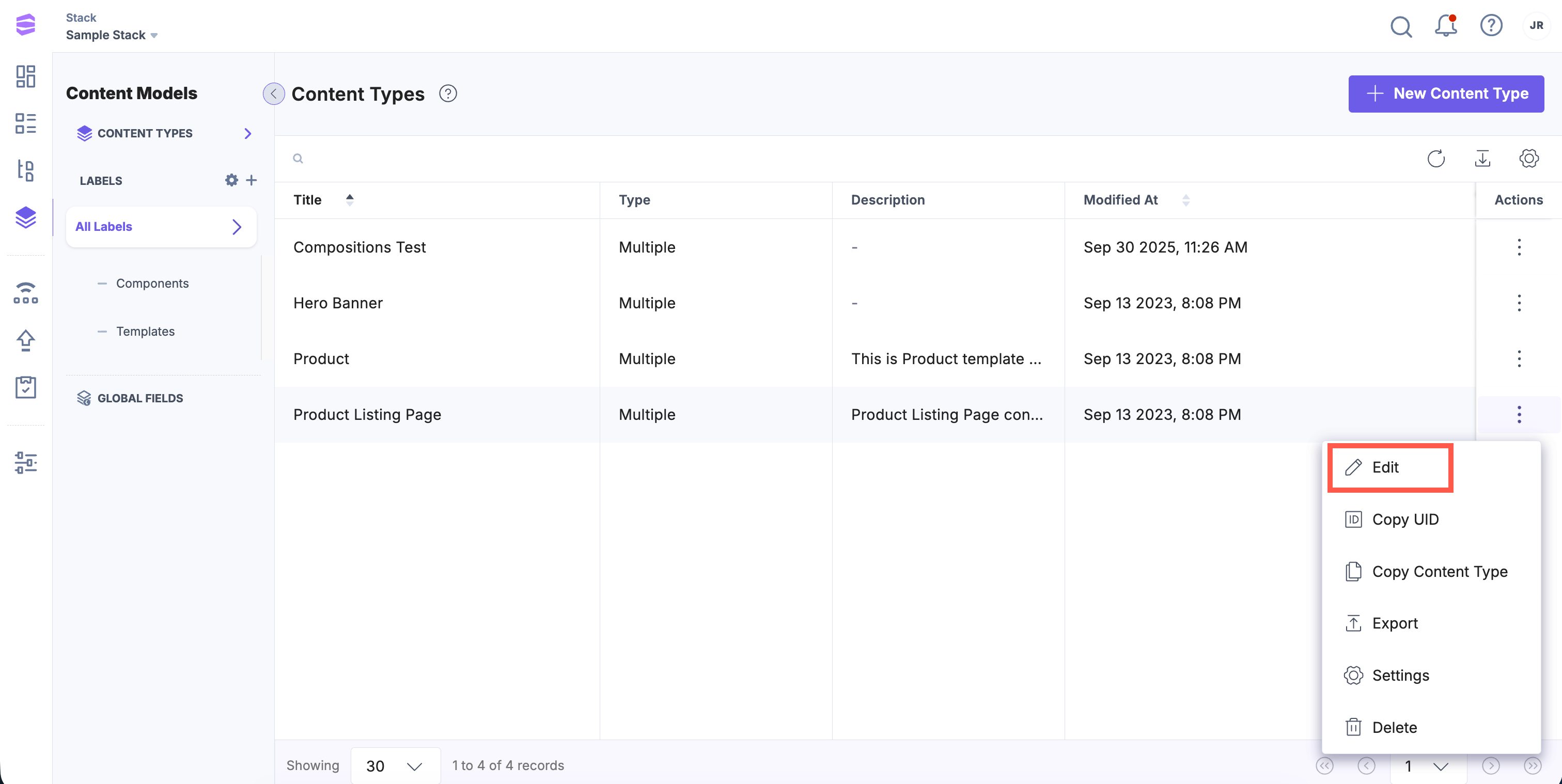
- The content type builder page opens, where you can modify the schema:
- Add fields: Click the “Insert a field” (+) icon.
- Remove fields: Click the “Delete” icon next to the field.
- Edit field properties: Click the “Properties” (gear) icon for the field, then update details in the Properties section.
- Reorder fields: Drag and drop the “Move” icon next to the field name.
Note: After you save changes to the content type schema, Contentstack automatically creates a new version of its schema. To compare schema changes between versions, refer to the Content Type Versioning document.
Editing a content type lets you refine your content model as your project evolves. Use the builder tools carefully and follow change management guidelines to ensure your updates do not impact existing content or workflows.
API Reference
To edit a content type via API, refer to the Update Content Type API Request.
More articles in "Get Started with Content Types"
