

Content Type Versioning
Contentstack lets you create and manage multiple versions of a content type’s schema. Versioning helps you track schema changes over time and compare versions to see what has changed.
Every time you save a content type, Contentstack automatically creates a new version and assigns it a sequential number (e.g., Version 1, Version 2, Version 3).
Accessing the Compare Versions Screen
Note: You cannot revert a content type to a previous version.
To compare two versions of a content type, log in to your Contentstack account and perform the following steps:
- Go to your stack and click the “Content Models” icon.
- Open the content type you want to compare.
- Make a change and click Save to create another version.
- If only one version exists, the Compare Versions option is not available.
- The editor does not show the current version; you can only see this in the Compare Versions screen.
- Rearranging the order of fields is not considered a schema change and does not appear in comparisons.
- Once a content type has multiple versions, a Compare Versions button appears in the header. Click it to open the comparison screen.
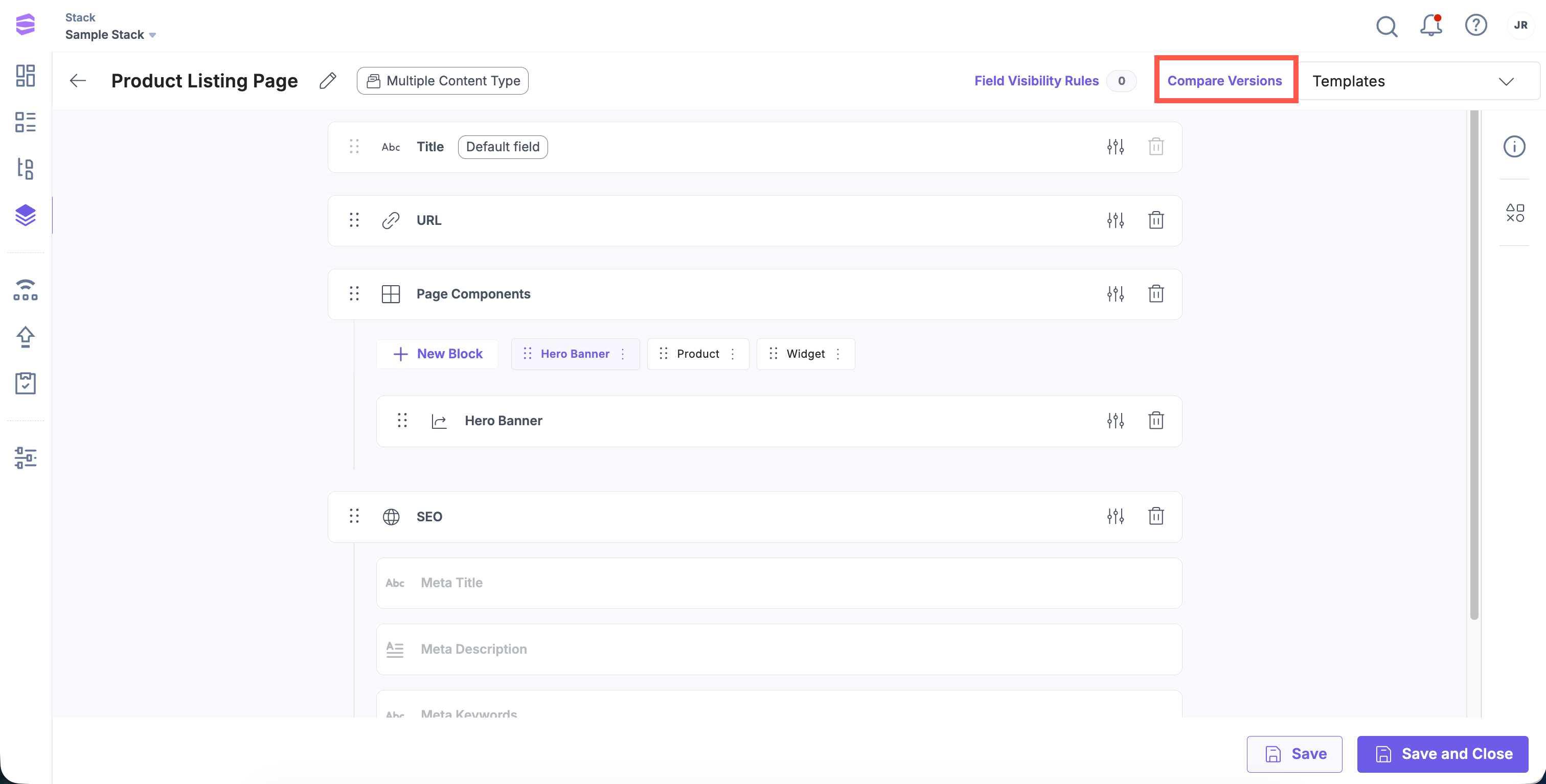
The comparison screen shows the differences between any two saved versions of the content type.
Comparing Content Type Versions
The comparison screen displays:
- Base Version: The version you want to compare from.
- Compare Version: The version you want to compare against.
Note: Comparisons apply only to the content type schema. They do not affect entries or stored data.
By default, Contentstack compares the latest version with the previous one. You can use the dropdown menus to select any two versions.
Understanding Comparison Indicators
Contentstack highlights schema changes with tags:
| Tag | Description |
| Added | A new field has been introduced in the compare version. |
| Deleted | A field present in the base version has been removed. |
| Modified | A field’s properties, such as title, validations, or default values, have been updated. |
You can also use the filters to display only fields with a specific status (Added, Deleted, or Modified).
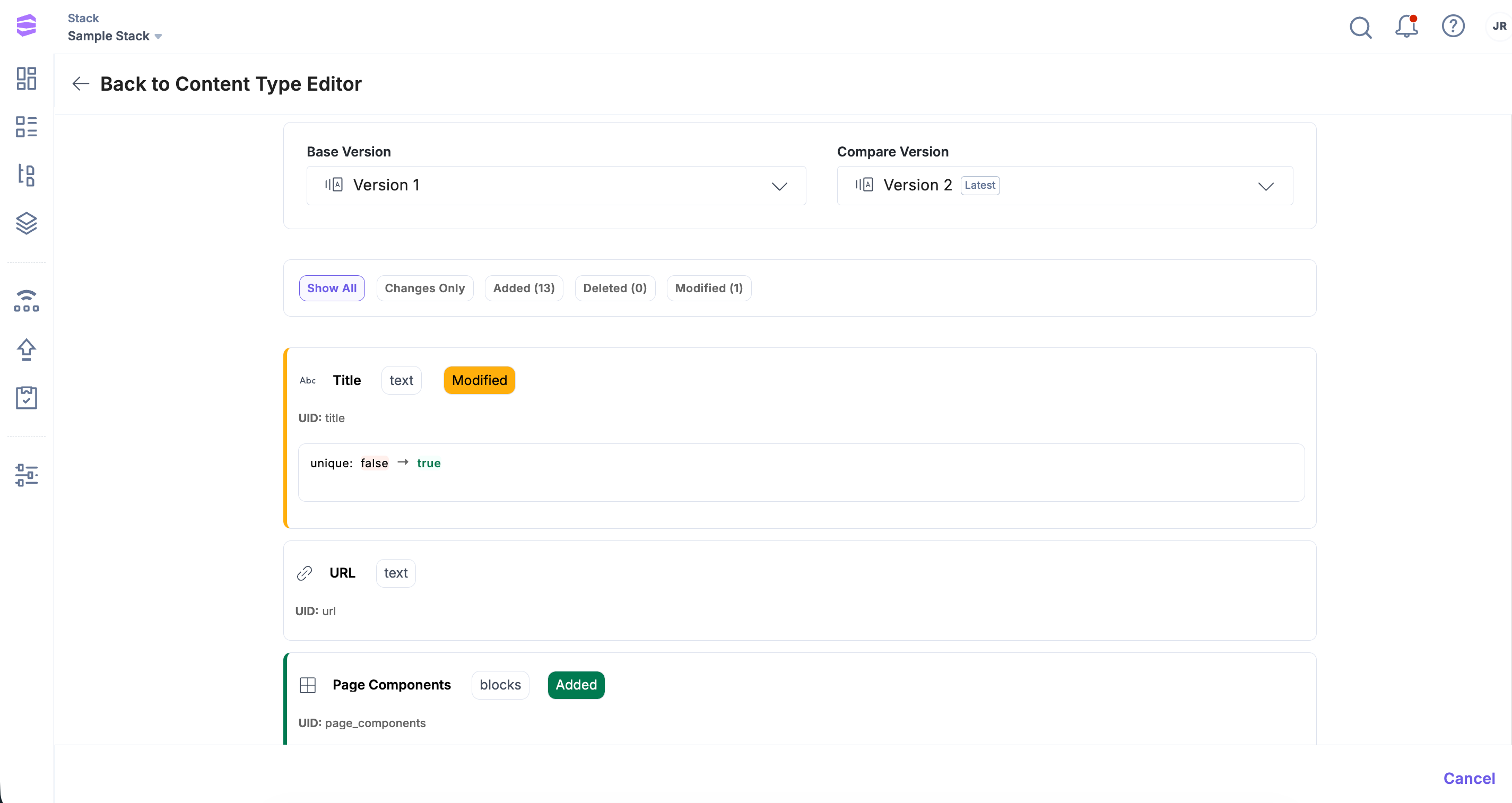
Content type versioning gives you visibility into schema changes, supporting team change tracking, schema governance, and a reliable audit trail, so you can maintain consistent content models across projects. Use this feature to review modifications and guide the evolution of your content architecture.
More articles in "Get Started with Content Types"
