

Draft vs. Live Automation Mode
Agent OS has introduced a new way to view and update your existing or new automation(s) in two different ways. You can see how the user interactivity changes when the automation is toggled between Draft and Live mode.
Why Draft and Live Mode?
Suppose there is an active automation to publish entries to the Algolia dashboard. Edits to the automation by a different user could hamper the ongoing execution.
In order to maintain the uninterrupted operation of live automation, it will be safeguarded against any modifications or adjustments. This means that you will not be able to make edits or changes to it.
If you wish to make alterations to a live automation, you have two options. First, you can disable it, which will unlock it for editing. Alternatively, you can create a clone of the automation, make your desired changes to the clone, and when you're ready, you can activate the clone (while deactivating the previous version).
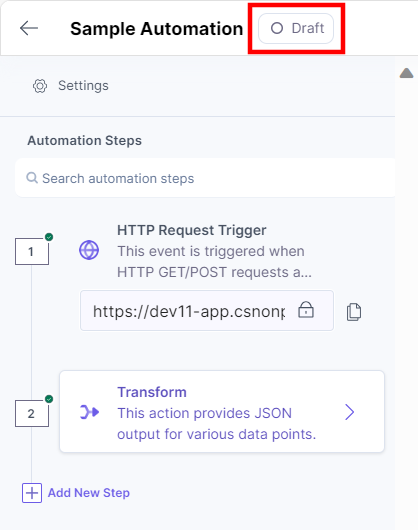
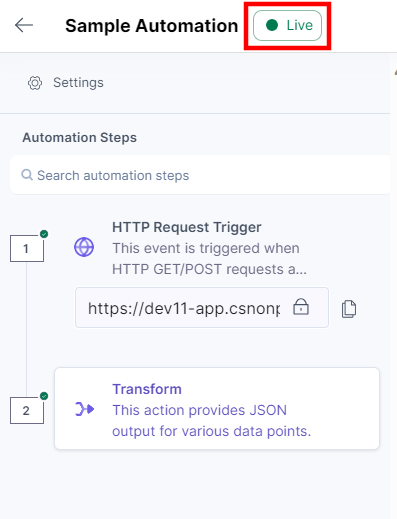
You can view the automation in Live mode. The status of the automation is notified on the automation builder page.
Let’s look at each of them in detail:
Draft Mode
- Draft mode is when an automation is deactivated.
- You can update the automation configuration in draft mode only.
Benefits of Draft Mode
- You can only edit, update, and configure automation steps in the Draft mode. This allows to configure an automation without hampering the ongoing execution.
- You can add new steps or edit/delete trigger and action steps while working in Draft mode.
Live Mode
- Live mode is when an automation is active.
- You can view automation configuration in Live mode.
- You cannot add new steps or delete automation steps in the Live mode.
- You can only Clone an Automationor Throttle Execution in Live mode.
- All the trigger and action steps are locked.
- You cannot edit the Automation Title and Description.
- You cannot delete an automation.
- You cannot add a new step between existing automation steps.
- The Delete Trigger and Delete Action icons will not be visible on hover.
Benefits of Live Mode
- You can execute an automation in Live mode.
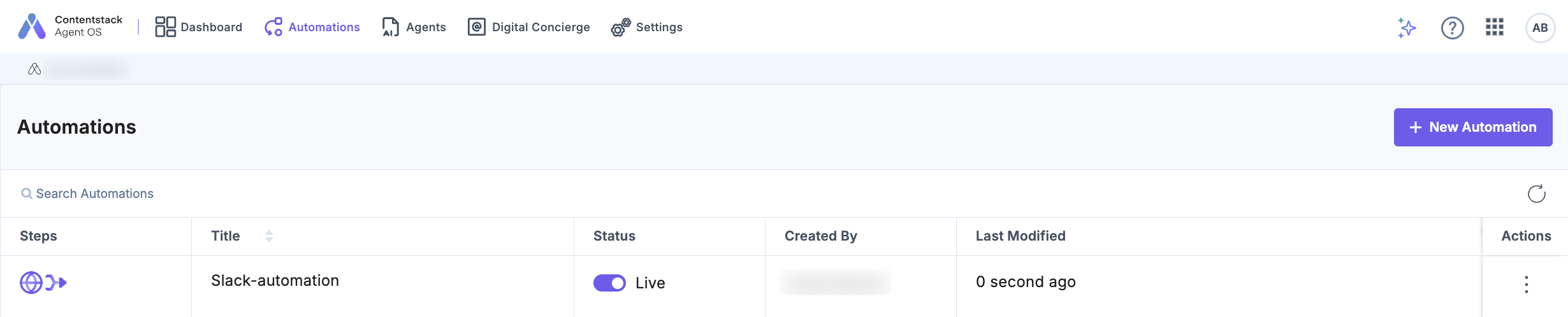
You can check the status of the automation on the Automations listing page.
More articles in "Working with Automate"
