

Introduction to Advanced Settings
Developing applications in the Contentstack platform often requires integration with third-party services that depend on secret credentials. Traditionally, this has meant building and maintaining complex backend systems to manage sensitive data and execute API calls.
Advanced Settings simplifies this process by eliminating the need for a custom backend. You can securely call external APIs that require sensitive information, without exposing those credentials to the frontend, ensuring both enhanced security and flexibility across your applications.
Additional Resource: To learn more about the API call implementation, refer to the API Integration in Developer Hub Apps documentation.
Prerequisites
- Contentstack account with access to Developer Hub
- Understanding Contentstack App Development
- Understanding of Contentstack App SDK
- Understanding of Server Configuration
Why Use Advanced Settings?
Many apps need sensitive settings like API keys to function properly. Instead of building a backend to manage them, Advanced Settings lets you securely store and use these values directly in API calls, no backend required.
Use Advanced Settings in the following scenarios:
- When your application needs to connect to external APIs outside of Contentstack
- When you want to avoid managing your own infrastructure for storing sensitive data and making API calls to external services.
Key Features of Advanced Settings
Advanced Settings includes three integrated features that work together to streamline API integrations:
- Rewrites: Enable your application to make calls to external endpoints outside of Contentstack, supporting seamless integration with third-party services.
- Variables: Securely store essential data such as API keys and other sensitive information as key-value pairs. These values are stored on the platform and never exposed on the frontend, ensuring strong security.
- Mappings: Link a symbolic name to a path within the server configuration. This allows applications to reference stored values dynamically, enabling developers to securely access installation-specific sensitive data without exposing it in the frontend.
How to Add Advanced Settings?
To use Advanced Settings, perform the following steps:
- Log in to your Contentstack account.
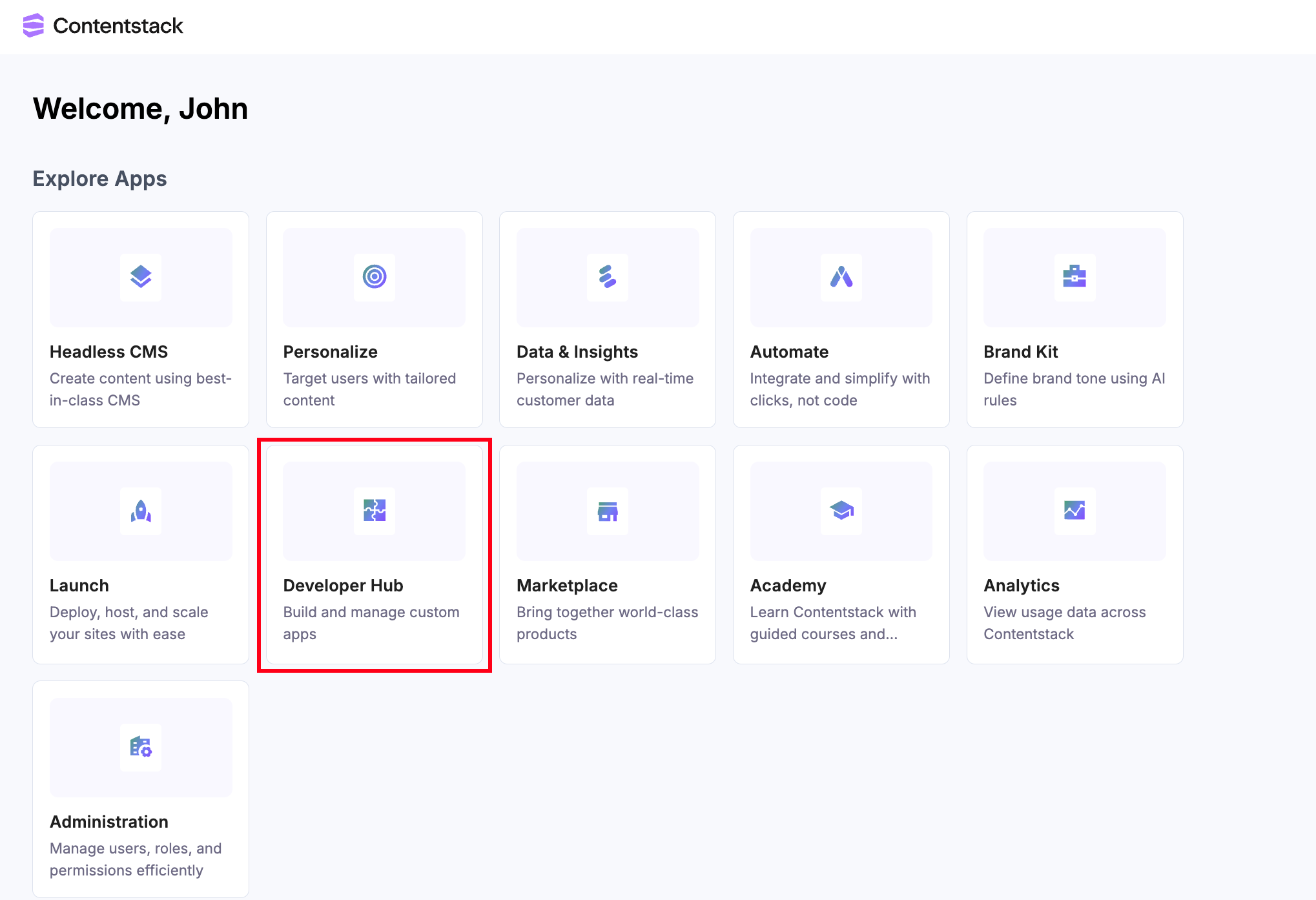
- On the Dashboard page, click the Developer Hub icon as shown below:
- Click the + New App button.
- Contentstack supports two types of Apps based on two categories: Standard and Machine to Machine.
Additional Resource: Refer to the Creating an App in Developer Hub document to know more about Standard and Machine to Machine app categories.
- In the Create Standard App modal, select the App Type, and give a suitable app Name and an optional Description.
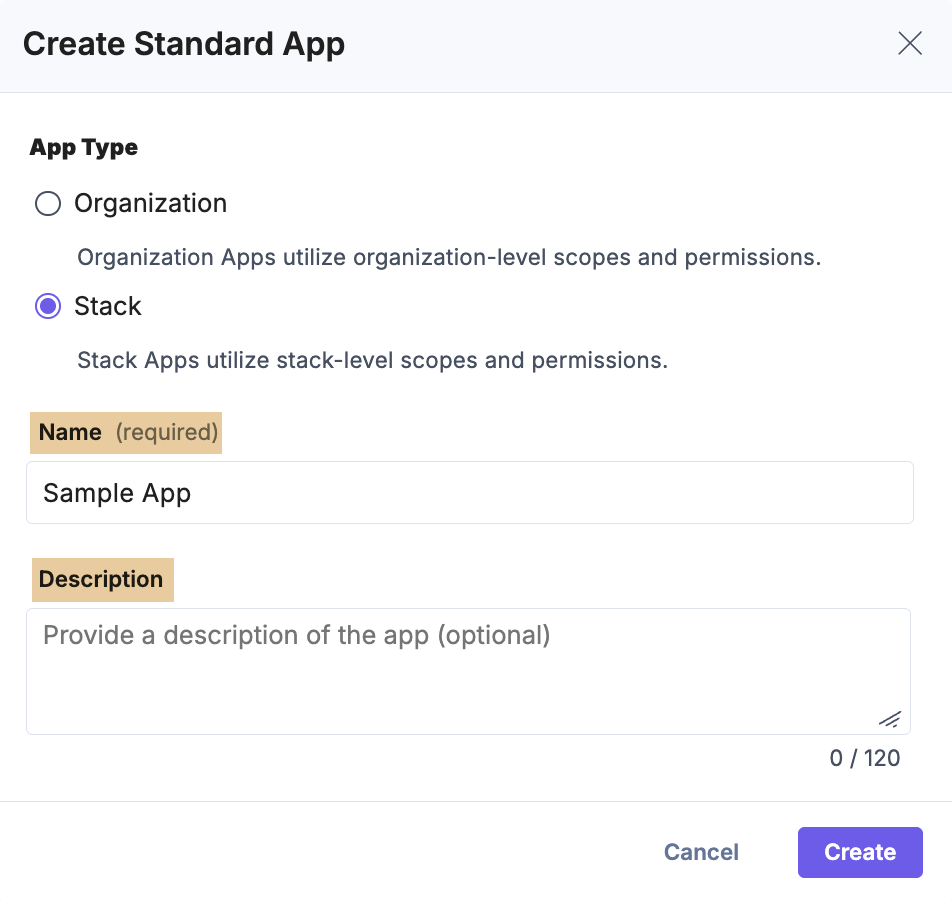
- Click Create. You will be redirected to the UI Locations landing page.
- To continue, go to the Advanced section. You will see the three integrated features, i.e., Variables, Mappings, and Rewrites.
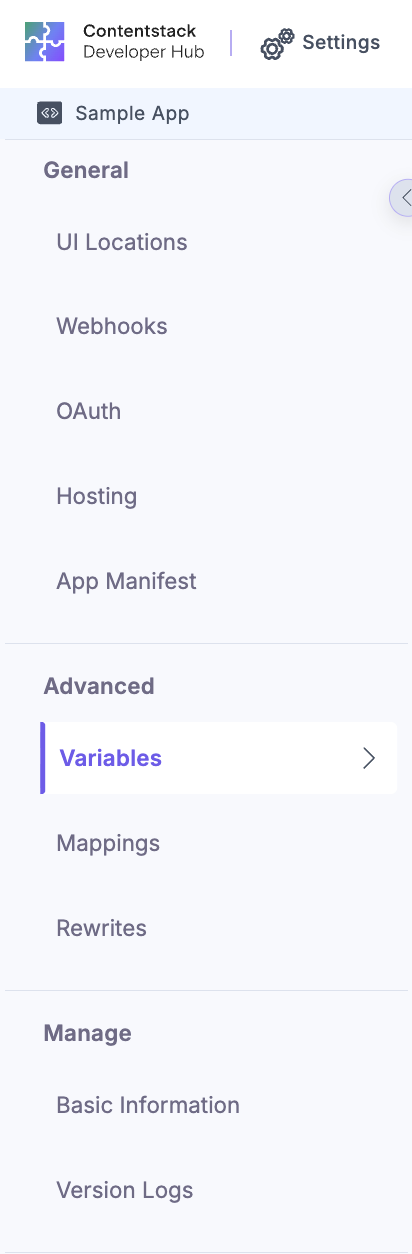
Each section is explained in more detail below.
Rewrites
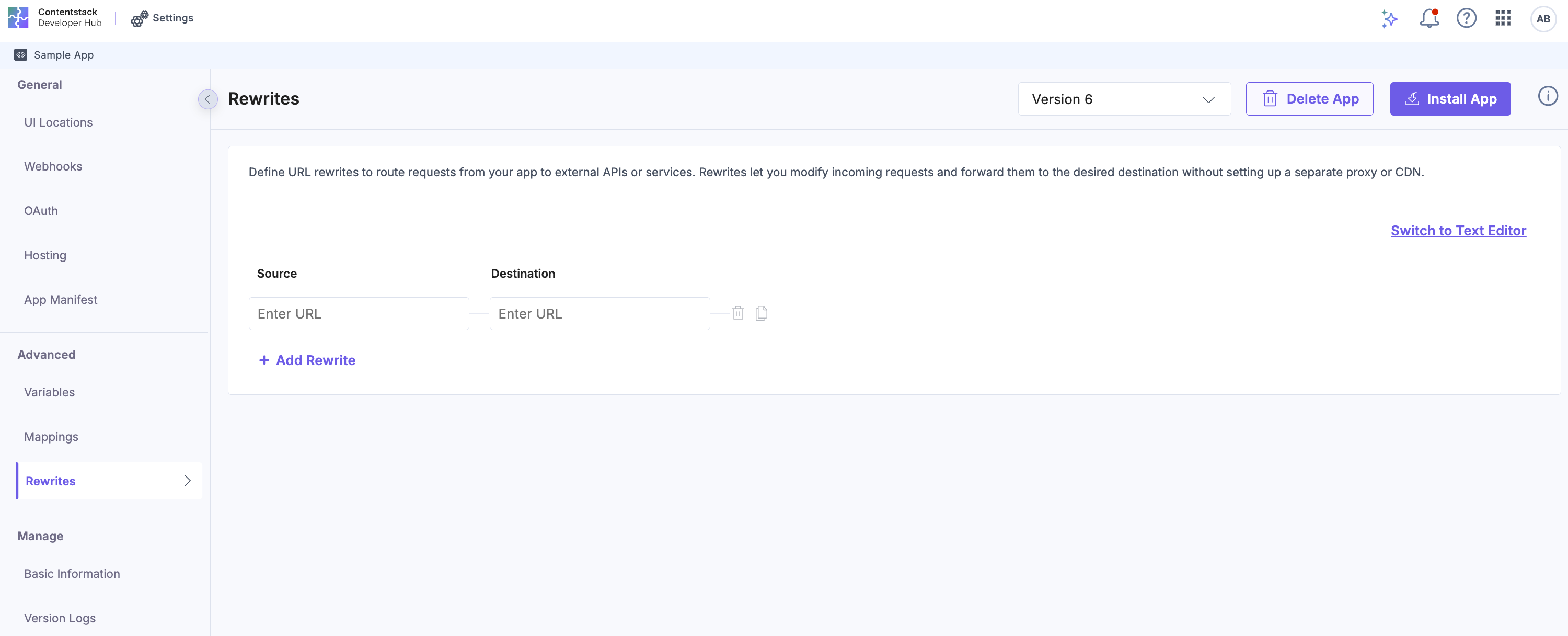
Rewrites are the only way to call external API endpoints using the appSdk.api method. They let you transform request URLs, so you can use clean, simple paths that map to more complex external URLs behind the scenes.
Contentstack automatically rewrites the request URL before sending it to the external service, making your code cleaner and easier to manage.
App developers can set up rewrite rules in Advanced Settings → Rewrites. When a request matches a defined source path, it is rewritten to the destination URL before being sent out.
When to use:
- Route requests to backend endpoints without exposing them in the frontend
- Call external APIs outside of Contentstack from your application
Variables
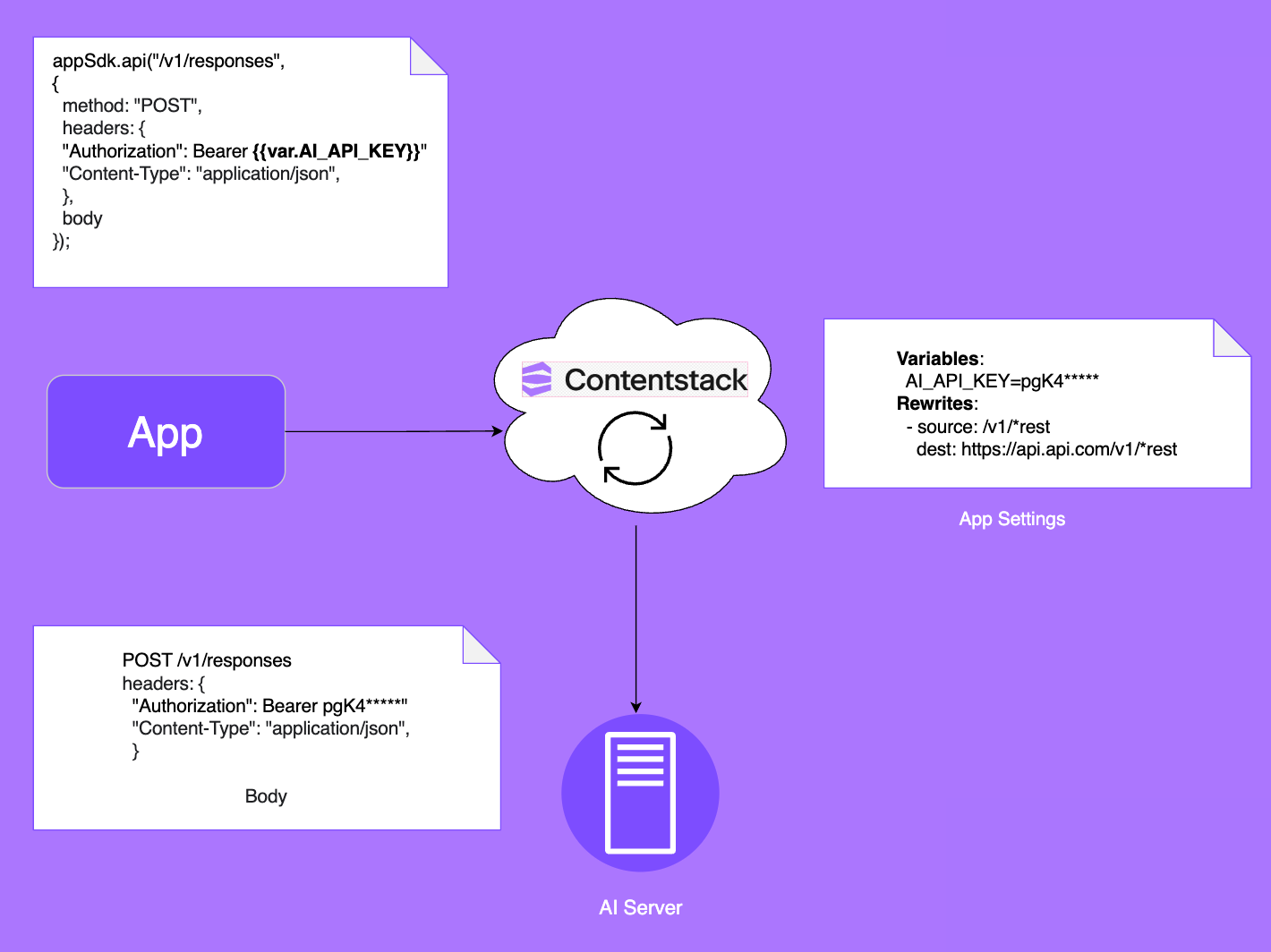
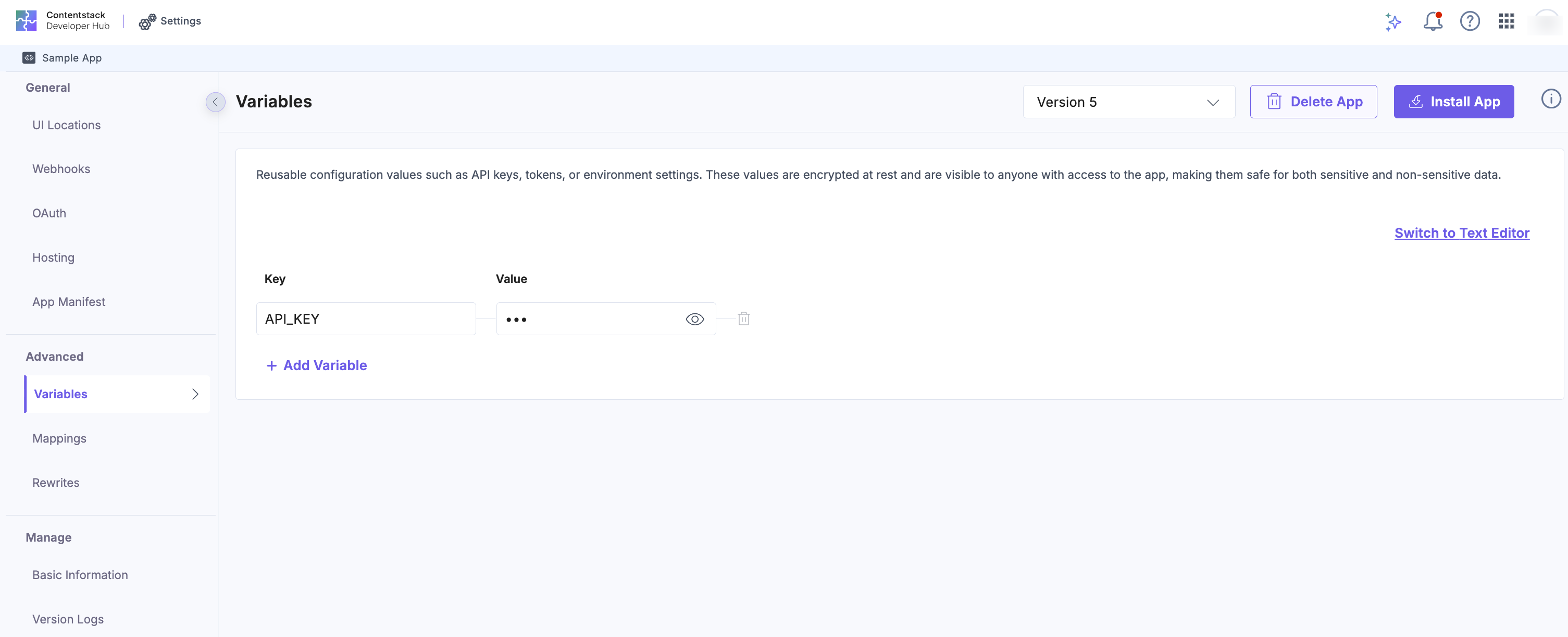
With Variables, you can securely store API keys and other sensitive credentials without exposing them in the frontend. These values are encrypted, stored on Contentstack infrastructure, and kept fully secure from client-side access.
Note: Variables are app-specific, meaning all installations of the app share the same values. To store installation-specific or user-specific secret configurations, use server configuration instead.
Variable substitution is supported in the appSdk.api method, allowing you to reference secure environment variables (such as API keys) in your API requests.
Instead of hardcoding secrets, use the syntax {{var.VARIABLE_NAME}} in request headers, URLs, or bodies. At runtime, these placeholders are replaced with the actual values stored in your app’s Advanced Settings → Variables.
When to use:
- Store API keys for third-party services
- Manage authentication tokens and passwords
- Secure database connection strings
Mappings
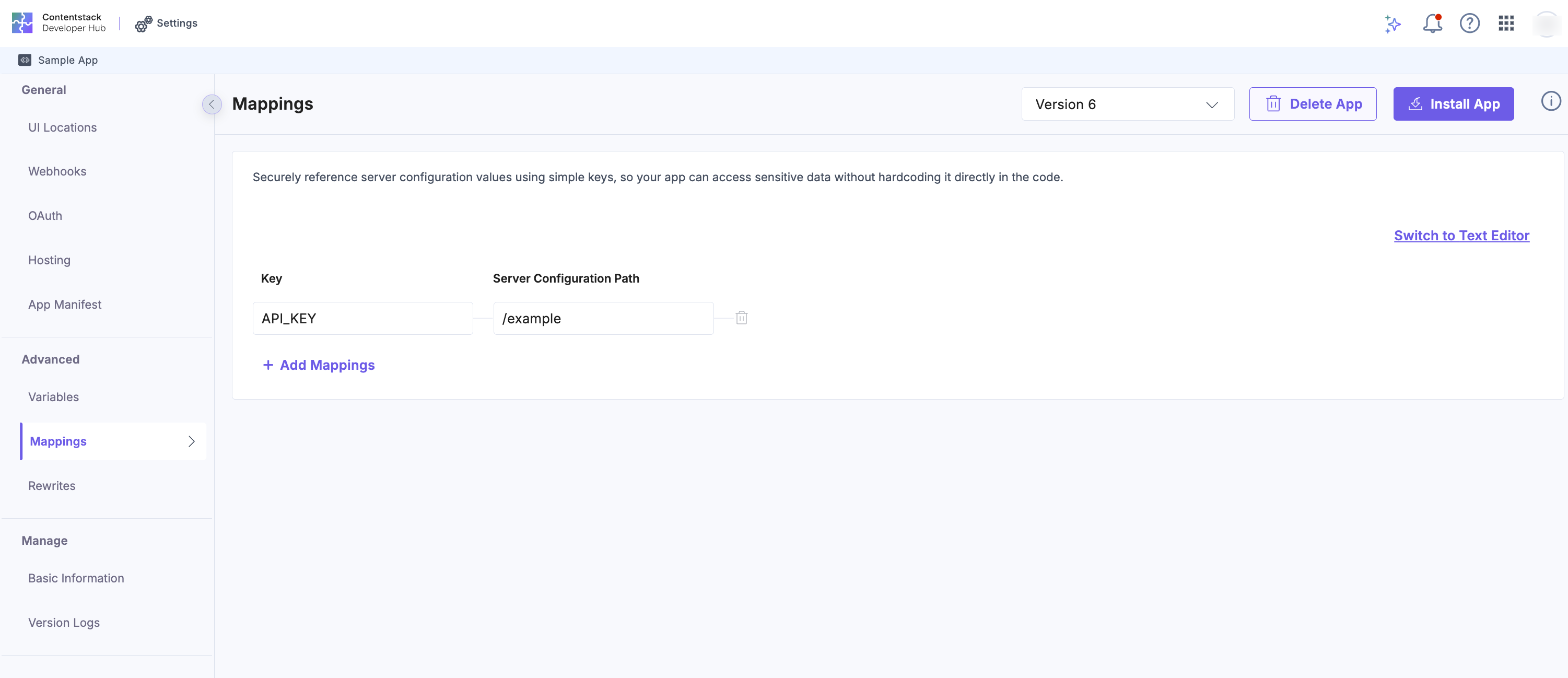
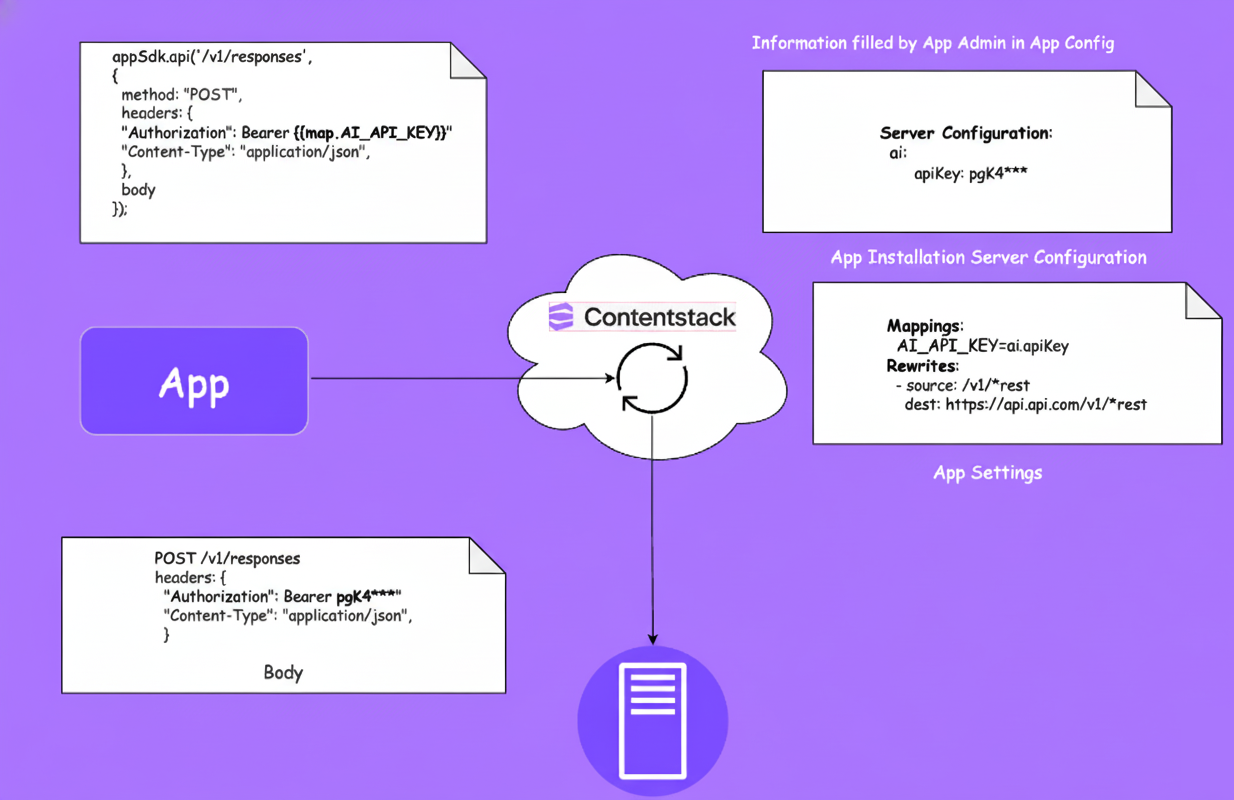
Mappings allow dynamic value substitution in API requests, so app administrators can configure URLs, endpoints, or other values that change across installations or environments.
Each mapping refers to a value stored in server configuration and can be used in the appSdk.api method with the syntax {{map.MAPPING_NAME}}. At runtime, this placeholder is replaced with the installation-specific value.
Accessing nested values
Mapping paths use dot notation to navigate nested objects and arrays in the server configuration. Each dot-separated segment goes one level deeper, you can mix object keys and array positions in the same path.
For example, given this server configuration:
{
  "apiKey" : "api-key",
  "credentials": { "apiKey": "secret-abc" },
  "regions": ["us-east-1", "eu-west-1", "ap-south-1"],
  "accounts": [
    { "key": "first-acc-key" },
    { "key": "second-acc-key" }
  ]
}| Mapping Path | Resolved Value |
|---|---|
| apiKey | api-key |
| credentials.apiKey | secret-abc |
| regions.2 | ap-south-1 (third item, zero-indexed) |
| accounts.0.key | first-acc-key |
When to use:
- Collect credentials from the App Config screen
- Set customer-specific webhook URLs
- Define environment-specific API endpoints (e.g., staging, production)
- Allow customers to customize values as needed
Template Substitution
Template Substitution is the mechanism that resolves {{var.NAME}} and {{map.NAME}} placeholders at runtime. When a request is made using the appSdk.api method, the Contentstack platform scans the outbound request and replaces all recognized placeholders with their resolved values before forwarding it to the external service.
Supported locations
Placeholders can be placed in any of the following parts of a request:
| Location | Example |
|---|---|
| URL path | /api/{{var.API_VERSION}}/users |
| Query string | /search?limit={{var.LIMIT}}&offset={{var.OFFSET}} |
| Request headers | Authorization: Bearer {{var.TOKEN}} |
| Request body (JSON) | {"userId": "{{var.USER_ID}}", "apiKey": "{{map.API_KEY}}"} |
Missing Placeholders
If a placeholder references a variable or mapping that has not been configured, the original placeholder syntax is preserved unchanged in the outbound request. No error is thrown.
For example, {{var.UNDEFINED_VAR}} in a header would be sent as {{var.UNDEFINED_VAR}} to the external service.
Transitioning Existing Apps to Advanced Settings
Evaluate Your Current Architecture
- List all API calls currently routed through your backend
- Identify calls that exist only to manage or inject credentials
- Inventory sensitive credentials handled on the server side
- Highlight complex API endpoints that could be simplified with rewrites
Plan Your Migration Strategy
- Begin with simple API calls that require only credential injection
- Progress to advanced integrations using Mappings and Rewrites
- Allow a parallel run period to test and validate the new setup
- Define a rollback plan to quickly revert if needed
Security Considerations
Credential Protection
- Frontend Isolation: API keys and sensitive data are never exposed in frontend code
- Encrypted Storage: All variables are encrypted at rest using industry-standard encryption
- Secure Transmission: Credential injection occurs server-side over encrypted channels
- Access Control: Only authorized apps can access their configured variables
Request Validation
- URL Restriction: Rewrites block unauthorized URL manipulation and API access
- Permission Enforcement: App permissions restrict access to only declared scopes
- Rate Limiting: Prevents abuse through built-in usage throttling
- Request Sanitization: Automatically validates and cleans request parameters
Best Practices
- Use Least Privilege: Store only the credentials necessary for the task
- Separate Environments: Maintain distinct variables for dev, staging, and production
- Declare Minimal Permissions: Grant only the scopes your app truly needs
Common Security Pitfalls to Avoid
- Avoid including backup credentials in variable names or descriptions
- Avoid storing multiple secrets in a single variable
- Regularly review and delete unused variables or configurations
- Always use Rewrites instead of direct URLs for improved security
Conclusion
Advanced Settings represent a significant leap forward in how developers build and deploy applications on the Contentstack platform. By eliminating backend complexity while enhancing security and flexibility, it allows you to focus on delivering exceptional user experiences instead of managing infrastructure.
The combination of the .api() method, Variables, Mappings, and Rewrites provides a powerful toolkit that scales from simple API calls to complex, enterprise-grade integrations. When combined with the new App Permissions system, you gain full transparency and control over how your applications interact with external services.
More articles in "Working with Developer Hub"
