

Edit Page
Visual Editor enables you to update existing web pages quickly and intuitively without writing code. Whether you revise content, rearrange components, or add new sections, the canvas lets you preview changes as you make them.
To edit an existing web page, log in to your Contentstack account, and perform the following steps:
- Navigate to your stack and select Visual Experience.
- Click Editor in the bottom pill menu.
- Use the website navigation or the URL bar to open the page you want to edit.
- On the selected page, you can:
- Hover over any field to view detailed information, such as its field type and the associated content type.
- Click a component to open the toolbar. You can then make inline edits without switching to the Form panel.
Tip: You can drag and reposition the field modifier apps such as AI Assistant on the canvas to improve visibility of the underlying content. This allows you to review the layout and content more clearly before making any changes.
To add a new component:
- To add new instances, click the “+” icon on the canvas.
- Select a component from the list of available options.
- Enter content using the Form panel in the right sidebar.
- After reviewing the changes, click Save in the top-right corner, then confirm your changes in the Save Changes modal.
Note: Page components and available fields are based on the content model of the selected content type.
Request Edit Access
If the entry is in a workflow stage with restricted permissions, editing is disabled.
When this happens:
- A message appears on the canvas and in the Form panel
- The option to Request Edit Access is displayed

To request access:
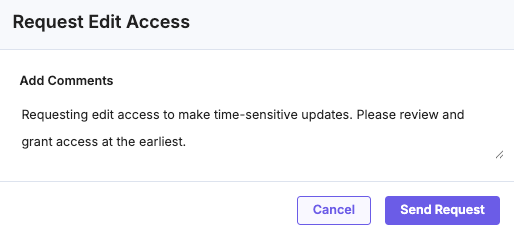
- Click Request Edit Access from the message.
- (Optional) Add a comment explaining your request.
- Submit the request.
After submission:
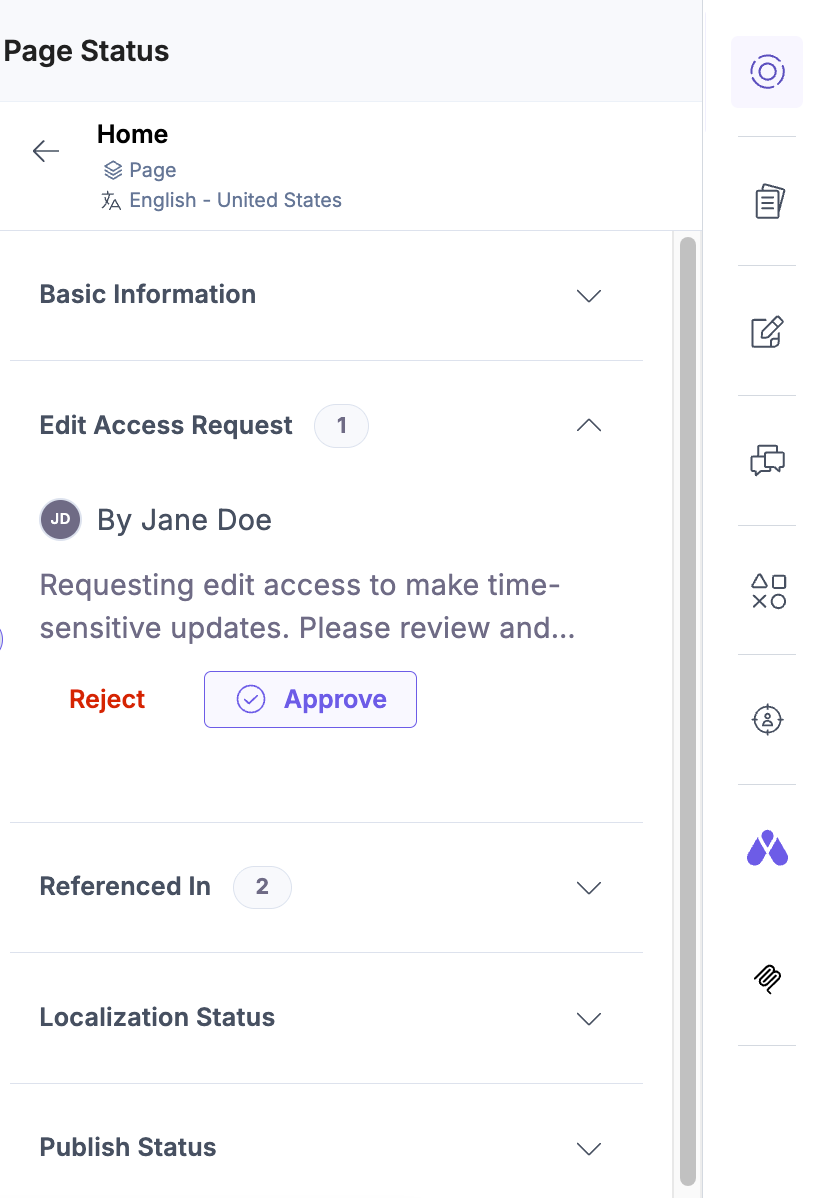
- The request is sent to users with permission to grant access
- The request status is set to pending
- Editing remains disabled until access is granted
If a request has already been submitted:
- The request option is disabled
- A “Request sent” message is displayed
After submitting a request, continue monitoring its status in the Visual Editor. Once access is granted, you can resume editing the page directly on the canvas.
More articles in "Work with Visual Editor"
