

Publish a Page
Visual Editor allows you to edit and publish pages directly without switching to the entry editor. You can publish entries that are complete and error-free. Use Quick Publish to deploy them immediately, or choose Advanced Publish to add entries to a release, select locales, and schedule deployment across environments.
Both methods let you validate updates and publish updates directly within the Editor.
To publish a page of your website, log in to your Contentstack account, and perform the following steps:
- Navigate to your stack and select Visual Experience.
- Click Editor in the bottom pill menu.
- Use the URL bar to open the desired page.
Additional Resource: If you do not have an existing page, refer to the Create Page documentation to create one.
- Edit the page directly on the canvas or use the Form panel.
- Click Save in the top-right corner and confirm your changes in the Save Changes modal.
- Click Publish. This opens the Publish Entries modal.
- Select the entries you want to publish and click Proceed.
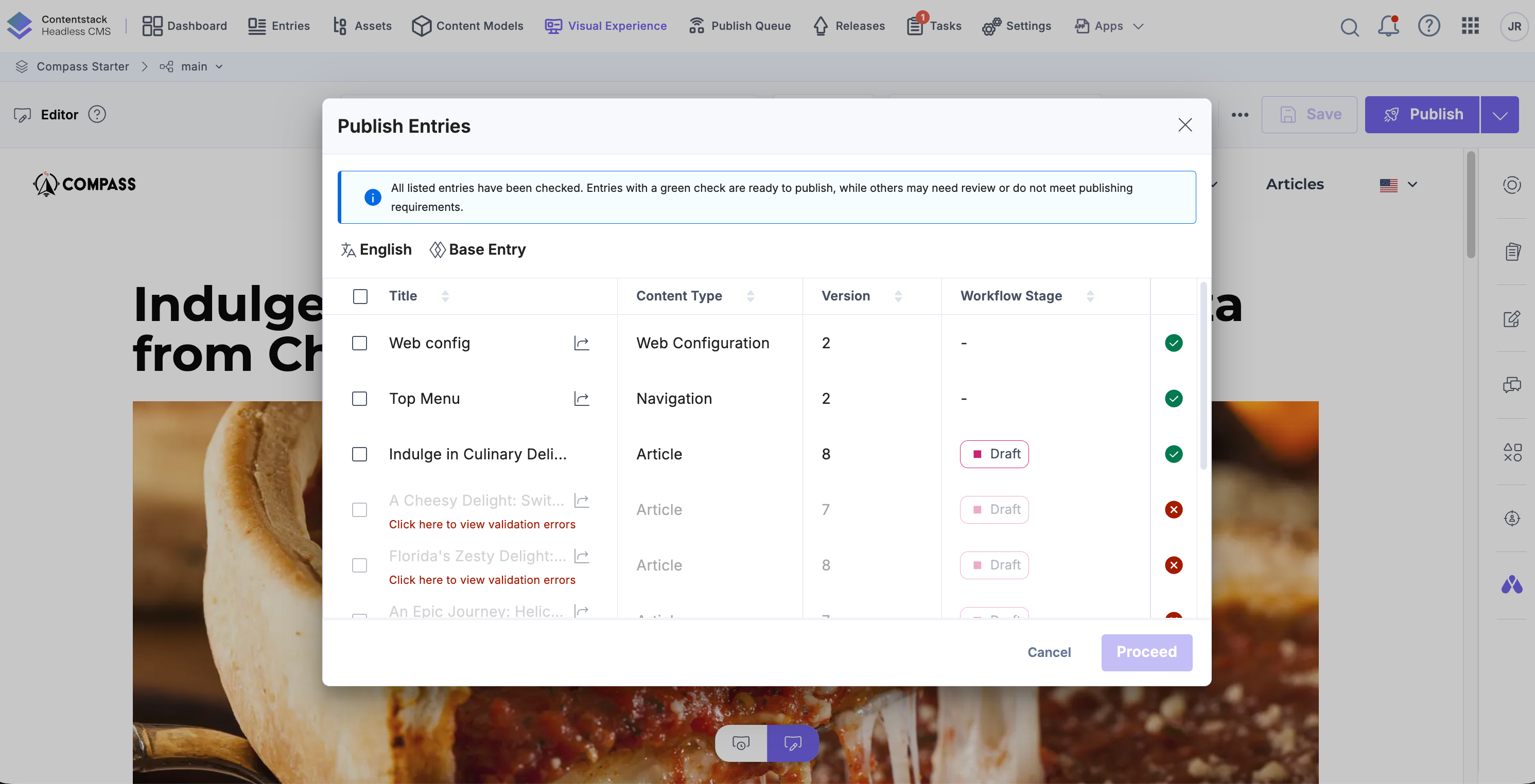
- If an entry contains errors, click the error message below the entry title. The entry form opens with errors listed at the top. Resolve the errors before proceeding.
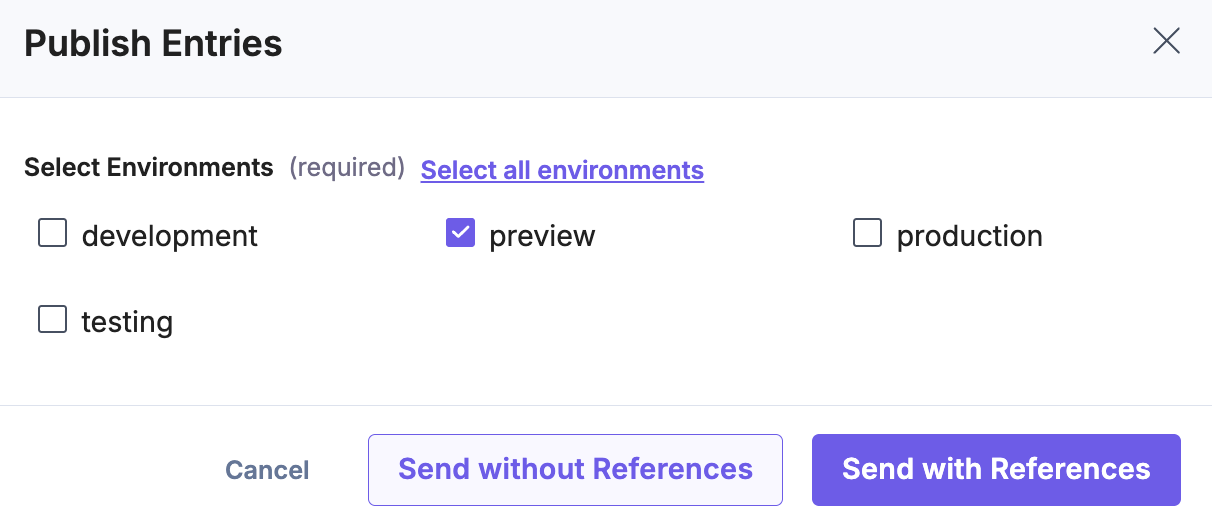
- In the Publish Entries modal, select the target environments and click Proceed.
After selecting the target environments, choose how you want to publish the entries: Send without References: Publishes only the selected entries. Referenced entries are not included in the publish process.
Send with References: Publishes the selected entries along with all referenced entries. Use this option to ensure all dependent content is published together.
- For additional control, click the dropdown next to the Publish button, select Advanced Publish, choose the desired entries in the Publish Entries modal, and then click Proceed.
- You get redirected to the Entries list page to complete the publishing process using the standard interface.
Additional Resource: To learn more about publishing entries, refer to the Publish an Entry document.
By following these steps, you can efficiently publish updates to your web pages across environments while ensuring that content is validated and deployment-ready.
More articles in "Work with Visual Editor"
