

Use Saved Views
Saved Views in Contentstack let you quickly access customized search settings and filters, streamlining your content management process. By using saved views, you can efficiently navigate through entries and assets, saving time and enhancing your workflow.
To make the most of your saved views, log in to your Contentstack account and follow the steps given below:
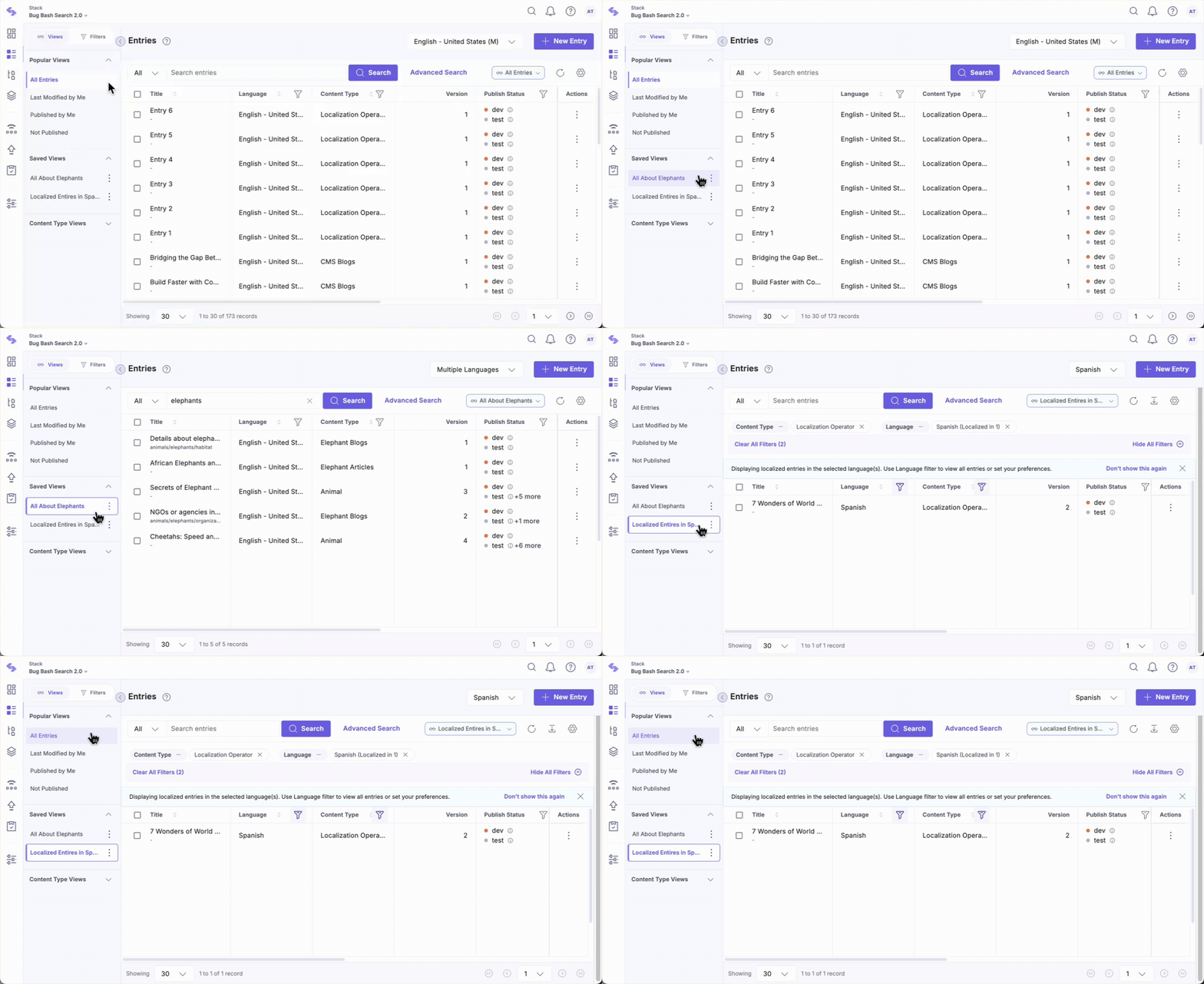
- Navigate to your stack and select the “Entries” or “Assets” module.
- Within the Views tab, you will find a list of predefined views under Popular Views and your saved views under Saved Views.
- Select a saved view to immediately apply the search settings and filters you configured earlier. This allows you to pick up exactly where you left off.
Note: Saved views are sorted based on the most recently updated view. You cannot manually rearrange the order of views in the list.
Modify a Selected View
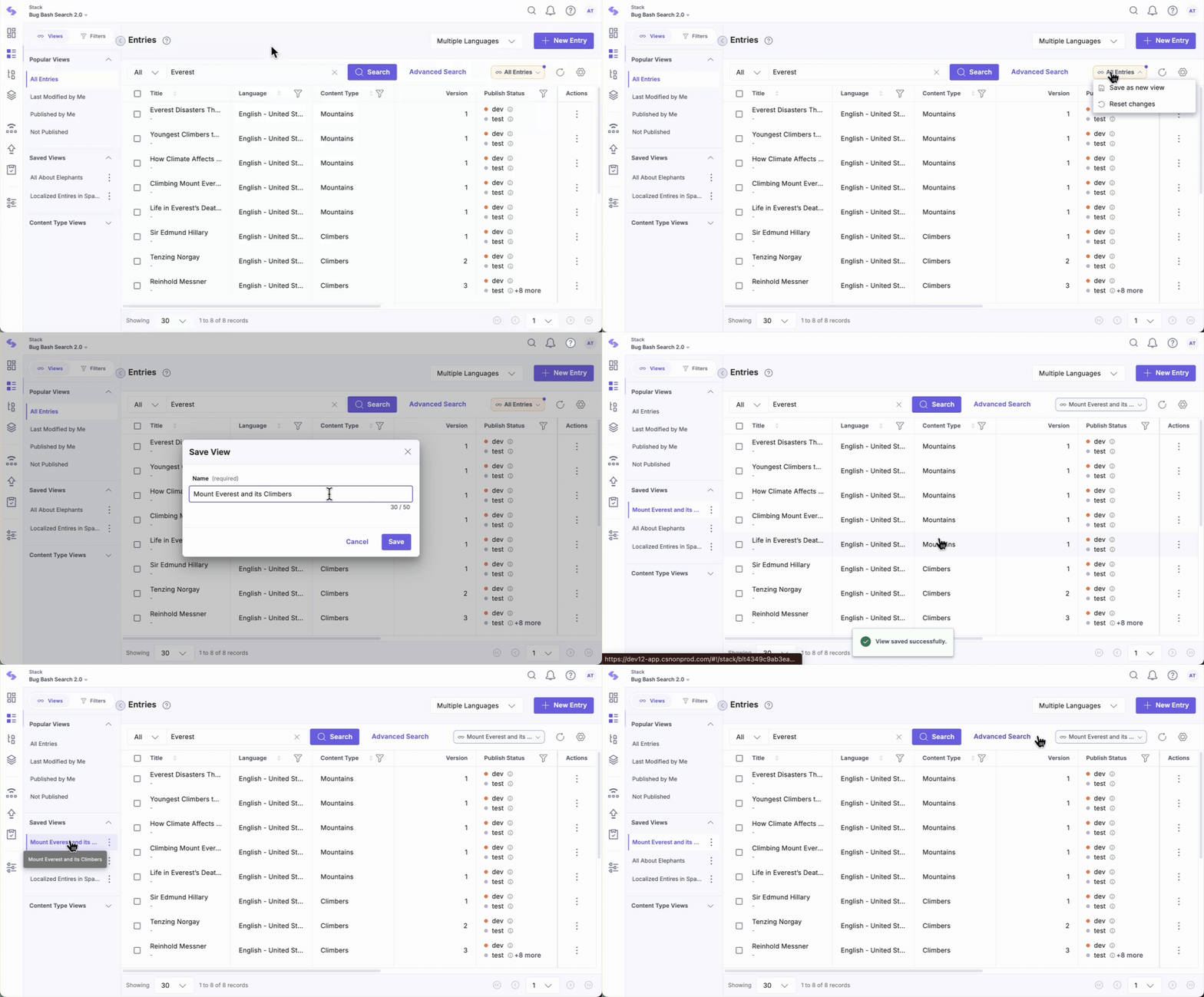
After selecting a view, any changes you make to the search settings or filters will present the following options, which are accessible through the dropdown menu on the right:
- Update the view: Modify the existing view with new filters or settings.
- Save as new view: Save the modified view as a new one without altering the original.
- Clear recent changes: Revert any changes made during the current session to restore the view to its last saved state.
- Reset to all entries: Revert back to the default "All Entries" view, which removes any applied filters or view settings.
Manage Saved Views
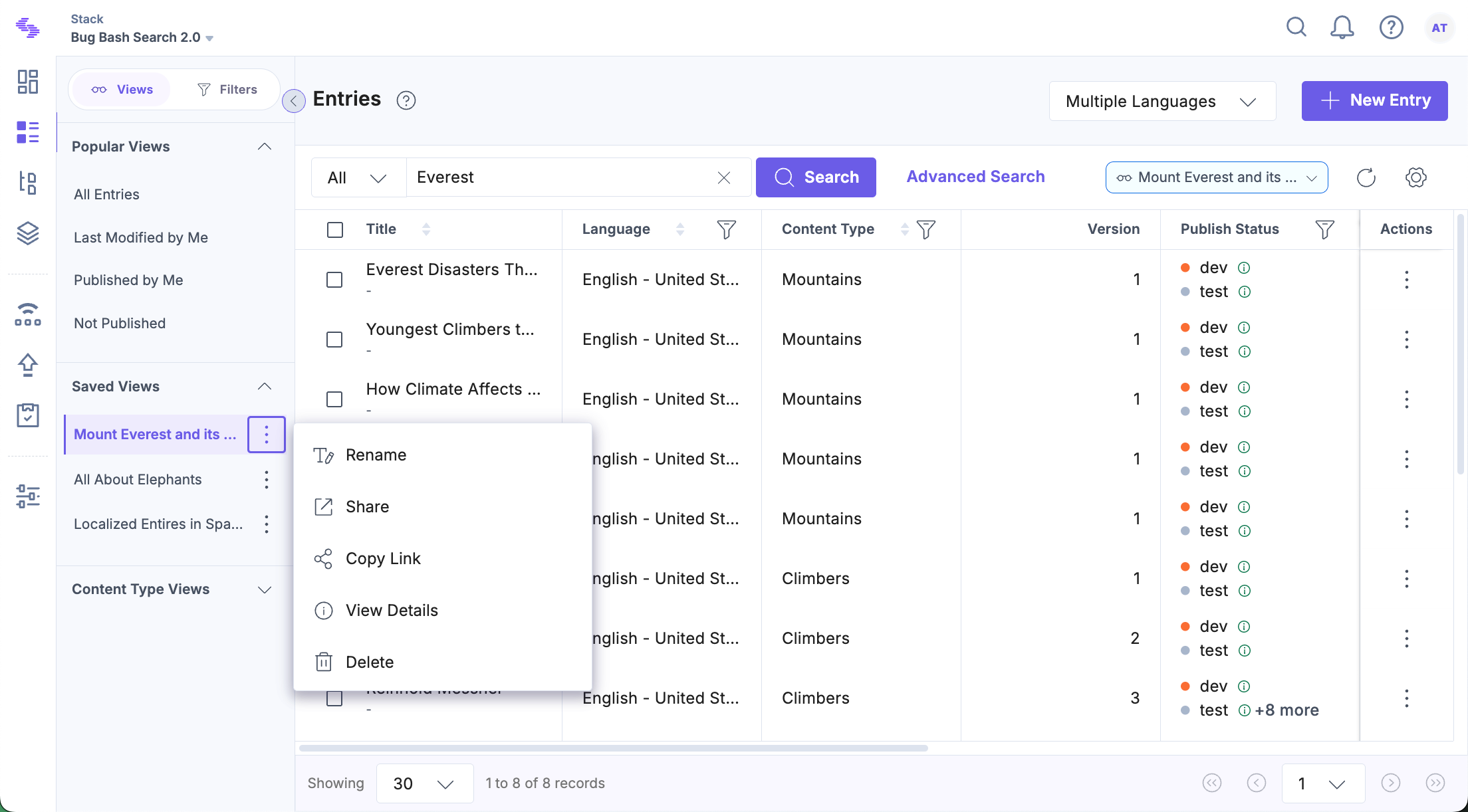
For any saved view, click the vertical ellipsis next to it to see the following options:
- Rename: Change the name of your saved view.
- Share: Share the view with users or roles in your stack.
- Copy Link: Share the view link with collaborators for quick access.
Note: Anyone with the link can access the view and save it as a new view.
- View Details: See key information, including the creator, last modified date, and access permissions.
- Delete: Permanently remove the view if it’s no longer needed. For shared views, the owner can either remove it for all users or transfer ownership to another user before removing it for themselves.
With saved views, you can quickly switch between different search scenarios, saving your time and effort. This feature ensures that your search configurations are always easily accessible, making content management in Contentstack more efficient and organized.
More articles in "Working with Views"
