

Shared Views
Contentstack’s shared views functionality allows users to collaborate by sharing saved views within a stack. Once a view is shared, any modifications made by users with edit access will be visible to all collaborators, ensuring a consistent and up-to-date view for teams. This document outlines how to use and manage shared views effectively.
To share your saved views, log in to your Contentstack account, and follow the steps given below:
- Navigate to your stack and select the Entries or Assets module.
- Within the Saved Views tab, you will find all your saved views.
Additional Resource: Refer to our Save Your Views document for more information.
- Click the vertical ellipsis next to your saved view and select Share.
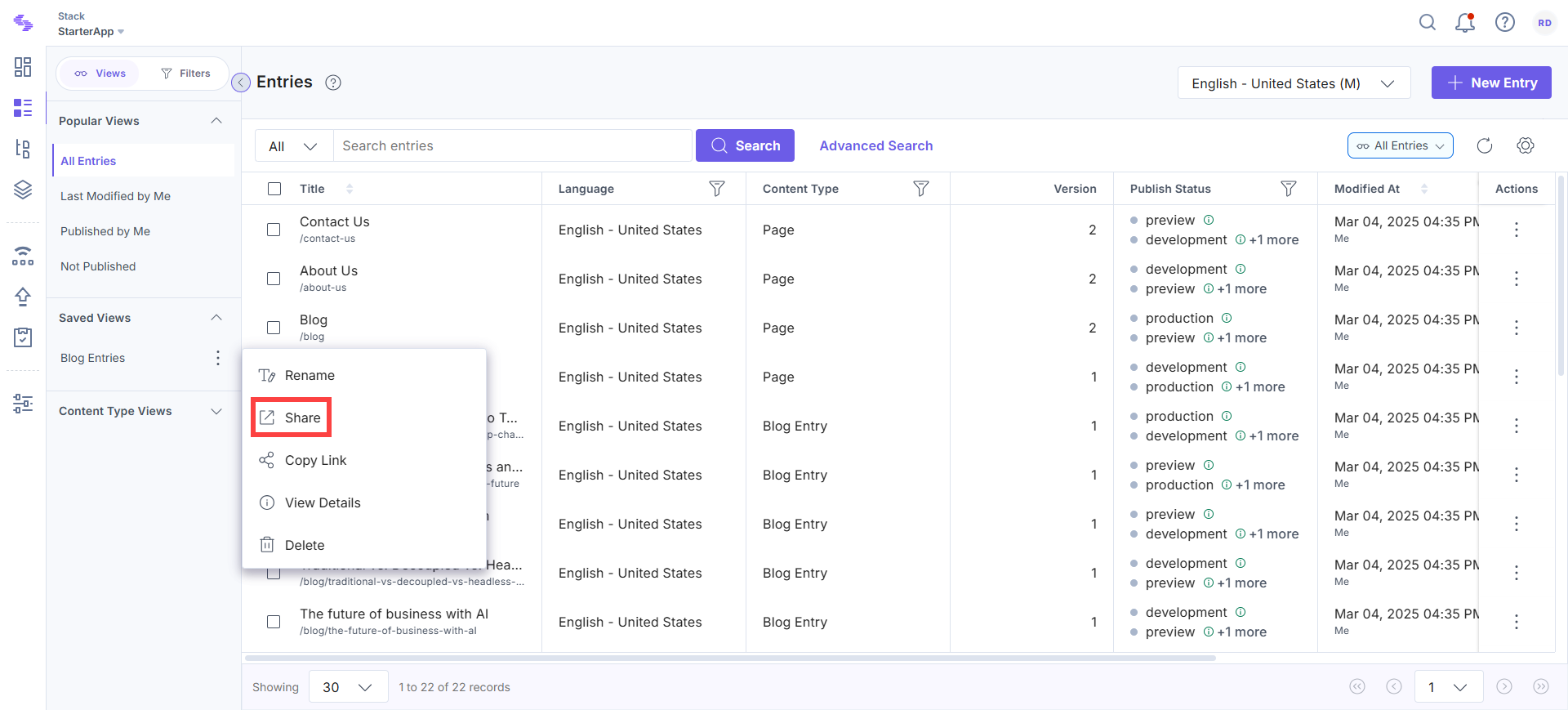
- In the Share View modal, search for and select users or roles to share the view with. Assign one of the following permissions:
- View: Users can view the shared view but cannot update it. However, they can modify and save it as a new view.
- Edit: Users can make changes to the view. Any updates they make will be visible to everyone with access.
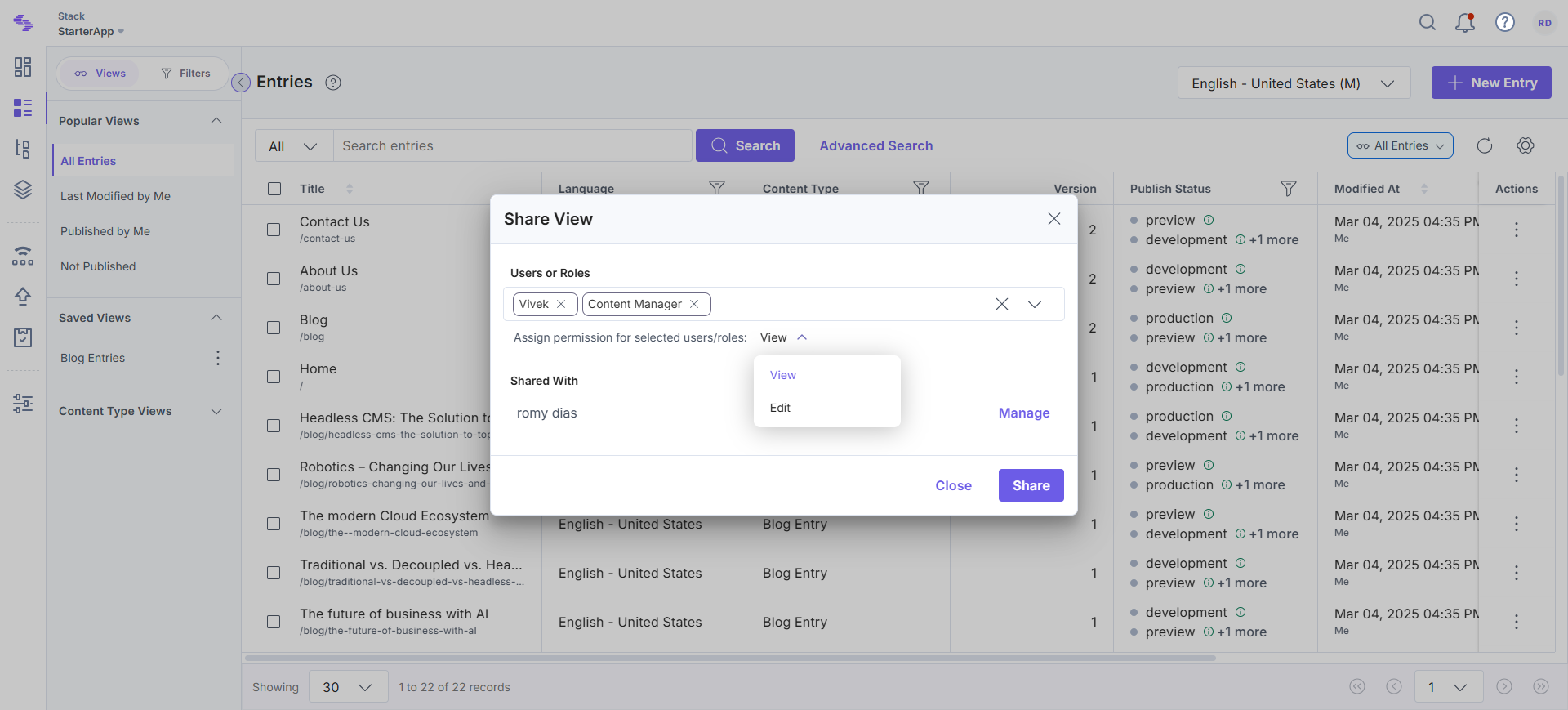
Note: If you have View access to a shared view, you cannot grant Edit access to other users.
- Click Manage to:
- View users or roles with current access to the view.
- Change access levels (View or Edit) for users and roles.
- Remove users or roles if they no longer need access.
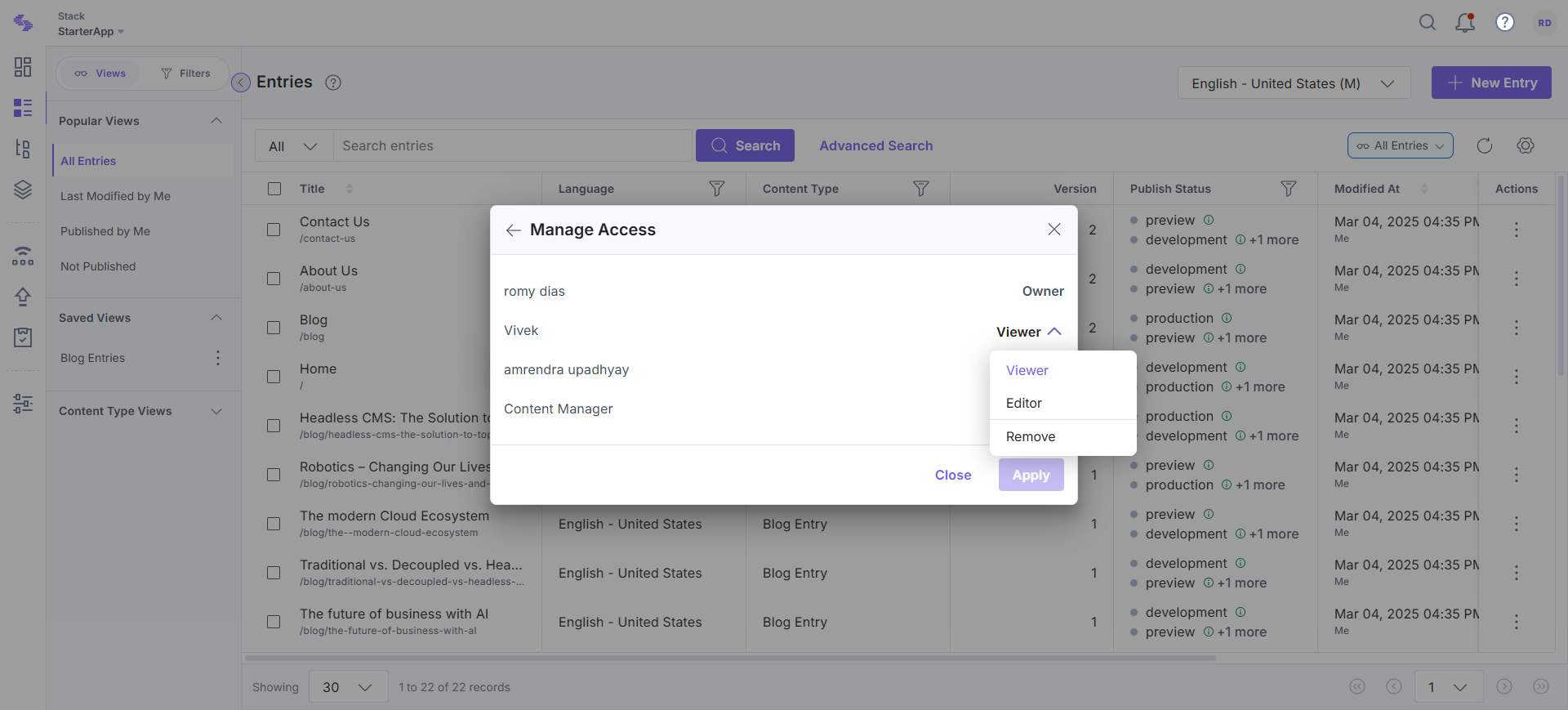
Note: Only the owner or users with edit access can modify the access settings.
- After assigning permissions, click Share. The selected users or roles will:
- Receive a notification via the bell icon.
- See the shared view in their Entries or Assets list.
Shared views streamline collaboration by ensuring that team members have access to relevant filtered content. By assigning appropriate permissions, you can control how others interact with the shared view.
More articles in "Working with Views"
