

Get Localized Entries
When managing multilingual content, it is important to differentiate between localized entries and those displayed due to fallback language settings.
Contentstack enables users to filter and view entries localized in the selected language, enhancing both the accuracy and efficiency of localization workflows.
Note: By default, the entries list displays only localized entries for the selected language because the Show localized only toggle is enabled. If you disable the toggle, the list displays both localized entries and their fallback content. To view entries across all available languages, select All Languages from the language filter.
- Navigate to your stack and click the “Entries” icon in the left navigation panel or use the shortcut key “E” (for both Windows and Mac users).
- Access the Language filter using one of the following methods:
- Click the Filters tab in the left panel and select the Languages filter dropdown.
Note: If this option isn’t visible, click Manage Filters at the bottom of the panel and enable the Language filter.
- Alternatively, click the “Filter” icon in the Language column.
Note: If the Language column isn’t visible, enable it from Table Settings.
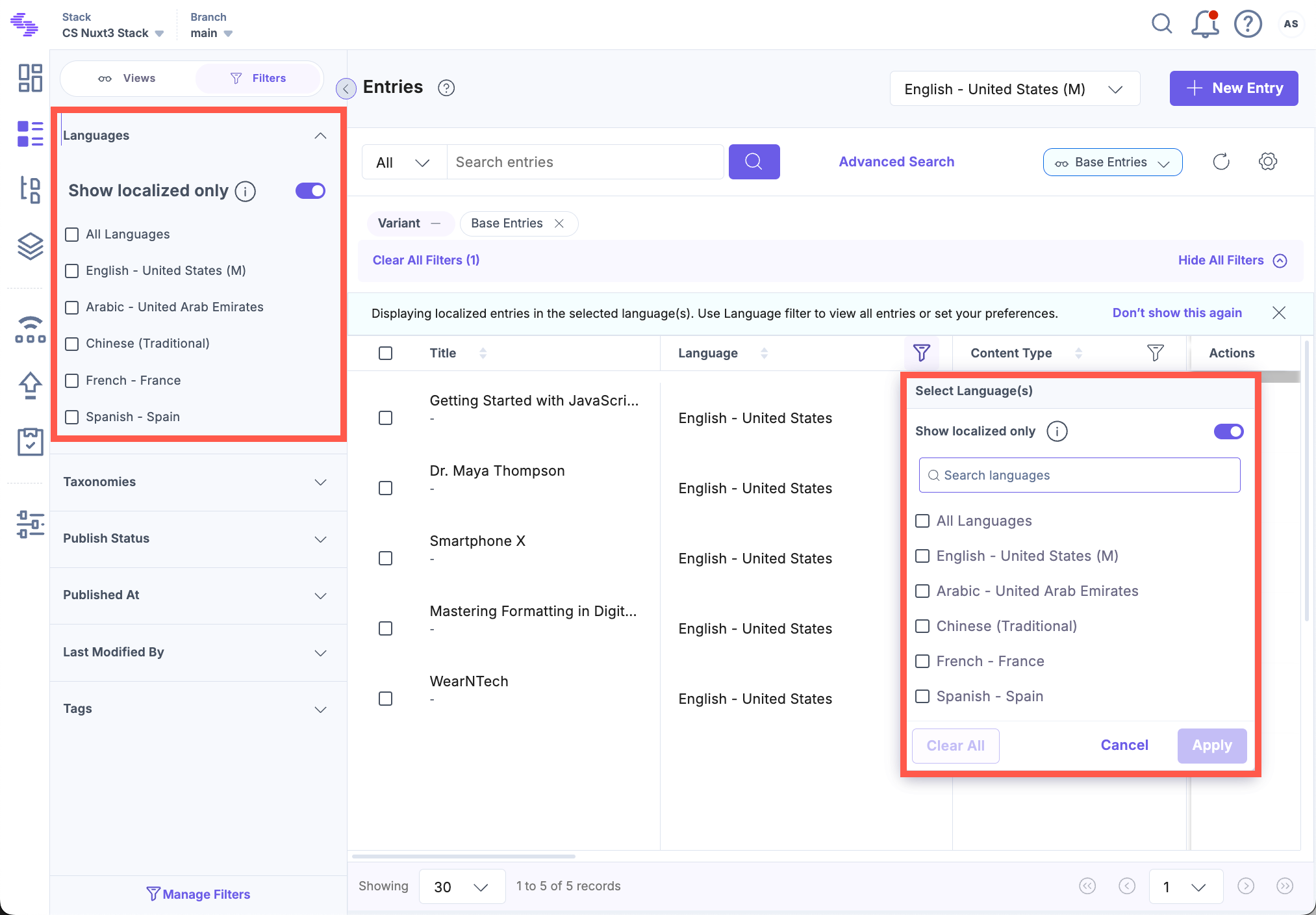
- Click the Filters tab in the left panel and select the Languages filter dropdown.
- Filter the localized content using one of the following methods:
- In the Language dropdown, select the desired language.
- In the Localized in dropdown (located within the same menu), select the same language again.
For example: To view localized entries in Chinese, select “Chinese” as the language and select “Chinese” again in the Localized in dropdown.
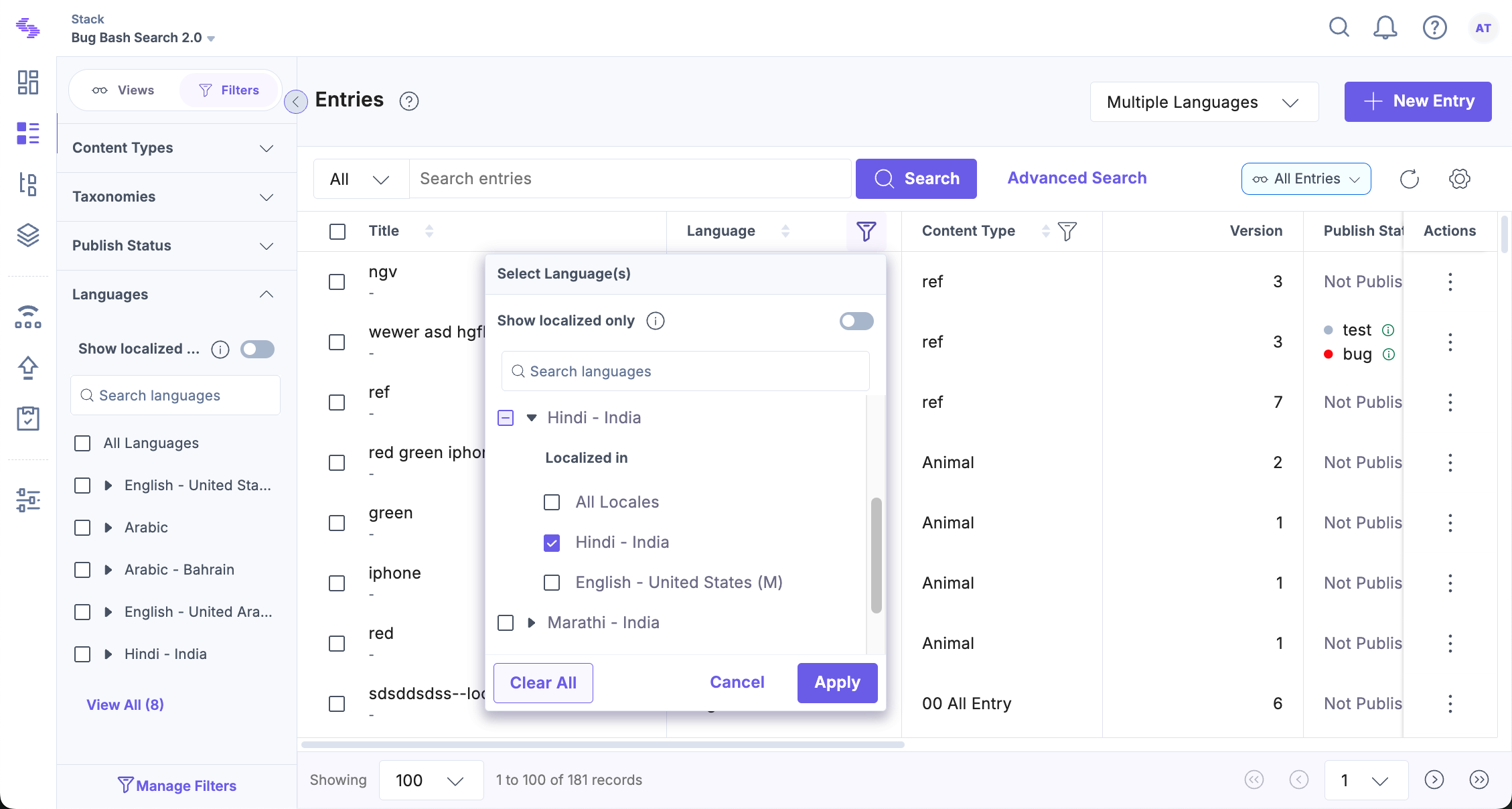
- Alternatively, enable the Show localized only toggle and select one or more languages as needed.
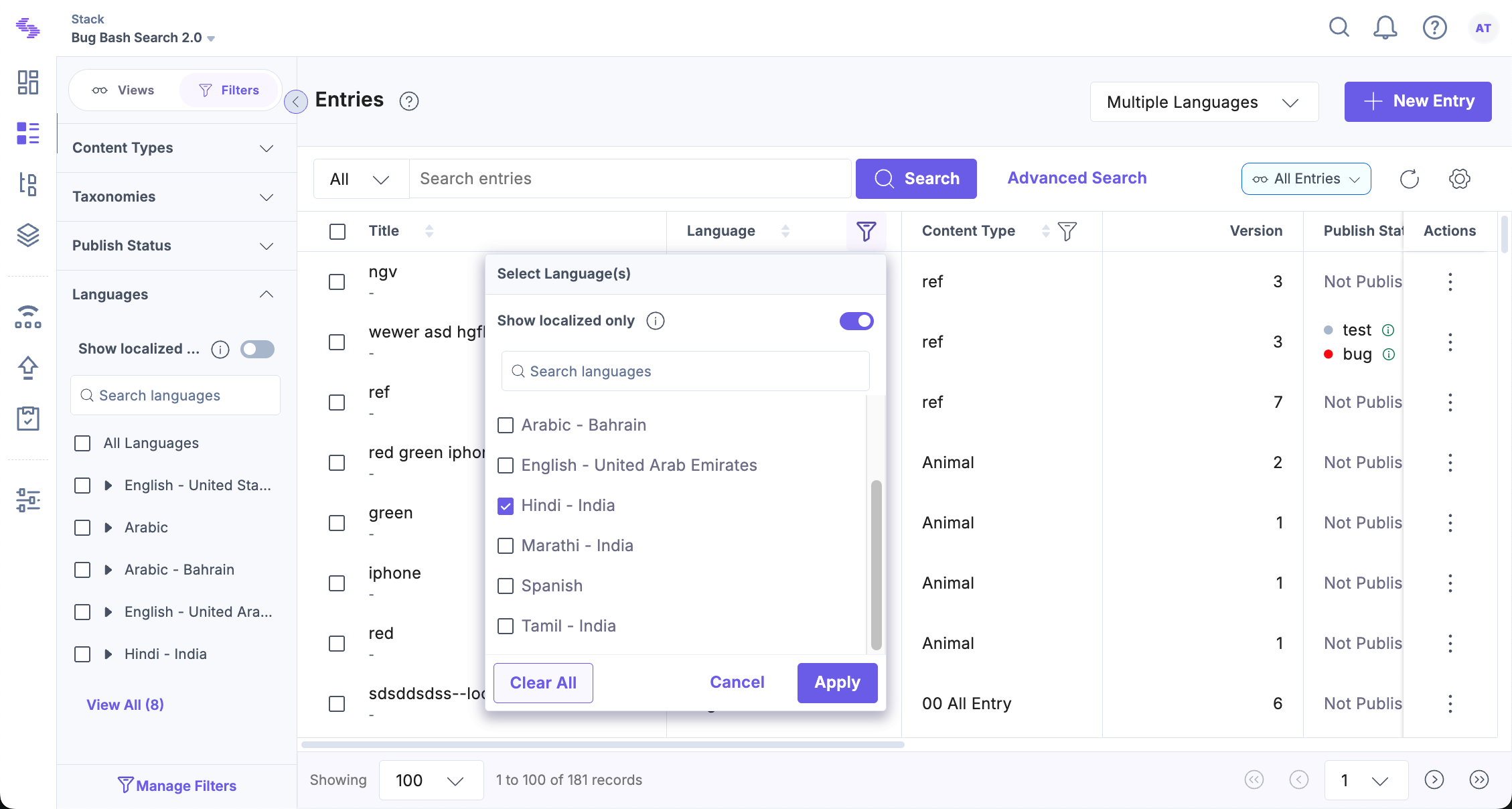
- Click Apply to save your preferences.
The entries list now displays only those entries explicitly localized in the selected language.
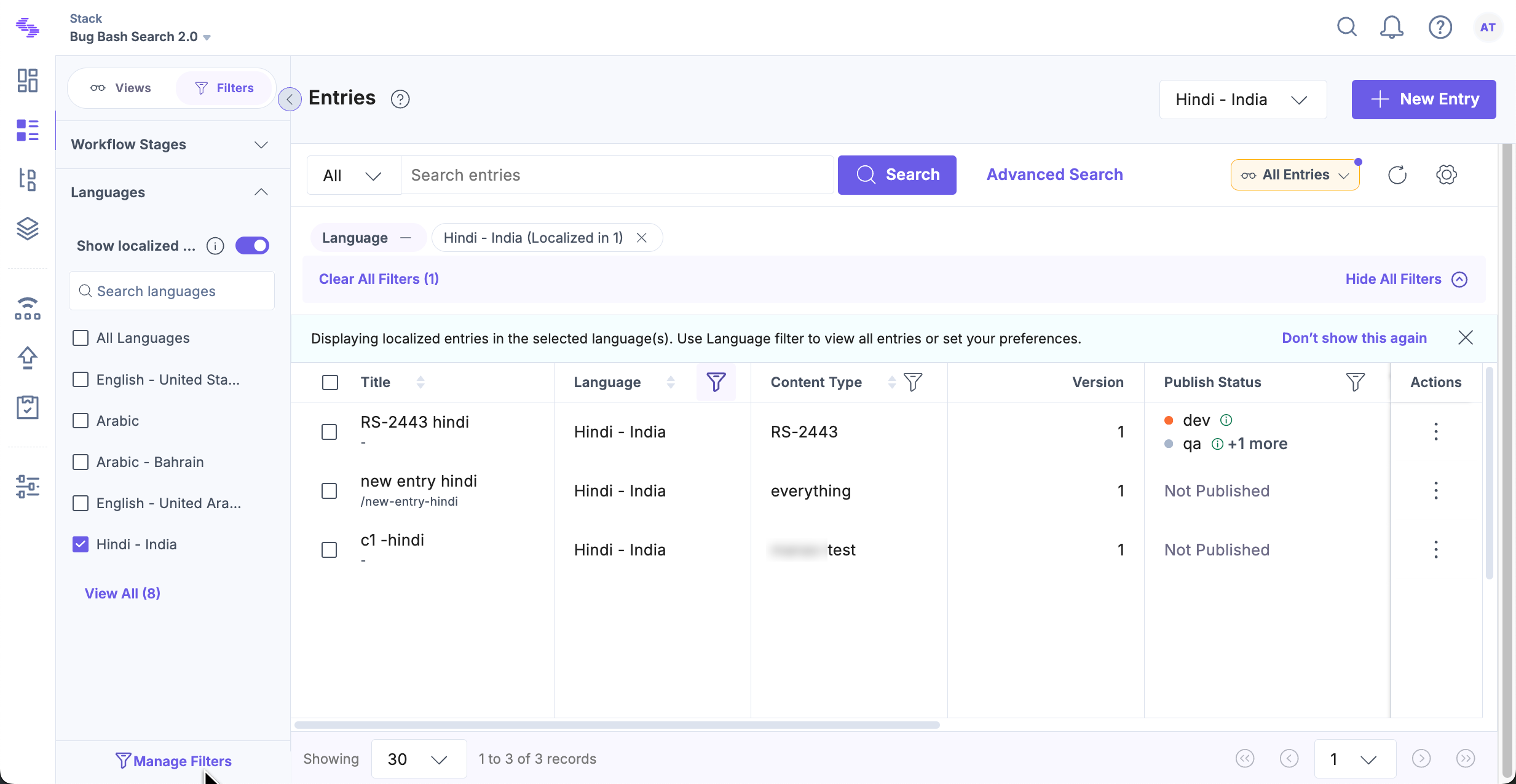
Note: The language filter setting is saved automatically and remains active until changed.
Additional Resources: You can further refine your entry list by using Advanced Settings in the Filters panel. This allows for more granular control over how localized content is displayed.
More articles in "Localization Operator for Language Field in Advanced Search"
