

Localization Operator Real-world Scenarios
Explore how the localization operator can enhance search accuracy in Contentstack through these real-world examples.
Consider a scenario where you have the following languages available within your stack: English (United States), French (France), Chinese (China), and Spanish (Spain). English (United States) is set as the master language of the stack.
- English (United States) is a fallback language of French (France);
- French (France) is a fallback language of Chinese (China);
- English (United States) is a fallback language for Spanish (Spain)
You have created six entries in a content type, and these entries are localized in different languages. The table below illustrates the localization and fallback relationships for each entry:
| Entry No. | Master Language | Localized in |
| Entry 1 | English (United States) |
|
| Entry 2 | English (United States) | French (France) |
| Entry 3 | English (United States) | None |
| Entry 4 | English (United States) | French (France) |
| Entry 5 | English (United States) |
|
| Entry 6 | English (United States) | Spanish (Spain) |
Tip: Before using the localization operator, get acquainted with Advanced Search queries.
Now, let’s see some scenarios to understand how the localization operator will work in your search queries.
Case 1: Search for entries of “Chinese (China)” language.
To search for entries localized in "Chinese" across any locales, use Advanced Search by setting the first condition to match the language "Chinese" and then add a second condition with "Localized In" operator and "Any Locales" value. Then, execute the search to view the results.
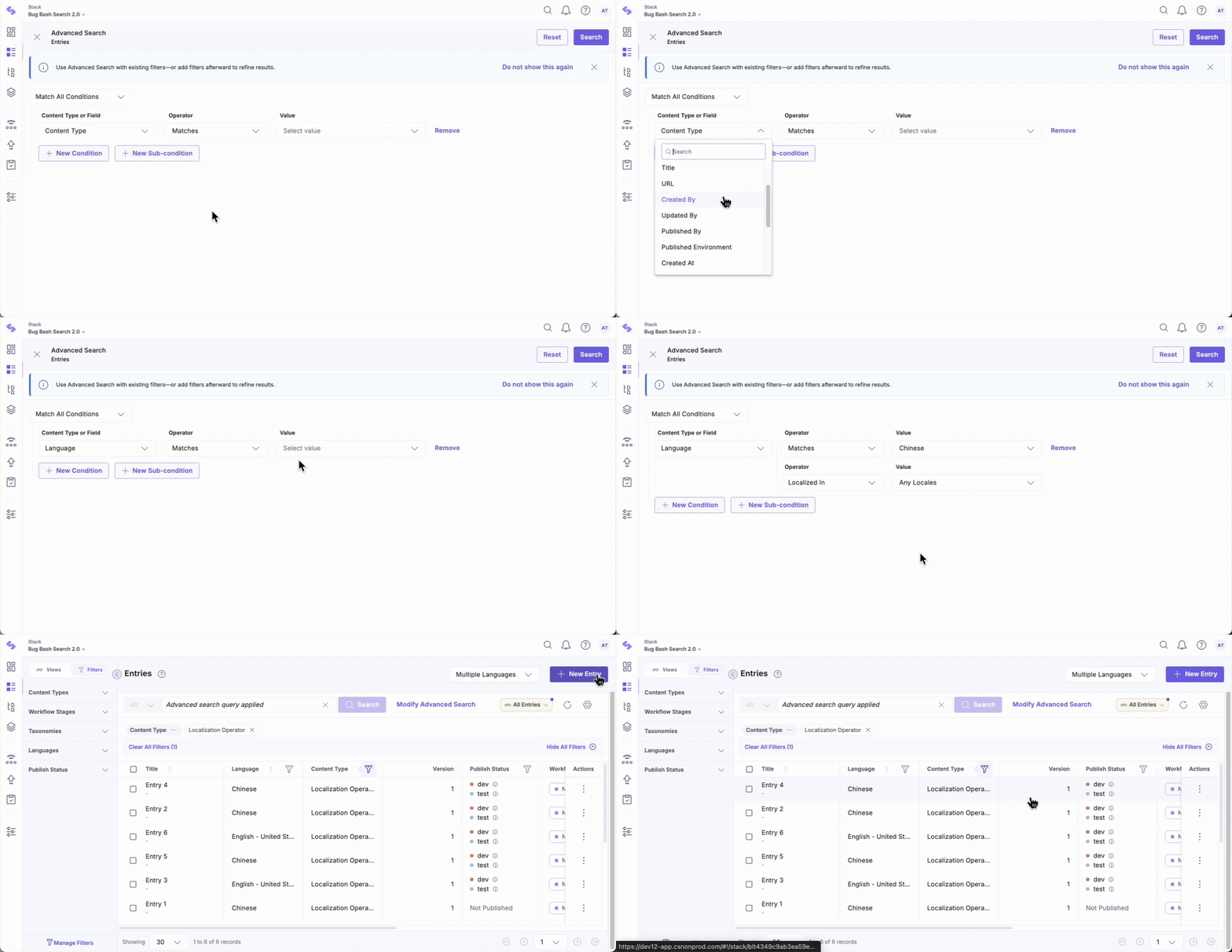
The search result will include the following entry versions:
- Entry 1 (localized in Chinese (China))
- Entry 2 (localized in French (France), since French (France) is the fallback language for Chinese (China))
- Entry 3 (master language [English (United States)])
- Entry 4 (localized in French (France), since French (France) is the fallback language for Chinese (China))
- Entry 5 (localized in Chinese (China))
- Entry 6 (master language [English (United States)])
The results include entries either localized in Chinese or those that could potentially be localized in Chinese but are not yet. For entries not localized in Chinese, the results show the immediate predecessor in the fallback lineage.
So, in the above example, it returned Entry 2 (localized in French), but did not bring Entry 2 (English).
Case 2: Search for entries that are localized only in “Chinese (China)”
To find entries exclusively localized in Chinese (China), access Advanced Search, set the first condition to match "Chinese (China)" language, then add a second condition with "Localized In" operator and "Chinese (China)" value. Finally, execute the search.
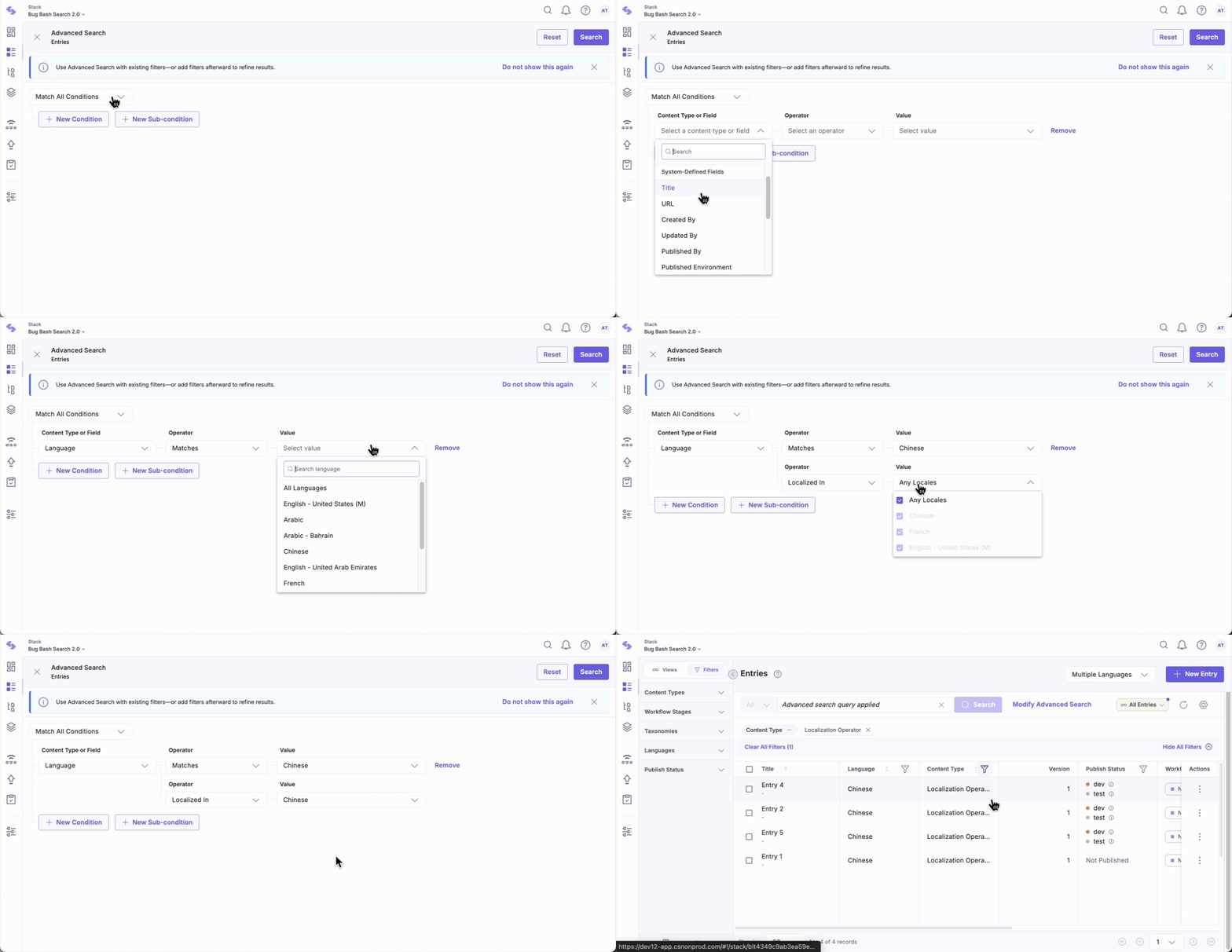
The search result will include the following entry versions:
- Entry 1 (localized in Chinese (China))
- Entry 5 (localized in Chinese (China))
Here, only the entries localized in Chinese (China) appear in the search results.
Case 3: Search for entries yet to be localized in "Chinese (China)"
To find entries that are not yet localized into Chinese (China), access Advanced Search, keep the first condition matching the "Chinese (China)" language, then add a second condition with "Not Localized In" operator and "Chinese (China)" value. Finally, execute the search.
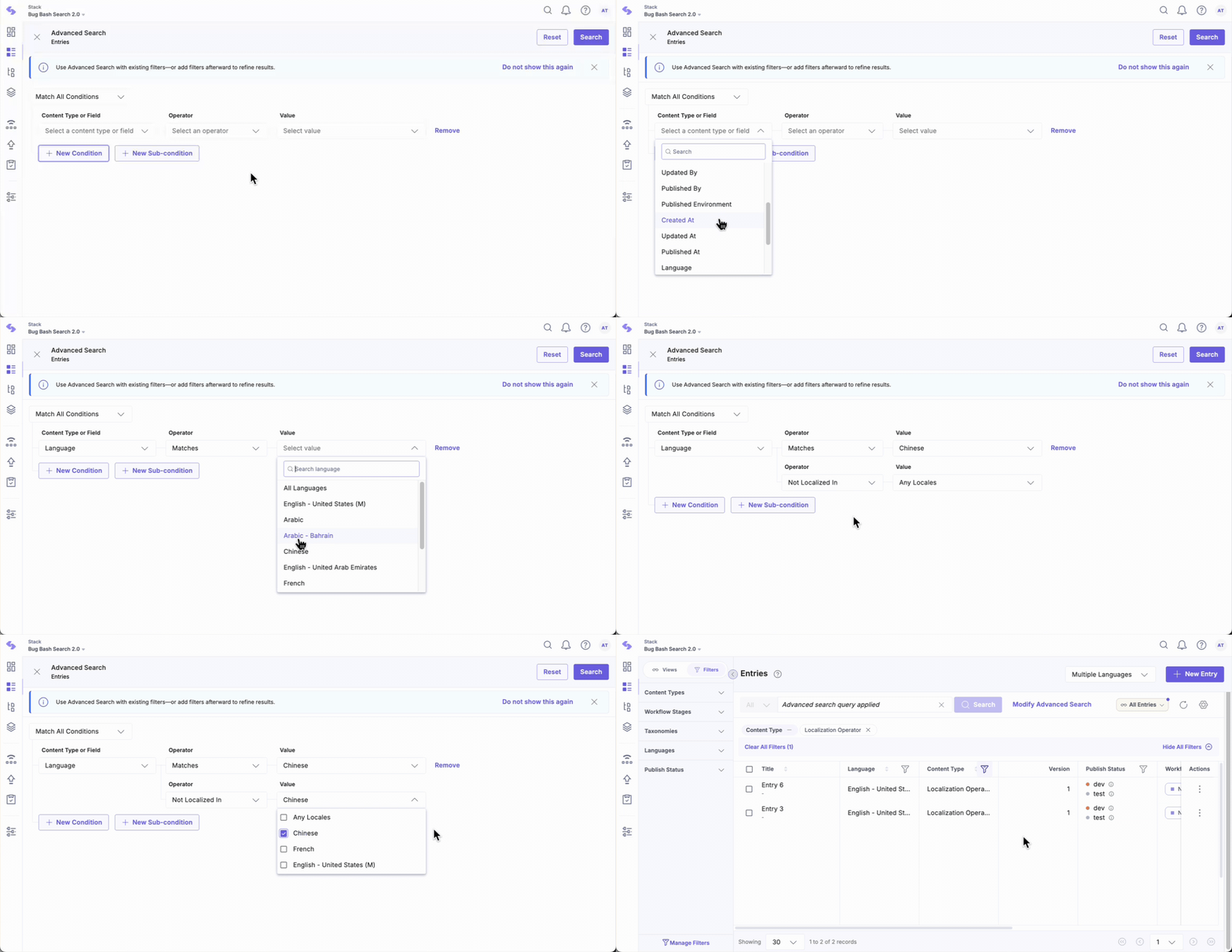
The search result will include the following entry versions:
- Entry 2 localized in French (France)
- Entry 3 master language [English (United States)]
- Entry 4 localized in French (France)
- Entry 6 master language [English (United States)]
Here, all entries except the ones localized in Chinese (China) appear in the search results.
Case 4: Search for entries localized only in "French (France)" within the "Chinese (China)" language entries.
To find entries related to Chinese (China) that are also localized in French (France), access Advanced Search, maintain the first condition matching the "Chinese (China)" language, and then add a second condition using the "Localized In" operator with the value set to "French (France)". Execute the search to get the results.
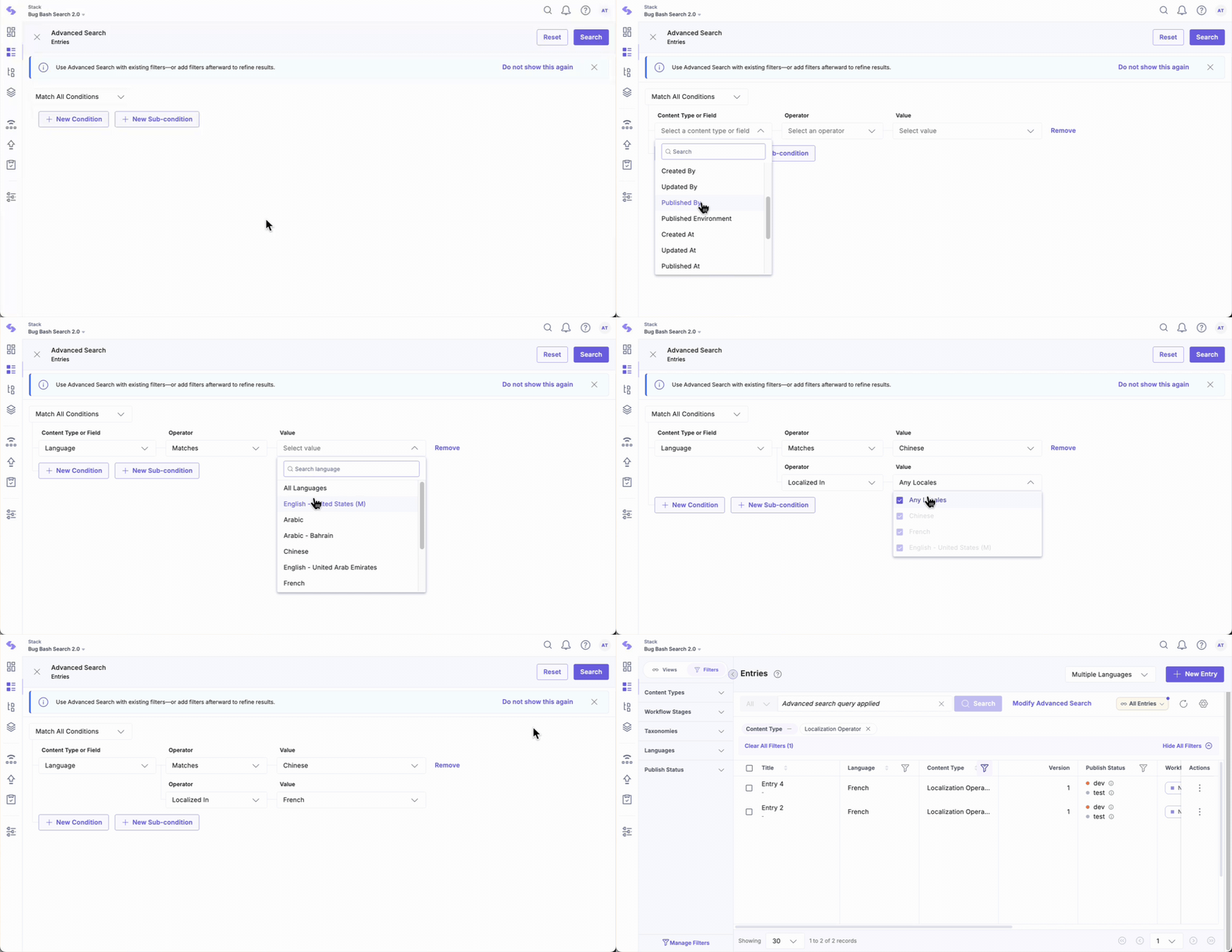
The search result will include the following entry versions:
- Entry 2 localized in French (France)
- Entry 4 localized in French (France)
Here, only the entries present in Chinese (China) language that have been localized in French (France) appear in the search results.
Additional Resource: Learn how localization works in Contentstack.
More articles in "Localization Operator for Language Field in Advanced Search"
