

Understanding Comments in Visual Builder and Preview Sharing
Contentstack offers two distinct commenting features designed to enhance collaboration across different workflows: Visual Builder Discussions and Preview Sharing Comments. While both support content reviews, they cater to different use cases and audiences. Understanding how and when to use each helps teams improve efficiency and clarity throughout the content lifecycle.
Visual Builder Discussions
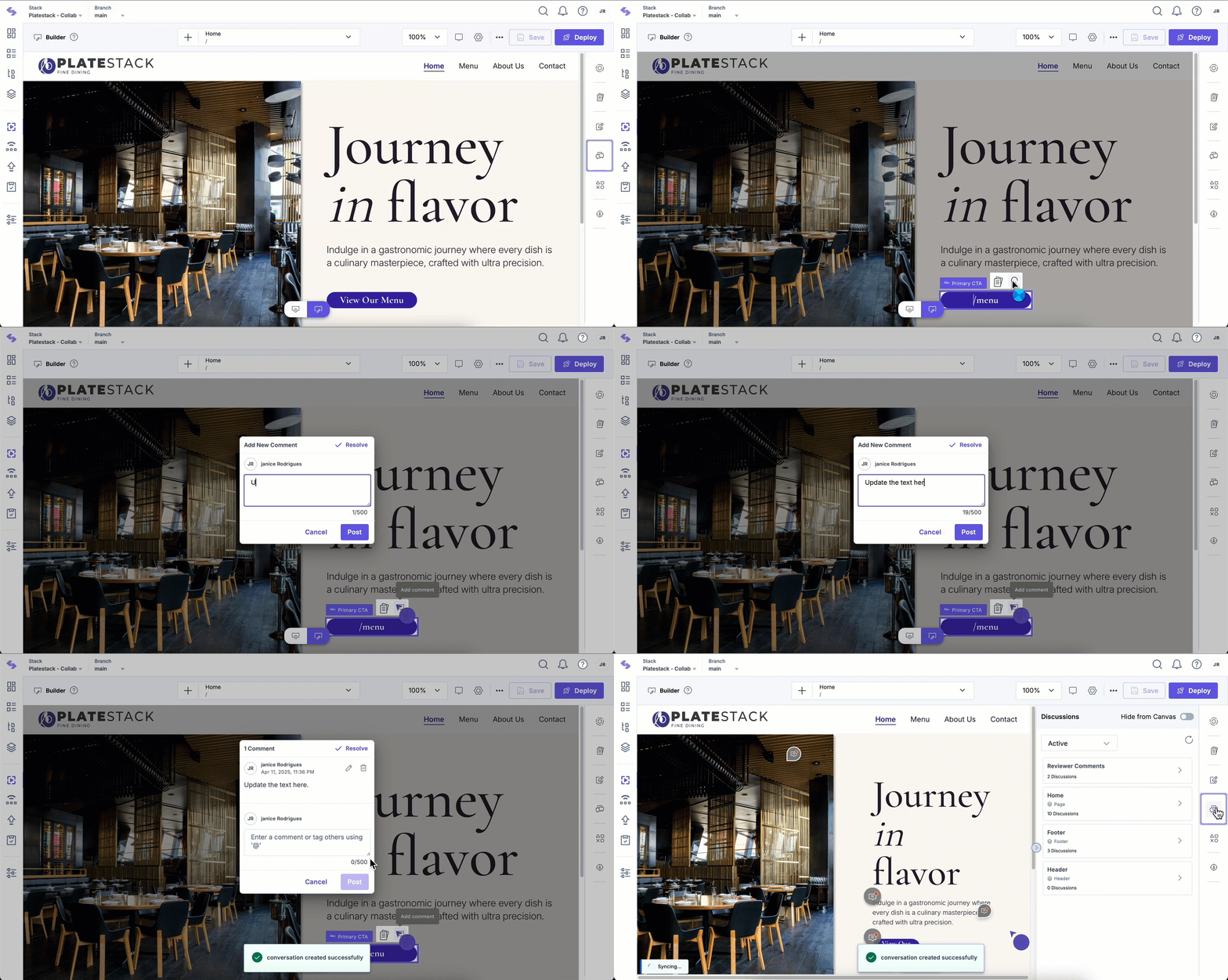
Visual Builder Discussions enable internal teams to provide structured comments to fields in the webpage directly within Contentstack’s Visual Builder interface.
- In-Context Comments: Comment directly on fields, sections, or components.
- For Internal Teams: Designed for content managers, developers, and designers.
- Status Tracking: Mark discussions as Active, Resolved, or view them in the Timeline.
- Quick Access: Use the Show Comments toggle to highlight discussions on the previewed website.
Preview Sharing Comments
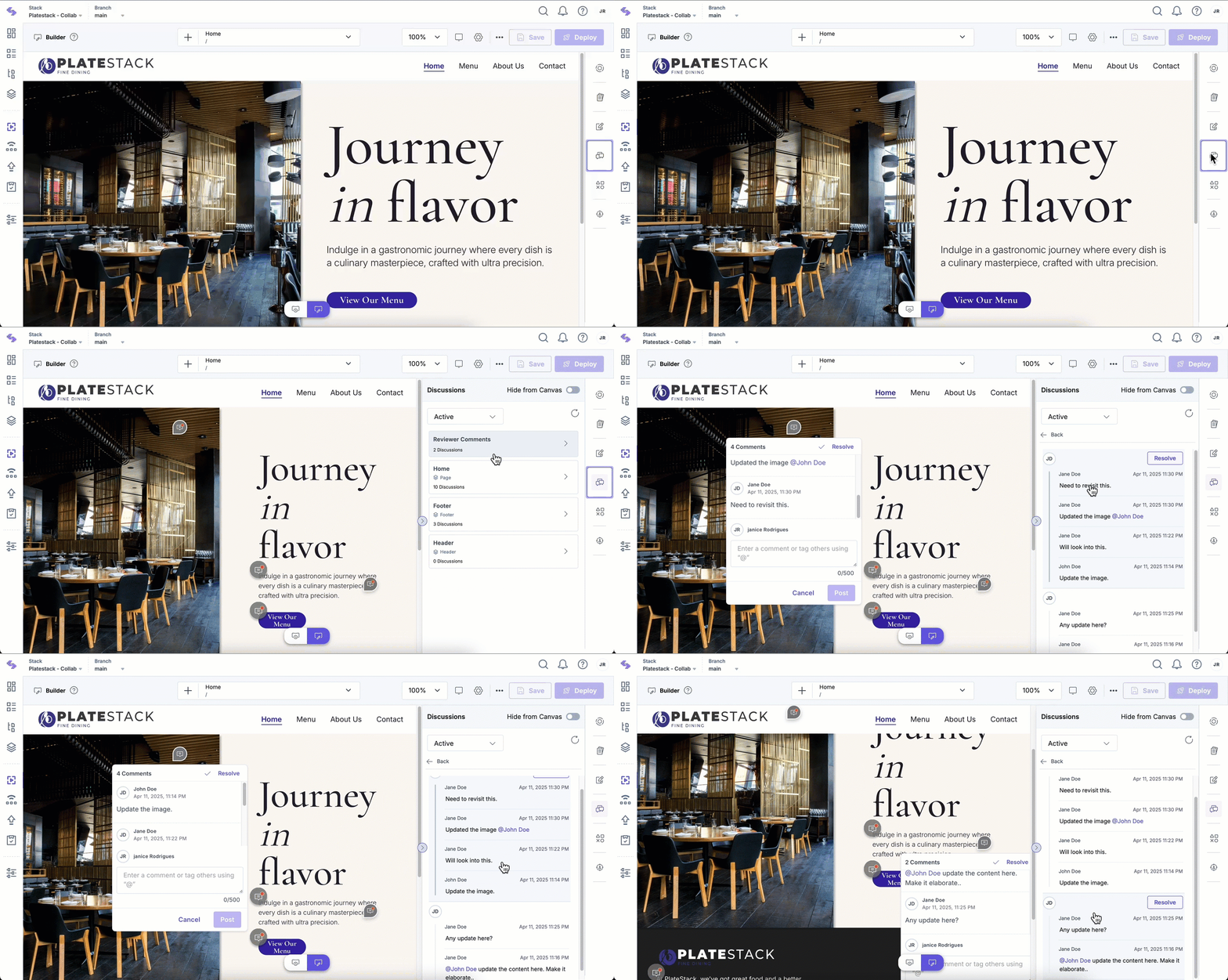
Preview Sharing Comments allow you to share website previews with both internal users and external stakeholders. Internal users are those who have access to Contentstack, while external stakeholders can review and comment on the shared content without needing a Contentstack account. This simplifies collaboration by enabling feedback from all relevant parties, regardless of their access level.
Unlike Visual Builder comments, Preview Sharing comments can be added anywhere on the page, offering greater flexibility for content review and feedback.
- External Collaboration: Collect comments from clients, partners, and other reviewers via a public preview link.
- Content-Oriented Comments: Focuses on content accuracy, messaging, structure, and user experience rather than design elements.
- Threaded Comments: Enables conversations within a comment thread to keep discussions organized.
- Limited Access: External reviewers have read-only access and cannot make changes to content.
- Expiration Control: Preview links can be set to expire for security and review management.
Key Differences
Feature | Visual Builder Discussions | Preview Sharing Comments |
Purpose | Internal content structuring and design discussions | Internal and External review |
Access and Visibility | Available within Visual Builder | Publicly accessible via preview links |
Users | Internal teams (content managers, developers, designers) | Internal and External stakeholders (clients, partners, reviewers) |
Comment Type | Field-level comments tied to components | General comments anywhere on the page |
Resolution Tracking | Discussions can be marked as resolved and viewed in the Timeline | Comments can be resolved and tracked in the Discussions panel |
When to Use Each Feature
- Use Visual Builder Discussions when you are refining the structure, layout, or design elements of a page with your internal team.
- Use Preview Sharing Comments when collecting overall feedback from internal stakeholders and external reviewers such as clients or partners.
By leveraging both features appropriately, teams can ensure efficient collaboration, clear comment management, and a smooth content review process.
More articles in "Work with Preview Sharing"
