

Add a Review Comment
Reviewers can provide feedback by adding comments to specific sections of the shared content. This feature promotes collaboration and ensures that all stakeholders contribute to content refinement.
Note: Ensure that a preview of the content has been shared. Refer to the Share a Preview document for more information.
To add a review comment, perform the following steps:
- Open the shared preview link from your email.
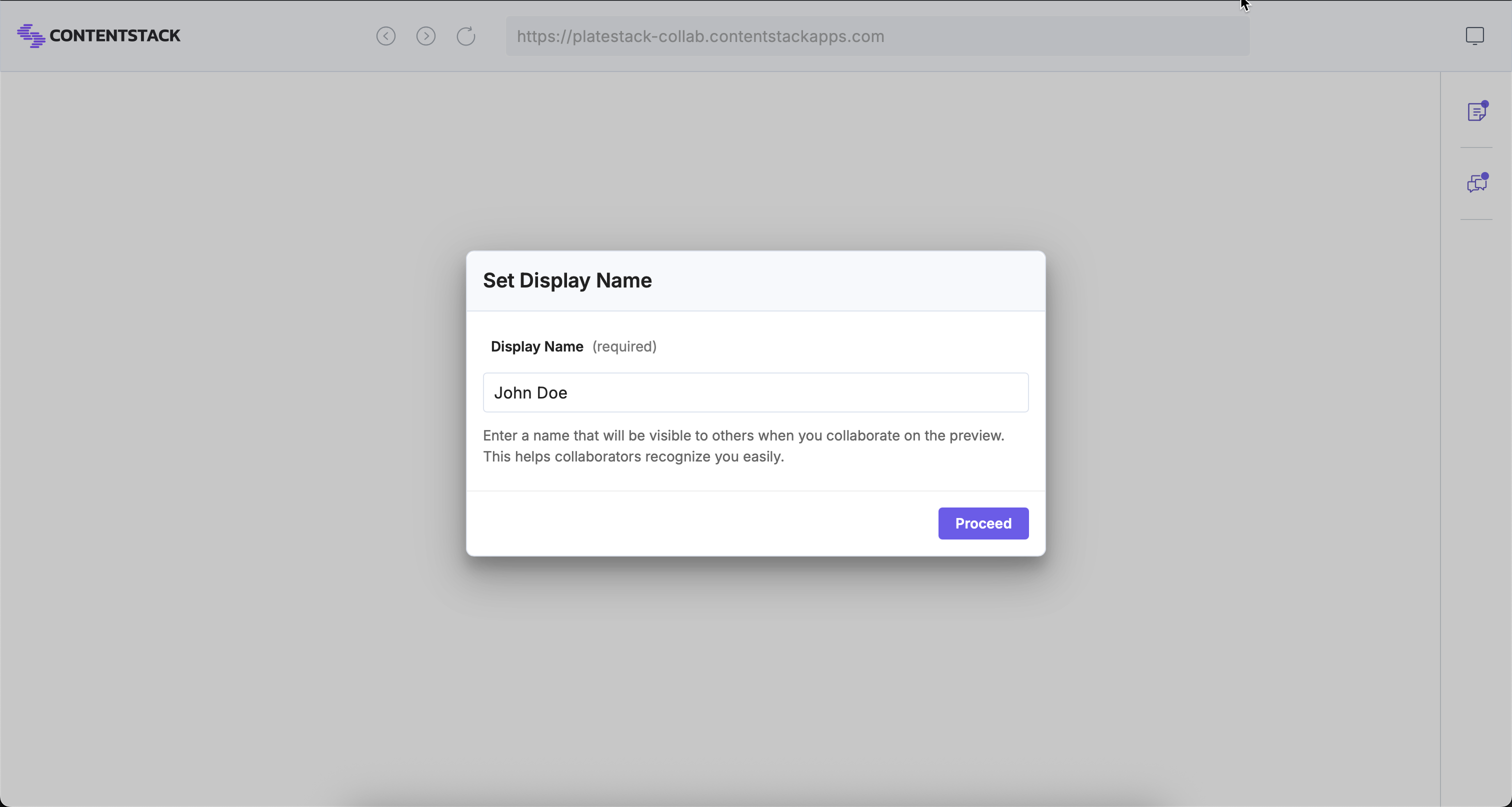
Note: When sharing a preview with external users who are not added to the stack or do not have a Contentstack account, they will be prompted to enter a display name before they can view or comment on the content.
- Click the section where you want to add feedback.
- In the Add New Comment modal, enter your comment.
- Click Post to submit your comment.
Note: The maximum length of a comment is 500 characters.
- To edit a comment you’ve posted, click the Edit icon, make your changes, and then click Update to save them.
- To delete a comment, click the Delete icon.
Note: If your comment is the only one in a discussion thread and you delete it, the entire thread will be removed. Deleted comments cannot be recovered.

After you add a comment, a discussion thread is created in the Discussions panel. Team members can reply, continue the conversation, or mark comments as resolved as needed.
More articles in "Work with Preview Sharing"
