

Deploy a Release
Deploying a release performs the selected action (publish or unpublish) on the items of that release associated with a specific environment.
So, for instance, let’s assume that you have added five items to a release (3 for publishing and 2 for unpublishing). When you deploy this release, the three items added with the publish action will be published, and the two with the unpublish action will be unpublished, all at once.
To deploy a release, log in to your Contentstack account and follow these steps:
- Go to your stack and click the “Releases” icon in the left navigation panel. Or, press “alt + R” for Windows and “option + R” for Mac.
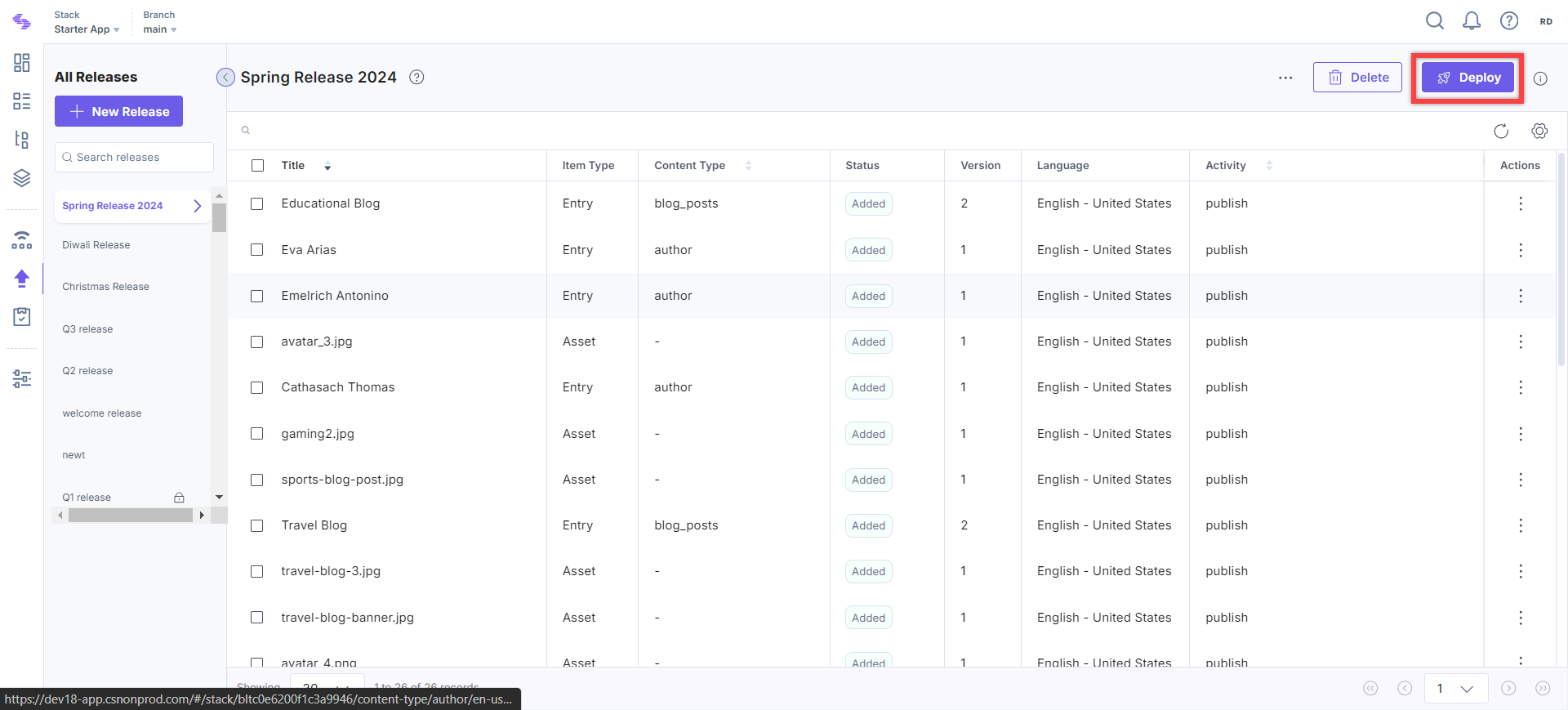
- Select the release you want to deploy in the left panel and click the Deploy button located at the top.
Note:
- You can update the release items to their latest versions before you deploy the release. Refer to our Update Release Items to their Latest Versions documentation for more information.
- If a content type or global field is updated after an entry was created (for example, a new required field is added), Contentstack validates the entry against the latest configuration when you publish. If any required field is empty, the entry cannot be published until you complete it.
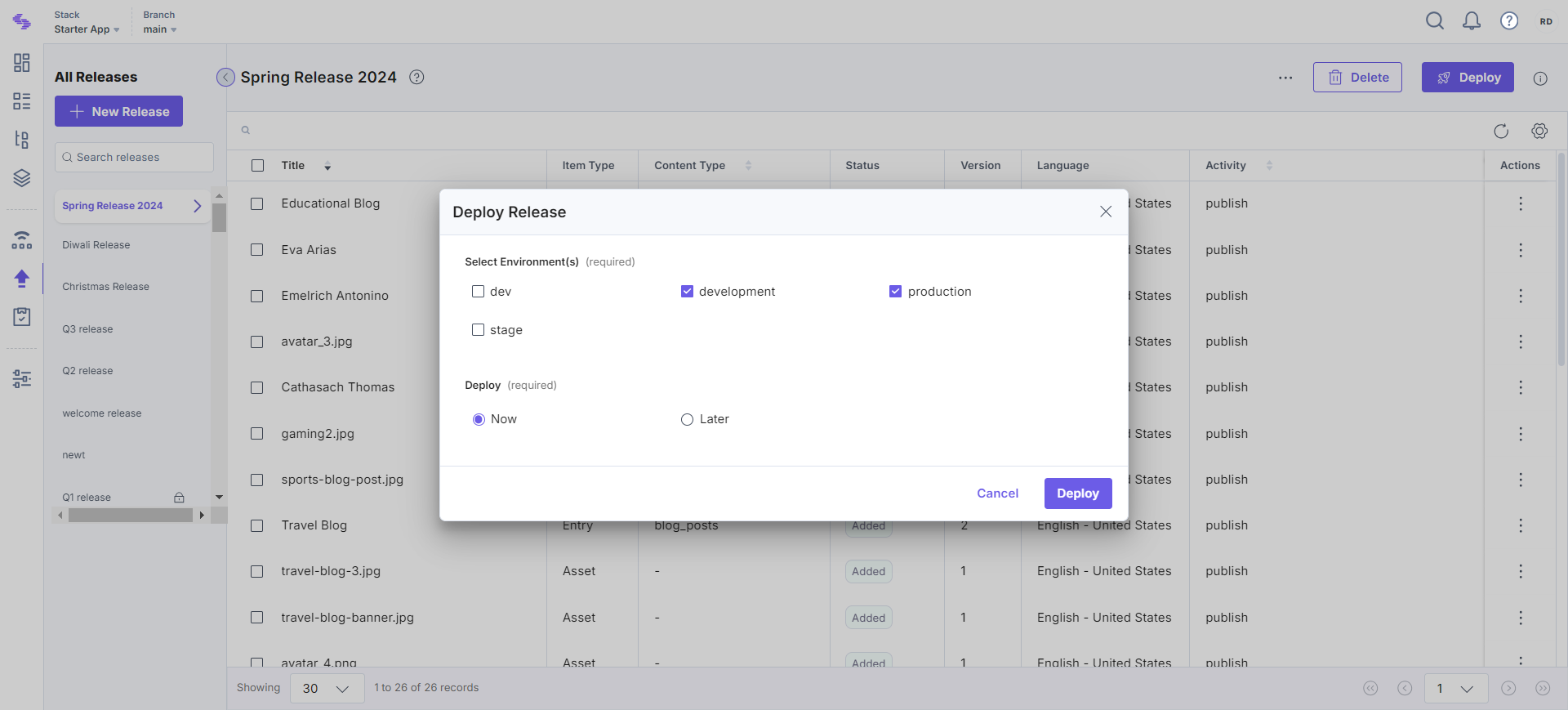
- In the Deploy Release window, you will get the following options:
- Select Environment(s): Choose the environment(s) in which you want to deploy the release.
- Deploy: Select if you want to deploy the release Now or Later.
If you select Now, Contentstack will immediately deploy all the added items in the specified environment.
If you select Later, you need to specify the Date and Time at which the release should be deployed, along with your time zone.
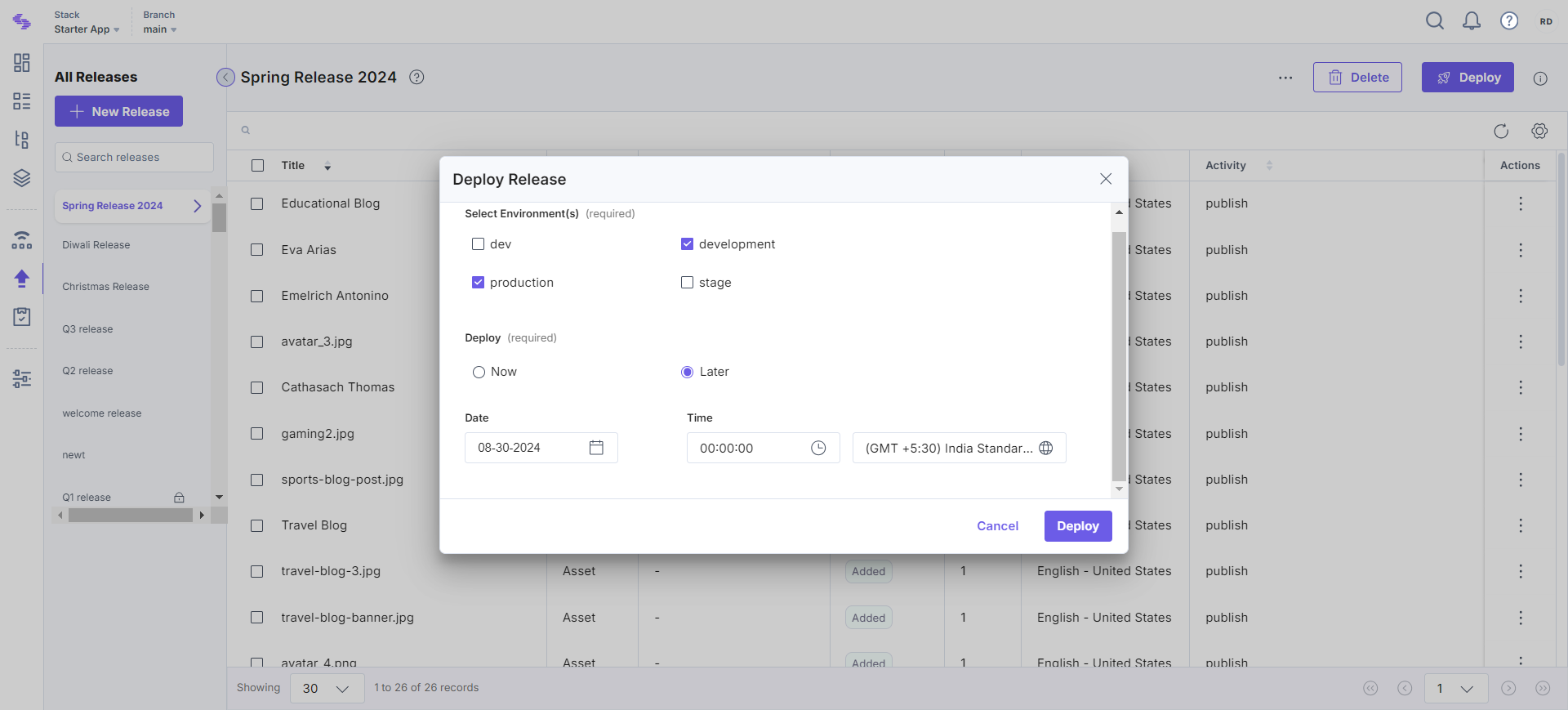
Note: The deployment date cannot extend beyond 12 months when scheduling a release.
- Finally, click Deploy.
- Once you deploy a release in an environment, all the items within are locked. You can unlock the release and make the necessary changes.
- Every deployed release can be rolled back. Rolling back creates a rollback release that, when deployed, reverts the release’s entries and assets to the version published before deployment. Refer to the Roll Back a Release document.
API Reference
To deploy the Release via API, refer to the Deploy a Release API request.
More articles in "Work with Releases"
