

Update Release Items to the Latest
Contentstack allows you to update items (assets and entries) in a release to the latest. This feature helps you publish up-to-date content whenever you deploy the release to an environment.
Note: For older releases, you can only update all items in the release to the latest. Individual items cannot be updated for older releases. Reach out to our support team to enable the new release feature for your organization.
If an unlocalized entry that is part of the release has been localized later, you can update the entry to its latest localized version. For example, if an unlocalized entry was added to a release and later was localized to the French (France) language, the release gets updated with the localized French version of the entry.
Note: You cannot update the release items if the updated version of an entry has new references. The references are not automatically added to the release. You need to add them manually.
To update the release items to their latest versions, log in to your Contentstack account and follow these steps:
- Go to your stack and click the “Releases” icon in the left navigation panel. Or, press “alt + R” for Windows and “option + R” for Mac.
- Hover over the release you want to unlock in the left panel.
- Click the “Update All Release Items” icon from the popup. Alternatively, click the horizontal ellipsis in the top right corner and click Update All Release Items.
- In the Update All Release Items modal, click Update to update the assets and entries of the release to the latest.
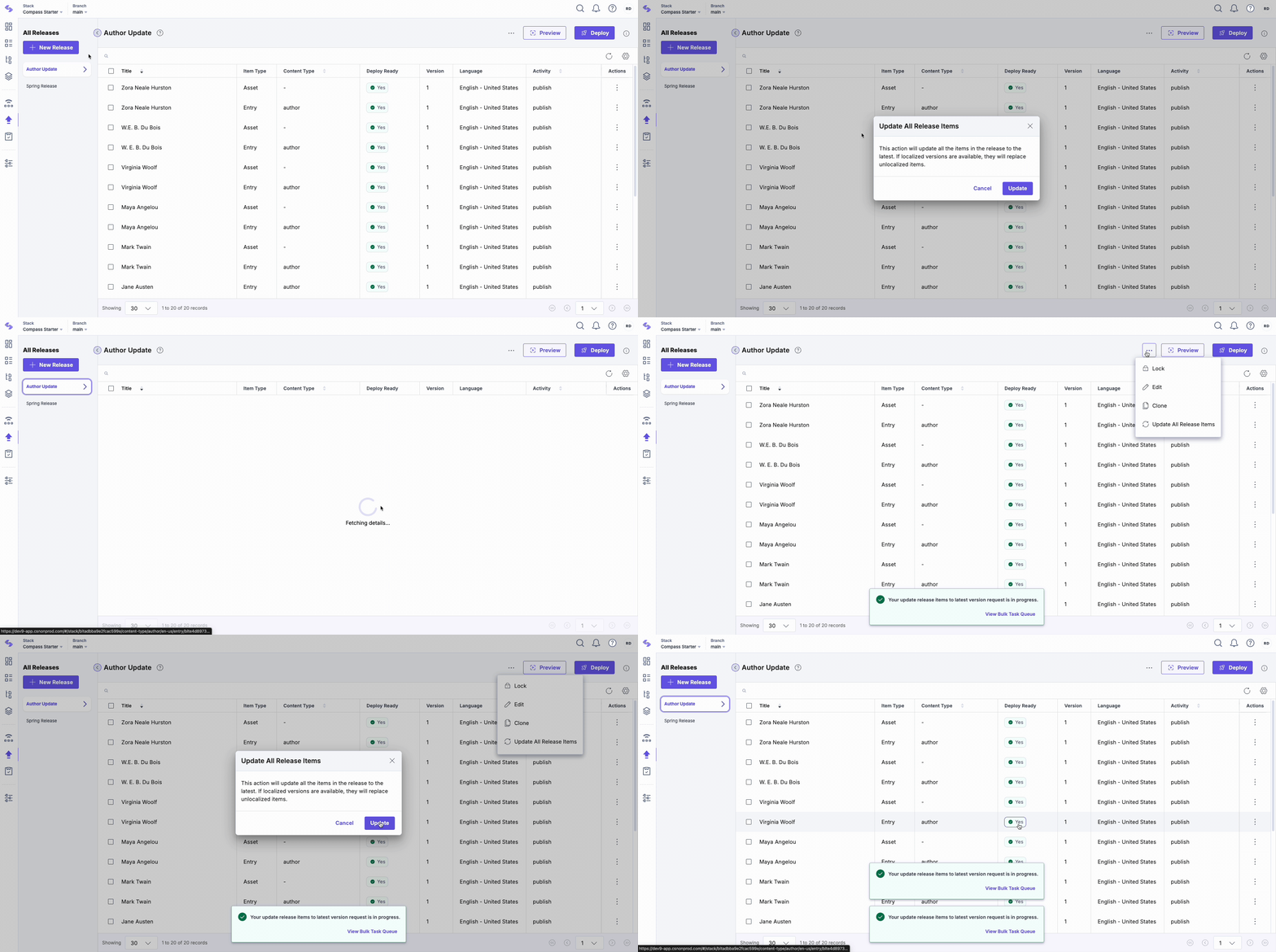
To bulk update release items to their latest, follow these steps:
- Use the checkboxes to select the entries you want to add to a release.
- Once you have selected the items, a floating panel will appear on the page. Click the Update Release Item(s) option in this panel.
- In the Update Release Item(s) modal, click Yes, Proceed to update the selected items to their latest.
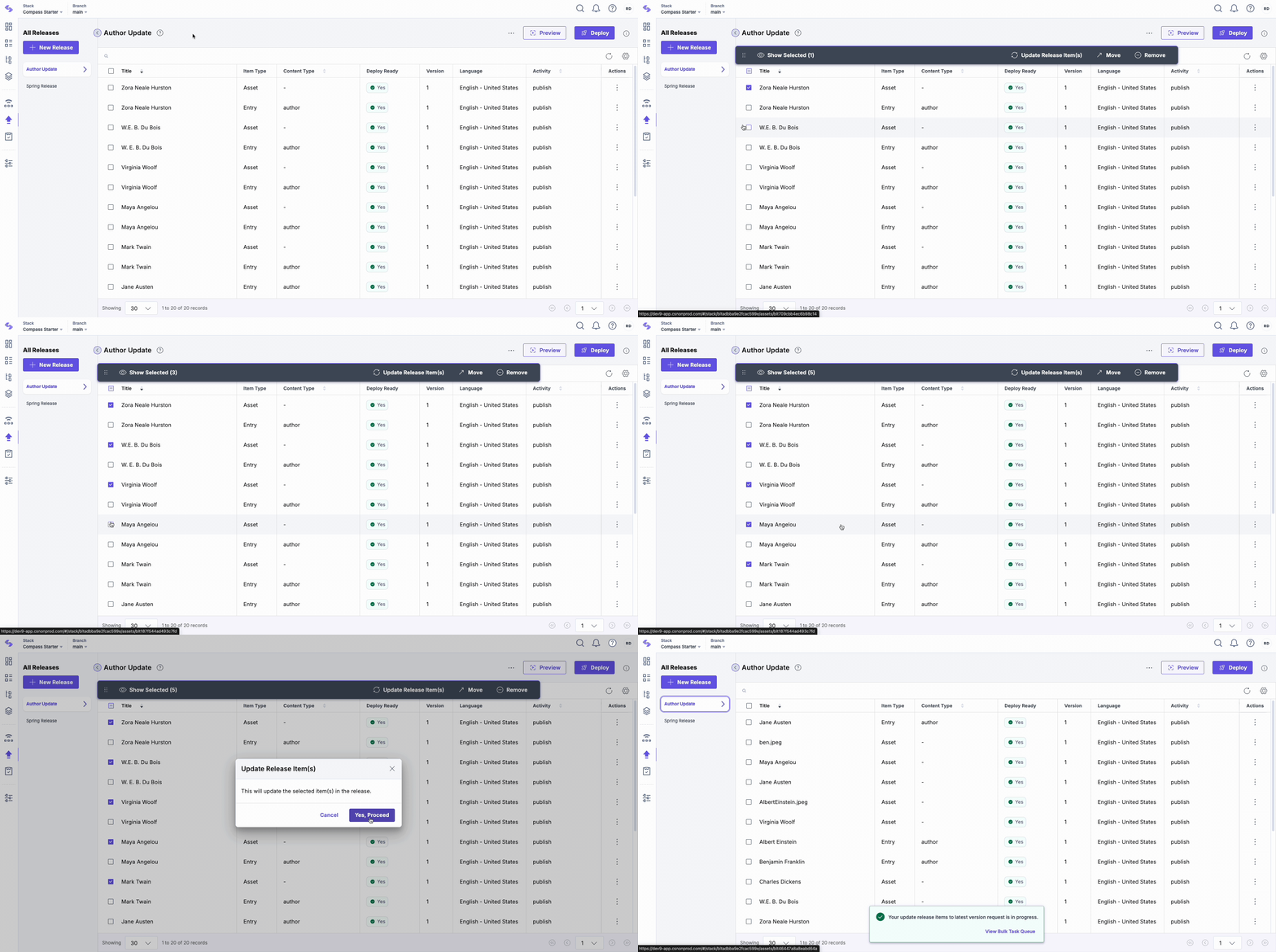
Note: If the release is locked, you can unlock and then update the release items to their latest versions.
API Reference
To update release items to their latest versions via API, refer to the Update Release Items to their Latest Versions API request.
More articles in "Work with Releases"
