

User Permissions
In Contentstack Personalize, 'users' are anyone who has been granted access to work on a project. These users can either contribute to the project's content and functionality or manage the project settings.
To control what each user can do, Contentstack Personalize utilizes 'roles.' These roles determine the specific actions a user is allowed to perform within the project based on their assigned level of access.
Essentially, roles define the boundaries of a user's permissions and responsibilities.
Roles and Capabilities
| Roles | Capabilities |
|---|---|
| Organization Owner/Admin | Full access to all actions and settings at the organization level, including the ability to manage the project and its resources (Experiences, Audiences, Attributes, and Events). |
| Project Owner | Full access to all actions and settings at a project level, to manage the project and its resources (Experiences, Audiences, Attributes, and Events). |
| Project Member | Can view projects but cannot manage project-level settings. Can create, update, or delete resources (Experiences, Audiences, Attributes, and Events). |
User Permissions
The following table outlines the permissions for each role across various resources:
| Resources | Actions | Org Owner/Admin | Project Owner | Project Member |
|---|---|---|---|---|
| Project | Create | check_circle | check_circle | cancel |
| Update | check_circle | check_circle | cancel | |
| Connect/Disconnect stack | check_circle | check_circle | cancel | |
| Delete | check_circle | check_circle | cancel | |
| Users | Invite | check_circle | check_circle | cancel |
| Remove | check_circle | check_circle | cancel | |
| Experiences | Create | check_circle | check_circle | check_circle |
| Update | check_circle | check_circle | check_circle | |
| Delete | check_circle | check_circle | check_circle | |
| Experience Versions | Create | check_circle | check_circle | check_circle |
| Update | check_circle | check_circle | check_circle | |
| Delete | check_circle | check_circle | check_circle | |
| Audiences | Create | check_circle | check_circle | check_circle |
| Update | check_circle | check_circle | check_circle | |
| Delete | check_circle | check_circle | check_circle | |
| Attributes | Create | check_circle | check_circle | check_circle |
| Update | check_circle | check_circle | check_circle | |
| Delete | check_circle | check_circle | check_circle | |
| Events | Create | check_circle | check_circle | check_circle |
| Update | check_circle | check_circle | check_circle | |
| Delete | check_circle | check_circle | check_circle |
Managing Users
To manage users in a Personalize project, you must be an Organization Owner or Organization Admin or a Project Owner.
Invite a User to the Project
To invite a user to a Personalize project, follow the steps below:
- Log in to your Contentstack account.
- In the top navigation bar, click the App Switcher icon and then click Personalize.
- On the Personalize landing page, click the preferred project.
- From the top panel, click the Settings icon.
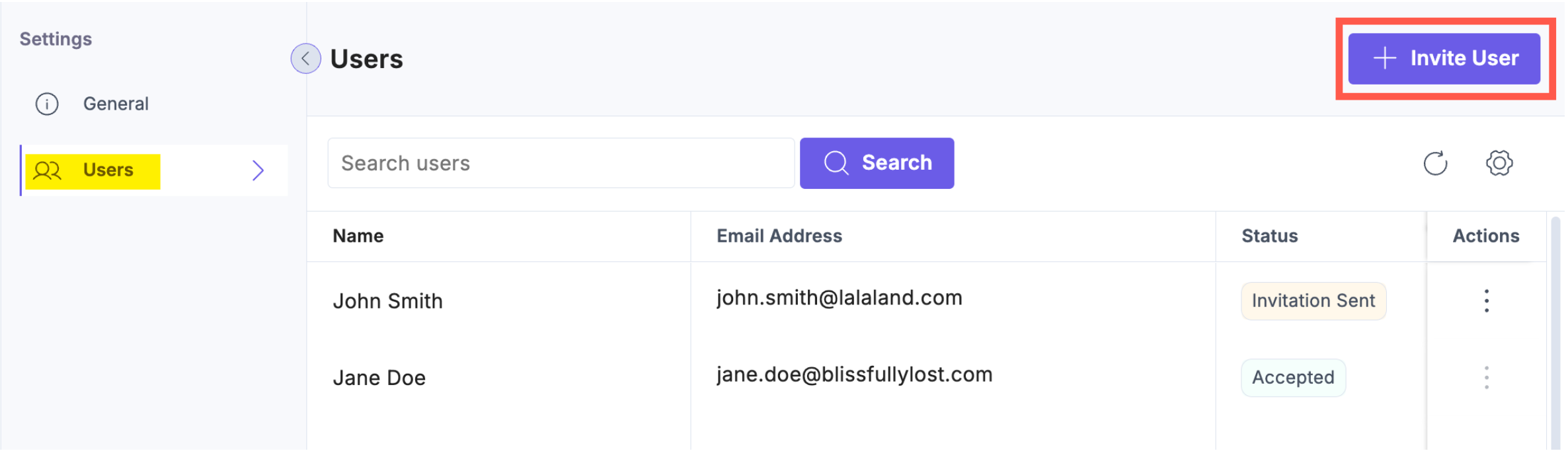
- In the Users section, click the + Invite User button.
- In the Invite User modal, enter the user's email address and an optional message for the invitee and then click Invite to send the invitation.
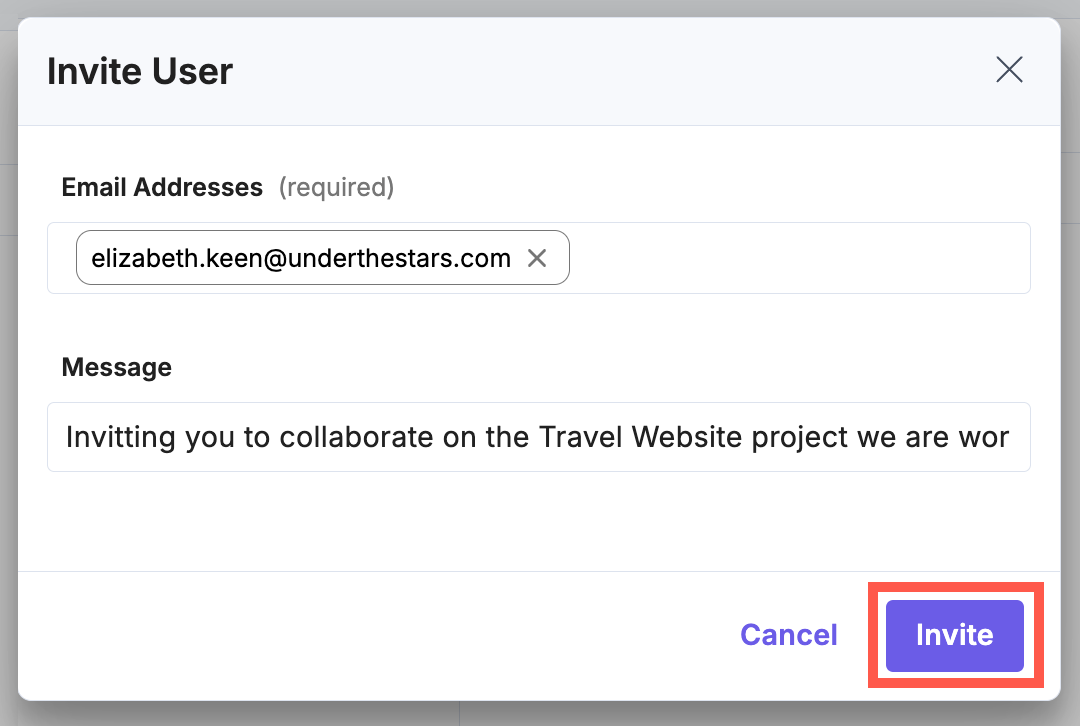
You can invite multiple users by entering their email addresses.The invited user will receive an email. Once they accept the invite and are authorized, their status will update to Accepted.
Remove a User from the Project
To remove a user from a project, follow the steps below:
- Go to the preferred project and click the Settings icon from the top navigation panel.
- In the Users section, locate the user you want to remove.
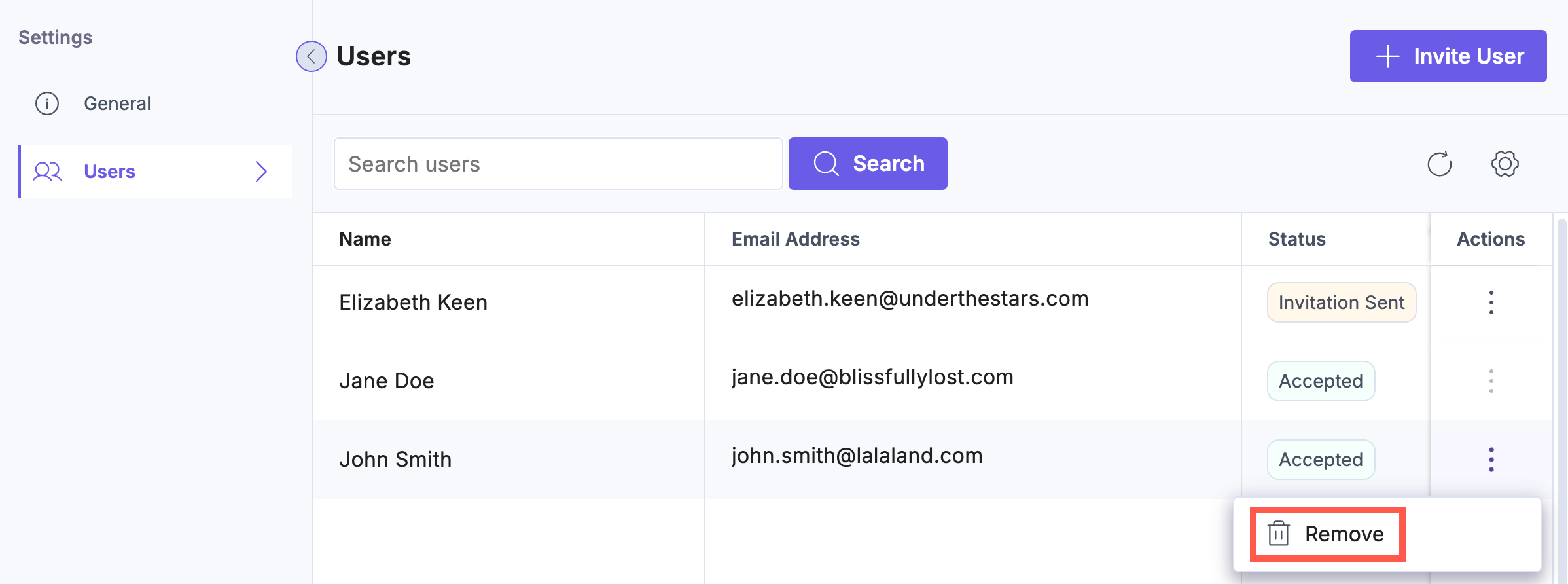
- Click the vertical ellipses under Actions and click Remove.
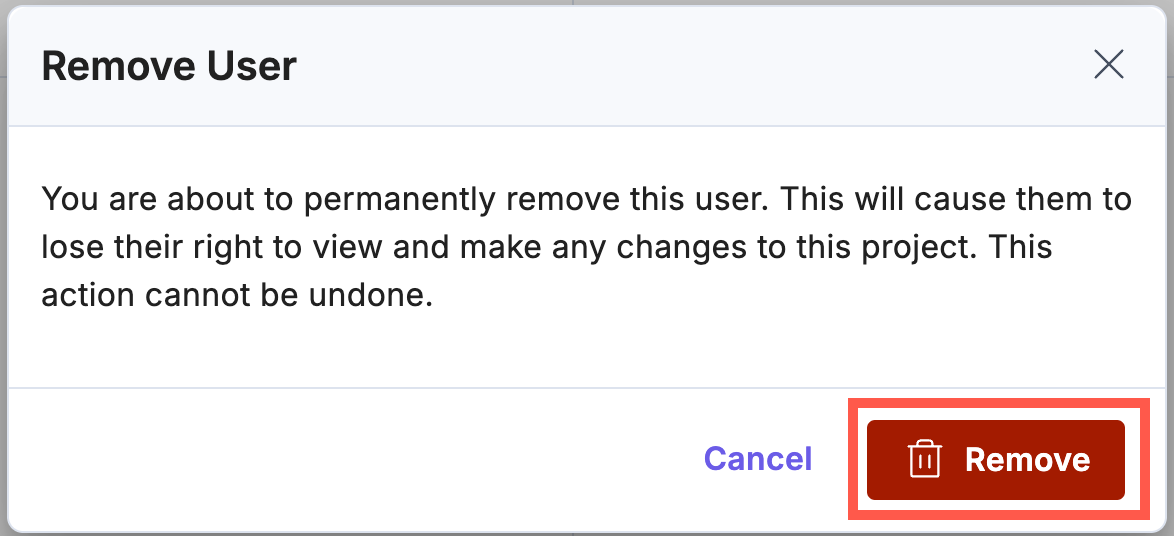
- Click the Remove button to successfully remove the user.
More articles in "Personalize Key Concepts and Features"
