

Monitor Stack Activities in Audit Log
The Audit Log page helps teams review content updates, user actions, and system changes, aiding in troubleshooting, compliance, and auditing.
To access the audit logs, log in to your Contentstack account and perform the following steps:
- Go to your stack and click the “Settings” icon or use the shortcut key “S” (for both Windows OS and Mac OS users).
- Click the Audit Log tab or use the shortcut key “alt + A” for Windows OS users, and “option + A” for Mac OS users.
The Audit Log page provides the following details of the events that occurred within the stack:
- Date: Displays the date and time of the event.
- Action: Specifies the action performed, such as create, update, delete, etc.
- Module: Identifies the module affected, such as Content Type, Entry, Asset, etc.
- Title: Specifies the title of a particular module.
- Information Icon (i):
- Entry Module: Shows Content Type, version, and language details.
- User Module: Displays assigned roles for users.
- Information Icon (i):
Remote Address: Specifies the IP address of the node where the event occurred.
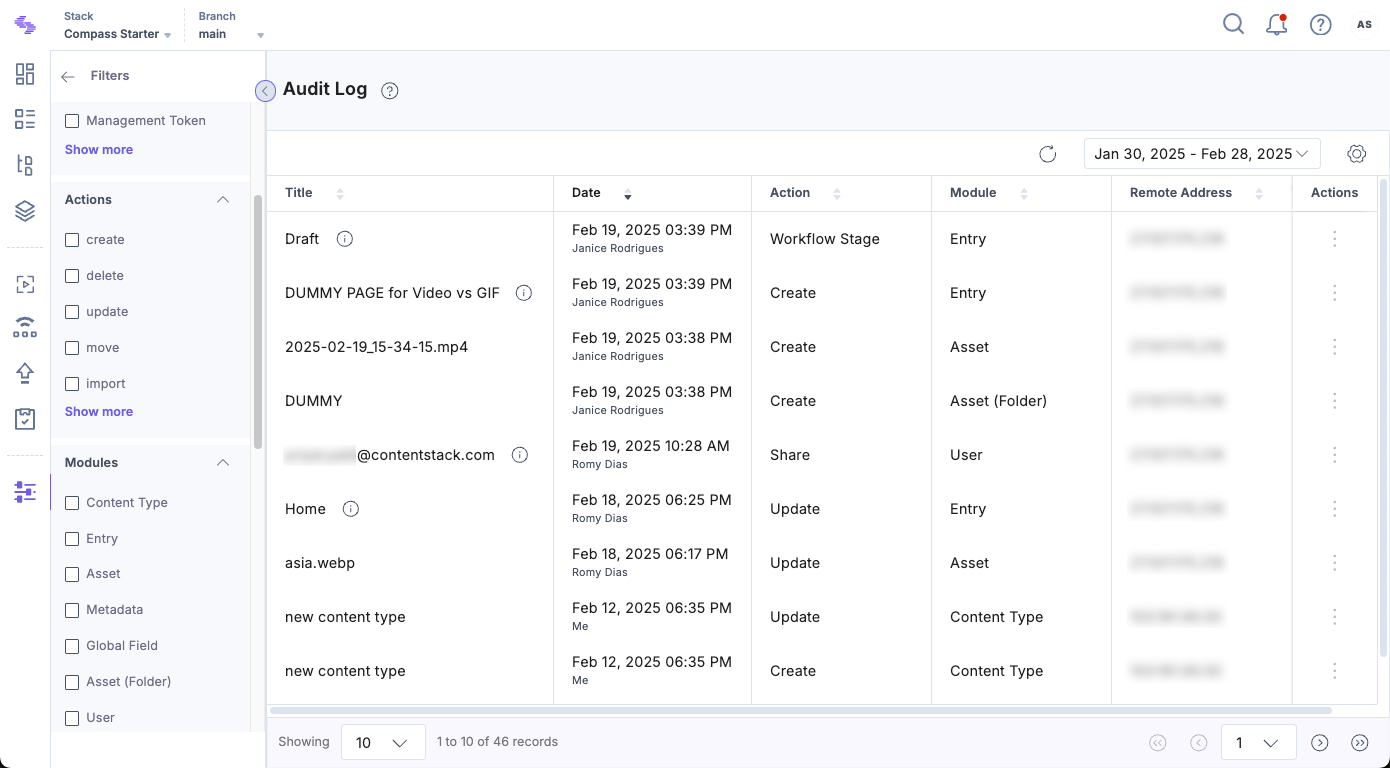
The audit log helps track all published items, updates, deletions, and the current status of existing content.
Note: Audit logs are branch-specific, showing activity logs for the branch you are working in. For example, if you work in the development branch, you see audit logs only for that branch. Refer to our Branch-specific Modules document for more details.
Filter Audit Log
By default, the Audit Log displays events in reverse chronological order. You can apply filters to refine the results and display only the required information.
Applying Filters
You can filter the audit logs using the options in the Filters section in the left panel. The available filters include:
- Users: View events performed by specific users.
- Actions: Filter by event type (e.g., create, update, delete).
- Modules: Display logs for specific modules like Content Types, Entries, or Assets.
- Languages: View logs based on language-specific activities.
- Content Types: Filter logs related to specific Content Types.
To apply a filter, select the desired options from the available filters. If you want to remove all selections and return to the default view, click Reset filters.
Filter by Date
By default, the audit log displays data for the past 7 days. You can change the date range to:
- Last 1 day
- Last 7 days
- Last 14 days
- Last 30 days
- Custom Date Range: Set a specific period for log analysis.
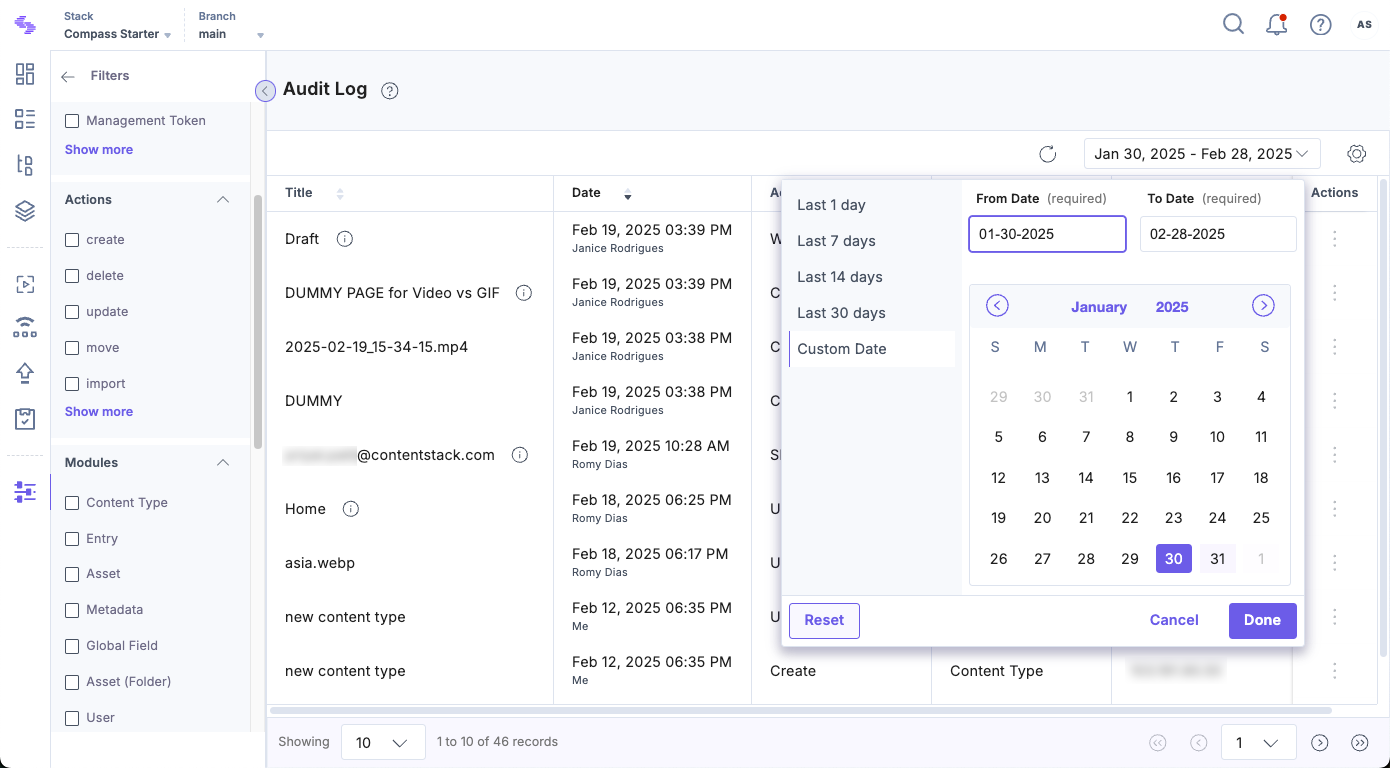
Applying filters lets you focus on relevant events and streamline audit log analysis.
Types of Audit Logs
The Audit Log tracks and displays all the events performed in a stack. The following table lists the different types of events recorded:
| Modules | Events |
|---|---|
| Stacks |
|
| Branches |
|
| Content Type |
|
| Global Fields |
|
| Labels |
|
| Entries |
|
| Entry Comments and Discussions |
|
| Assets |
|
| Additional Metadata For Entries and Assets |
|
| Bulk Operations |
|
| Extensions |
|
| Releases |
|
| Environments |
|
| Languages |
|
| Webhooks |
|
| Roles |
|
| Users |
|
| Delivery Tokens |
|
| Workflows |
|
| Publish Rules |
|
| Trash |
|
