

Edit a Stack
You can update a stack’s details to keep your workspace organized and aligned with your project’s needs.
Note: Only the Stack Owner or Admin can edit a stack.
To edit a stack, log in to your Contentstack account and perform the following steps:
- Navigate to your stack and click the “Settings” icon in the left navigation panel or use the shortcut key “S” (for Windows and Mac OS users).
- In the General section, modify the stack’s Name and Description.
- Click Save to confirm your changes.
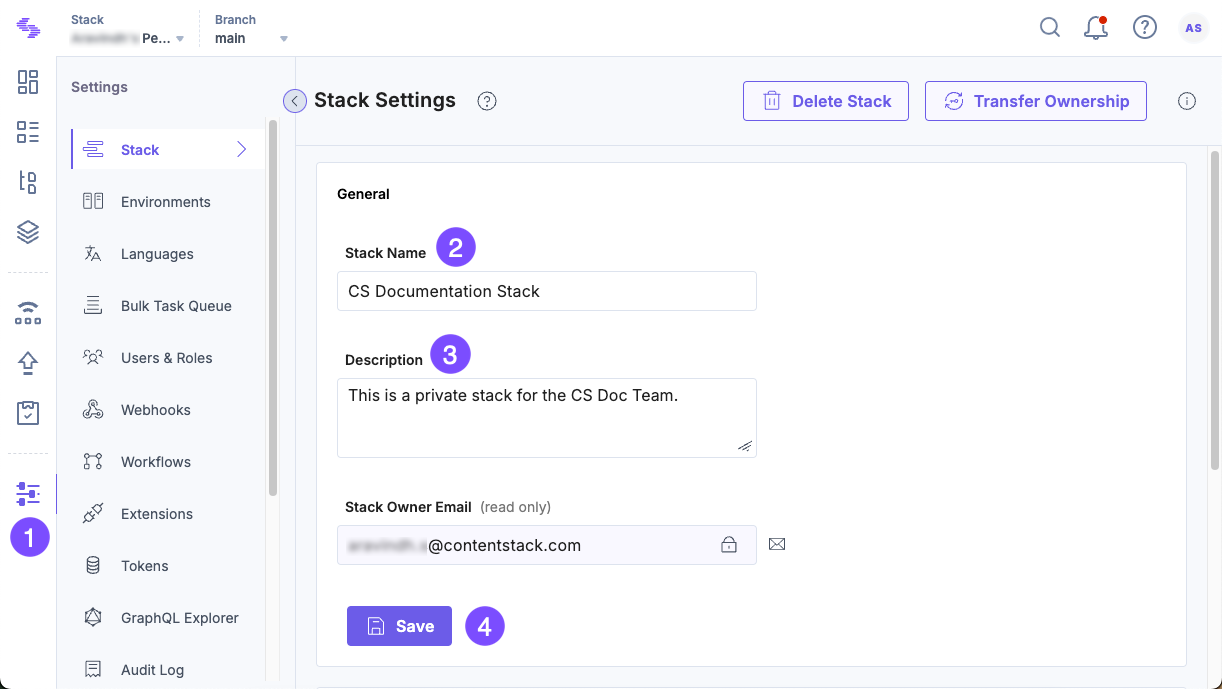
These updates help ensure your stack remains up-to-date.
After updating the stack settings, you can view the Last Modified timestamp on the stack card in the “Stacks” view.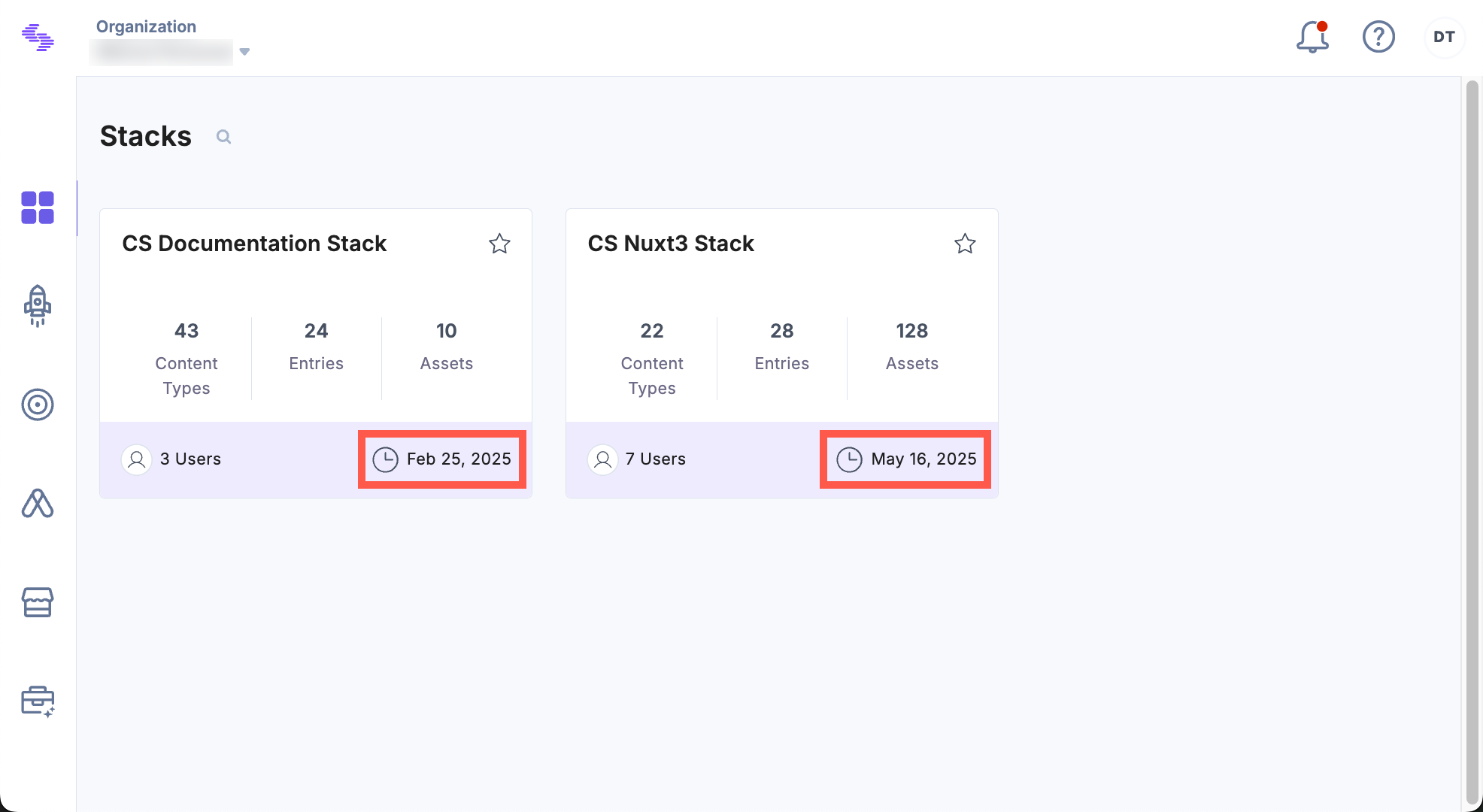
API Reference
To edit a stack via API, refer to the Update a Stack API request.
Was this article helpful?
More articles in "Work with Stacks"
