

Delete a Stack
Deleting a stack removes all associated entries, assets, and settings. This action cannot be undone. Back up any critical data to prevent unintended data loss.
Note: Only the Stack Owner can delete a stack.
To delete a stack, log in to your Contentstack account and perform the following steps:
- Go to your stack and click the “Settings” icon in the left navigation panel or use the shortcut key “S” (for Windows and Mac OS users).
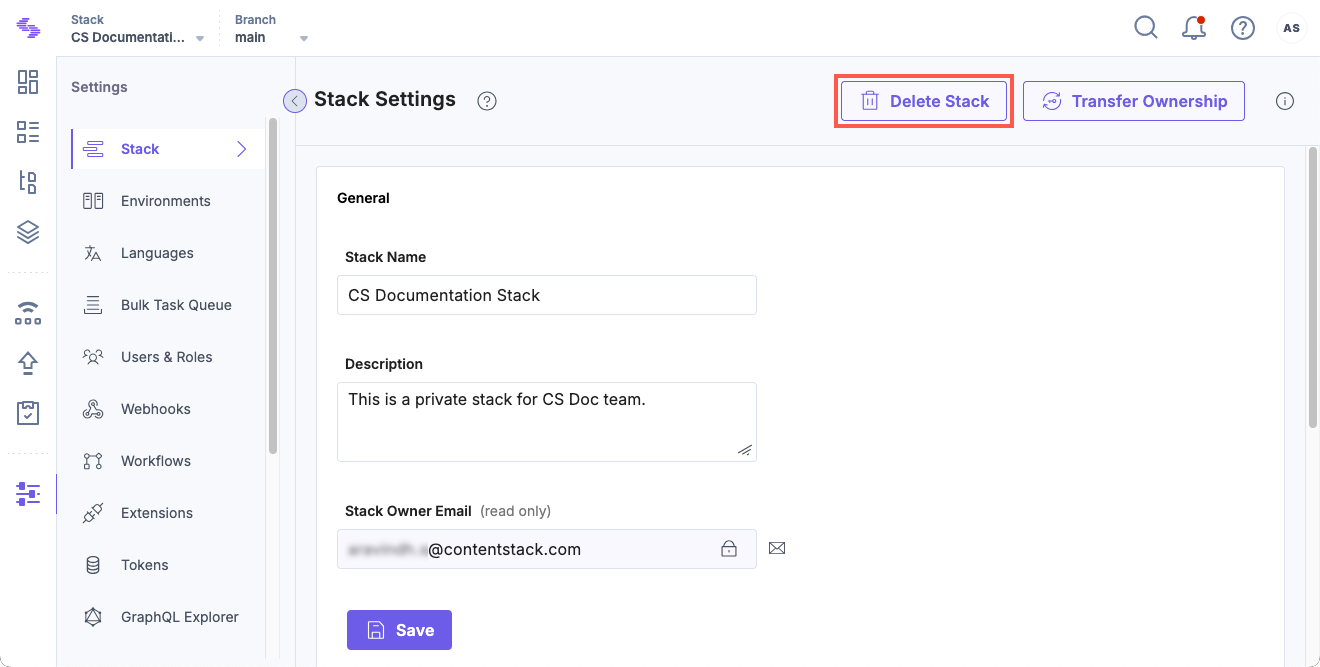
- On the Stack Settings page, click Delete Stack.
- In the Delete Stack modal, enter DELETE to confirm.
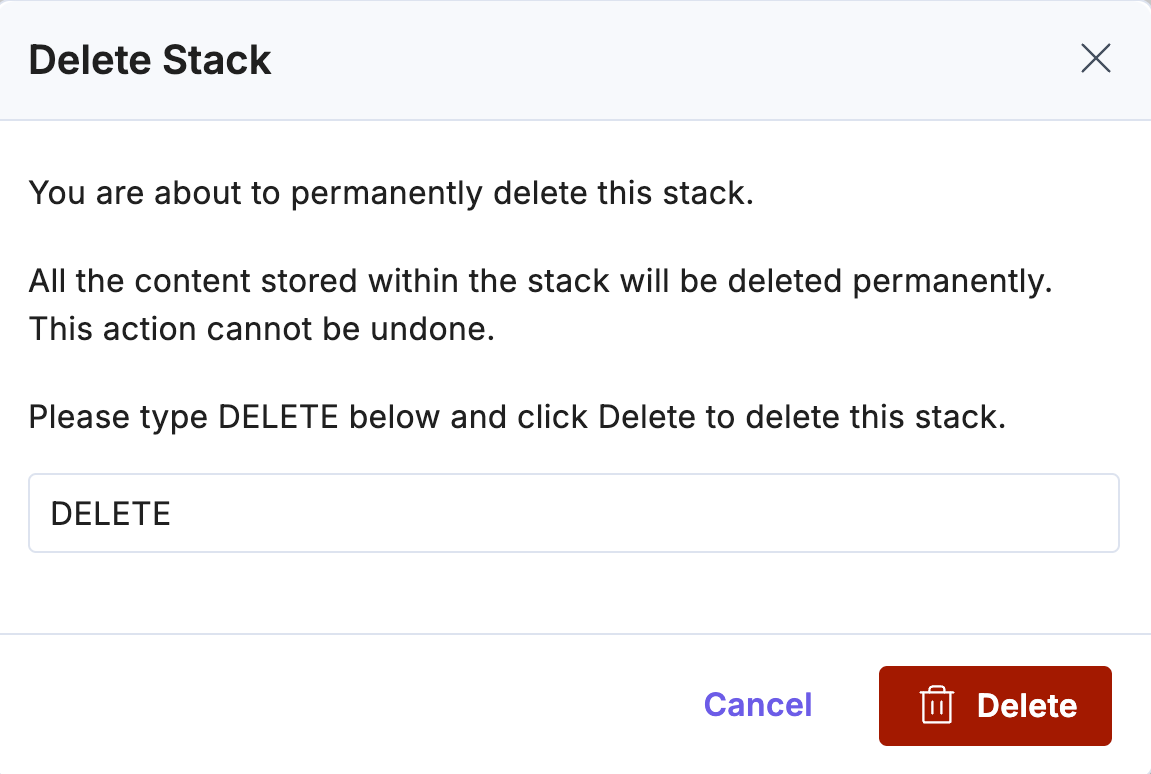
Once confirmed, the stack and all associated data are permanently removed.
Note: As an organization owner, you can delete stacks directly from the Org Admin page.
Warning: If you accidentally delete a stack, the Contentstack Support team can restore the data. Refer to the Restore Deleted Content document for further information.
API Reference
To delete a stack via API, refer to the Delete a Stack API Request.
Was this article helpful?
More articles in "Work with Stacks"
