

Edit an Environment
Editing an environment allows you to update its details, adapt to workflow changes, and ensure smooth content deployment.
Note: Only the stack Admin and Developer can edit an environment.
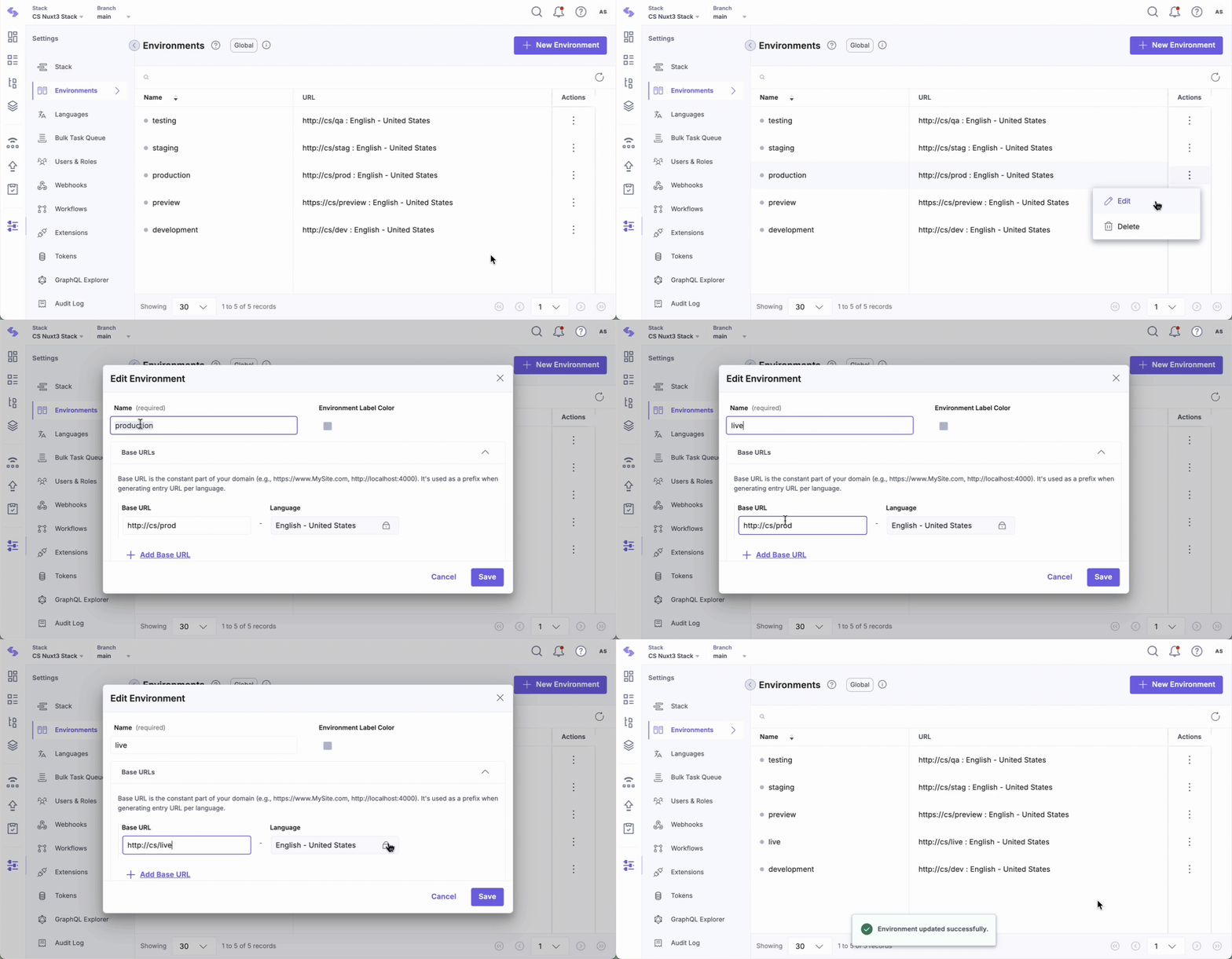
To edit an Environment, log in to your Contentstack account and perform the following steps:
- Go to your stack and click the “Settings” icon in the left navigation panel or use the shortcut key “S” (for Windows and Mac OS users).
- Navigate to Environments or use the “alt + E” shortcut key for Windows and “option + E” for Mac OS.
- Click the vertical ellipsis icon next to an environment in the Actions menu and select Edit.
- Update the details in the Edit Environment modal and click Save.
Note: You can use Webhooks to trigger deployments to multiple servers when you publish content.
API Reference
To edit an environment via API, refer to the Update an API request.
Was this article helpful?
More articles in "Work with Environments"
