

Switch Between Organizations
Contentstack allows you to switch between organizations to access and manage stacks across multiple organizations. This feature allows you to move seamlessly between different organizations where you are a member.
To switch between organizations, log in to your Contentstack account and perform the following steps:
- Click the “Profile” icon.
- Select your organization from the Switch organization dropdown.
Note: You can only see organizations in which you are a member.
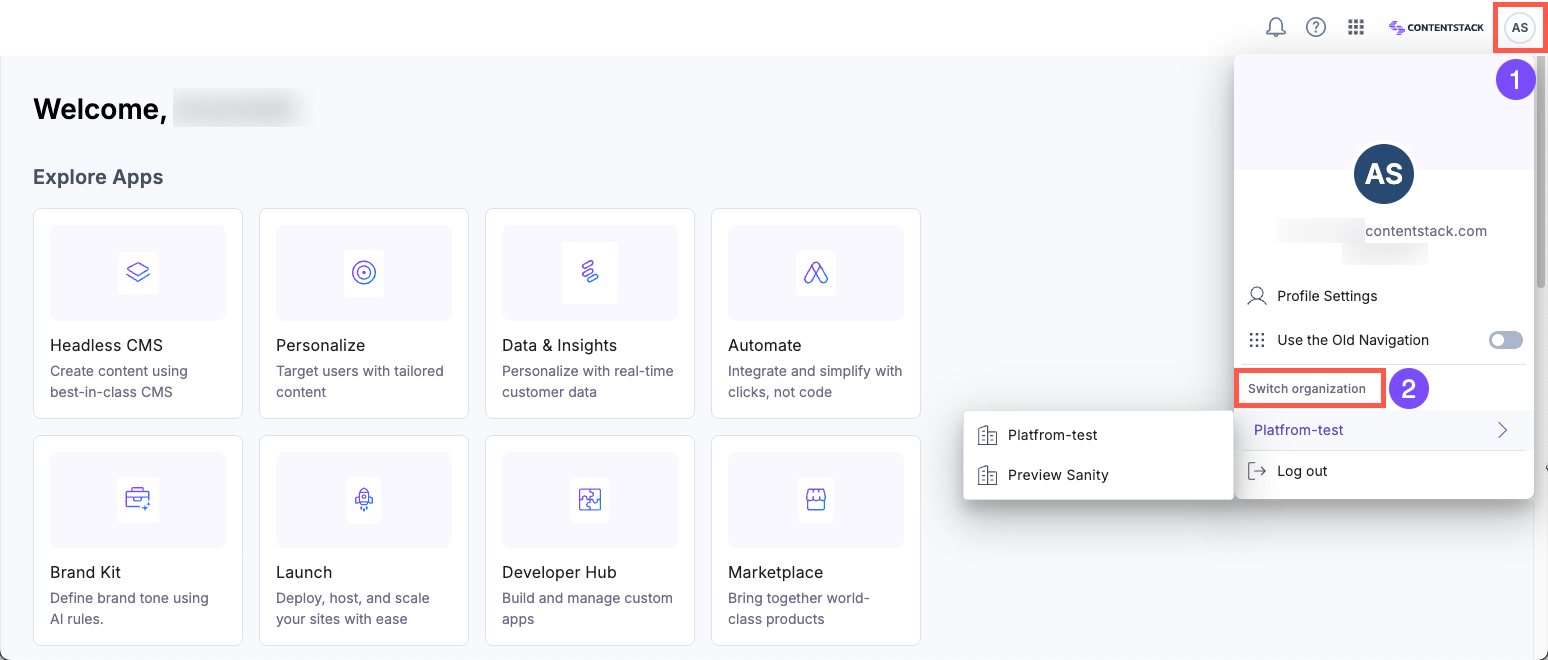
After switching, you can view the stacks for the selected organization.
Note: If you are using the old navigation, click the “Organization” tab in the header and select the organization you want to access.
Was this article helpful?
More articles in "Work with Organizations"
