

Trigger Deployments on Launch Platform based on Tags/Releases
This step-by-step guide explains how to configure automatic deployments on the Launch platform whenever you create a new tag or a release in your Git repository.
Prerequisites
- Contentstack account
- Access to Launch for your organization
- Git repository for your project
Steps for Execution
-
Create a Launch Deploy Hook
Log in to your Contentstack account and perform the following steps:
- Click Launch from the dashboard as shown below.
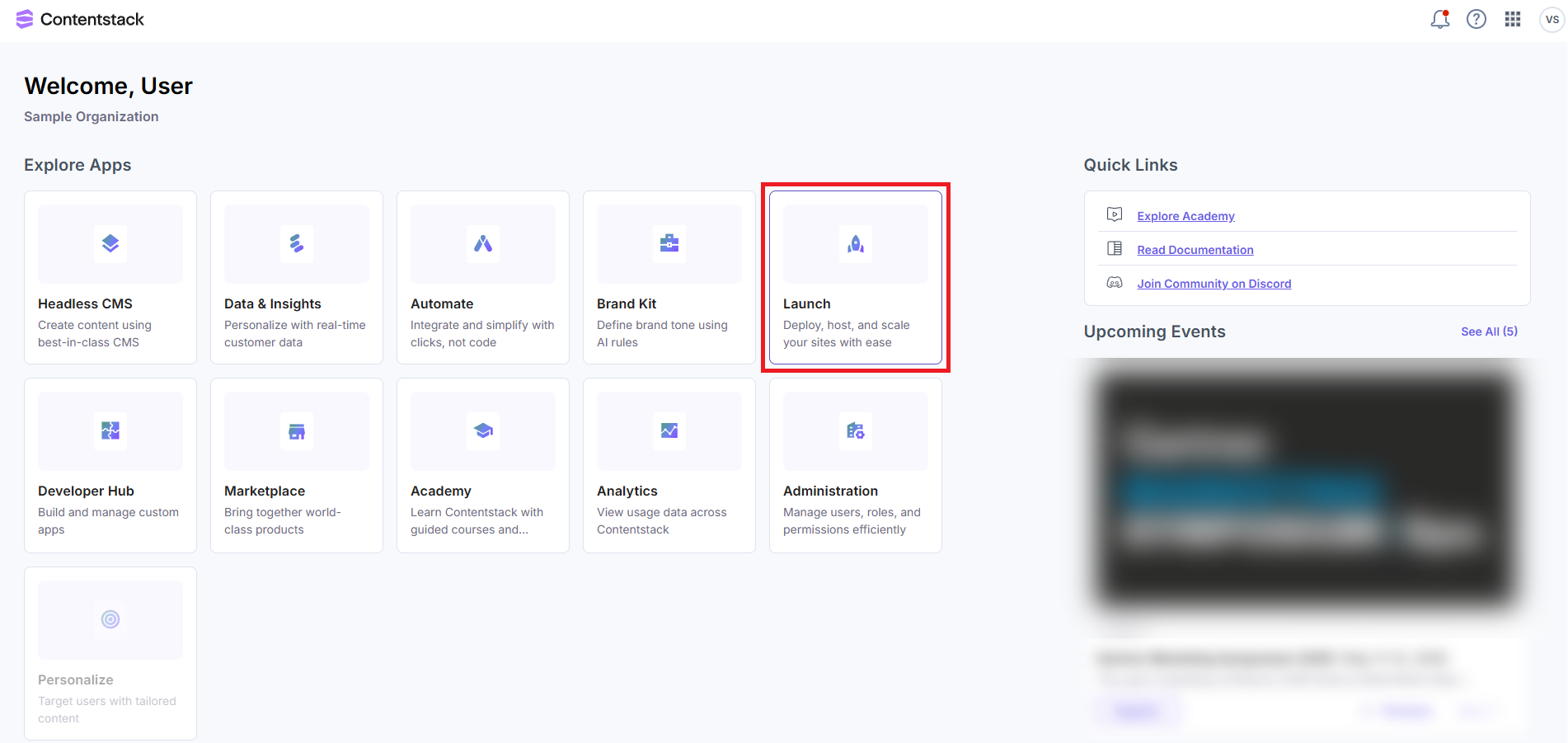
- On the Projects landing page, select your project.
- Navigate to the Launch Environment Settings page.
- Create a new Deploy Hook.
- Copy the generated Deploy Hook URL. You'll need this in the next step.
- Click Launch from the dashboard as shown below.
-
Create a GitHub Action
- Create a GitHub Action that triggers the deployment whenever a tag or a release is pushed to your repository.
- Add the following GitHub workflow YAML template to your GitHub repository and replace values as needed:
name: Launch Deployment on Content Change (Template)

on:
  push:
    tags:
      - 'content/*'  # Triggers on any tag starting with "content/" (Change as needed)

jobs:
  deploy:
    runs-on: ubuntu-latest

    steps:
      - name: Deploy to Launch (**Please configure!**)
        run: |
          # Replace YOUR_DEPLOY_HOOK_URL with actual values
          curl -X POST https://<YOUR_DEPLOY_HOOK_URL>?commit=${{ github.sha }}

          # Add any additional steps required for your deployment process (e.g., build)
Additional Resource: You can also refer to the sample file in the example repository here.
-
Save and Activate the Workflow
After replacing the placeholders and customizing the trigger pattern (if necessary), save the workflow file in your GitHub repository.
This action activates the workflow, causing it to trigger automatically whenever you push a new tag that matches the specified pattern.
This setup enables automated deployments to your Launch environment whenever you create a new content release with the appropriate tag. Remember to update the workflow file if your deployment process or tagging convention changes.
More articles in "Launch How to Guides"
