

Repair GitHub Connection for Projects
Contentstack Launch enables you to automatically repair the GitHub connection for existing projects. When your Launch GitHub App gets disconnected, the connection for existing projects will become invalid, preventing Launch from interacting with GitHub.
This step-by-step guide will help you repair the GitHub connection for projects in Contentstack Launch.
Prerequisites
- Contentstack account
- Access to the Launch Project as the Owner/Admin
- A valid project repository available in GitHub
Steps for Execution
Follow the steps below to repair the GitHub connection in your project automatically, after you have logged into your Contentstack account:
- From the Launch landing page, select your project.
- On the left-hand side primary navigation, click the Settings icon.
- Under General, you can see the Git Connection section.
You can view the status of your Git connection in this section along with a link to your Git repository.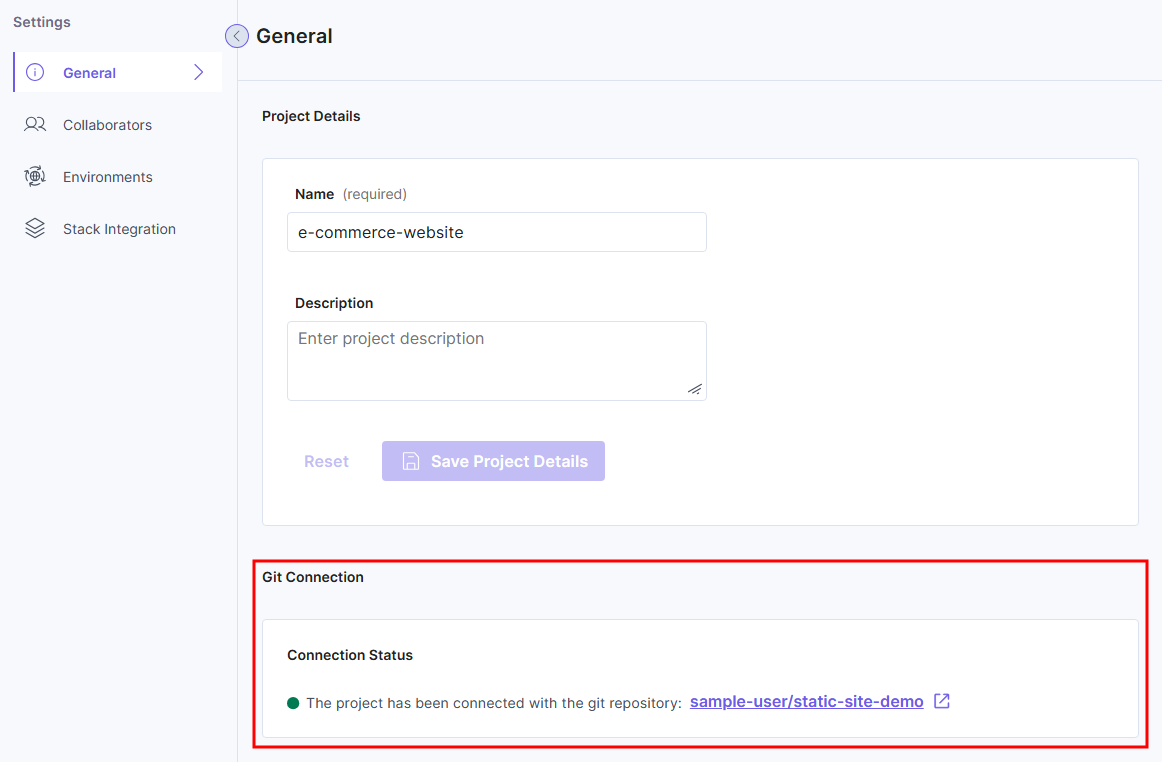
- If there's any connection error between your Git repository and project, as shown in the following screenshot, you can click the Repair Connection button.
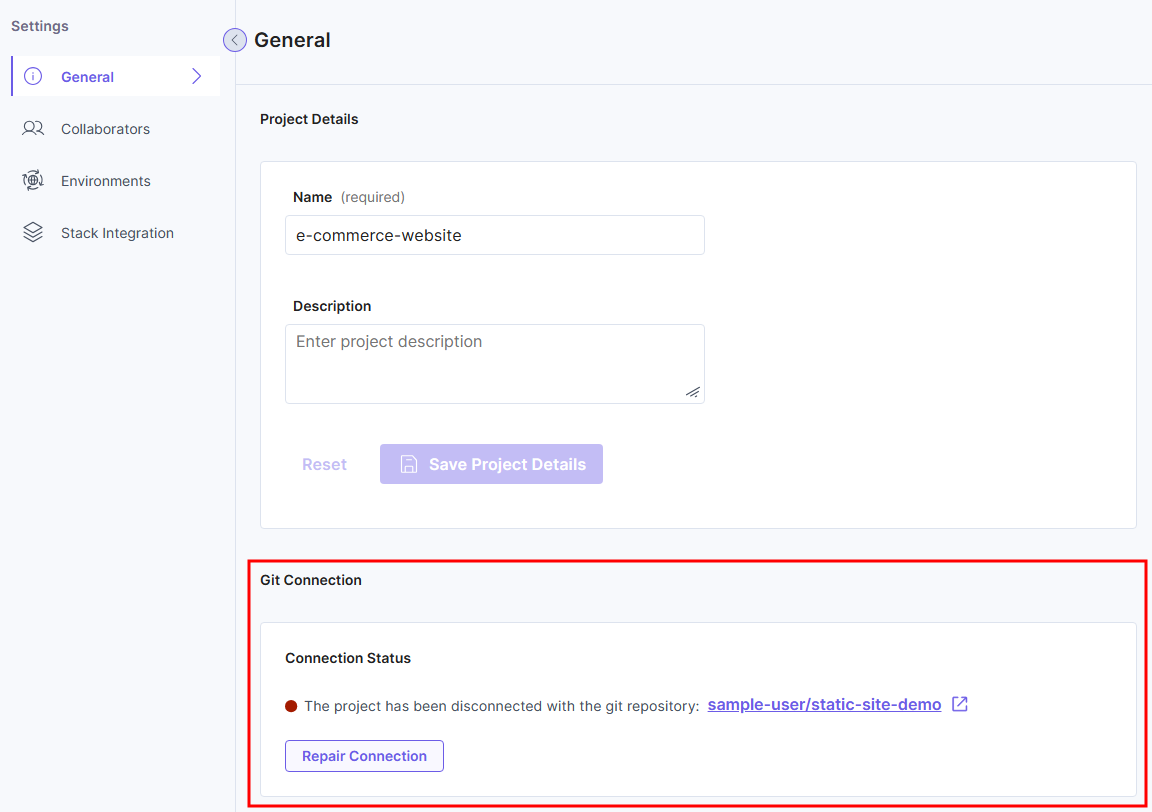
Launch will automatically repair the connection between your project and the Git repository.
Troubleshooting
If you are experiencing any of the below issues or errors while trying to repair your GitHub connection, follow the steps provided to troubleshoot the problem for the specific error encountered.
- Please connect to a git provider OAuth app before proceeding with the repair:
Your GitHub is currently disconnected.- Reconnect your Launch project to GitHub by following the steps in the Create a Project Using GitHub documentation.
- Now proceed with Repair Connection.
- Git provider OAuth app is uninstalled. Please reconnect the git provider OAuth app before proceeding with the repair:
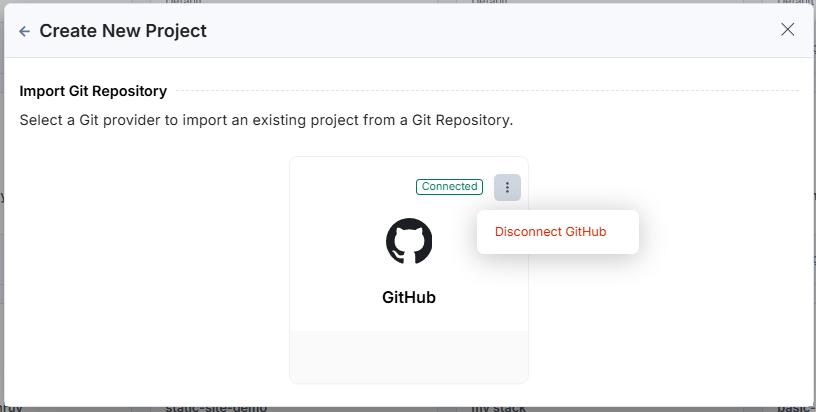
“Contentstack Launch” app is uninstalled in GitHub. Follow these steps to install the GitHub app and repair the connection:- Return to the Create New Project modal and disconnect the existing connection.
-
Now establish a new connection to the GitHub app by reconnecting it.
- Log in to GitHub.
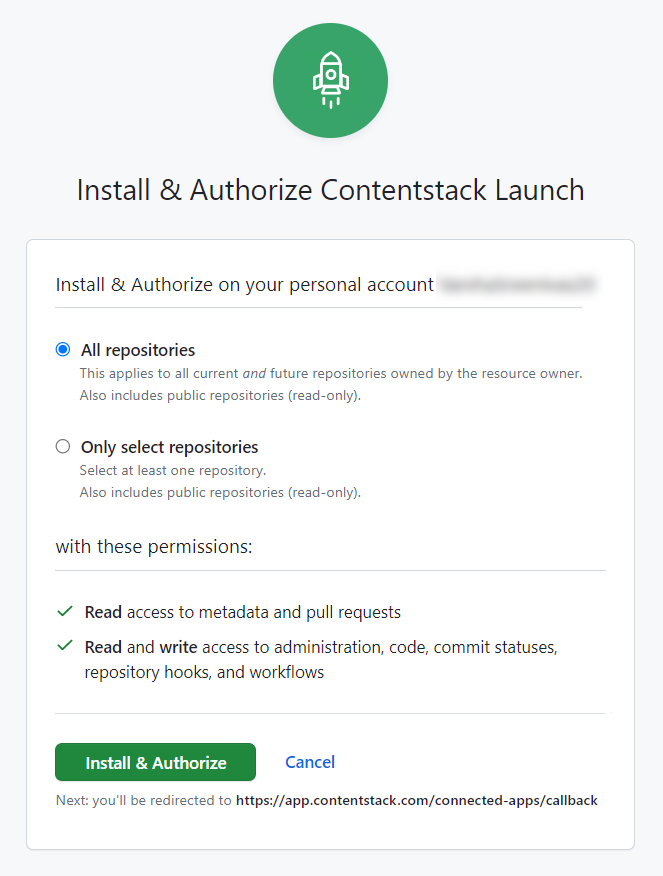
- In the GitHub authorization screen that appears in a modal, select All repositories, then click the Install & Authorize button.
- Now proceed with Repair Connection.
- Return to the Create New Project modal and disconnect the existing connection.
- Please add the repository to the git provider OAuth app before proceeding with the repair:
You are attempting to access a repository that is not accessible. Follow these steps to grant access to the required repository:- Click here to navigate to the Applications page in GitHub and click Configure next to the app that is currently installed.
- In the Repository access section, select the required repository from Only select repositories, or select All repositories, and then click Save.
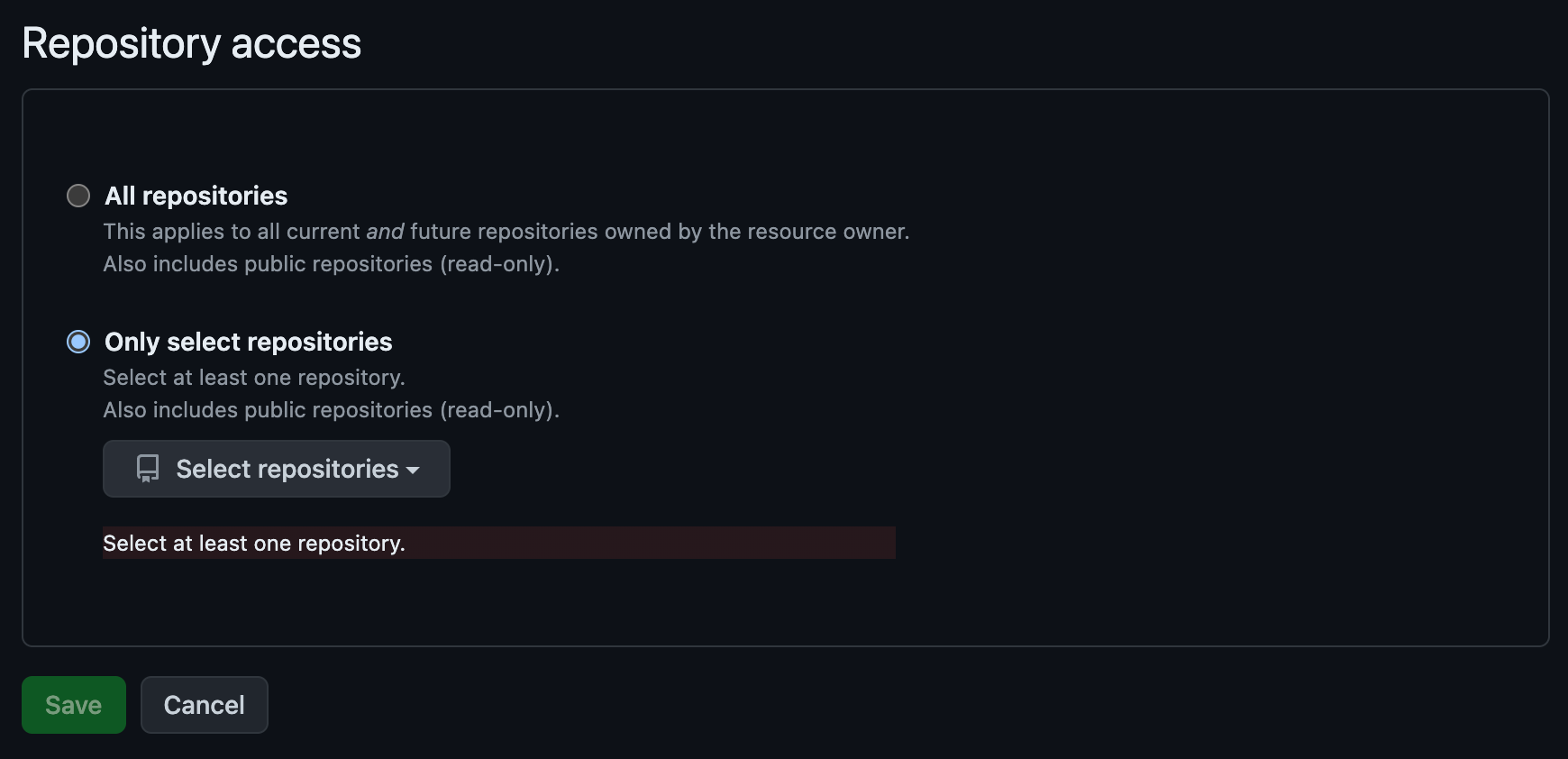
- Now proceed with Repair Connection.
More articles in "Launch How to Guides"
