

Deploy a Project from a Monorepo on Launch
A monorepo (mono repository) is a single repository that stores all of your code and assets for multiple projects.
Launch supports deploying a project from a monorepo.
This step-by-step guide lets you deploy a project from a monorepo on Launch.
Prerequisites
- Contentstack account
- Access to Launch for your organization
- GitHub account
- A monorepo
We will be using the following Turborepo monorepo for this tutorial.
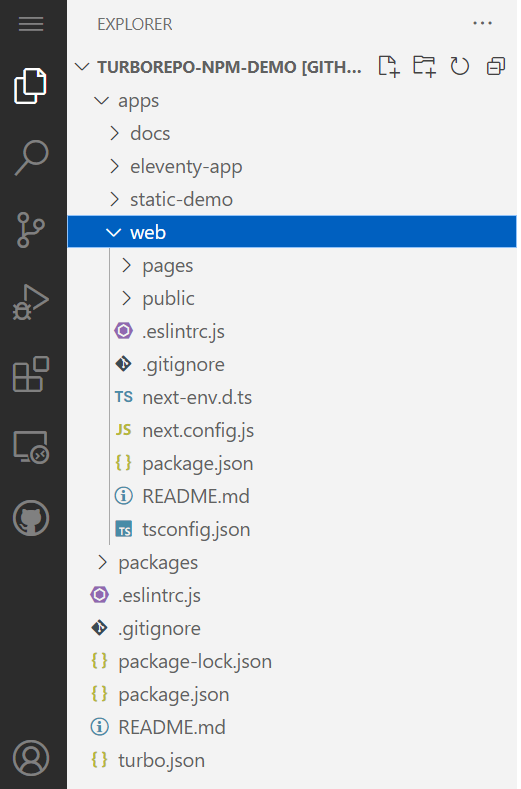
As seen in the above screenshot, there are four distinct projects in the apps folder. We will deploy the web project, which is a NextJS site.
Steps for Execution
Follow the steps to deploy a project from a monorepo.
- Log in to your Contentstack account and click Launch in the dashboard.
- Click the + New Project button.
- Select Import from a Git Repository from the Create New Project modal, and then select your Git provider.Note:
- You can also deploy a project from a monorepo using the File upload approach.
- To import a project using Bitbucket Cloud, follow the steps in the Create a Project Using Bitbucket Cloud guide to proceed.
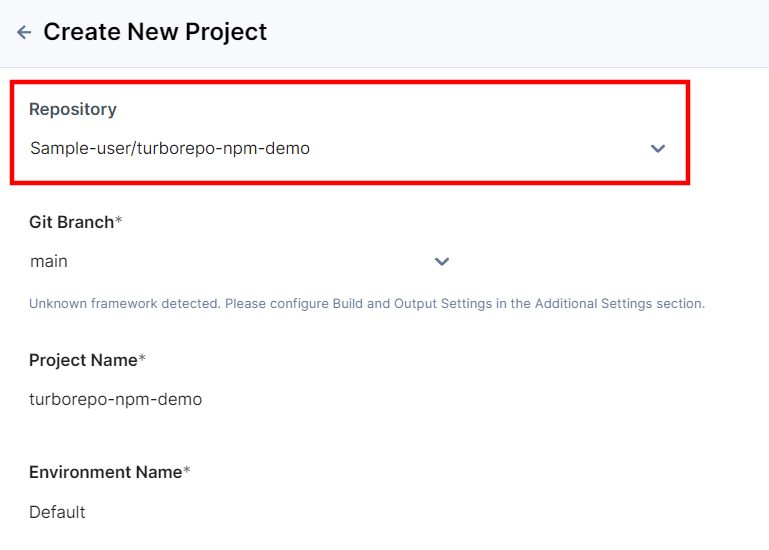
- From the Repository drop-down, select the monorepo that contains the app you want to deploy.
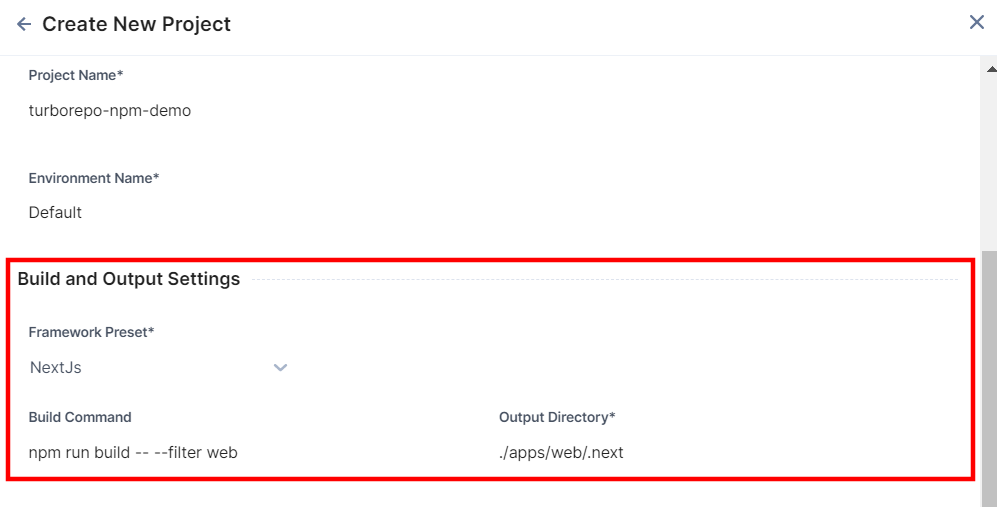
- In the Build and Output Settings section, perform the following steps:
- Select the framework for your project under the Framework Preset drop-down.
- Update the Build Command field.
The command npm run build runs the build for all the projects present in the monorepo.
Since we are using Turborepo in our example, we can use the filter flag, as given below, to ensure that only the web project is built:npm run build -- --filter web
- Update the Output Directory field.
Since the web project is a NextJS site, its build will be generated at ./apps/web/.next
- Click the Deploy button to deploy the site.
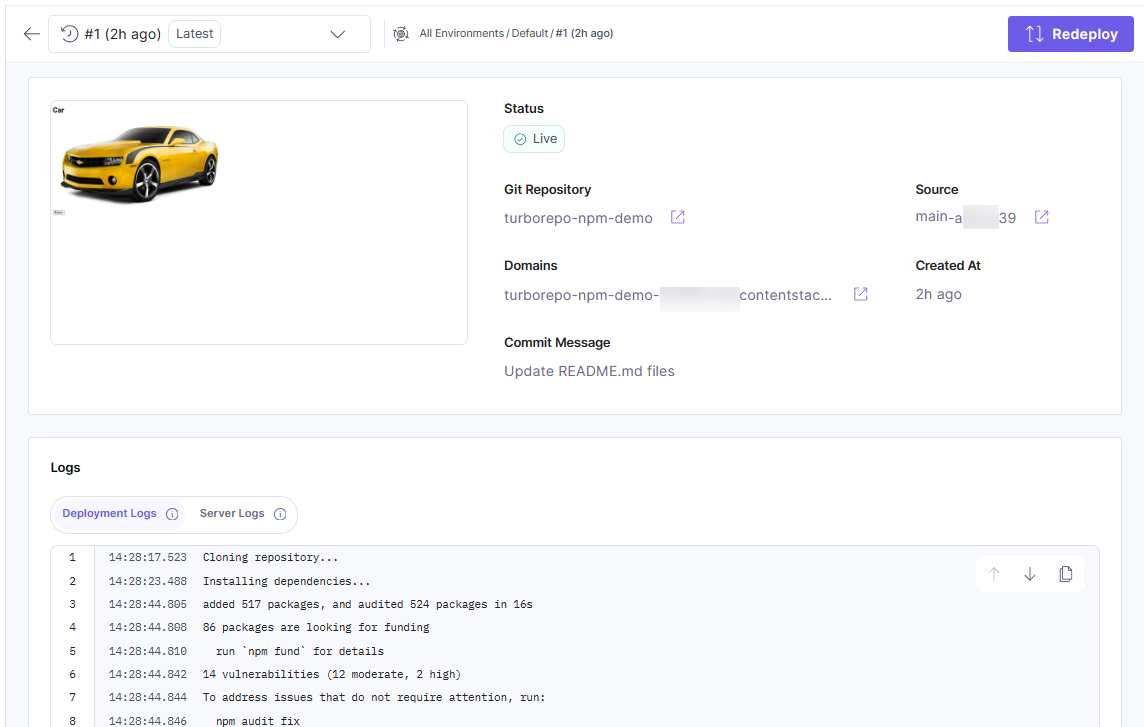
You have successfully deployed a project from a monorepo.
Limitations
- Deploying a Gatsby project from within a monorepo is currently not supported.
- Deploying Cloud Functions from the functions directory in an app within a monorepo is currently not supported.
- Adding a launch.json file to an app within a monorepo is currently not supported.
- The deployment of build output outside the source directory is currently not supported.
This limitation particularly impacts projects with directory structures where build outputs are located separately from the source directory.
For instance, let’s consider a Next.js-based website within a monorepo structured as /apps/mywebsite. If the build output is directed to /dist/apps/mywebsite/.next, it falls outside the source directory /apps/mywebsite, making the deployment of this build output unsupported.
Some monorepo tools, such as Nx, by default, output builds to a different dist directory outside the source directory. To address this, you can configure Nx to support deployments on Launch.
Troubleshooting Monorepo Build Failures
If your Turborepo-based monorepo build fails due to unexpected package resolutions or missing dependencies, consider the following steps:
- Verify the --filter flag usage
When performing a filtered build, ensure that only the intended frontend package is included in the build process.
Example:
npm run build -- --filter=your-frontend-folder-name
- Check for Cross-Package Imports
If your frontend project (web) imports files from another package in the monorepo (for example, middleware), ensure that the dependency is explicitly declared in the consuming package’s package.json file.
Example Folder Structure:
Fix: Add the Missing Dependency/monorepo-root │── apps/ │ ├── web/ # Frontend app (consuming package) │ │ ├── package.json ✅ Needs dependency │ ├── middleware/ # Another package providing modules │ │ ├── getRelatedProducts.ts │ │ ├── package.json │── package.jsonTo ensure proper resolution, add @repo/middleware to apps/web/package.json
Tip: Sync all dependencies from /middleware/package.json to /web/package.json,
ensuring /web has everything it needs.If apps/web imports getRelatedProducts.ts from apps/middleware, update apps/web/package.json:
{
  "dependencies": {
    "@repo/middleware": "workspace:*"
  }
}
Without this explicit declaration, the build process may fail because dependencies that work locally might not be properly resolved in the deployment environment.
More articles in "Launch How to Guides"
