

Videos and Social Embeds
Embedding rich media, such as videos or social media content, enhances the visual appeal and improves user engagement. This guide explains how to integrate videos and social embeds in Contentstack’s JSON Rich Text Editor (RTE).
Note: By default, Contentstack’s JSON RTE supports embedding social media posts. Embedding videos requires additional customization using custom JSON RTE plugins.
Embedding Videos
You can embed videos from popular video platforms like YouTube, Vimeo, and JW Player. This feature allows for seamless integration of multimedia content into your entries.
To embed a video within your JSON RTE, log in to your Contentstack account and perform the steps given below:
- Navigate to the desired stack, then click the Entries icon in the left navigation panel.
- Create a new entry or open an existing one containing a JSON RTE field.
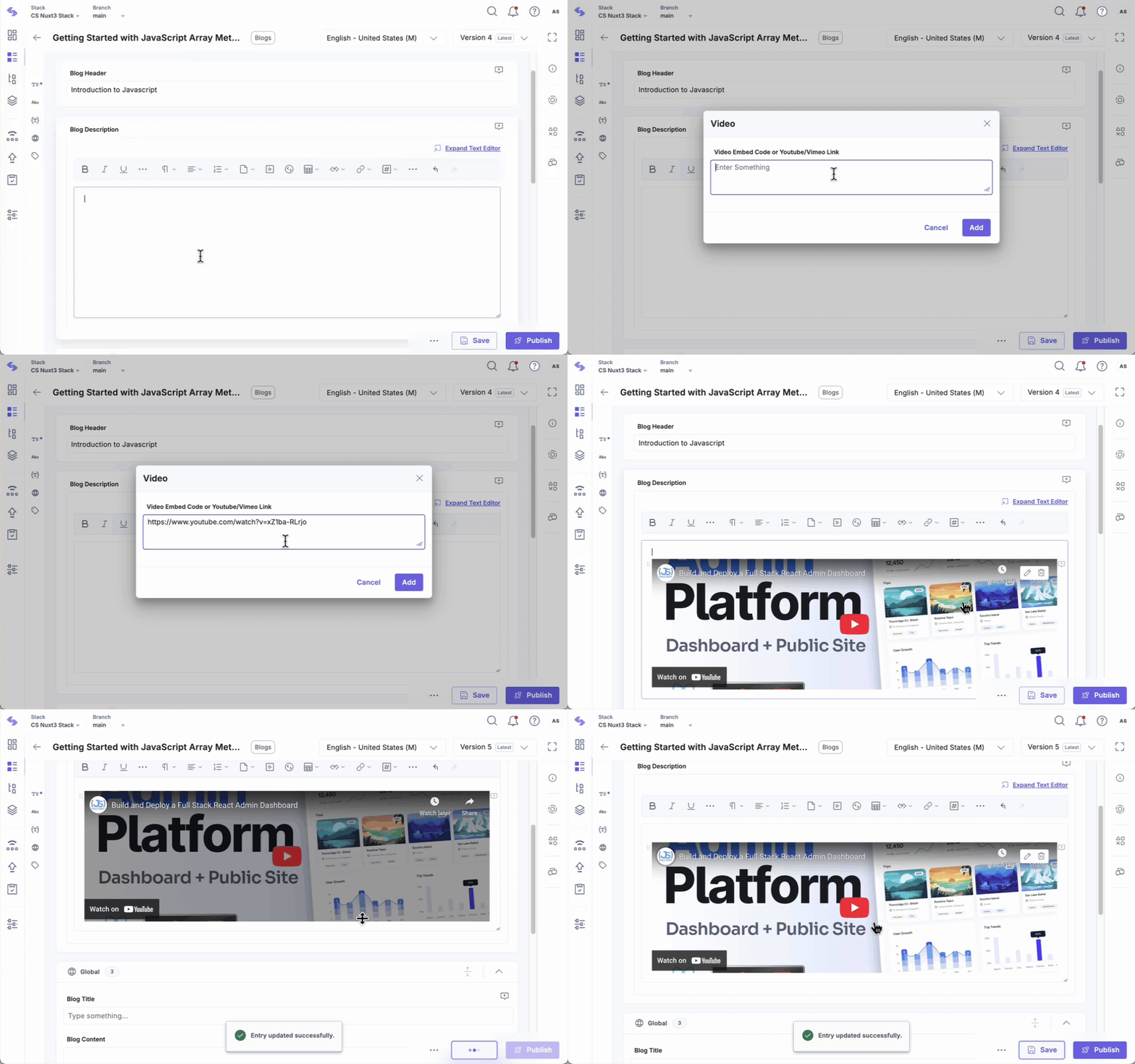
- In the JSON RTE field, click the Video icon in the toolbar.
- In the Video modal that appears, paste the Embed Code of the video you want to add.
-
Click the Add button to embed the video.
Social Embeds
Social embedding allows you to enhance your content with interactive, shareable posts from platforms like Facebook, Twitter, and Instagram.
Note: The Social Embeds feature in the JSON Rich Text Editor is plan-based. Please reach out to our support team to enable it for your organization.
To embed a link within your JSON RTE, log in to your Contentstack account and perform the steps given below:
- Navigate to the desired stack, then click the Entries icon in the left navigation panel.
- Create a new entry or open an existing one containing a JSON RTE field.
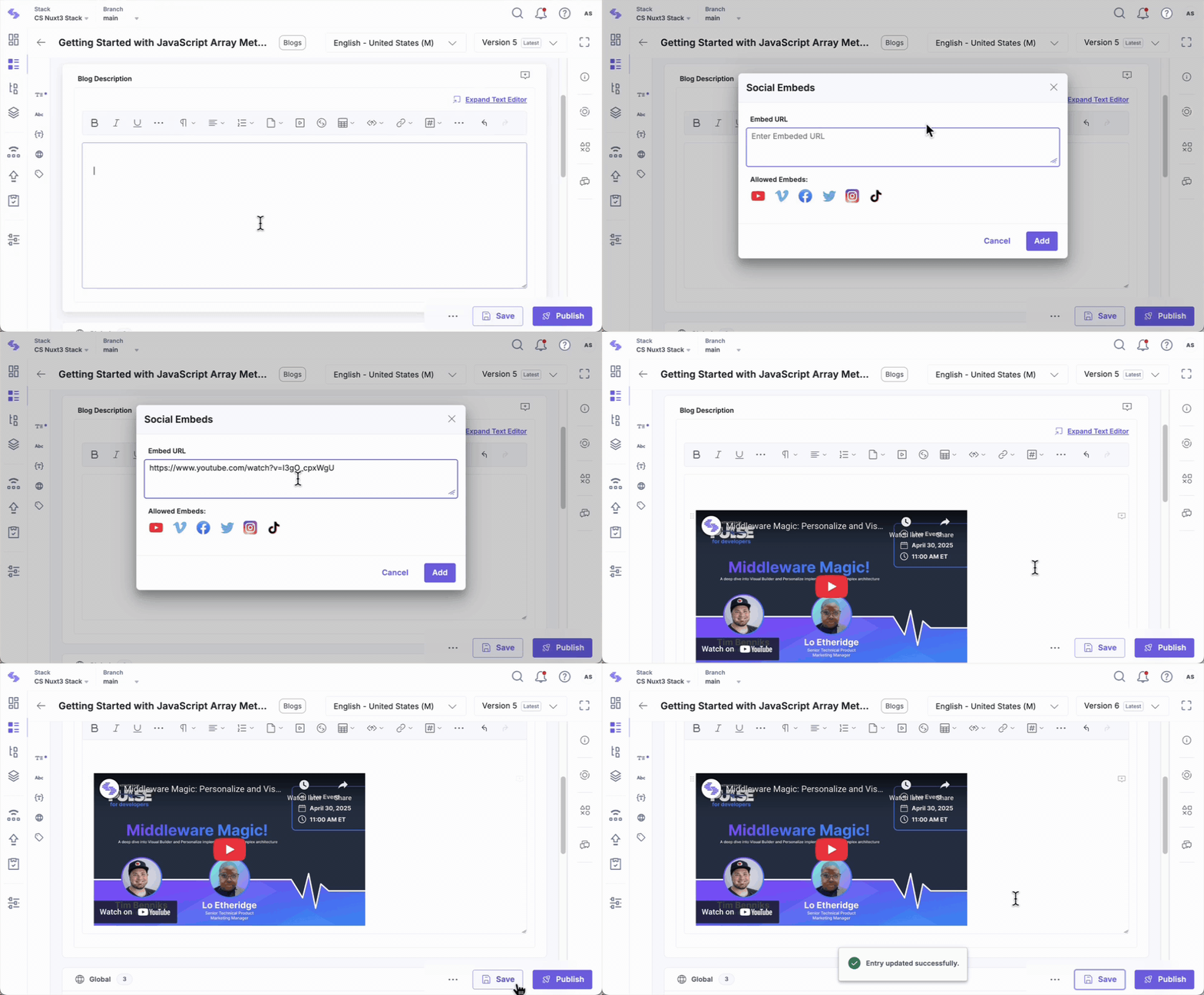
- In the JSON RTE field, click the Social Embeds icon in the toolbar.
-
In the Social Embeds modal that appears, paste the Embed URL from a supported platform.
Note: Only shareable links from the listed platforms are supported.
-
Click the Add button to embed the social content within the JSON editor.
Supported Platforms for Social Embeds
Contentstack supports embedding content from the following social media platforms:
- YouTube
- Vimeo
- TikTok
Using Contentstack's JSON RTE, you can effortlessly integrate videos and social media posts into your content to create more engaging experiences. While embedding social media posts is supported out of the box, embedding videos requires adding custom plugins for advanced functionality.
More articles in "Work with Core Elements"
