

Lists
In Contentstack’s JSON Rich Text Editor (RTE), you can structure your content using lists. Lists make information easy to follow by breaking it into logical sequences or bulleted points for better readability.
Supported List Types
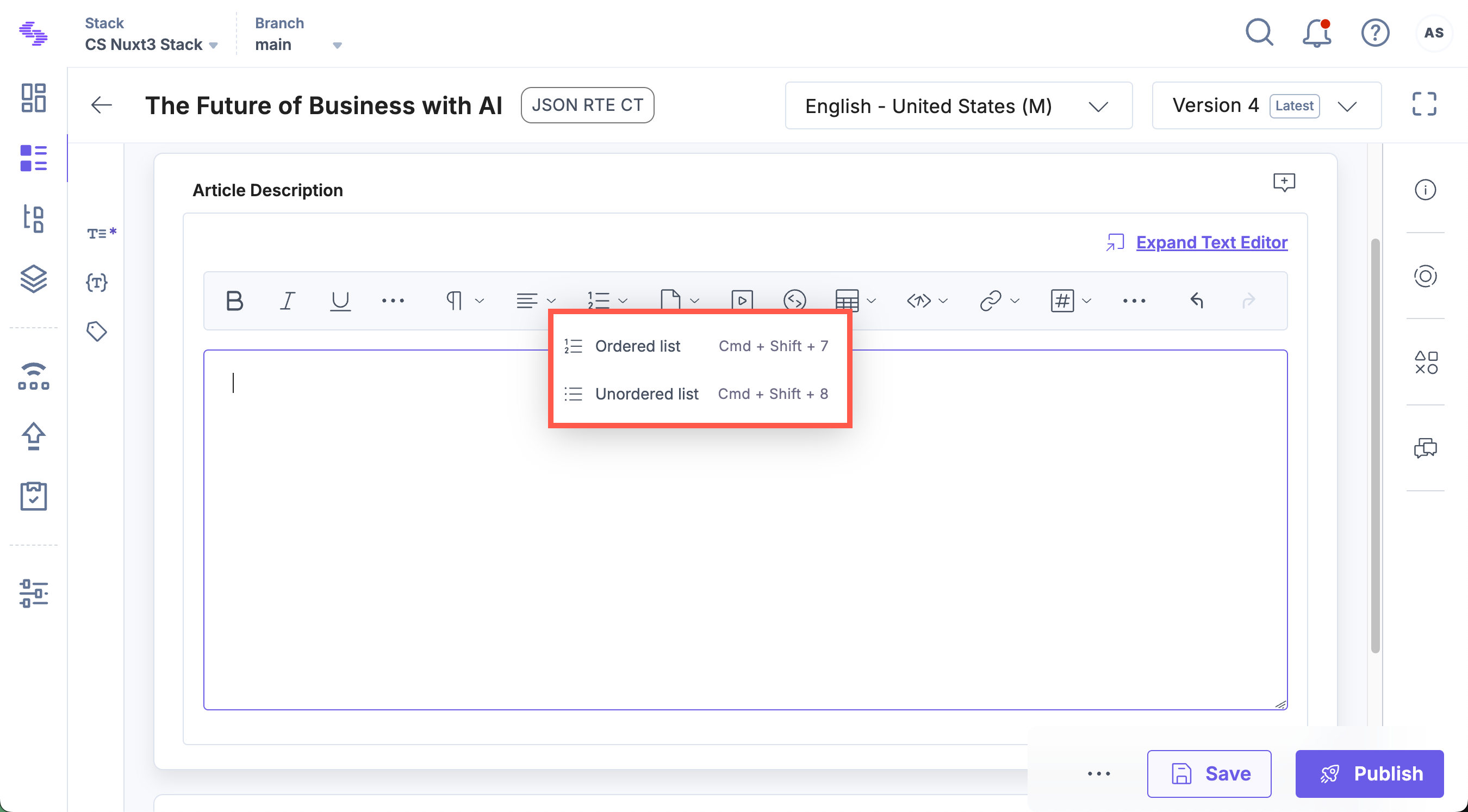
There are two types of lists supported by the JSON RTE.
- Ordered List (OL): A numbered list indicating sequence or hierarchy.
- Unordered List (UL): A bulleted list for items without a specific order.
List Structure and JSON Schema
Each list element is represented in JSON to maintain content hierarchy and consistency. Below are examples of how ordered and unordered lists appear in JSON.
Ordered List (OL)
{
  "type": "ol",
  "children": [
    { "type": "li", "children": [{ "text": "First item" }] },
    { "type": "li", "children": [{ "text": "Second item" }] }
  ]
}
Unordered List (UL)
{
  "type": "ul",
  "children": [
    { "type": "li", "children": [{ "text": "Bullet point 1" }] },
    { "type": "li", "children": [{ "text": "Bullet point 2" }] }
  ]
}
Each list consists of list items (li) containing their own child elements, maintaining proper content structure.
Line Break Behavior Within List Items
Control how content continues within a list item using Enter and Shift + Enter.
Note: The Return key behavior can be customized at the stack level using the Stack Settings API request. Configure the cs_breakline_on_enter and cs_only_breakline parameters within the rte object to modify how the Enter and Shift + Enter keys behave. Refer to the Stack Settings documentation for more details.
When editing a list in the JSON Rich Text Editor:
| Key | Behavior |
| Enter | Ends the current list item and creates a new list item. |
| Shift + Enter | Inserts a soft line break within the same list item, letting you add multiple lines without creating a new list entry. |
Example: List Item with a Soft Line Break
{
  "type": "ul",
  "children": [
    {
      "type": "li",
      "children": [
        { "text": "First line of content\n" },
        { "text": "Second line in the same list item" }
      ]
    }
  ]
}
This structure keeps both lines within the same list item rather than creating two separate bullets.
Nesting Rules within Lists
To maintain simplicity and ensure clean content delivery, Contentstack’s JSON RTE limits the types of elements that can be nested within lists.
- Supported Block Element within Lists
- Table: A table block is the only supported block element that can be nested within a list item.
- Unsupported Block Elements
- Images, videos, and additional lists cannot be nested within list items. This ensures a consistent and structured content hierarchy without unexpected nesting issues.
Example: List with a Nested Table
{
  "type": "ul",
  "children": [
    {
      "type": "li",
      "children": [
        {
          "type": "table",
          "children": [
            {
              "type": "tr",
              "children": [
                { "type": "td", "children": [{ "text": "Cell 1" }] },
                { "type": "td", "children": [{ "text": "Cell 2" }] }
              ]
            }
          ]
        }
      ]
    }
  ]
}
This example demonstrates how a table can be safely nested within a list item.
Note: To ensure consistent content structure, only tables are allowed within list items; other block elements are not supported.
List Markers in Contentstack UI
In the Contentstack UI, the JSON RTE will display list markers (e.g., numbers or bullets) to indicate the list type. However, these markers are not included in the content delivery.
Note: The frontend developers of your website need to manage the display and styling of list markers (numbers or bullets) during content rendering.
This ensures flexibility in how lists are styled across different platforms and devices.
Here’s a CSS example to help developers apply consistent list styling across platforms:
ul {
  list-style-type: disc;
  padding-left: 20px;
}

ol {
  list-style-type: decimal;
  padding-left: 20px;
}
This CSS example ensures that unordered lists will have disc markers, while ordered lists will use decimal numbers. You can further customize the marker style according to your design requirements.
Key Points to Remember
- Both ordered (OL) and unordered (UL) lists are supported in Contentstack’s JSON RTE.
- Tables are the only block elements allowed to nest within list items.
- List markers shown in the RTE are for visualization only and are not delivered with the content.
- Frontend developers must apply CSS styling to ensure consistent display across different platforms.
By following these guidelines, lists in the JSON RTE remain structured, easy to manage, and flexible for frontend implementation. Developers have the freedom to style the content presentation while maintaining the integrity of the underlying JSON structure.
More articles in "Work with Core Elements"
