

Group Fields within Global Fields
Use Group fields within Global fields in Contentstack to streamline content modeling and reduce repetitive configurations. This approach lets you create reusable, structured field groups that can be referenced across multiple content types, ensuring consistency, simplifying maintenance, and speeding up content creation.
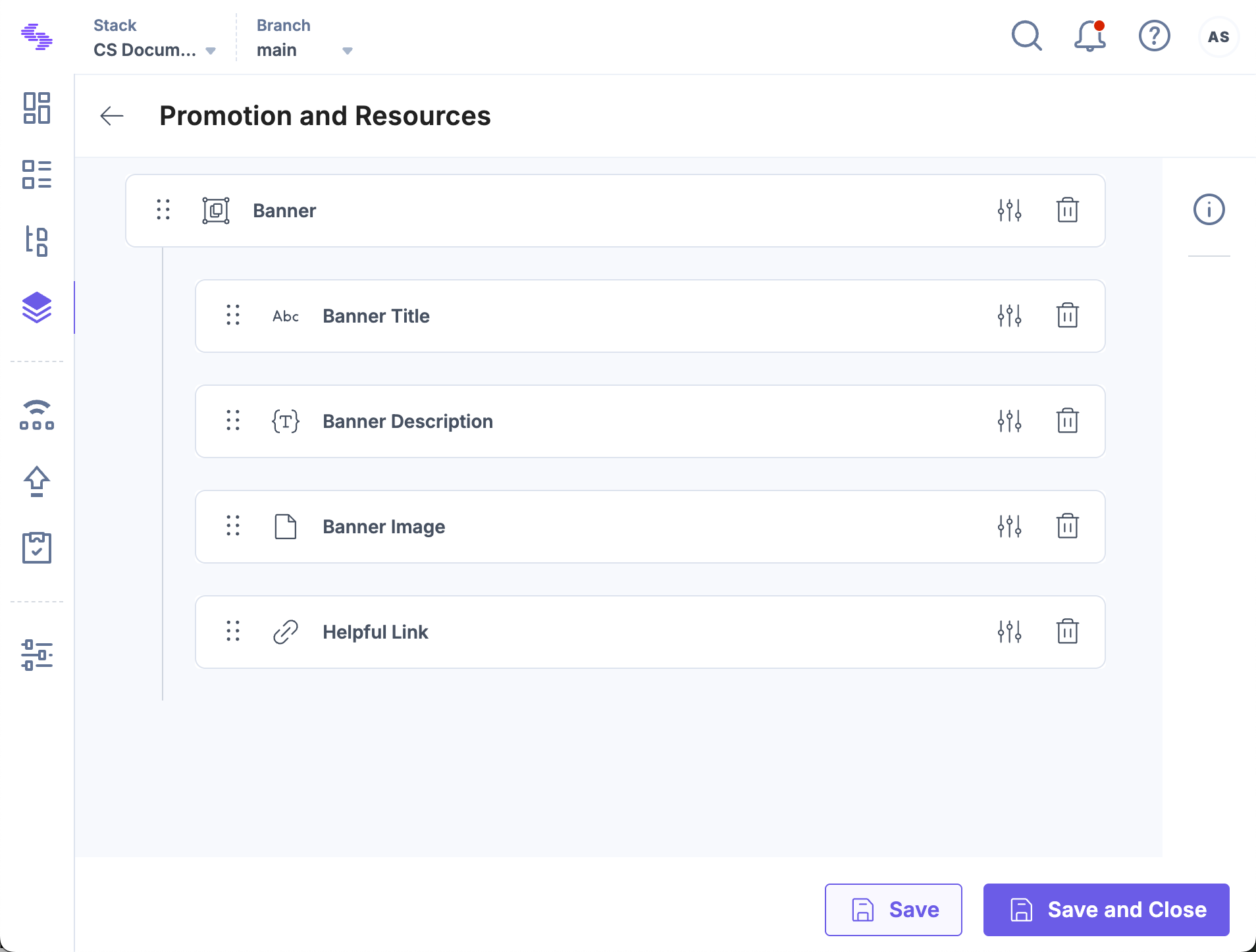
For example, a healthcare website may need to display banners or advertisements with related links on every webpage. Instead of adding these elements separately to each content type, you can create a Global field that includes a Group field called Banner containing:
- Single Line Textbox (Banner Title)
- Rich Text Editor (Description)
- File field (Banner Image)
- Link field (Helpful Links)
Once created, this Global field can be referenced in any content type, ensuring a uniform display of banners and related links across all web pages.
Note: Only the stack owner, admin, and developer can create Global fields and Content Types.
To create a Group field within a Global field, log in to your Contentstack account and perform the following steps:
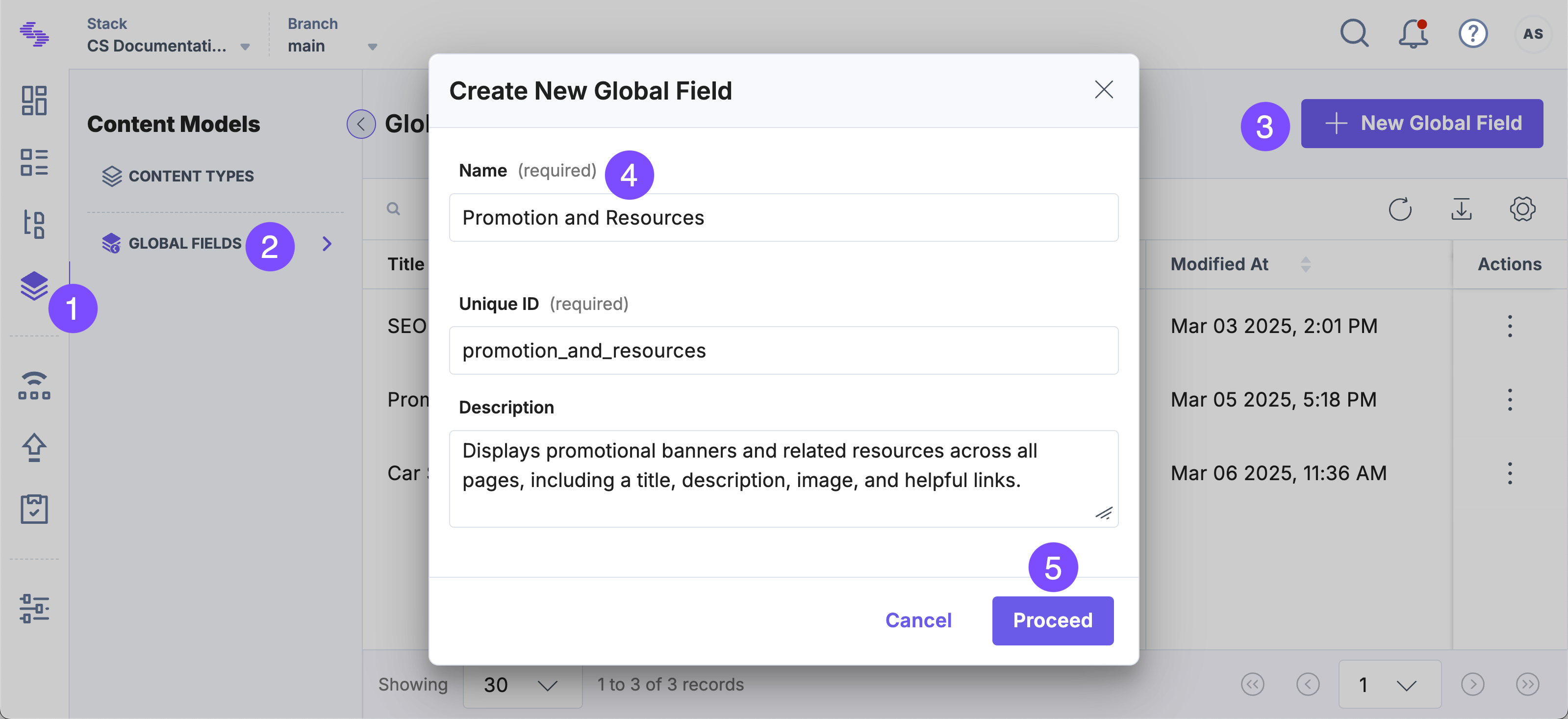
- Go to your stack and click the “Content Models” icon in the left navigation panel or use the shortcut key “C” (for Windows and Mac OS users).
- On the Content Models page, select Global Fields and click + New Global Field.
- Enter a Name and Description (optional), and click Proceed.
- Click the Insert a Field (+) icon and select Group field.
- In the Group Properties modal, enter a display name.
- Click the Insert a field (+) icon inside the group and add the following fields:
- Single Line Textbox: For banner heading
- JSON Rich Text Editor: For detailed banner text
- File: To upload an image for the banner
- Link: For related webpage links
- Click Save or Save and Close.
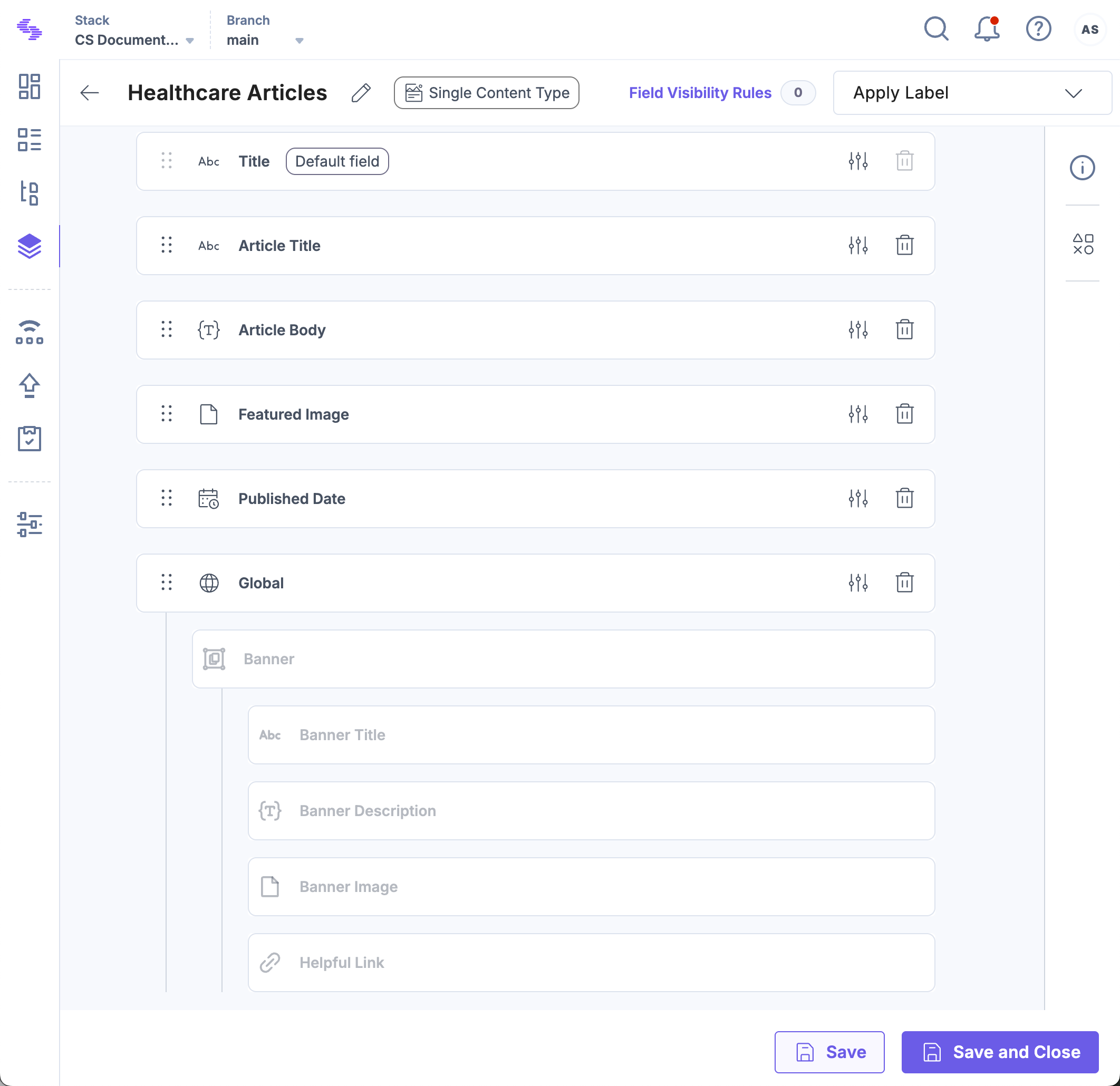
- Navigate to Content Models and open a content type.
- Click the Insert a field (+) icon and select Global field.
- Select the newly created Global field from the Select Global Fields modal and click Save or Save and Close.
Note: When you add a Group field to your Global field, each Group field counts as a single nesting level.
All fields inside the Global Field, including the Group Field and its subfields, are now added to the Content Type. By nesting Group Fields within Global Fields, you create modular, reusable structures that enhance content consistency and simplify maintenance across content types.
More Articles in "Complex Global Fields"
