

Global Fields as Blocks within Modular Blocks
You can use Global fields as blocks within the Modular Blocks field while building content types in Contentstack. This setup allows you to reuse predefined field structures across different block types, ensuring consistency, scalability, and faster content modeling.
For example, an e-commerce site may need a structured approach to organize product pages. Instead of manually configuring each page, you can create three Global fields to streamline the process:
- Clothes Store: Brand Name (Single Line Textbox), Description (JSON Rich Text Editor), Apparel Image (File)
- Footwear Store: Brand Name, Description
- Mobile Gallery: Brand Name, Model Number (Number) and, Mobile Image
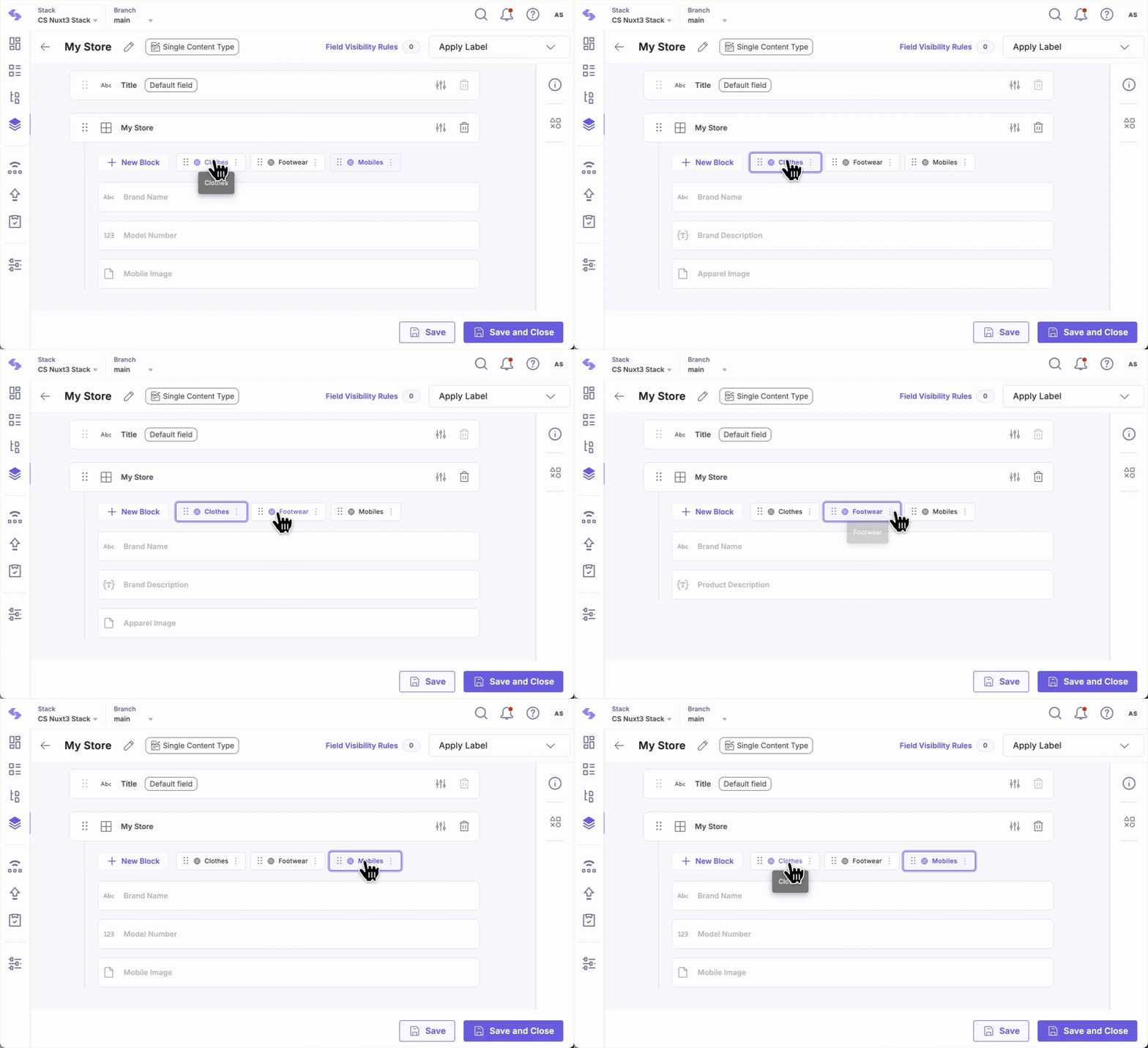
Next, create a content type and add a Modular Blocks field with three blocks: Clothes, Footwear, and Mobiles, each referring to its respective Global field.
With this setup, store owners can customize products across categories, streamlining product page creation while ensuring efficiency and flexibility in content management.
Note: Only the stack owner, admin, and developer can create Global fields and Content Types.
To add Global fields within Modular Blocks, log in to your Contentstack account and perform the following steps:
- Go to your stack and click the “Content Models” icon in the left navigation panel, or press “C” (Windows and Mac).
- Open a Content Type, click the Insert a field (+) icon, select Modular Blocks, and enter a Name (eg., My Store).
- Click the + New Block icon inside Modular Blocks and add the following Global fields as individual blocks:
- Clothes: Select the Clothes Store Global Field.
- Footwear: Select the Footwear Store Global Field.
- Mobiles: Select the Mobile Gallery Global Field.
You can add additional blocks referencing other Global Fields such as Toy Store, Sports Equipment Store, Book Store, etc., as needed.
- You can add a maximum of 25 Global fields in a content type.
- Each Global field added to a Modular Blocks field counts as a single nesting level.
By using reusable structures within Modular Blocks, developers can optimize content creation while delivering dynamic and personalized experiences. This approach enhances user engagement and simplifies content workflows.
More Articles in "Complex Global Fields"
