

Export a Global Field
Contentstack allows you to export the JSON file of any existing Global field in your stack, making it easy to reuse or modify configurations as needed.
To export a Global field, log in to your Contentstack account and perform the following steps:
- Go to your stack where you want to export a Global field.
- Click the Content Models icon in the left navigation panel and select Global Fields in the left panel.
- Locate the Global field you want to export. Click the vertical ellipsis in the Actions column next to it and select Export.
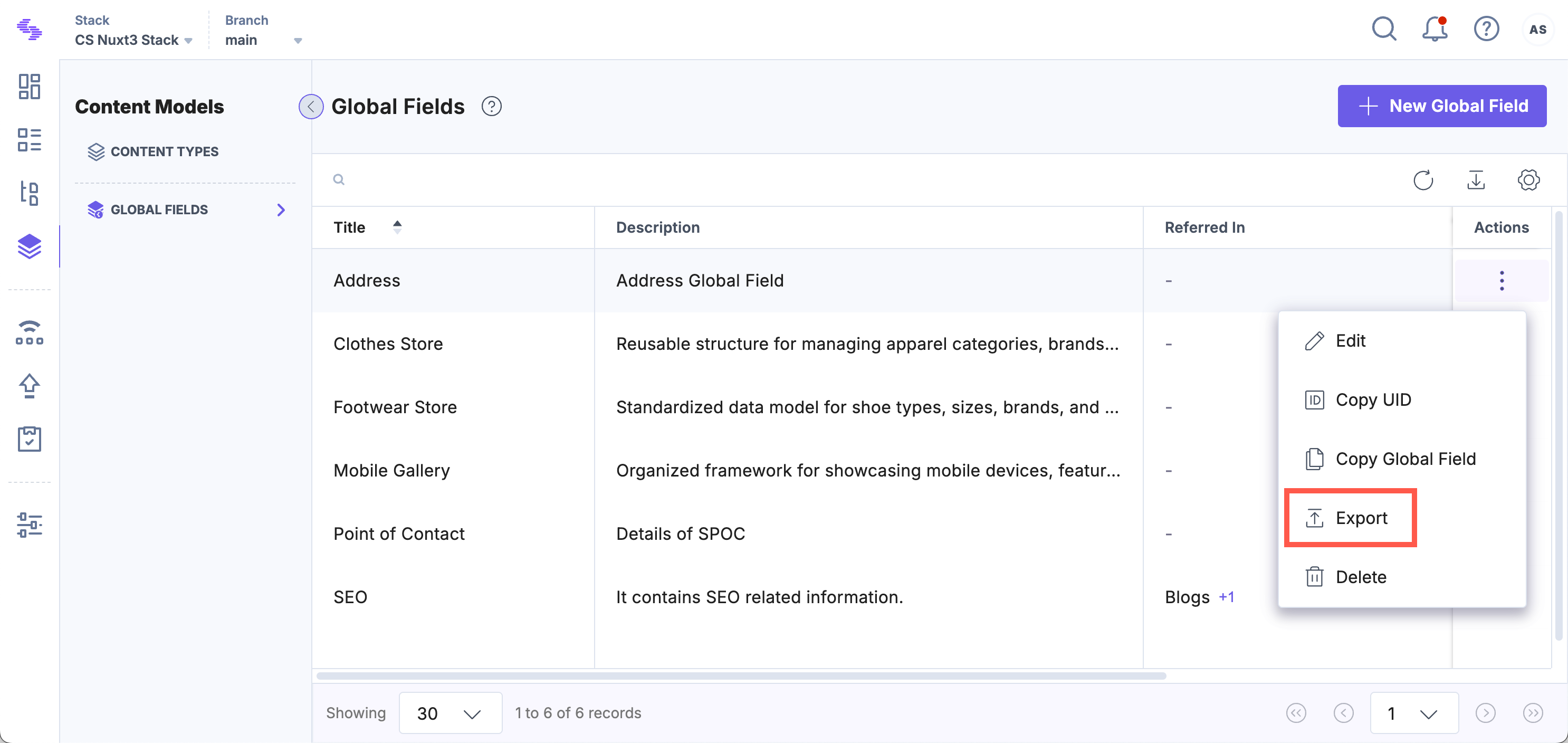
- The JSON file of the selected Global field will be saved to your local storage.
The exported JSON file retains all configurations of the Global field, which you can later import into another stack or use for modifications.
Note: Any changes made to the exported JSON file will be retained when importing it back into Contentstack.
API Reference
To export a Global field via API, refer to the Export Global Field API request.
Was this article helpful?
More articles in "Work with Global Field"
