

Create a Global Field
Global fields are reusable field sets defined once and used across content types, simplifying modeling, ensuring consistency, and avoiding field recreation.
For example, let's say you need to store employee addresses across different content types, such as Employee Profiles and Office Locations. Instead of adding the same set of address fields manually each time, you can create an Address Global field and reuse it across multiple content types.
Additionally, Nested Global fields allow you to include a Global field within another Global field, making it easy to structure complex data relationships.
Note: When working with specific branches, any Global fields you create or update will be unique to that branch. Refer to the Branch-specific Modules documentation for more details.
To create a Global field, log in to your Contentstack account, and perform the following steps:
- Go to your stack where you want to create a Global field.
- Click the Content Models icon in the left navigation panel and select Global Fields in the left panel.
- Click + New Global Field to open the Create New Global Field modal.
- Enter "Address" as the Global field Name and provide a relevant Description. The Unique ID is auto-generated, but you can update it as required.
Tip: Refer to the Restricted Keywords for Unique IDs to avoid using reserved keywords.
- Click Proceed to create the Global field.
- After creating the Global field, the Global Field Builder page will open. This page is empty by default.
- Click the “+” (Insert a field) icon and choose from the available field options.
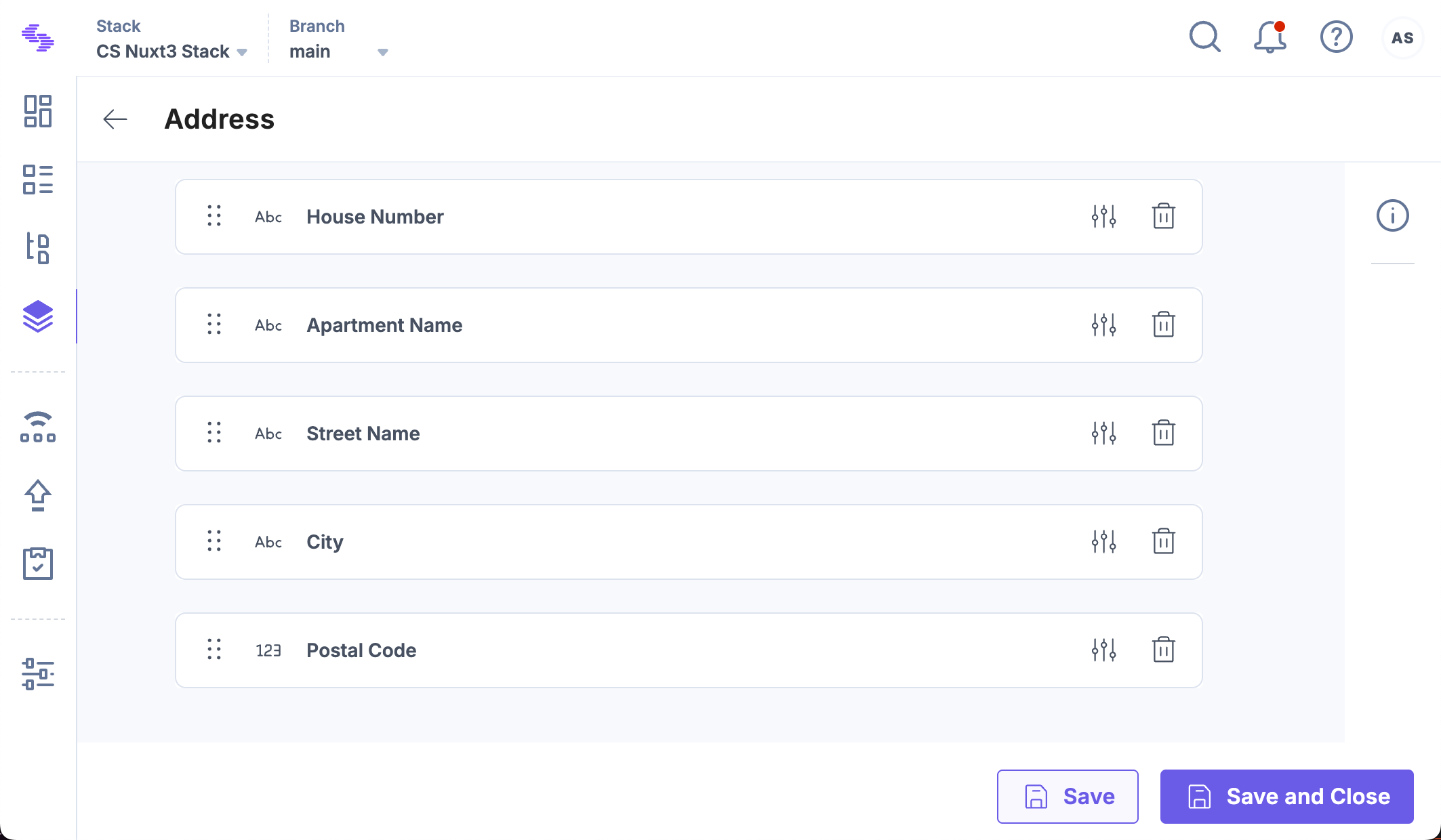
- Add the following fields to structure the Address Global field:
- House Number: Select the Single Line Textbox field.
- Apartment Name: Select the Single Line Textbox field.
- Street Name: Select the Single Line Textbox field.
- City: Select the Single Line Textbox field.
- Postal Code: Select the Number field.
Tip: To modify field behavior, click the Properties icon displayed next to each field and configure its settings.
- Click Save or Save and Close to save your changes.
Your Address Global field will look as follows:
Using Nested Global Fields
If you have multiple reusable components within a content model, you can use Nested Global fields. For example, if you have an Employee Details Global field that requires an address section, you can nest the Address Global field inside it instead of recreating the same fields.
To add a nested Global field, log in to your Contentstack account, and perform the following steps:
- Open the Global Field Builder for the parent Global field.
- Click the “+” (Insert a field) icon and select Global from the list.
- Click Select Global Field and choose Address from the available global fields.
- Save the changes.
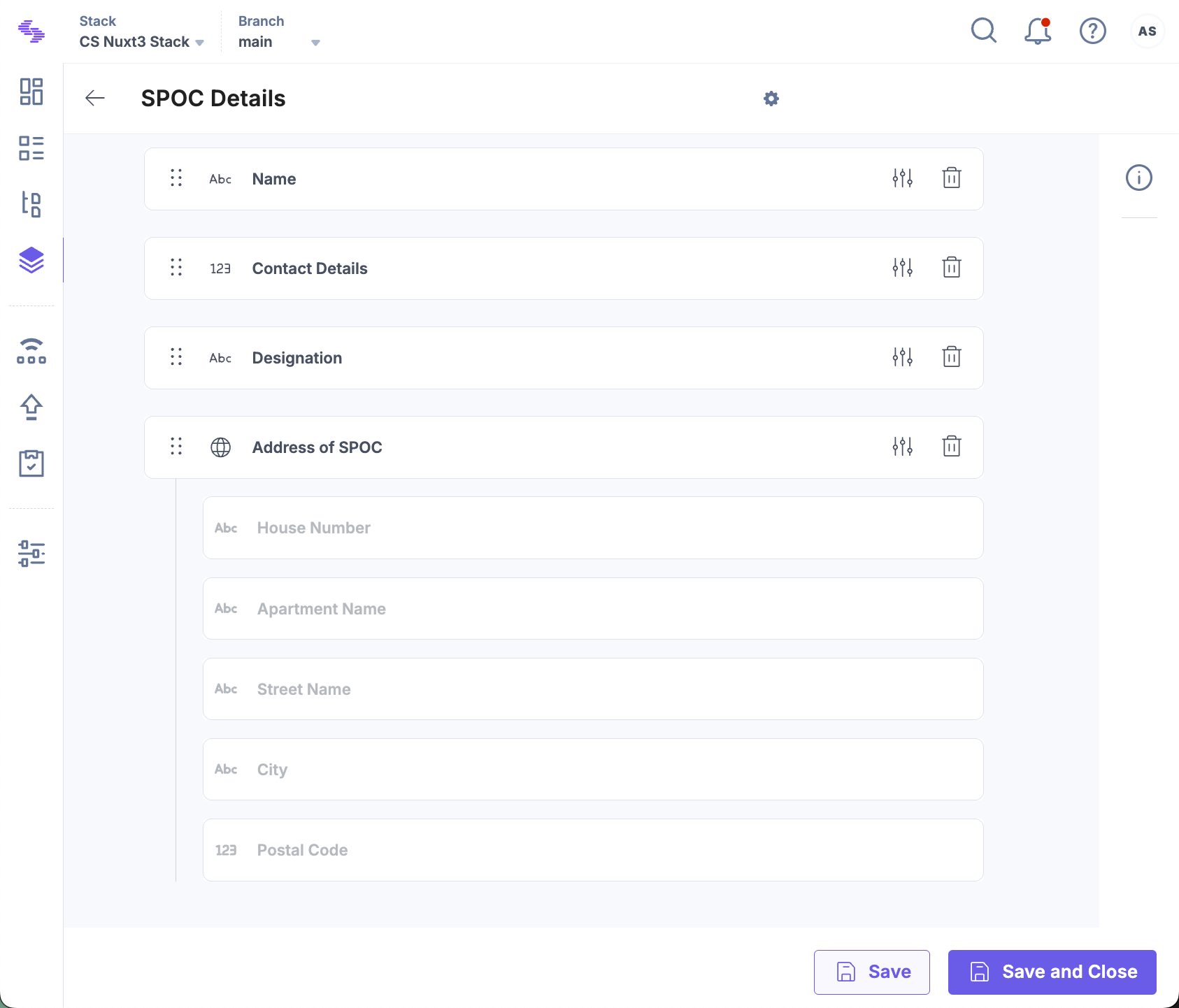
Nested Global fields help in maintaining consistency and reducing redundancy in complex content structures.
API Reference
To create a Global field via API, refer to the Create Global Field API request.
More articles in "Work with Global Field"
