

Generate a Management Token
Contentstack allows you to generate a management token that provides secure read-write access to your stack's content through the Content Management API. Only the stack Owner or Admin has permission to create or view these tokens. Here's how to generate a management token and configure its access levels, expiry, and rate limits.
Note: Manage Rate Limits is a plan-based feature. For more details, contact our support team.
To generate a management token, log in to your Contentstack account, go to your stack, and perform the following steps:
- Click the “Settings” icon.
- Select Tokens from the list.
- Navigate to the Management Tokens tab and click + Management Token.
- Provide a relevant Name and Description for the token.
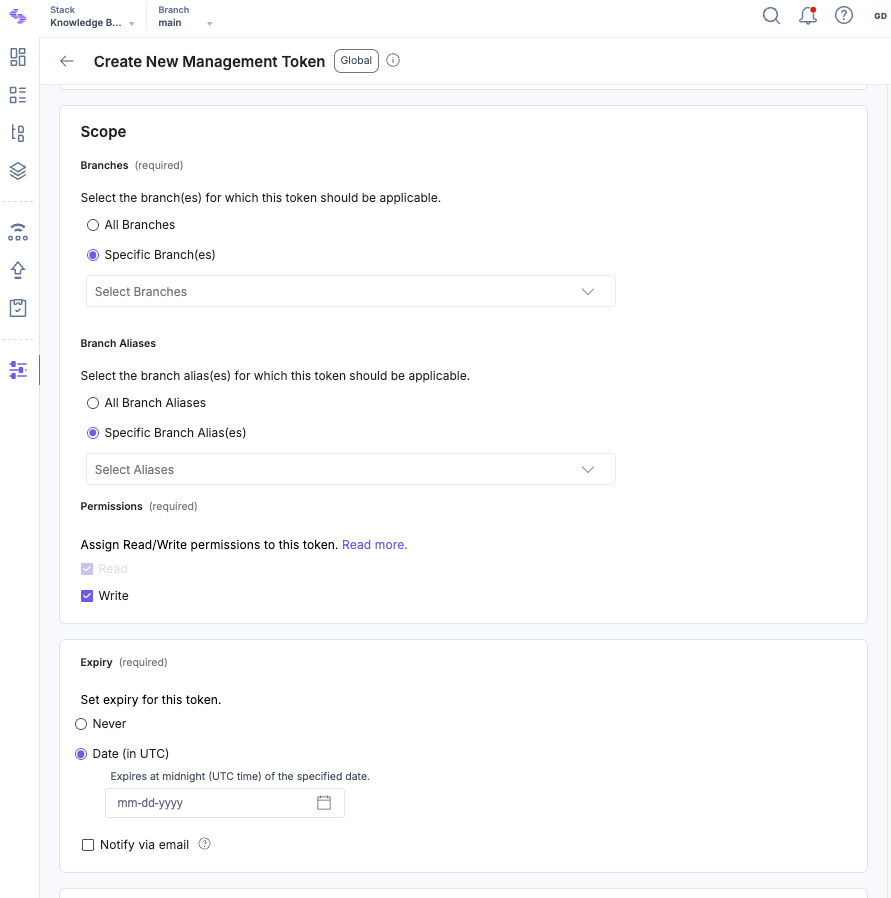
- Under Scope:
- Choose the branches to which you want the token to have access (e.g., All Branches or Specific Branch(es)).
Choose the aliases to fetch or manage data from their associated branches.
Tip: This option appears only if an alias exists for a branch.
- Select the stack-level permissions you want to assign to this token (e.g., Read and/or Write).
- Under Expiry, set an expiration limit for the token:
- Select Never if the token should not expire.
- Choose Date (in UTC) to set a specific expiration date. If selected, you can also enable Notify via email to receive a reminder 7 days before expiry.
Note: The management token expires at midnight UTC on the chosen date. When a management token expires, it becomes invalid and cannot be used to make any Content Management API calls.
- In the Manage Rate Limits section, configure the token's rate limits within your organization's overall rate limit:
- Use Organization Rate Limit (default): The token will follow the default organization-wide rate limit.
- Enforce Custom Rate Limit: You can specify a custom rate limit for the token, within the organization’s overall rate limit.
- Read Requests Per Second: Enter the maximum number of GET requests allowed for the token.
- Write Requests Per Second: Enter the maximum number of POST, PUT, DELETE, or other requests allowed for the token.
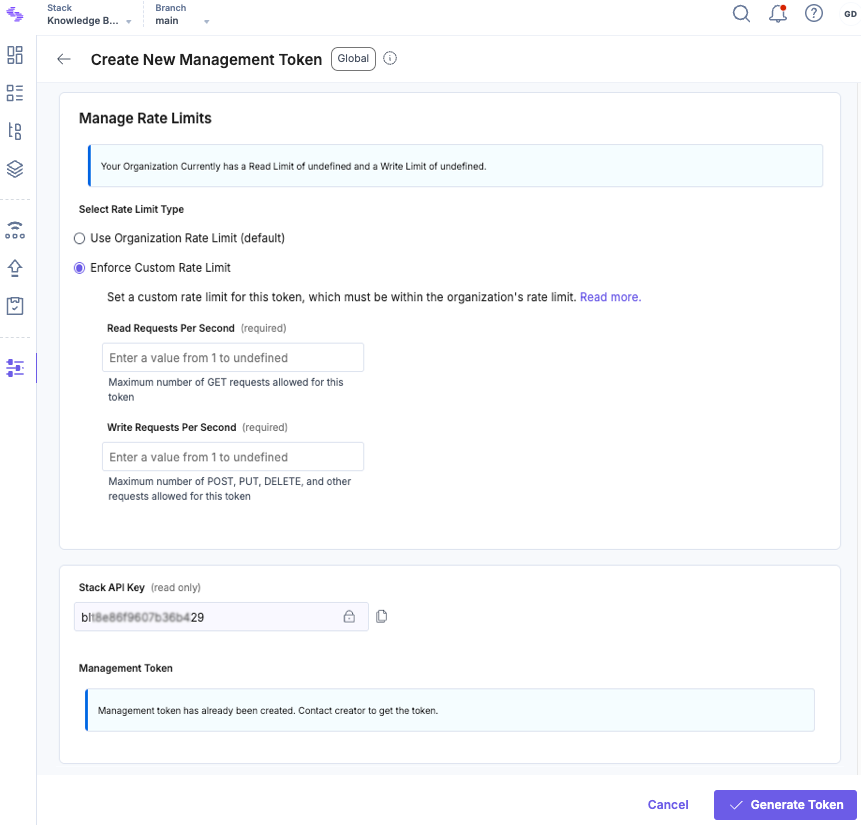
Note: Custom rate limits cap the number of requests per second, ensuring efficient usage within your organization’s allocation.
- Click Generate Token. A confirmation window displays the Stack API Key and the generated Management Token.
Warning: Make sure to copy the token now—once the window is closed, you won’t be able to view it again.
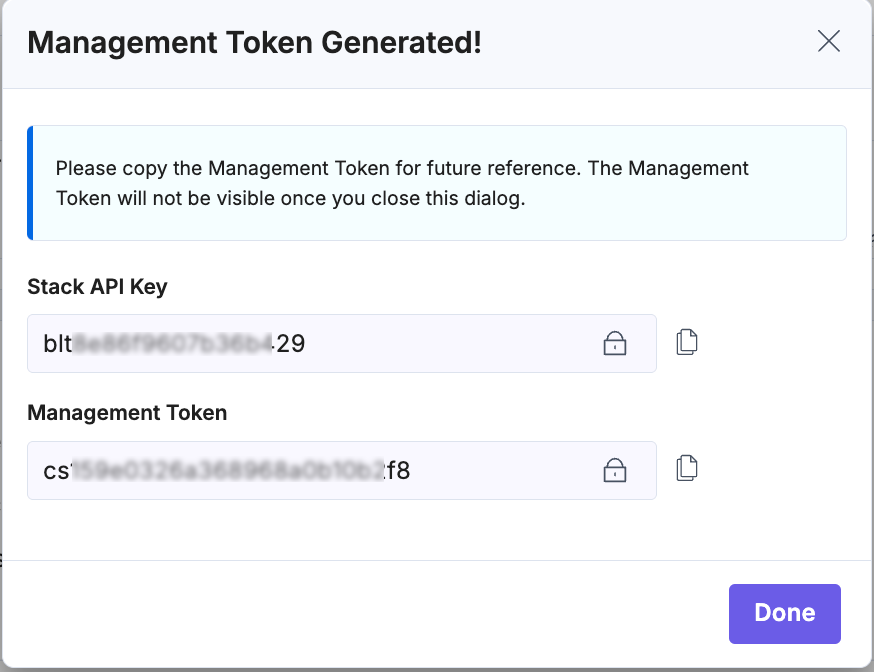
- Click Done on the modal to finalize and activate the management token.
Note: You can generate up to 30 management tokens per stack within your organization.
More articles in "Work with Management Tokens"
